
Revision Notes
IB DP Computer Science A.2: Networks – Revision Notes
Recall notes on IB DP Computer Science A.2 Networks: devices and layers, TCP, UDP, HTTP, HTTPS, DHCP, packet switching, bandwidth and errors, with a self-test.
- Subject
- Computer Science
- Level
- IB
- Topic
- A.2 – Networks
- Author
- Marlbridge Academic Team
- Updated
- Reviewed by
- Harris Khan (what this means)
Aligned to International Baccalaureate IB Diploma Programme Computer Science (DP Computer Science), First assessment 2027. Official subject brief .
Syllabus page (what it covers and how it is assessed): IB Diploma Programme Computer Science.
Found an error? Report a correction.
Need help with this topic? Request a free trial class for IB Diploma Programme Computer Science (DP Computer Science (2014) / DP Computer Science (2027)).
Condensed for quick recall of A.2 Networks, the second sub-topic of Theme A in IB DP Computer Science, first assessment 2027 (11 hours SL / 18 hours HL). For full explanations and the worked web-page example, use the A.2 study guide. The exact learning outcomes are in the full DP guide held by your school.
Key terms
| Term | Meaning |
|---|---|
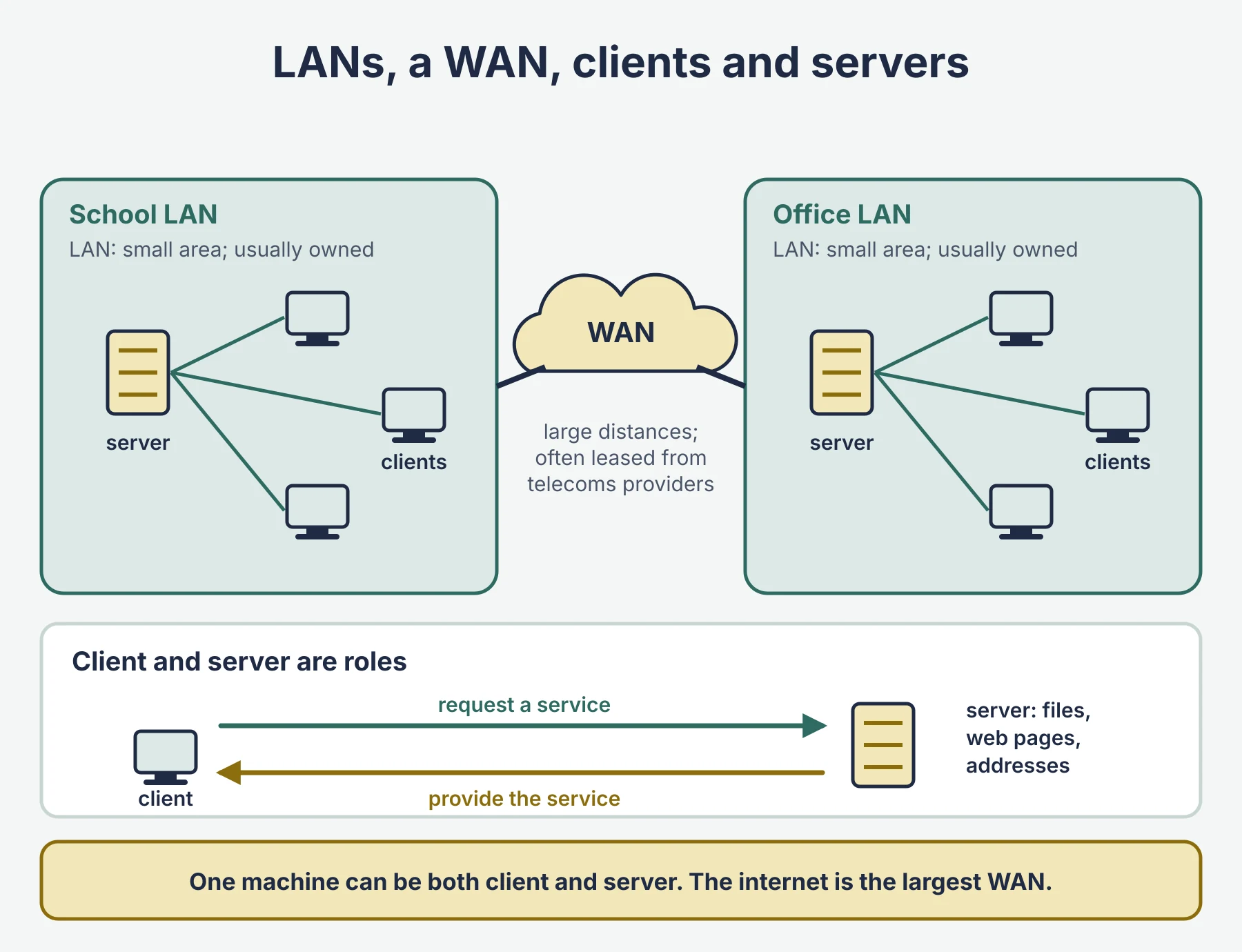
| Client | Device or program that requests a service |
| Server | Device or program that provides a service |
| LAN | Network over a small area, usually owned by one organisation |
| WAN | Network linking LANs over large distances; the internet is one |
| Protocol | Agreed rules for communication |
| MAC address | Unique hardware address of a network interface |
| IP address | Logical address used to route packets between networks |
| Port | Number identifying the service or application on a host |
| Packet | Unit of data with a header (addresses, sequence number) and payload |
| Packet switching | Packets travel independently and are reassembled at the destination |
| Bandwidth | Maximum data transfer rate, in bits per second |
| Latency | Delay before data begins to arrive |
| Encapsulation | Each layer adds its header as data moves down the stack |
| Attenuation | Weakening of a signal over distance |
| Checksum | Value calculated from data to detect errors |
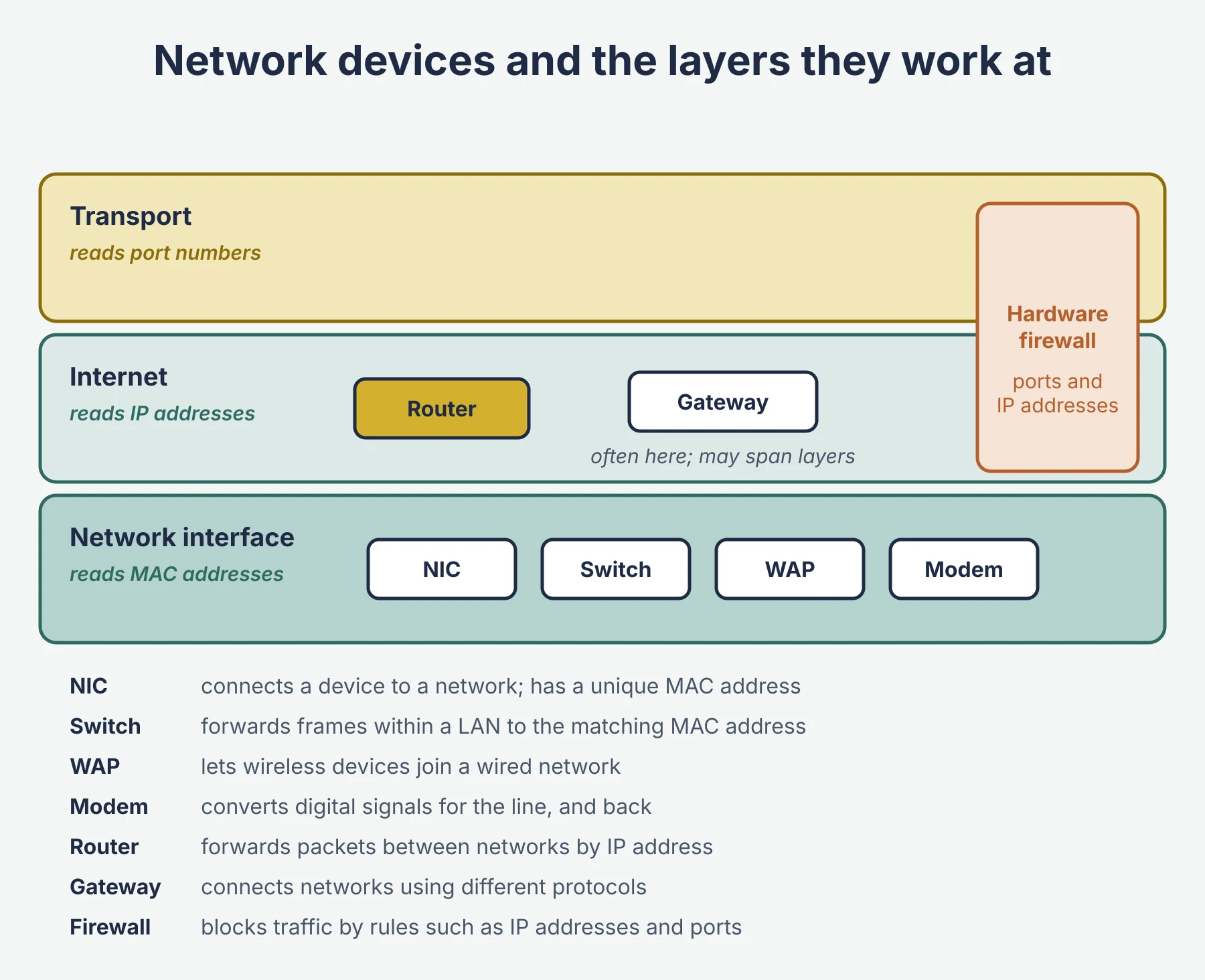
Devices: what they read and where they sit
| Device | Reads or handles | Layer (typical) | One-line role |
|---|---|---|---|
| NIC | MAC addresses, frames | Network interface | Connects a device to a network |
| Switch | MAC addresses | Network interface | Forwards frames to the right device within a LAN |
| WAP | Wireless frames | Network interface | Joins wireless devices to a wired LAN |
| Modem | Signals | Network interface | Converts digital data for transmission over a line |
| Router | IP addresses | Internet | Forwards packets between networks, choosing routes |
| Gateway | Different protocols | Internet (often several) | Connects networks that use different protocols |
| Hardware firewall | IP addresses, ports, sometimes content | Internet / transport | Allows or blocks traffic by rules |
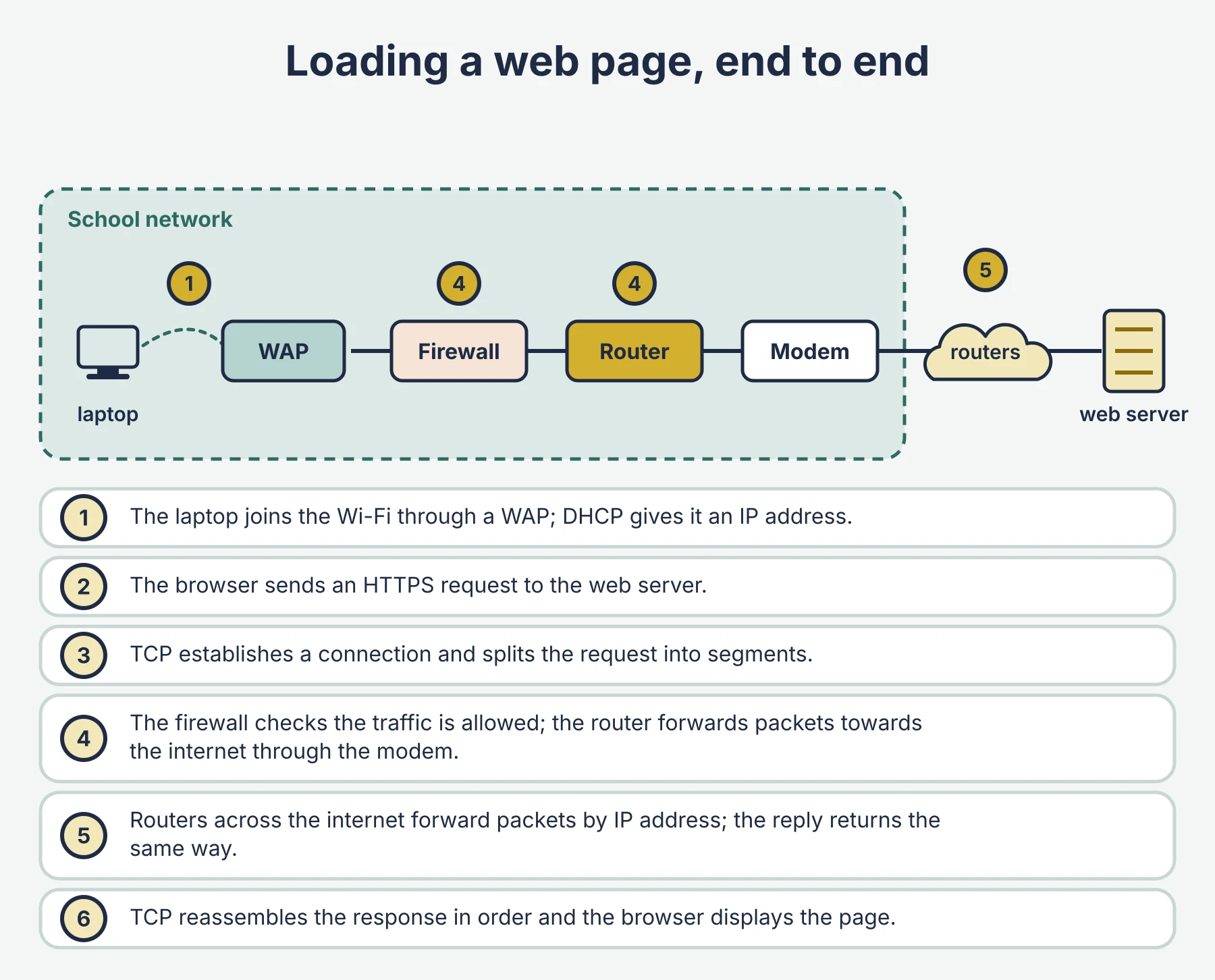
Protocols compared
| Protocol | Layer | Key feature | Typical use |
|---|---|---|---|
| TCP | Transport | Connection, sequence numbers, acknowledgements, resending | Web, email, file transfer |
| UDP | Transport | No connection or resending; low overhead | Video calls, games, live streaming |
| HTTP | Application | Request and response for web resources | Web browsing |
| HTTPS | Application | HTTP with TLS encryption and certificates | Logins, payments, any private data |
| DHCP | Application | Assigns IP address and settings automatically | Joining a network |
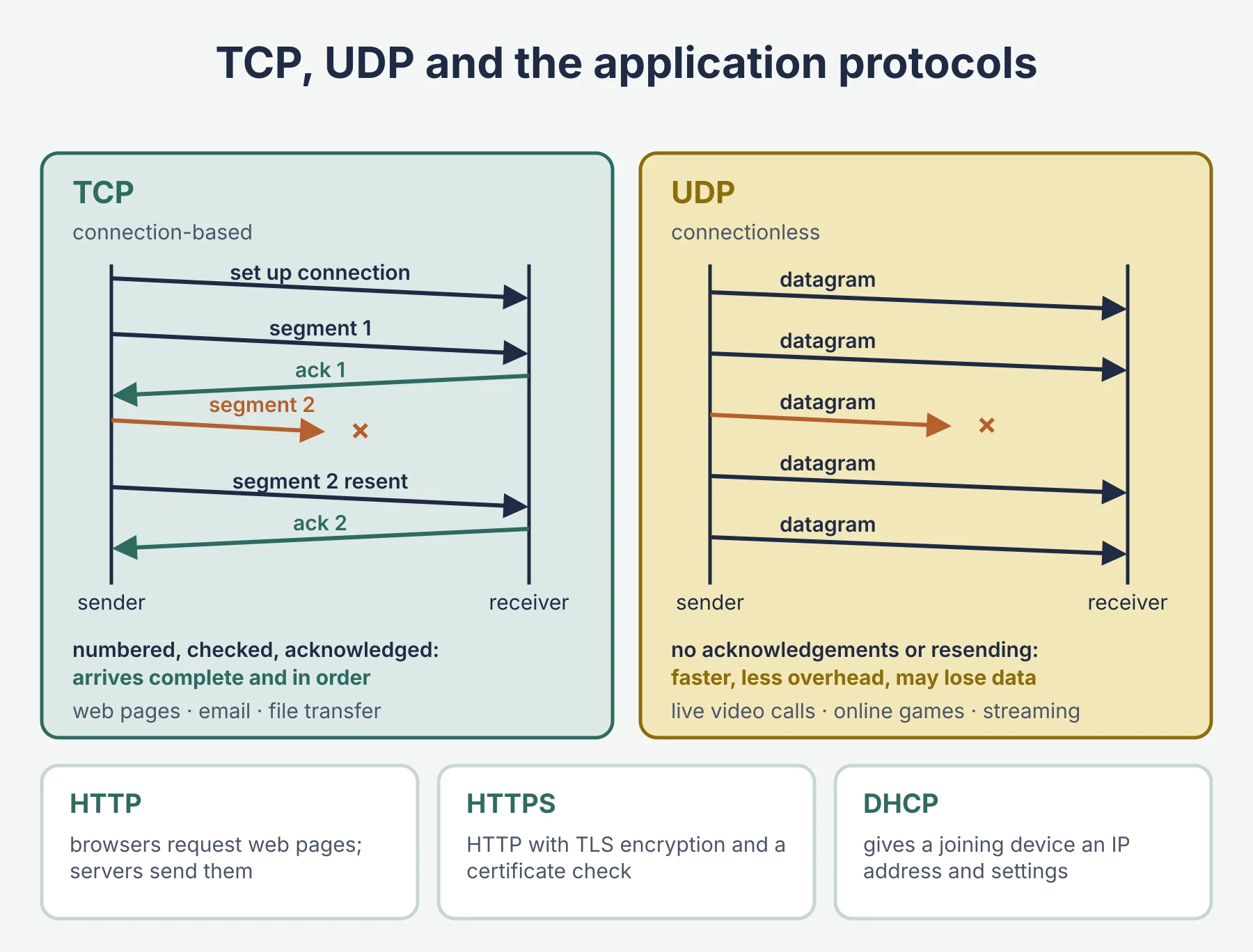
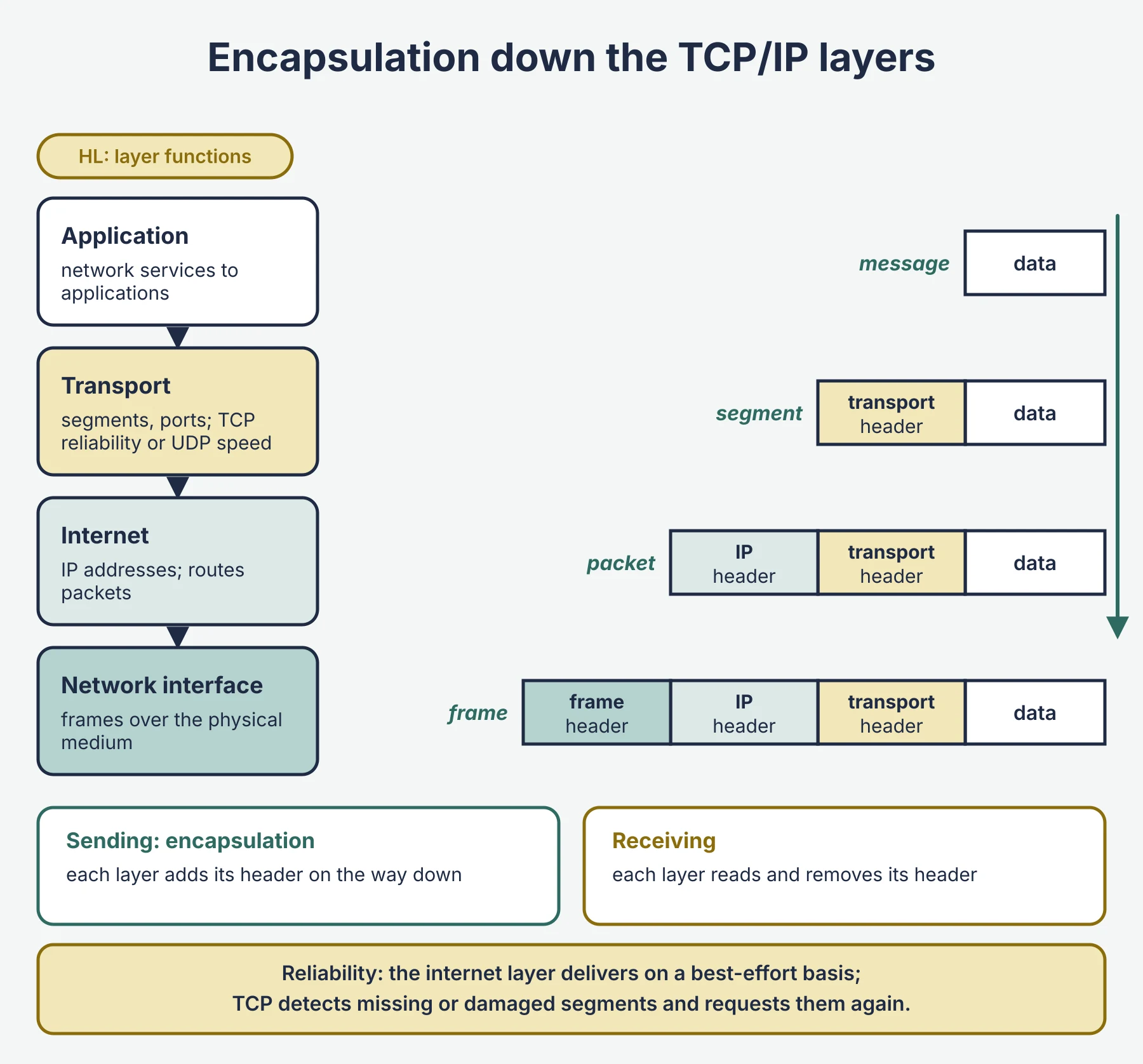
TCP/IP model (layer functions: HL only)
- Application: services to programs (HTTP, HTTPS, DHCP).
- Transport: segments, ports, reliability (TCP) or speed (UDP).
- Internet: IP addressing and routing.
- Network interface: frames on the physical medium within one network.
Reliability in one sentence: IP delivers packets on a best-effort basis; TCP detects loss or damage and resends, so the application receives complete, ordered data.
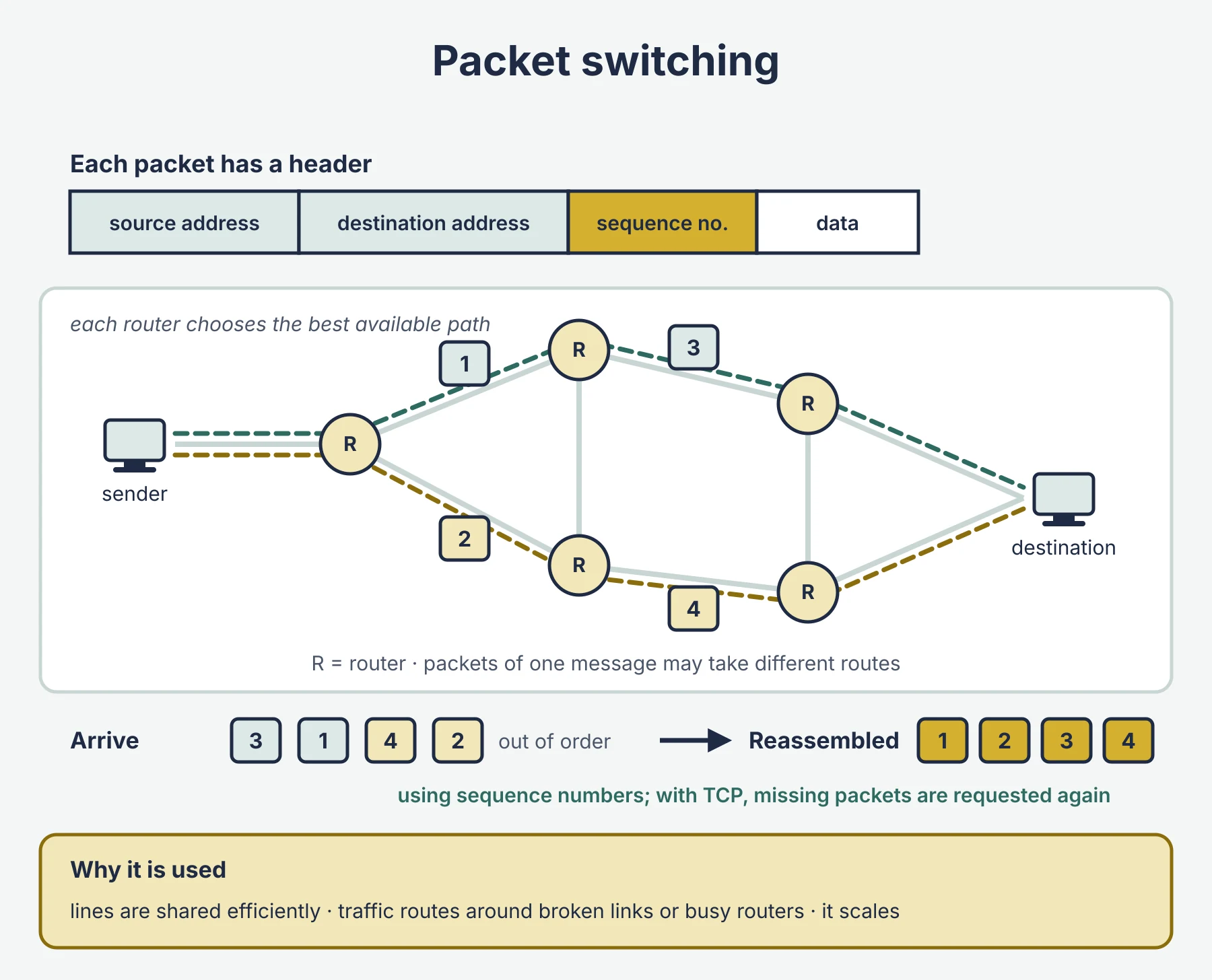
Packet switching in five steps
- Data is split into packets.
- Each packet gets a header: source, destination, sequence number.
- Routers forward each packet independently by the best available route.
- Packets may arrive out of order; they are reassembled by sequence number.
- With TCP, missing packets are requested again.
Advantages: efficient sharing of lines; rerouting around failures; scales to huge networks.
Bandwidth calculations
- Convert bytes to bits: × 8.
- Time (s) = data (bits) ÷ bandwidth (bits per second).
- Example: 600 MB over 100 Mbps → 4,800 Mb ÷ 100 = 48 s at best.
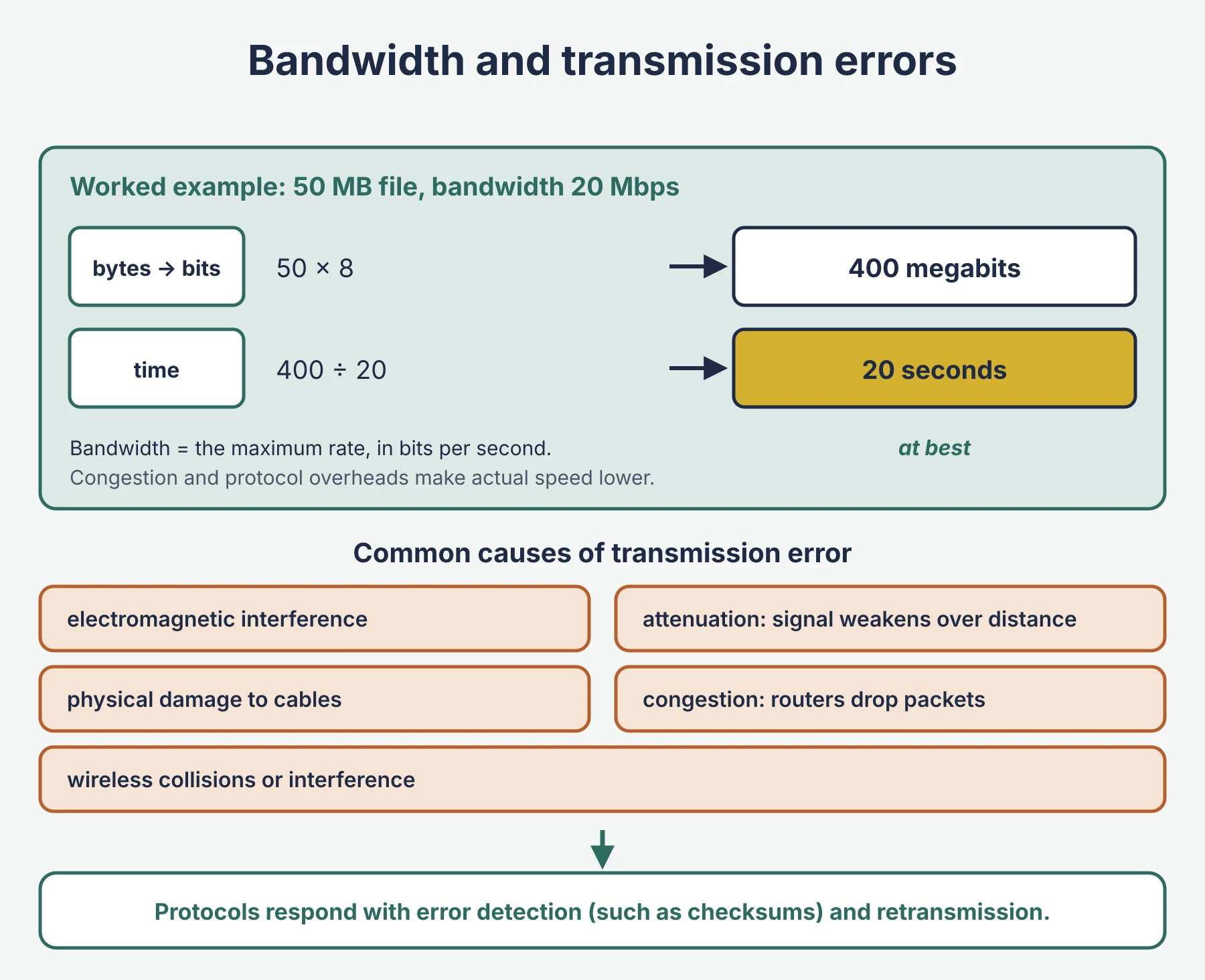
Causes of transmission error
Interference · attenuation over distance · damaged cables · congestion causing dropped packets · wireless collisions. Responses: checksums to detect errors; acknowledgements and retransmission.
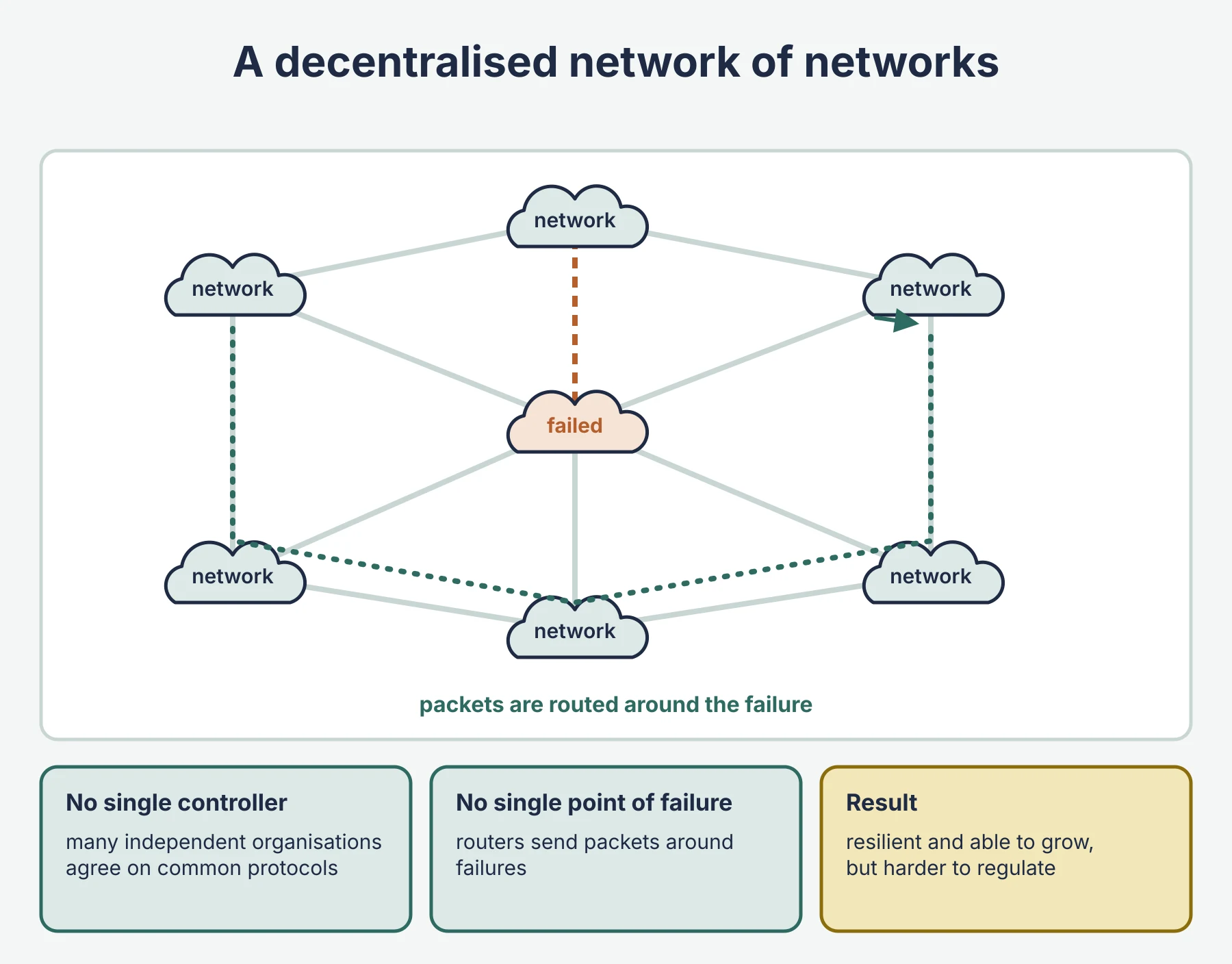
Decentralisation
No central control; many independent networks agree on common protocols; routing around failures removes single points of failure, making the internet resilient and scalable but hard to regulate.
Exam traps
- Switch vs router. MAC within a LAN vs IP between networks.
- HTTPS is not “faster”. It is encrypted and authenticated.
- UDP has uses. Choose it when speed matters more than every packet.
- Bits and bytes. Bandwidth is in bits per second.
- Scenario answers. Recommend a device or protocol and justify it with the scenario’s details.
- SL vs HL. Device mapping is both levels; layer functions are HL only.
Self-test
- Give one difference between a LAN and a WAN.
- Which device forwards frames within a LAN using MAC addresses?
- Which device forwards packets between networks?
- At which TCP/IP layer does a router typically work?
- State two features of TCP that make it reliable.
- Why might a video-calling app use UDP?
- What does DHCP provide to a device joining a network?
- What does HTTPS add to HTTP?
- Why can packets of one message arrive out of order?
- A 200 MB file is sent over a 50 Mbps link. What is the minimum time?
- Name two causes of transmission error.
- Why is the internet described as decentralised?
Answers: 1. A LAN covers a small area and is usually owned by one organisation; a WAN covers a large area, often over leased lines. 2. A switch. 3. A router. 4. The internet layer. 5. Any two: sequence numbers; acknowledgements; resending lost segments; error checking; connection set-up. 6. Low delay matters more than receiving every packet; a lost packet is better skipped than resent late. 7. An IP address and settings such as the default gateway. 8. Encryption with TLS and authentication of the server by certificate. 9. Each packet is routed independently and may take a different path. 10. 200 × 8 = 1,600 Mb ÷ 50 = 32 seconds. 11. Any two: interference; attenuation; damaged cables; congestion; collisions. 12. No single organisation controls it; independent networks cooperate through shared protocols and traffic can be routed around failures.
Related pages
Official syllabus
International Baccalaureate Organization, Diploma Programme Subject Brief – Sciences: Computer science, first assessment 2027, © 2024.
Related resources
-
Study guides
IB DP Computer Science (DP Computer Science): Servers, Client-Server and Peer-to-Peer Models
Study guide to the function of servers (HL) and the comparison of client-server and peer-to-peer models (SL and HL) in IB DP Computer Science A.2.
Computer Science · International Baccalaureate · IB
Read guide -
Practice questions
IB DP Computer Science (DP Computer Science): Servers, Client-Server and Peer-to-Peer Models – Practice Questions
Twelve original questions on server functions and client-server versus peer-to-peer models for IB DP Computer Science A.2, with mark-scheme answers.
Computer Science · International Baccalaureate · IB
Try questions -
Revision notes
IB DP Computer Science (DP Computer Science): Servers, Client-Server and Peer-to-Peer Models – Revision Notes
Condensed notes on server functions (HL) and client-server versus peer-to-peer networks for IB DP Computer Science A.2, with exam traps and a self-test.
Computer Science · International Baccalaureate · IB
Revise topic
Get free revision emails (optional)
Occasional emails with practice questions, worked explanations and links to free resources for the qualification and subjects you choose. No spam, and you can unsubscribe from any email. The free tools on this site never need an email.