
Study Guides
OxfordAQA IGCSE Computer Science (9210): Data structures
Study guide to OxfordAQA IGCSE Computer Science 9210 section 3.2.6: one- and two-dimensional arrays, records and arrays of records in simple solutions.
- Subject
- Computer Science
- Level
- IGCSE
- Topic
- Topic 2 – Programming
- Author
- Marlbridge Academic Team
- Updated
- Reviewed by
- Harris Khan (what this means)
Aligned to OxfordAQA IGCSE Computer Science (9210), For teaching from September 2017, exams from May/June 2019. Official specification .
Syllabus page (what it covers and how it is assessed): OxfordAQA IGCSE Computer Science.
Syllabus points this page covers
9210
- 3.2.6 Data structures
Found an error? Report a correction.
Need help with this topic? Request a free trial class for IGCSE Computer Science (9210).
This guide covers section 3.2.6 Data structures of OxfordAQA International GCSE Computer Science (9210). The specification asks you to “understand the concept of data structures”, to “use arrays (or equivalent) in the design of solutions to simple problems” and to “use records (or equivalent)” in the same way. Only one- and two-dimensional arrays are required, and a Python list is a suitable alternative to an array. The overview of 3.2.6 alongside the rest of Topic 2 is in the data structures, subroutines and translators study guide; this guide goes further into writing and tracing code that uses each structure.
The concept of a data structure
A data structure is an organised way of storing several related items of data under one name so that a program can process them together. Think of a register of names on a class list, a timetable grid, or a contact card with a name, number and email: each organises data so that it can be found and used easily.
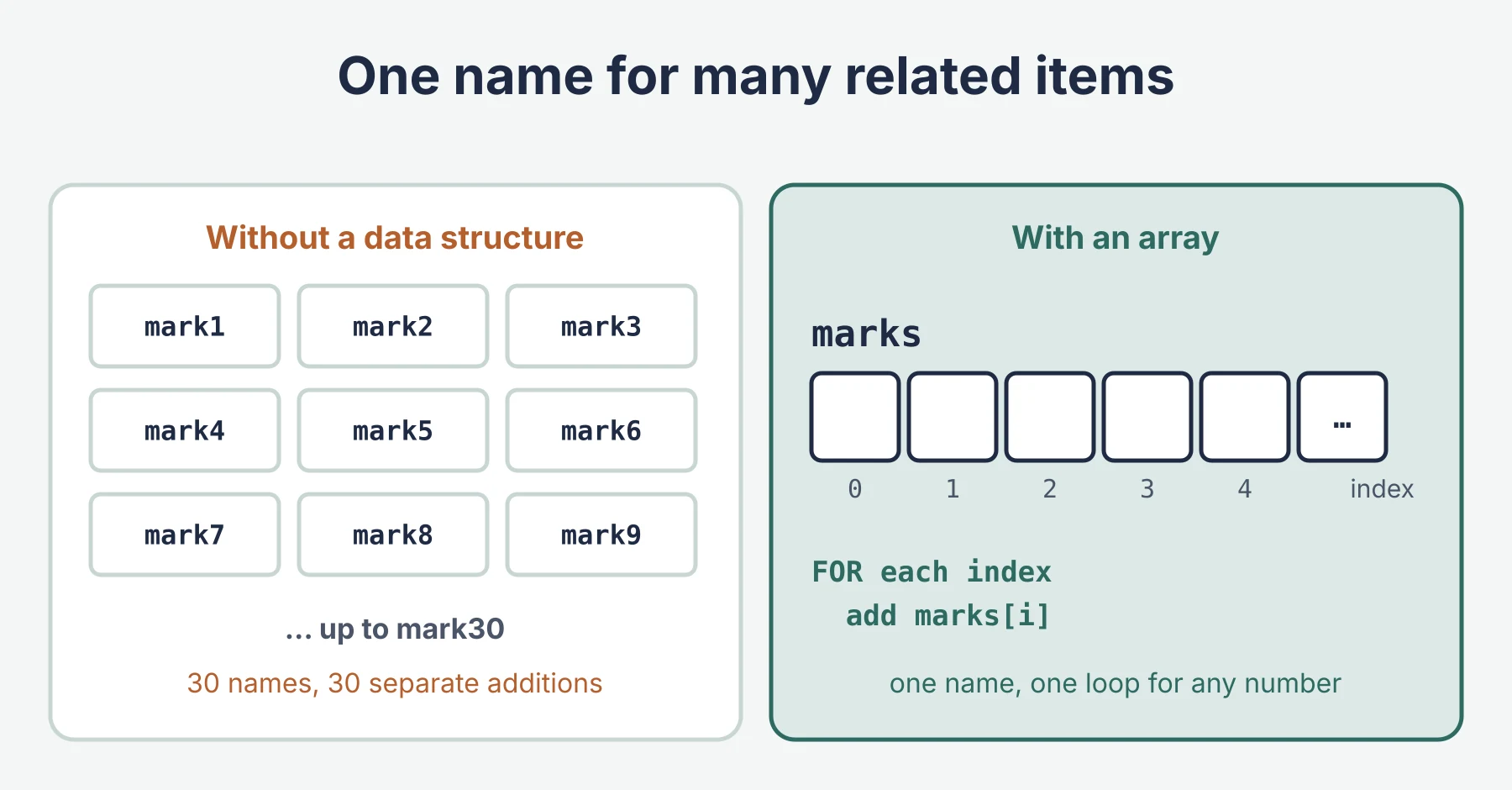
Without data structures, storing 30 marks would need 30 separately named variables, and finding their total would need 30 separate additions. With an array, one loop does the job whatever the number of marks.
One-dimensional arrays
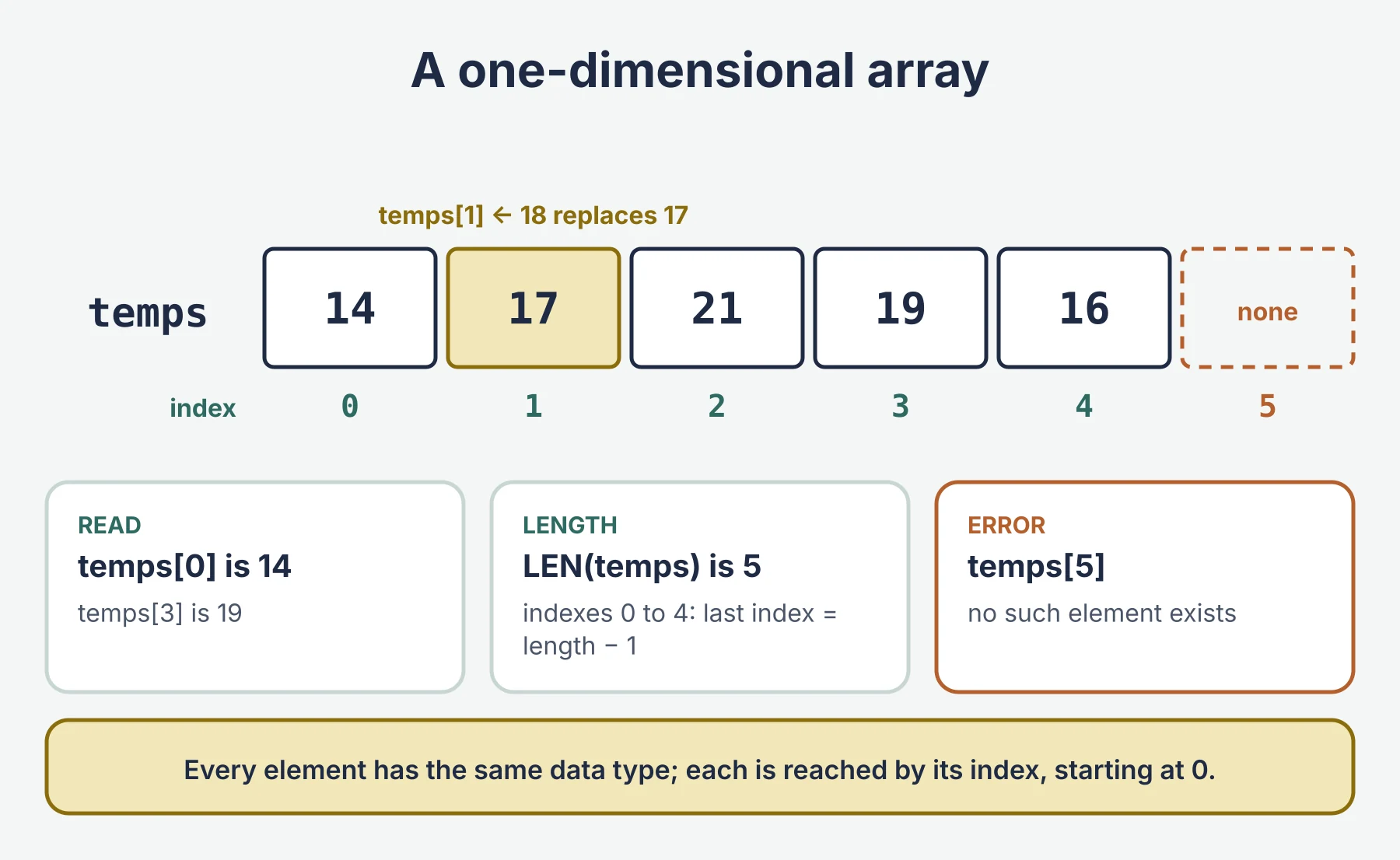
A one-dimensional array stores a fixed number of items of the same data type in order. Each item is an element, reached by its index. In the specification’s pseudocode, indexes start at 0:
temps ← [14, 17, 21, 19, 16]
OUTPUT temps[0]        -- 14
OUTPUT temps[3]        -- 19
temps[1] ← 18          -- replaces 17 with 18
OUTPUT LEN(temps)      -- 5
An array of five elements has indexes 0 to 4, so the last index is always one less than the length. Reading
temps[5] is an error, because no such element exists.
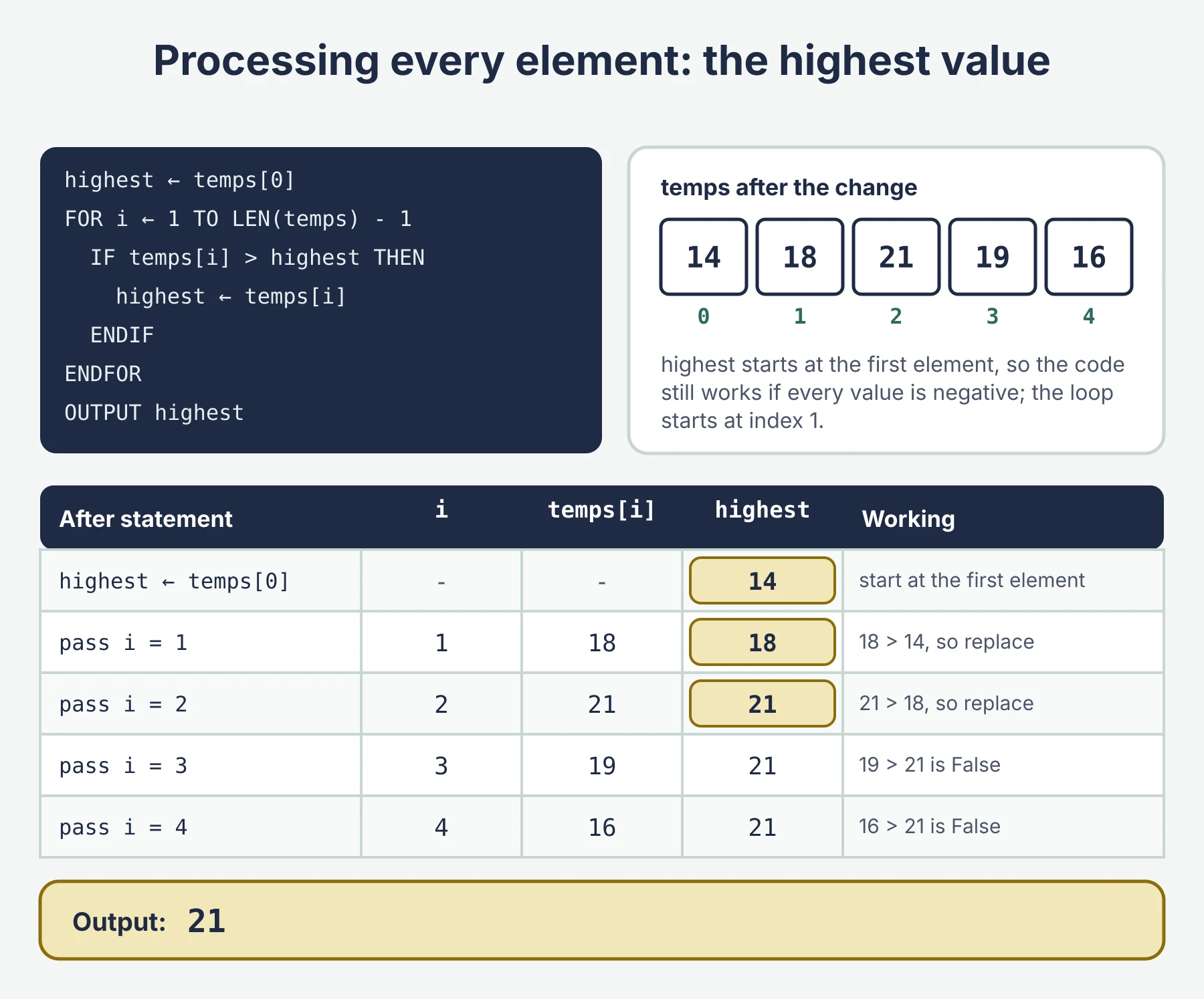
The most important skill is processing every element with a loop:
highest ← temps[0]
FOR i ← 1 TO LEN(temps) - 1
  IF temps[i] > highest THEN
    highest ← temps[i]
  ENDIF
ENDFOR
OUTPUT highest
Starting highest at the first element (rather than at 0) means the code still works if every value is
negative. The loop then starts at index 1, since index 0 is already counted. For the array above (after the
change to temps[1]), the output is 21.
Two-dimensional arrays
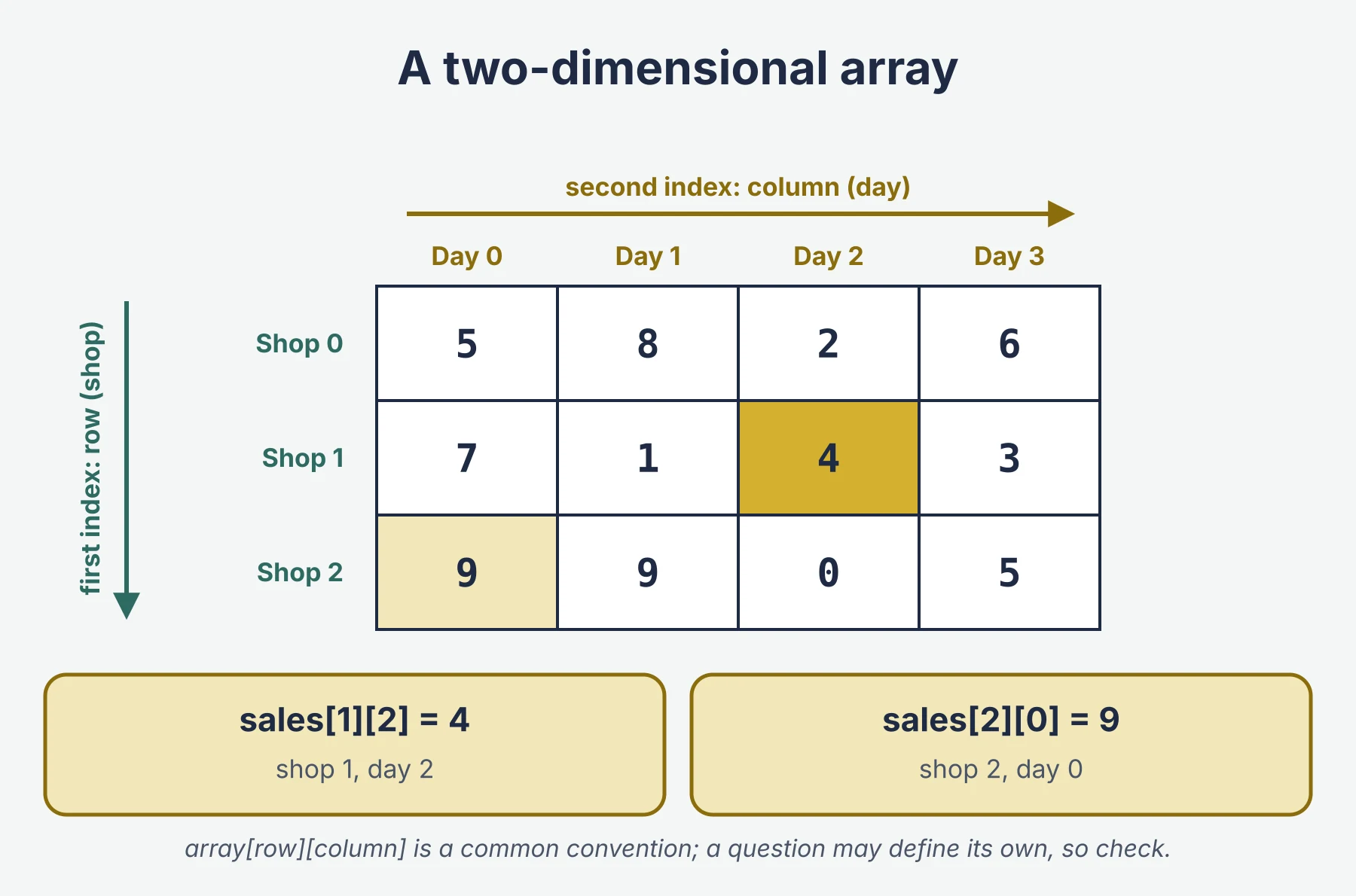
A two-dimensional array stores a table: rows and columns of items of the same type. Each element needs two
indexes. A common convention is array[row][column], but a question may define its own, so always read which
index is which.
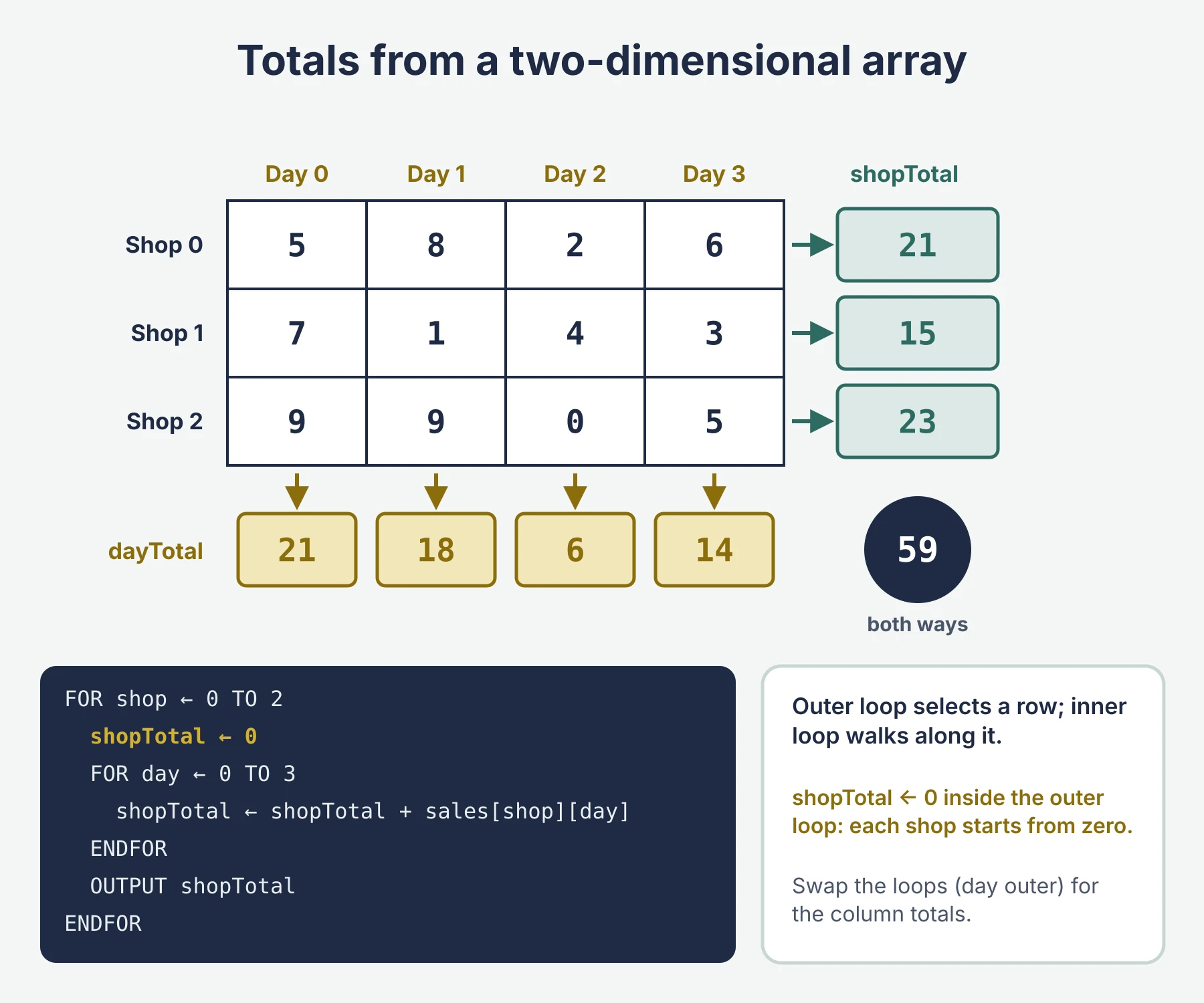
A small chain of shops records the number of bikes sold by each of three shops over four days:
sales ← [[5, 8, 2, 6],
         [7, 1, 4, 3],
[9, 9, 0, 5]]| Day 0 | Day 1 | Day 2 | Day 3 | |
|---|---|---|---|---|
| Shop 0 | 5 | 8 | 2 | 6 |
| Shop 1 | 7 | 1 | 4 | 3 |
| Shop 2 | 9 | 9 | 0 | 5 |
sales[1][2] is shop 1, day 2: 4. sales[2][0] is 9.
Worked example: totals from a two-dimensional array
FOR shop ← 0 TO 2
  shopTotal ← 0
  FOR day ← 0 TO 3
    shopTotal ← shopTotal + sales[shop][day]
  ENDFOR
  OUTPUT shopTotal
ENDFOR
The outer loop selects a row; the inner loop walks along it. The outputs are 21, 15 and 23. Because
shopTotal ← 0 is inside the outer loop, each shop starts from zero.
To total each day instead (each column), swap the loops so that day is the outer counter and shop the
inner one, and reset a dayTotal for each day: the results are 21, 18, 6 and 14. Both methods give a grand
total of 59, which is a useful check.
Records
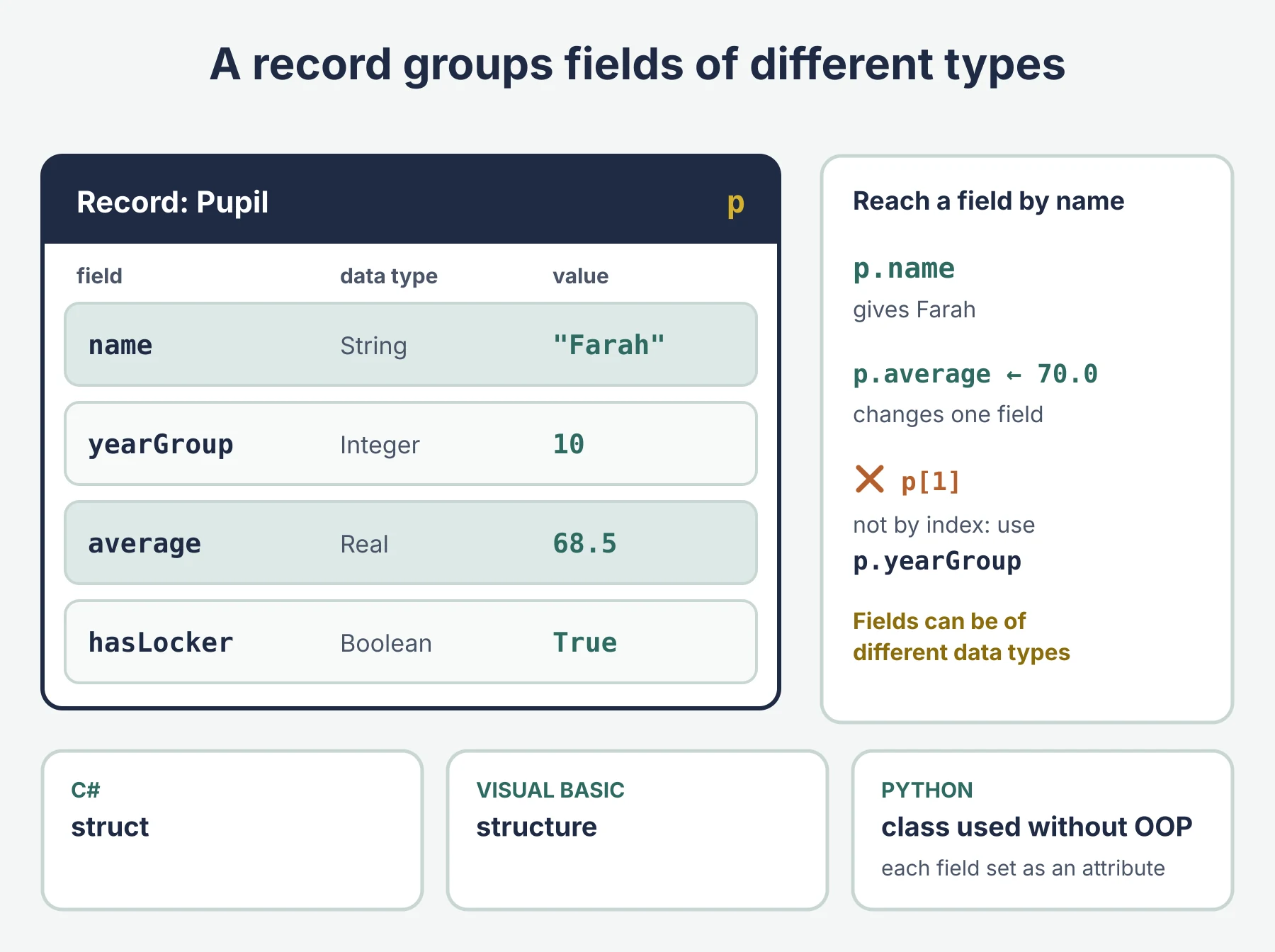
A record groups together several fields that describe one thing. Unlike an array, the fields can be of different data types, and each is reached by name rather than by index. In pseudocode a record can be defined and used like this:
RECORD Pupil
  name : String
  yearGroup : Integer
  average : Real
  hasLocker : Boolean
ENDRECORD

p ← Pupil("Farah", 10, 68.5, True)
OUTPUT p.name           -- Farah
p.average ← 70.0
The specification lists equivalents in common languages: structs in C#, structures in Visual Basic, and in Python a class used in a non-object-oriented way, with each field set as an attribute.
Arrays of records
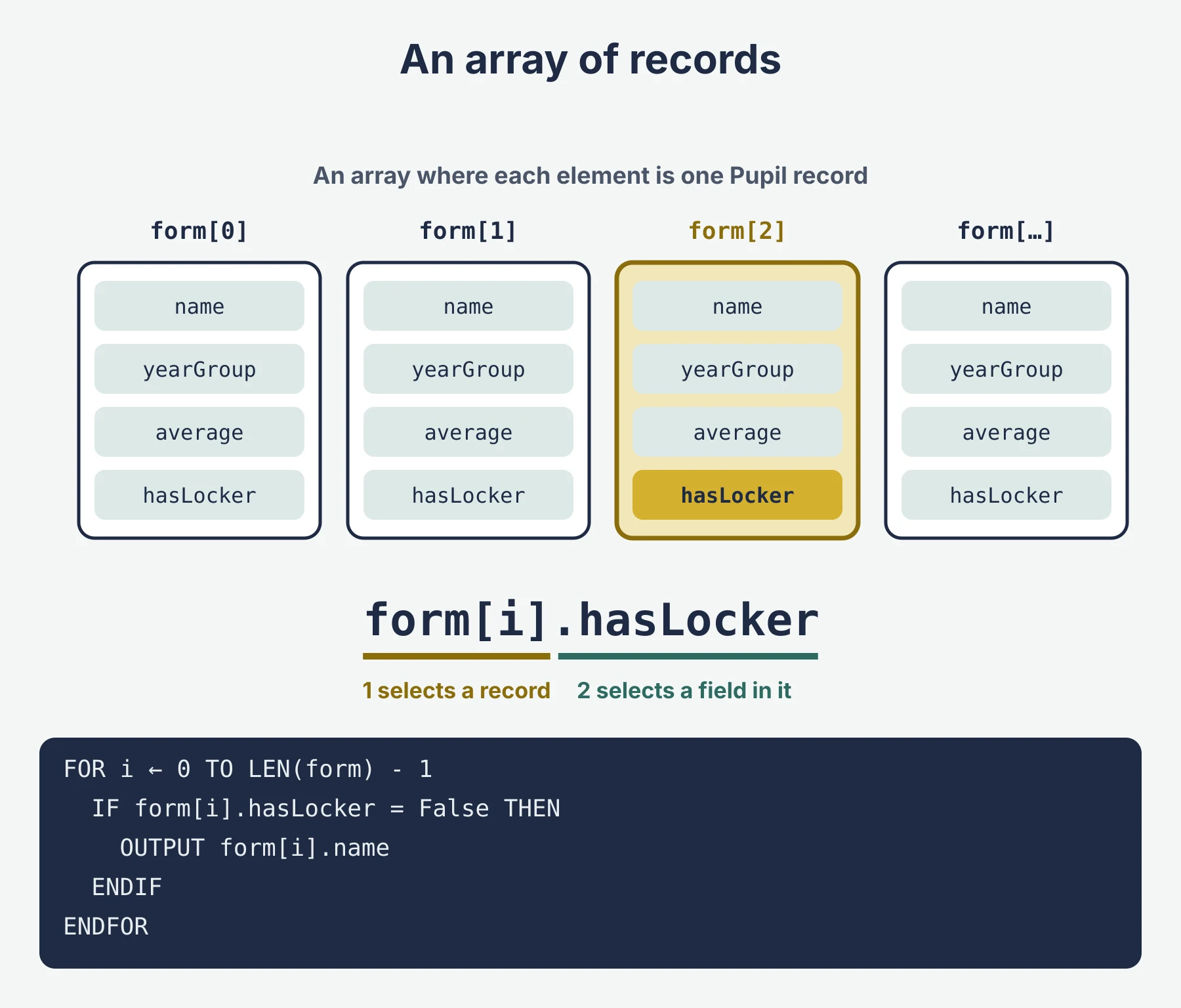
Real problems often combine the two structures: an array of records, where each element is one record. This is how a program stores a table of mixed data, such as all pupils in a form:
FOR i ← 0 TO LEN(form) - 1
  IF form[i].hasLocker = False THEN
    OUTPUT form[i].name
  ENDIF
ENDFOR
form[i] selects a record; .hasLocker selects a field inside it. Reading the expression from left to right in
that way makes even long expressions straightforward.
Choosing a structure
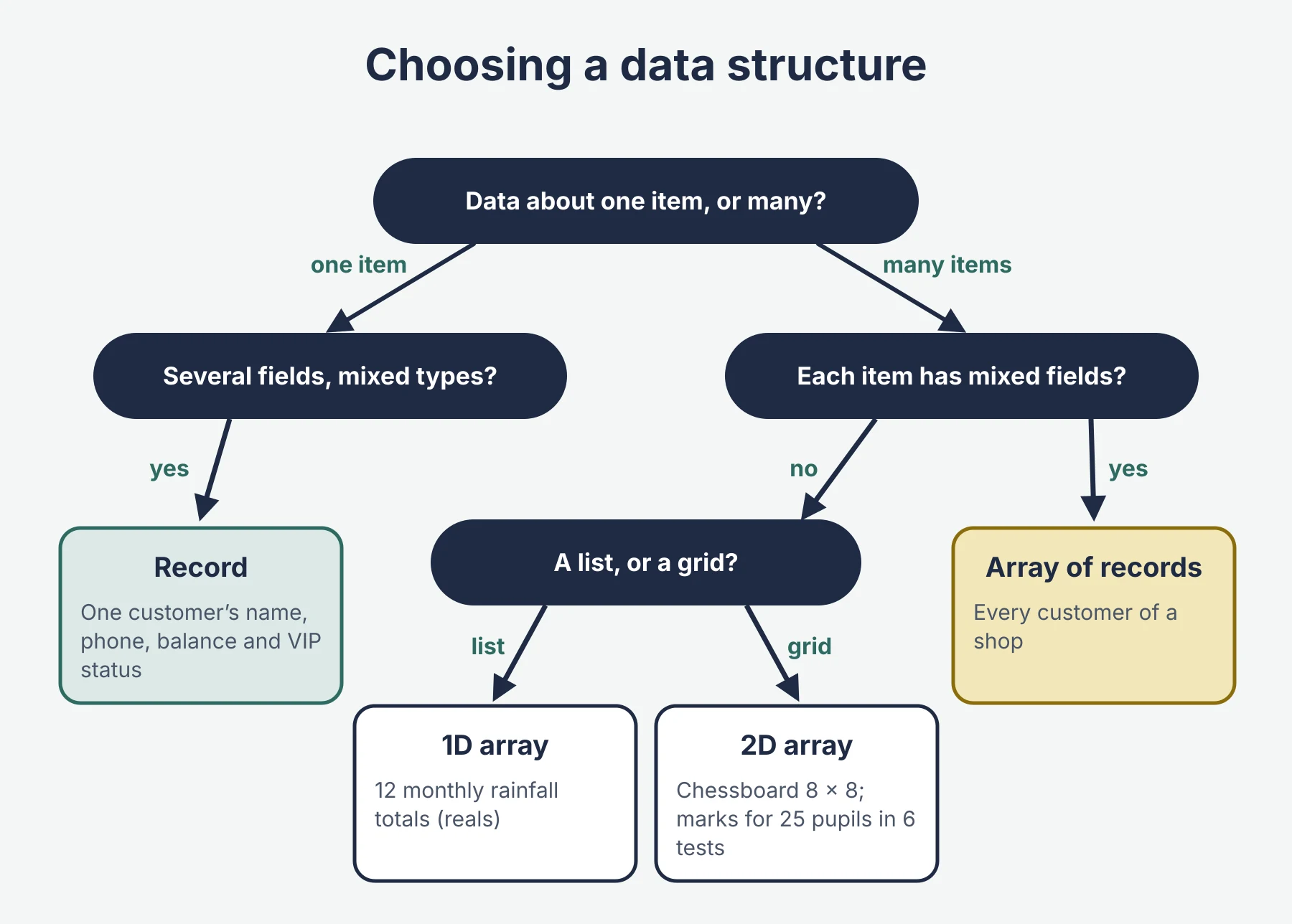
| Situation | Best structure | Why |
|---|---|---|
| The 12 monthly rainfall totals for a town | 1D array of reals | One type, one list |
| A chessboard showing which piece is on each square | 2D array (8 × 8) | A grid with two coordinates |
| One customer’s name, phone number, balance and VIP status | Record | Several fields of different types |
| Every customer of a shop | Array of records | Many items, each with mixed fields |
| Marks for 25 pupils in 6 tests | 2D array (25 × 6) | A table of one data type |
Annotated model answer
Question: A vet’s surgery wants to store, for each animal it treats, the animal’s name, species, age in years and whether its vaccinations are up to date. Describe a suitable data structure for storing the details of all the animals. [4]
Model answer: Define a record Animal with four fields: name (string), species (string), age (integer)
and vaccinated (Boolean). Store all the animals in a one-dimensional array of these records, so that
animals[i].name gives the name of the animal at index i.
Why it scores: it names the structure (an array of records), lists every field, gives each field an appropriate data type, and shows how one item would be accessed. Saying only “use an array” would miss most of the marks, because a single array cannot hold the mixed data types for each animal.
Common mistakes
- Starting at index 1 when the array starts at 0, or using
LEN(array)as the last index. - Saying an array can hold mixed types. That is what a record is for.
- Mixing up row and column order in a two-dimensional array.
- Resetting a total in the wrong place in nested loops.
- Treating a record field like an array element, for example
p[1]instead ofp.yearGroup. - Suggesting a three-dimensional array. Only one- and two-dimensional arrays are required; a problem at this level can be solved with one of those.
Exam technique
- Design or describe a structure: name it (1D array, 2D array, record, array of records), give its size or fields, and state the data type of each field.
- Write code: use a
FORloop over the indexes and access each element inside it; state any assumption about indexing from 0. - Trace code: write the array out as a table and mark the element each pass uses.
- Justify a choice: refer to the data (same type or mixed types; list or table).
For quick recall and a self-test, use the data structures revision notes, then apply this in the data structures practice questions. Choosing the data type of each field is covered in the data types study guide.
Related resources
-
Practice questions
OxfordAQA IGCSE Computer Science (9210): Data structures – Practice Questions
Original OxfordAQA IGCSE Computer Science 9210 practice questions with answers on one- and two-dimensional arrays, records and arrays of records.
Computer Science · OxfordAQA · IGCSE
Try questions -
Revision notes
OxfordAQA IGCSE Computer Science (9210): Data structures – Revision Notes
Revision notes for OxfordAQA IGCSE Computer Science 9210 section 3.2.6: arrays, two-dimensional arrays, records, arrays of records, traps and a self-test.
Computer Science · OxfordAQA · IGCSE
Revise topic -
Study guides
OxfordAQA IGCSE Computer Science (9210): Data types
Study guide to section 3.2.1 of OxfordAQA IGCSE Computer Science 9210: what a data type is and how to choose integer, real, Boolean, character or string.
Computer Science · OxfordAQA · IGCSE
Read guide
Get free revision emails (optional)
Occasional emails with practice questions, worked explanations and links to free resources for the qualification and subjects you choose. No spam, and you can unsubscribe from any email. The free tools on this site never need an email.