
Revision Notes
OxfordAQA IGCSE Computer Science (9210): Classification of programming languages and translators – Revision Notes
Revision notes for OxfordAQA IGCSE Computer Science 9210 section 3.2.13: low- and high-level languages, the three translators, exam traps and a self-test.
- Subject
- Computer Science
- Level
- IGCSE
- Topic
- Topic 2 – Programming
- Author
- Marlbridge Academic Team
- Updated
- Reviewed by
- Harris Khan (what this means)
Aligned to OxfordAQA IGCSE Computer Science (9210), For teaching from September 2017, exams from May/June 2019. Official specification .
Syllabus page (what it covers and how it is assessed): OxfordAQA IGCSE Computer Science.
Syllabus points this page covers
9210
- 3.2.13 Classification of programming languages and translators
Found an error? Report a correction.
Need help with this topic? Request a free trial class for IGCSE Computer Science (9210).
Condensed notes for section 3.2.13 Classification of programming languages and translators of OxfordAQA International GCSE Computer Science (9210). Full explanations and a model answer are in the classification of programming languages and translators study guide.
What the specification asks
- Know the levels: low-level and high-level; explain the main differences.
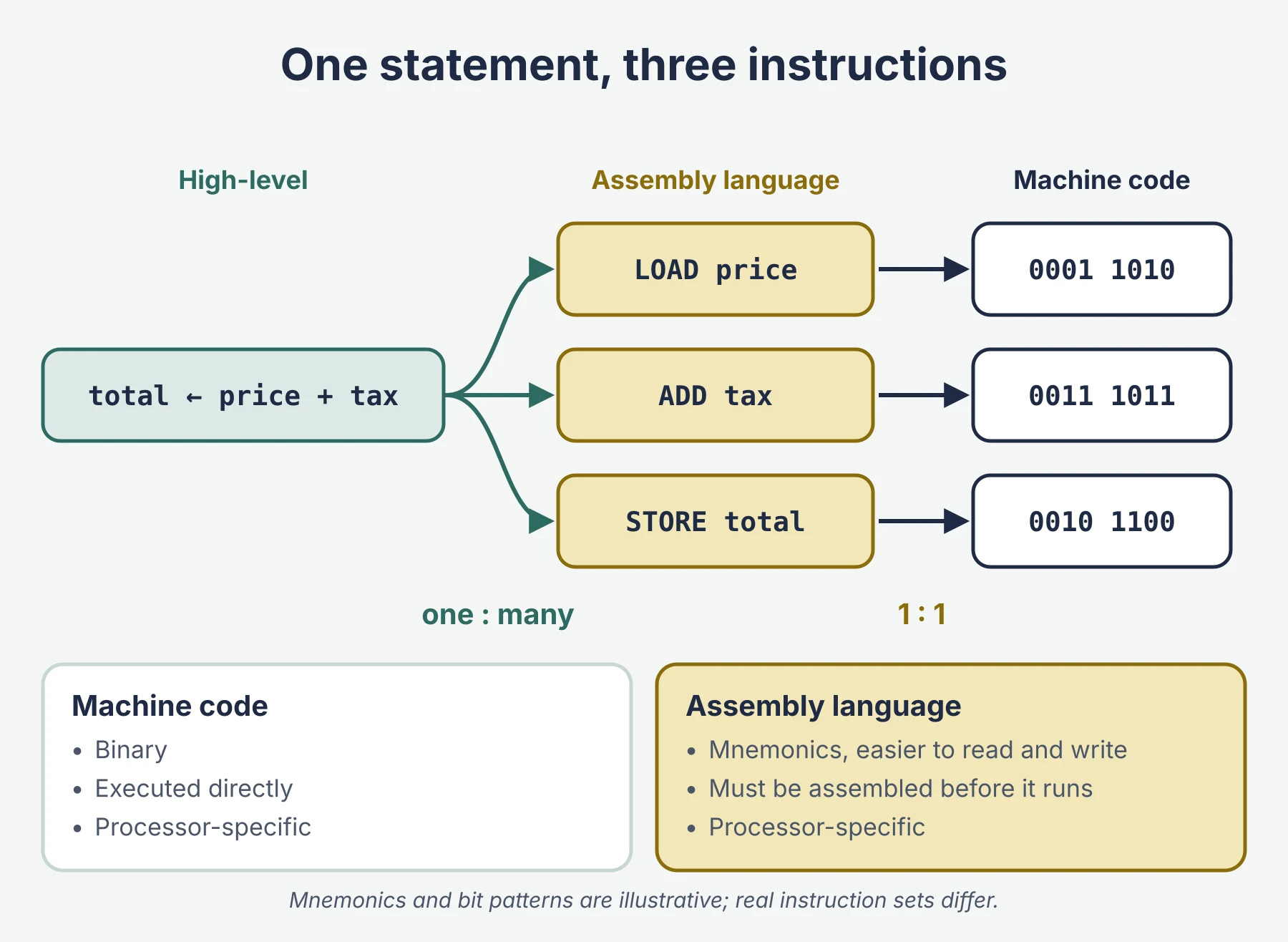
- Know machine code and assembly language are low-level; explain the differences between them.
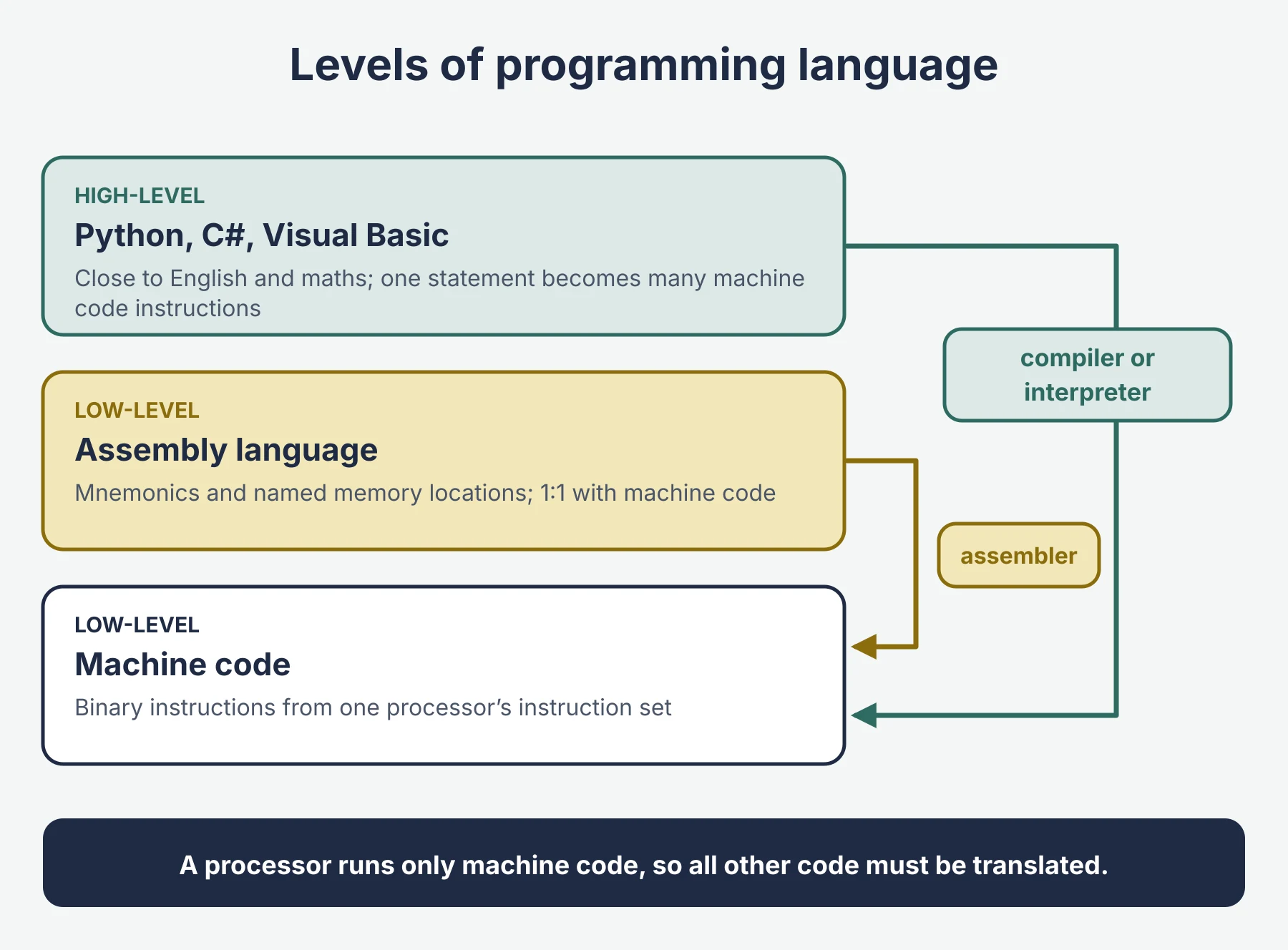
- All high-level and assembly code must be translated into machine code.
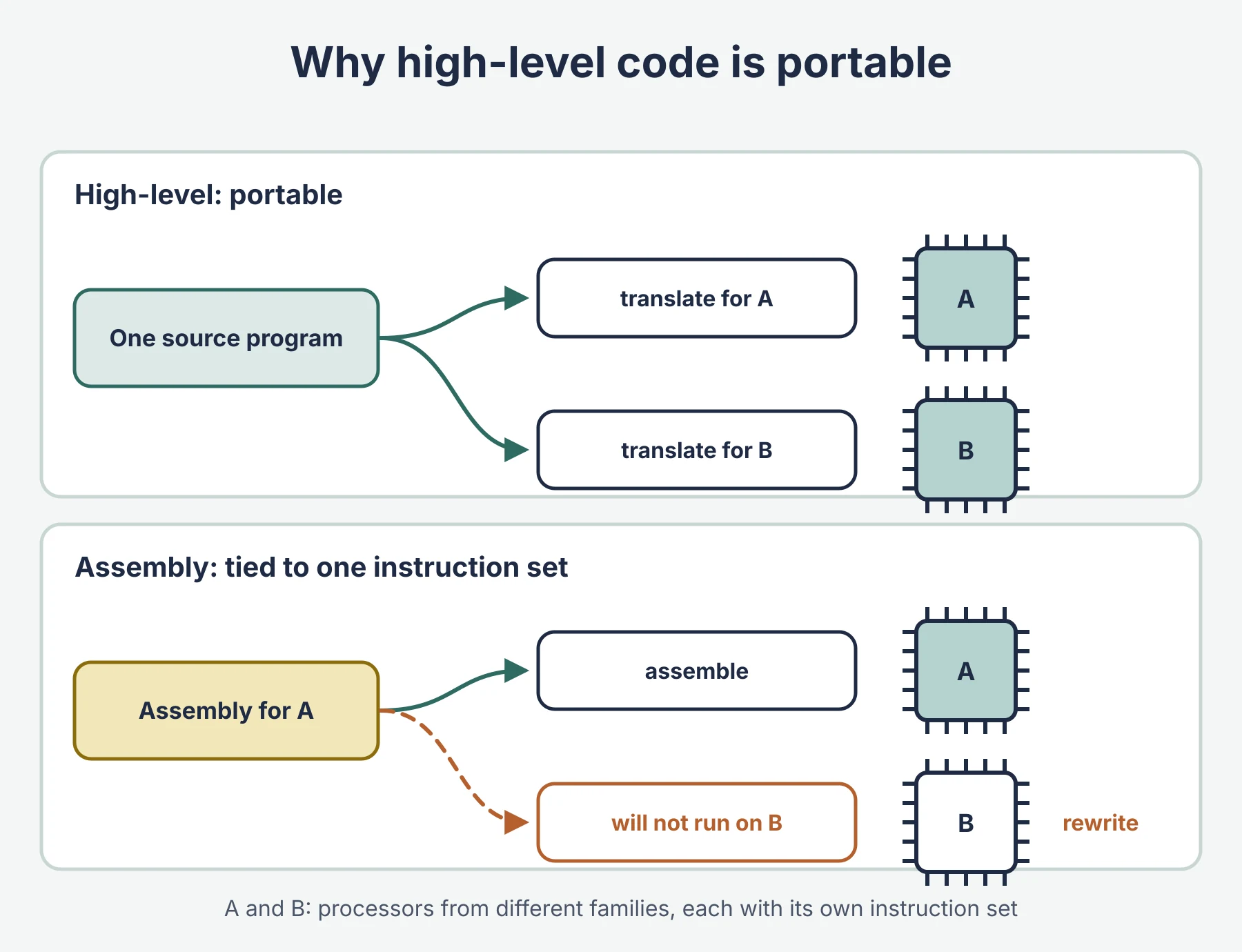
- Machine code is binary and specific to a processor or family of processors.
- Advantages and disadvantages of low-level compared with high-level programming.
- Three translators: interpreter, compiler, assembler; their differences; when each is appropriate.
Language levels
| Machine code | Assembly language | High-level language | |
|---|---|---|---|
| Level | Low | Low | High |
| Form | Binary | Mnemonics (e.g. ADD, STORE) |
English-like statements |
| Instructions per line | 1 | 1 (1:1 with machine code) | Usually many |
| Processor-specific? | Yes | Yes | No (portable) |
| Needs translating? | No: executed directly | Yes: assembler | Yes: compiler or interpreter |
| Typical use | What the processor runs | Embedded systems; controlling specific hardware | Most programs |
Why most programs are high-level
- Easier to write, read and understand: faster development.
- Easier to debug and maintain.
- Portable across processors.
- Built-in structures (loops, selection, arrays, strings) save writing many instructions.
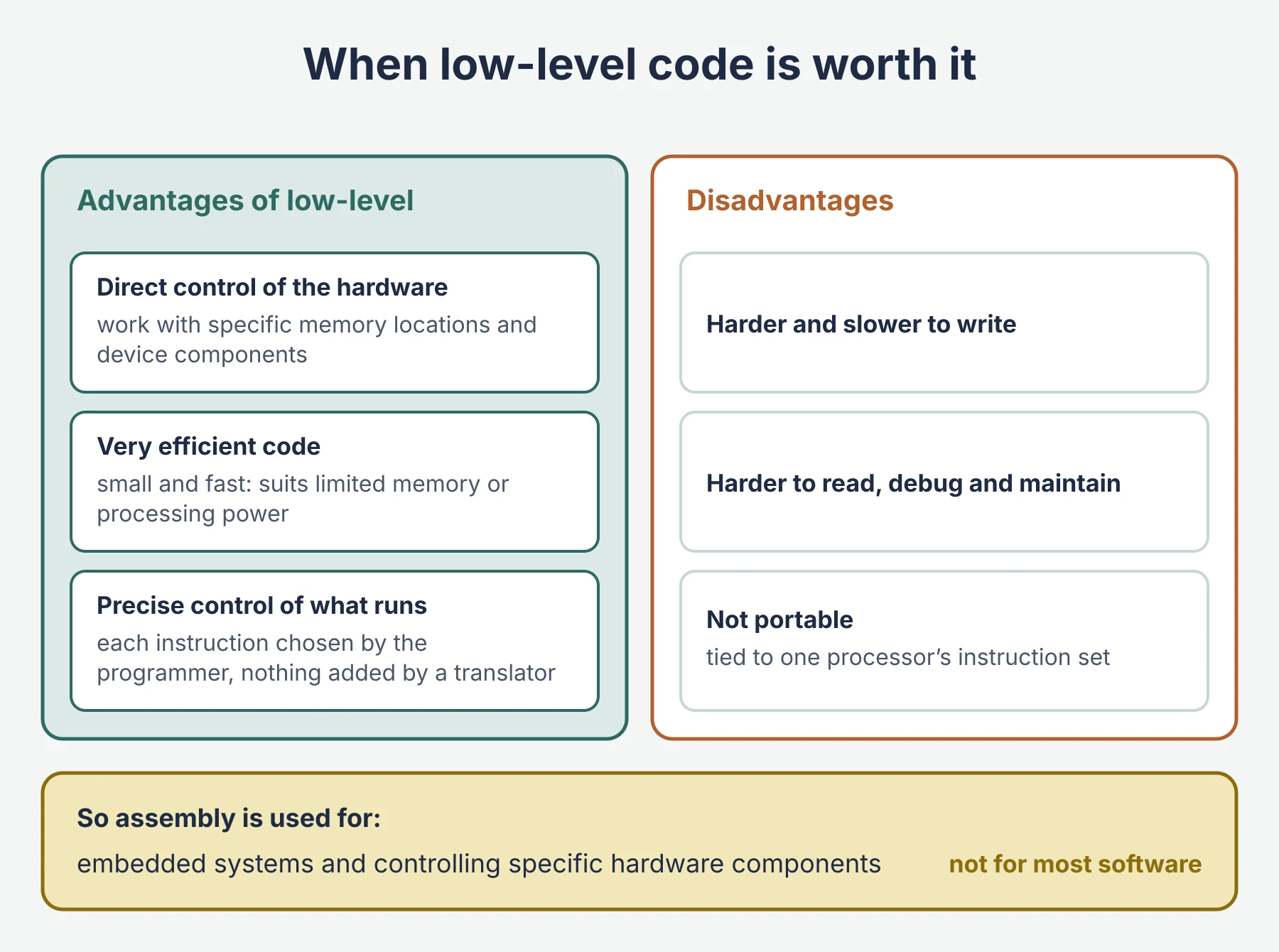
Low-level: advantages and disadvantages
| Advantages | Disadvantages |
|---|---|
| Direct control of hardware | Hard and slow to write |
| Can produce small, fast code | Hard to read, debug and maintain |
| Suits embedded systems with limited resources | Not portable: tied to one instruction set |
Translators
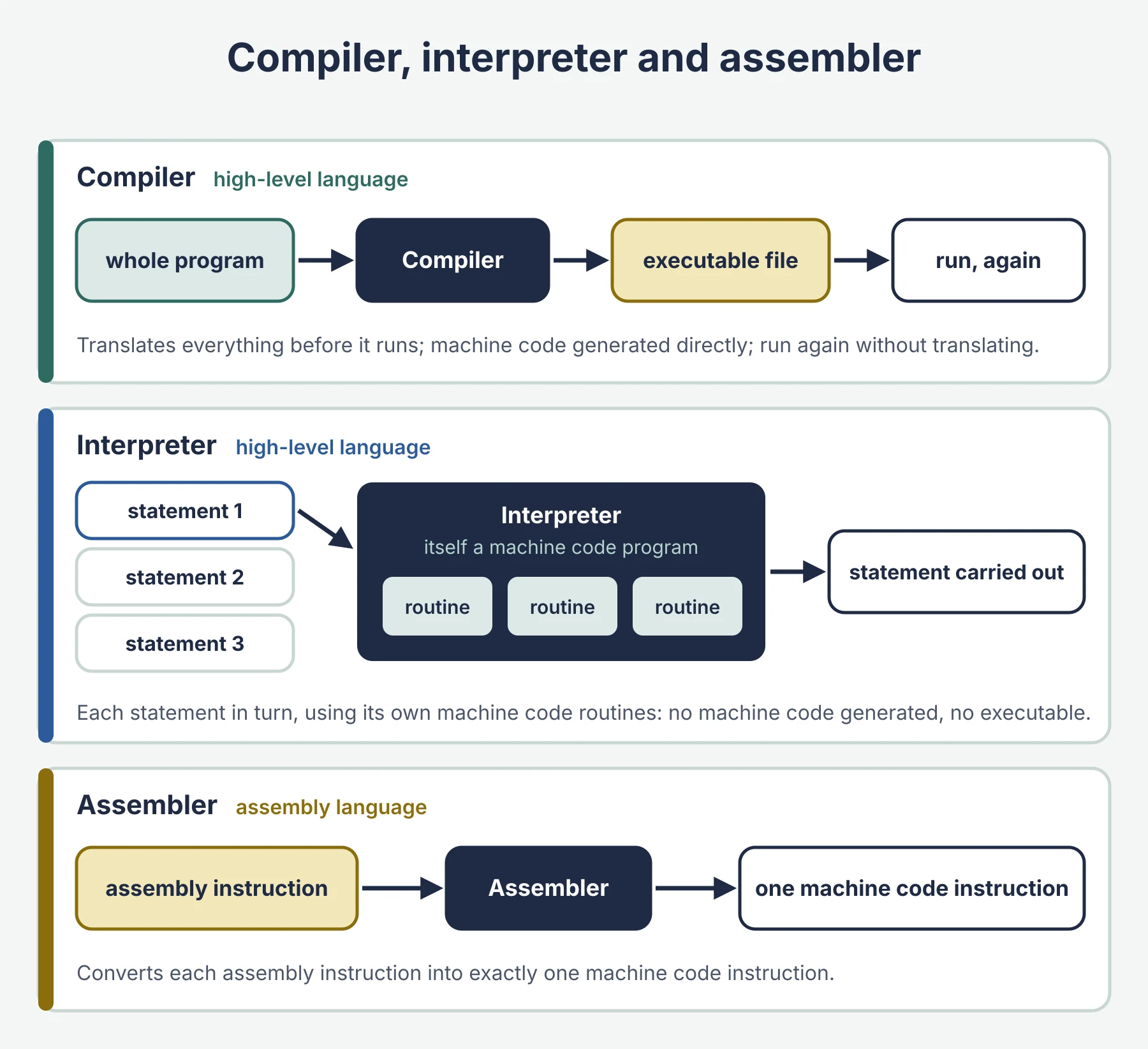
| Feature | Compiler | Interpreter | Assembler |
|---|---|---|---|
| Source | High-level | High-level | Assembly |
| Generates machine code directly | Yes | No (calls its own machine code subroutines) | Yes |
| Unit of work | Whole program, before running | One statement at a time, while running | One instruction → one machine code instruction |
| Executable produced | Yes | No | Yes (machine code) |
| Translation repeated each run? | No | Yes | No |
When to use which
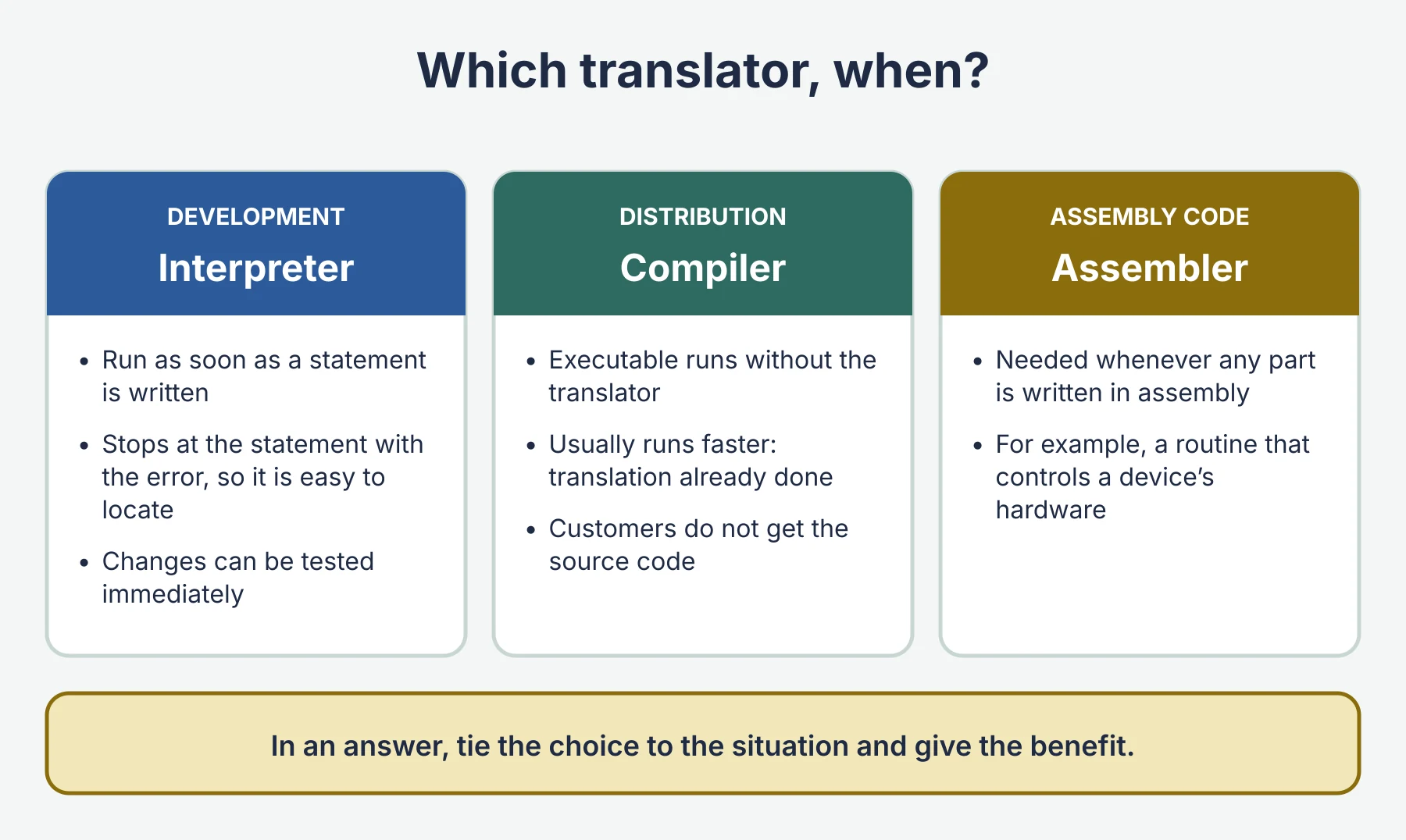
| Situation | Translator | Reason |
|---|---|---|
| Writing and testing a new program | Interpreter | Runs straight away; stops at the line with the error |
| Selling or distributing a finished program | Compiler | Standalone executable; faster; source code not shared |
| Code written in assembly for a hardware device | Assembler | Assembly must be converted to machine code |
Model comparison sentences
- “A compiler translates the whole program before it runs and produces an executable; an interpreter translates and carries out one statement at a time each time the program runs and produces no executable.”
- “Machine code is binary and runs directly; assembly language uses mnemonics and must be assembled first, with each line becoming one machine code instruction.”
Writing both halves of a comparison, as in these sentences, is what “explain the difference” questions reward.
Key terms
| Term | Meaning |
|---|---|
| Machine code | Binary instructions a processor executes directly |
| Instruction set | The machine code instructions a particular type of processor understands |
| Assembly language | A low-level language using mnemonics, with a 1:1 correspondence to machine code |
| Mnemonic | A short code word representing a machine code instruction |
| High-level language | A language with English-like statements that is independent of the processor |
| Portable | Able to be used on different types of processor |
| Translator | A program that converts code into machine code (or carries it out, for an interpreter) |
| Embedded system | A computer system built into a device to control it |
Exam traps
- “An interpreter converts the program into machine code”: wrong; it does not generate machine code directly.
- “A compiler works line by line”: wrong; it translates the whole program first.
- Assembly language is low-level, despite using words.
- Assembly is 1:1: one line, one machine code instruction.
- “High-level languages are faster”: not a valid general advantage; low-level code can be more efficient.
- Choosing a translator with no reason linked to the scenario.
Self-test
- State the only type of language a processor can execute directly.
- Explain why machine code written for one processor may not run on another.
- State what is meant by a 1:1 correspondence between assembly language and machine code.
- Give two reasons why most programs are written in high-level languages.
- Give one situation where assembly language is often used.
- Name the translator for assembly language.
- State one difference between a compiler and an interpreter.
- Explain how an interpreter carries out a statement.
- Which translator is most suitable while a program is being developed? Give a reason.
- Which translator is most suitable for a program sold to customers? Give a reason.
- State two disadvantages of writing in assembly language.
- Is assembly language high-level or low-level?
Answers:
- Machine code.
- Each processor (family) has its own instruction set, so the binary instructions differ.
- Each assembly language instruction translates into exactly one machine code instruction.
- Any two: easier to write and read; easier to debug and maintain; portable between processors; built-in structures save effort.
- Embedded systems, or controlling specific hardware components.
- Assembler.
- A compiler translates the whole program into machine code before it runs; an interpreter translates and carries out one statement at a time (and produces no executable).
- It analyses the statement and calls the appropriate machine code subroutines within its own code to carry it out.
- Interpreter: it runs code immediately and stops at the line containing an error.
- Compiler: it creates an executable that runs without the translator and does not reveal the source code.
- Any two: hard to write; hard to debug and maintain; not portable.
- Low-level.
More resources on this topic
Related resources
-
Study guides
OxfordAQA IGCSE Computer Science (9210): Data structures
Study guide to OxfordAQA IGCSE Computer Science 9210 section 3.2.6: one- and two-dimensional arrays, records and arrays of records in simple solutions.
Computer Science · OxfordAQA · IGCSE
Read guide -
Practice questions
OxfordAQA IGCSE Computer Science (9210): Data structures – Practice Questions
Original OxfordAQA IGCSE Computer Science 9210 practice questions with answers on one- and two-dimensional arrays, records and arrays of records.
Computer Science · OxfordAQA · IGCSE
Try questions -
Revision notes
OxfordAQA IGCSE Computer Science (9210): Data structures – Revision Notes
Revision notes for OxfordAQA IGCSE Computer Science 9210 section 3.2.6: arrays, two-dimensional arrays, records, arrays of records, traps and a self-test.
Computer Science · OxfordAQA · IGCSE
Revise topic
Get free revision emails (optional)
Occasional emails with practice questions, worked explanations and links to free resources for the qualification and subjects you choose. No spam, and you can unsubscribe from any email. The free tools on this site never need an email.