
Study Guides
OxfordAQA IGCSE Computer Science (9210): Relational operations in a programming language
Study guide to OxfordAQA IGCSE Computer Science 9210 section 3.2.4: the six relational operators, exam symbols, boundaries and conditions in loops and IFs.
- Subject
- Computer Science
- Level
- IGCSE
- Topic
- Topic 2 – Programming
- Author
- Marlbridge Academic Team
- Updated
- Reviewed by
- Harris Khan (what this means)
Aligned to OxfordAQA IGCSE Computer Science (9210), For teaching from September 2017, exams from May/June 2019. Official specification .
Syllabus page (what it covers and how it is assessed): OxfordAQA IGCSE Computer Science.
Syllabus points this page covers
9210
- 3.2.4 Relational operations in a programming language
Found an error? Report a correction.
Need help with this topic? Request a free trial class for IGCSE Computer Science (9210).
This guide covers section 3.2.4 Relational operations in a programming language of OxfordAQA International GCSE Computer Science (9210). You must “be familiar with and be able to use” equal to, not equal to, less than, greater than, less than or equal to, and greater than or equal to, both “within their own programs” and when interpreting them “within algorithms”. The specification notes that languages use different symbols, and that assessment material uses =, ≠, <, >, ≤, ≥. A short overview of all the operators sits in the Programming Fundamentals study guide.
What a relational operator does
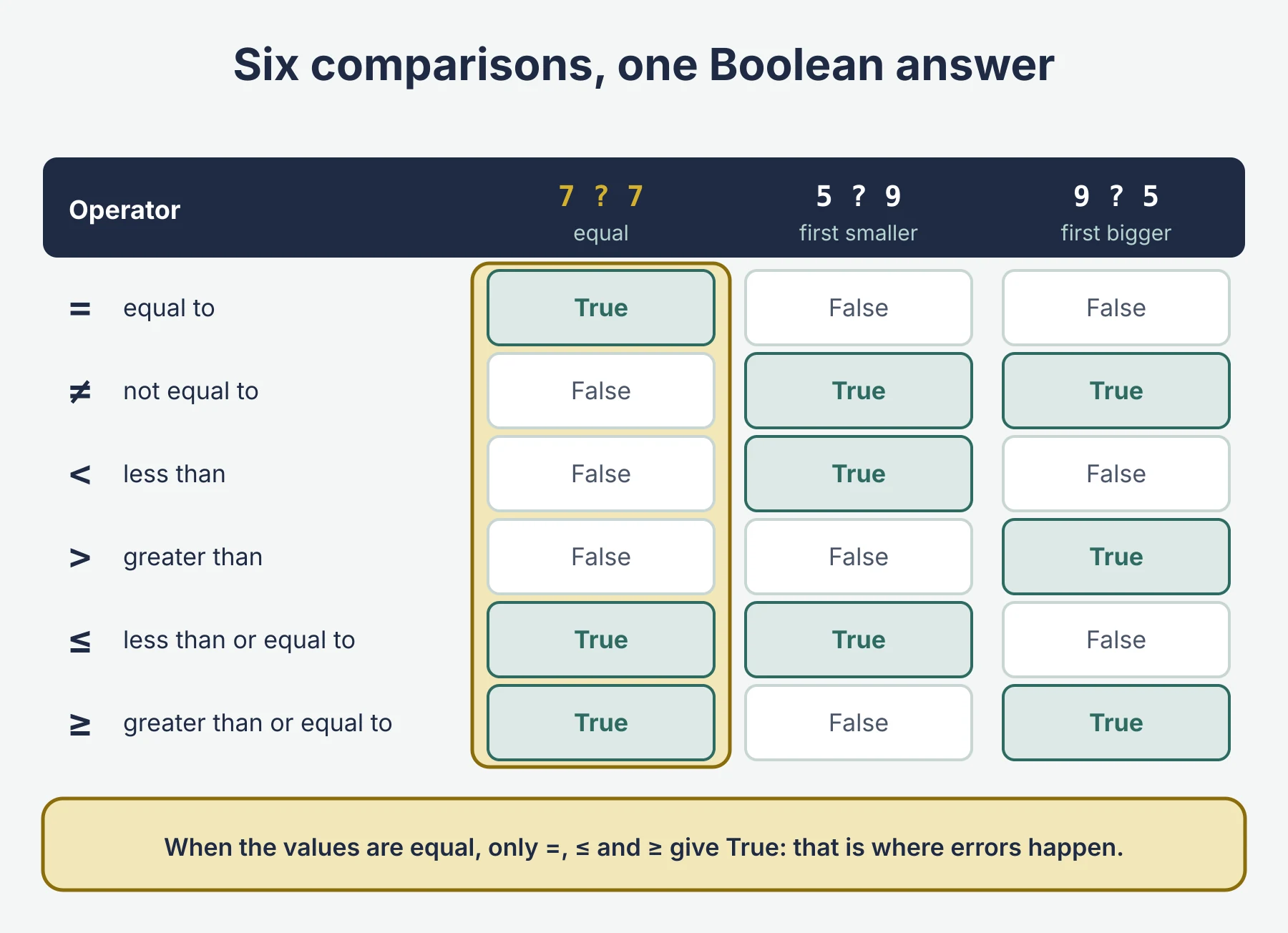
A relational operator compares two values and produces a Boolean result: True or False. The expression
age ≥ 18 is not an instruction; it is a question whose answer is True or False. That answer is what an IF
uses to choose a branch and what a WHILE or REPEAT...UNTIL uses to decide whether to repeat.
| Operator | Meaning | 7 ? 7 |
5 ? 9 |
9 ? 5 |
|---|---|---|---|---|
= |
equal to | True | False | False |
≠ |
not equal to | False | True | True |
< |
less than | False | True | False |
> |
greater than | False | False | True |
≤ |
less than or equal to | True | True | False |
≥ |
greater than or equal to | True | False | True |
The middle column is the one to study: when the two values are equal, only =, ≤ and ≥ give True. Most
errors with relational operators happen exactly at that point.
The same operators in different languages
| Exam symbol | Python | C# | Visual Basic |
|---|---|---|---|
= |
== |
== |
= |
≠ |
!= |
!= |
<> |
< / > |
< / > |
< / > |
< / > |
≤ |
<= |
<= |
<= |
≥ |
>= |
>= |
>= |
Answers can be written in any suitable format, so <= or != is acceptable in your own code. What matters is
that you read the exam symbols correctly. Notice that in Python and C# a single = means assignment, not
comparison. The specification’s pseudocode avoids that confusion by using ← for assignment and = only for
comparison.
Translating English into conditions
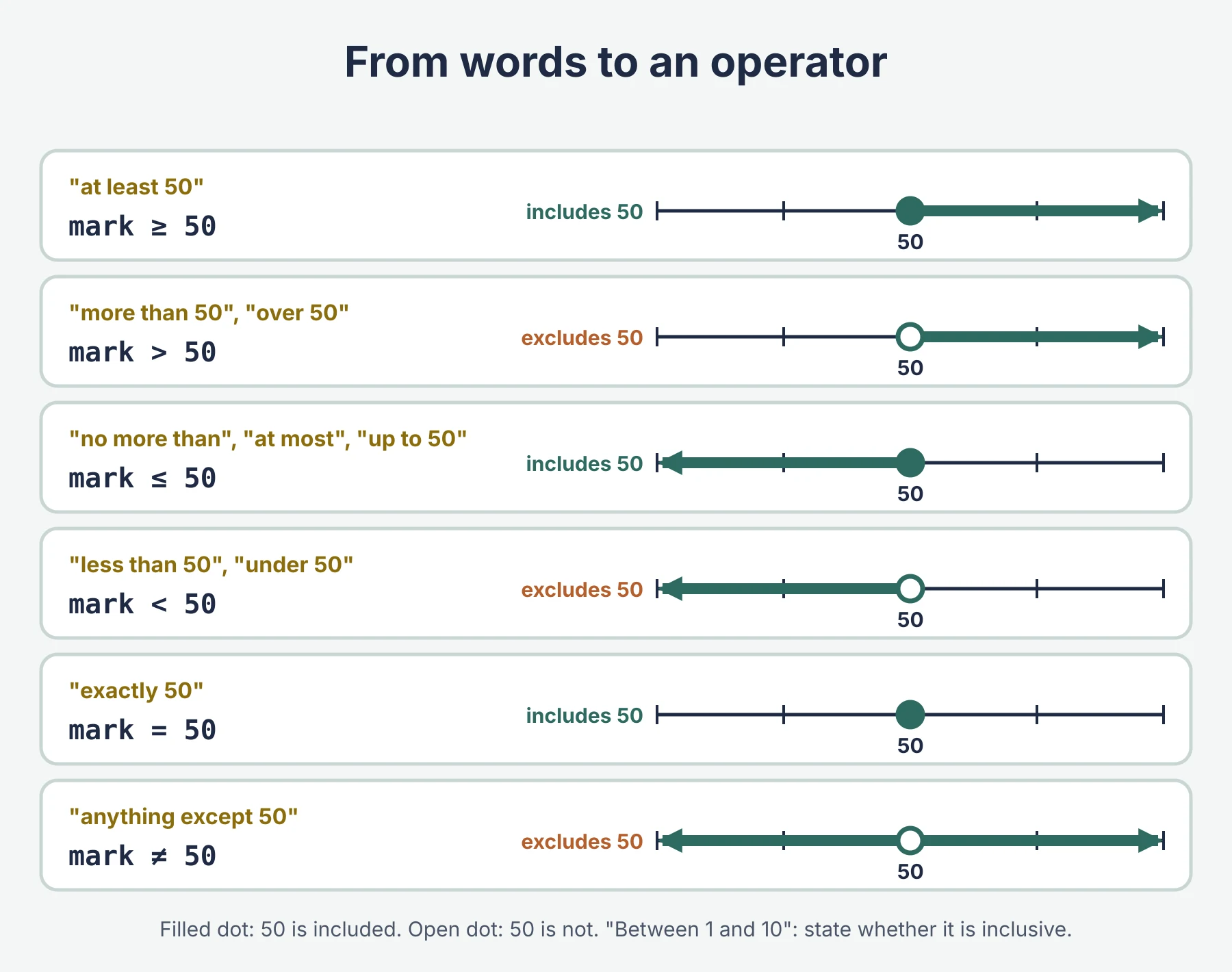
Exam questions describe a rule in words, and you must choose the operator. The words that decide whether the boundary value is included are the ones to underline:
| Requirement in words | Condition |
|---|---|
| “at least 50” | mark ≥ 50 |
| “more than 50” / “over 50” | mark > 50 |
| “no more than 50” / “at most 50” / “up to 50” | mark ≤ 50 |
| “less than 50” / “under 50” | mark < 50 |
| “exactly 50” | mark = 50 |
| “anything except 50” | mark ≠ 50 |
When a requirement could be read two ways, such as “between 1 and 10”, state your interpretation (inclusive or not) in your answer.
Opposite operators
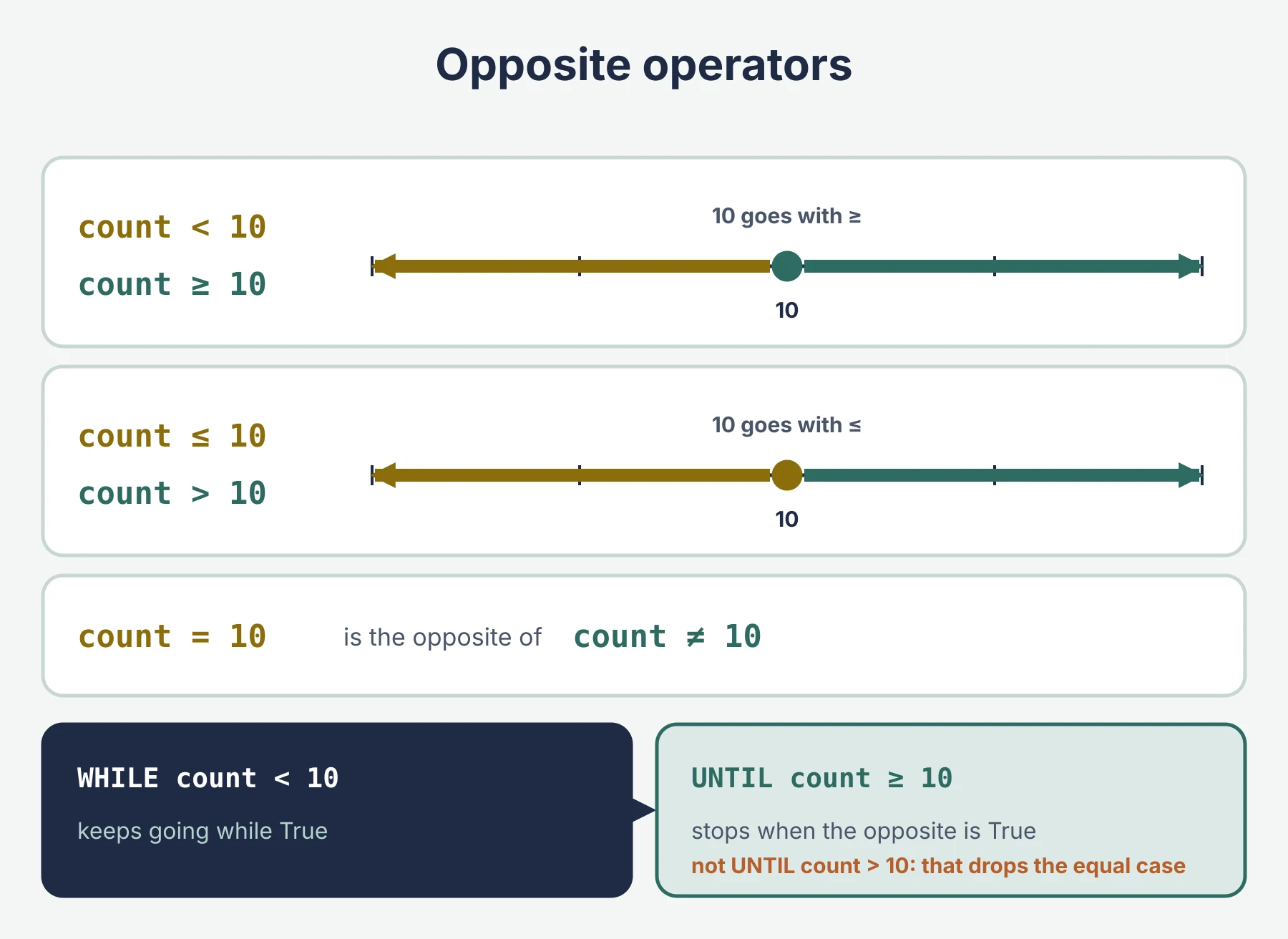
Every relational operator has an opposite that is True exactly when it is False:
| Operator | Opposite |
|---|---|
= |
≠ |
< |
≥ |
> |
≤ |
You need these when converting a WHILE loop into a REPEAT...UNTIL loop. WHILE count < 10 keeps going while
the condition is true; the matching end-condition loop stops when the opposite becomes true, so it is
UNTIL count ≥ 10. A frequent mistake is to pair < with >, which leaves out the equal case.
Comparing strings and other types
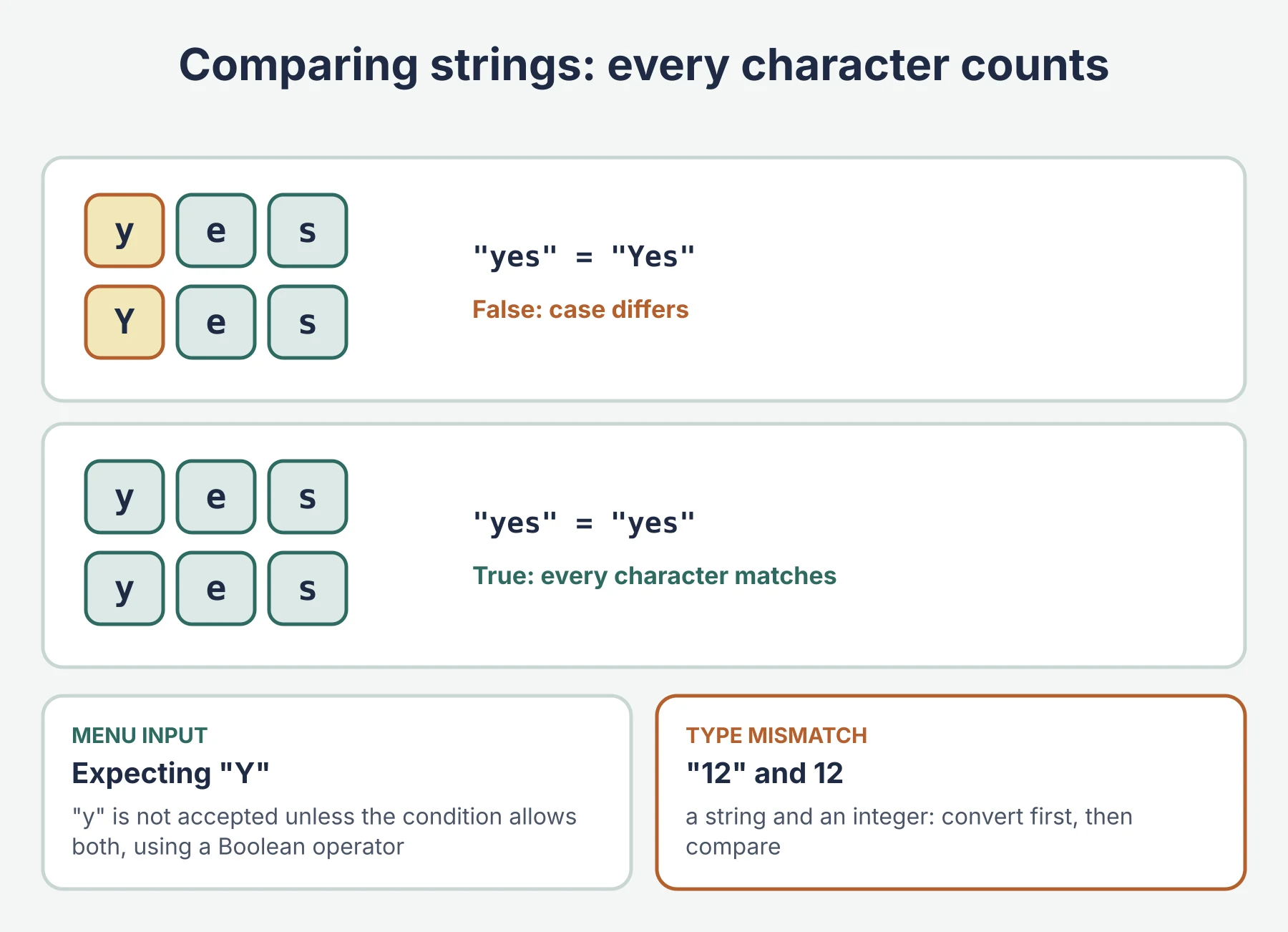
Relational operators work on any values of the same type, not only numbers. password = "Kestrel42" compares
two strings and is True only if every character matches, including case: "yes" = "Yes" is False. That is
why a menu program that expects "Y" will not accept "y" unless the condition allows for both (with a Boolean
operator, covered in the Boolean operations study
guide). Comparing a string such as "12"
with the integer 12 is a type mismatch: convert first.
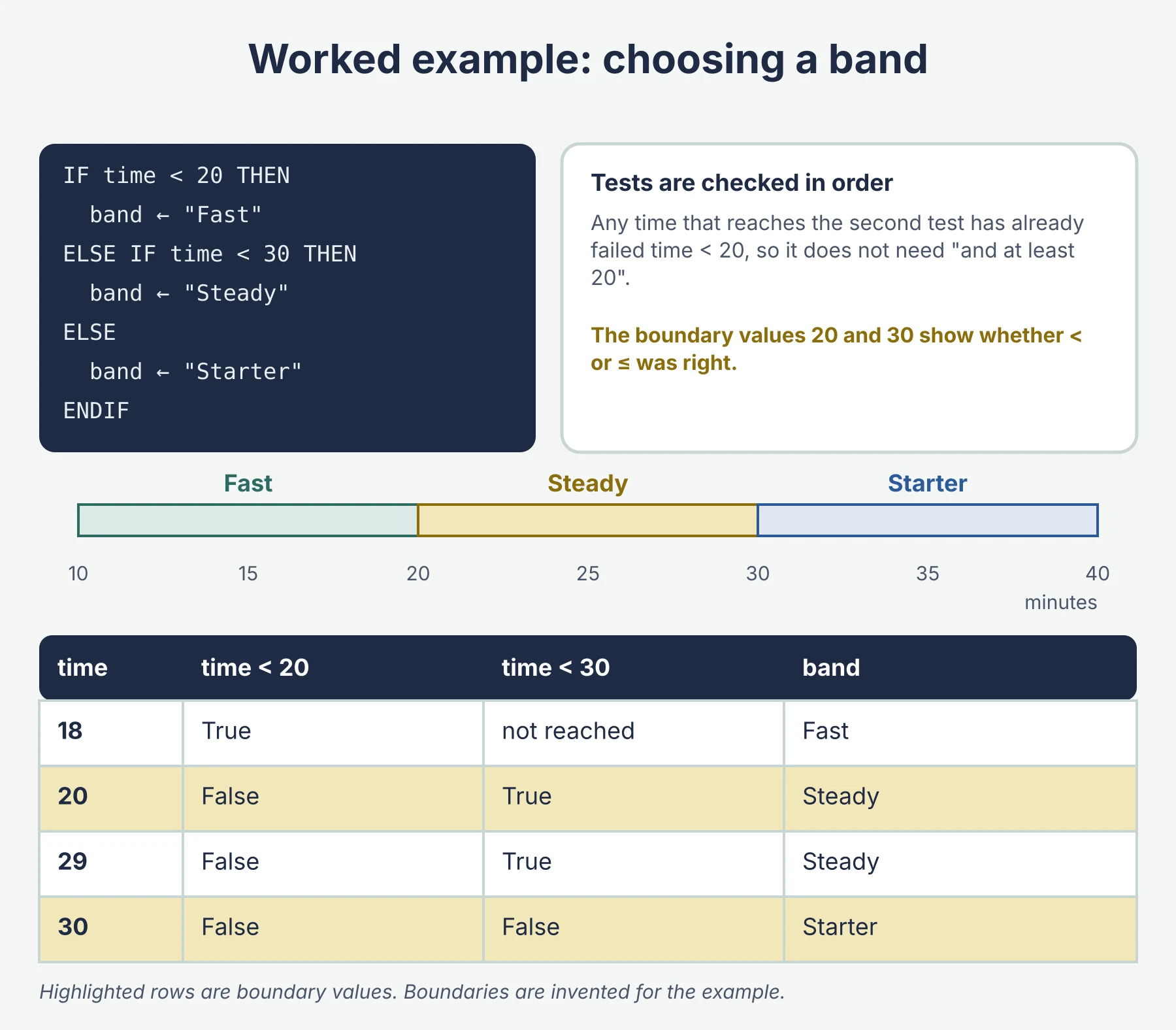
Worked example: choosing a band from a value
A sports club puts runners into groups by their time in minutes for a 5 km run (the boundaries here are invented for the example).
IF time < 20 THEN
  band ← "Fast"
ELSE IF time < 30 THEN
  band ← "Steady"
ELSE
  band ← "Starter"
ENDIF| time | First test time < 20 |
Second test time < 30 |
band |
|---|---|---|---|
| 18 | True | not reached | Fast |
| 20 | False | True | Steady |
| 29 | False | True | Steady |
| 30 | False | False | Starter |
The tests are checked in order, so the second test does not need to say “and at least 20”: any time that
reaches it has already failed time < 20. The trace includes the values 20 and 30 because they sit on
the boundaries; they show whether < or ≤ was the right choice. If the club’s rule were “20 minutes or under is
Fast”, the first test should be time ≤ 20, and a time of exactly 20 would move group.
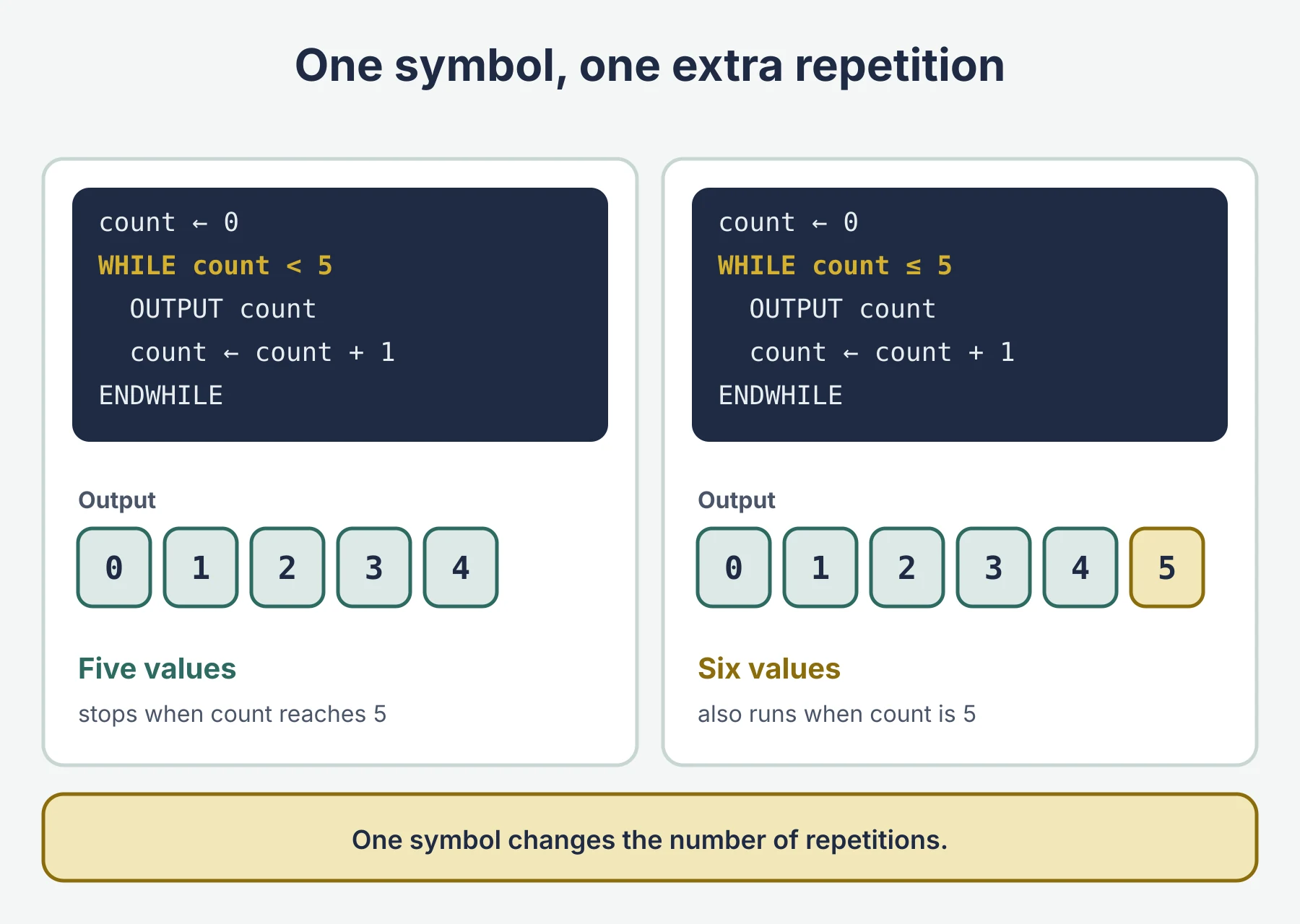
Worked example: counting loop boundaries
count ← 0
WHILE count < 5
  OUTPUT count
  count ← count + 1
ENDWHILE
This outputs 0, 1, 2, 3, 4: five values. Changing < to ≤ outputs 0, 1, 2, 3, 4, 5: six values. One
symbol changes the number of repetitions, which is why “how many times does this loop run?” questions are really
relational-operator questions.
Common mistakes
- Including or excluding the boundary wrongly: “at least” is
≥, “more than” is>. - Pairing the wrong opposites: the opposite of
<is≥, not>. - Writing
=>or=<in pseudocode answers; use≥/≤or the standard>=/<=. - Using
=for assignment in pseudocode answers. Use←for assignment so the meaning is clear. - Ignoring case when comparing strings.
- Testing a range with one operator, such as
1 ≤ rating ≤ 10. Many languages do not support this; write two comparisons joined byAND.
Exam technique
- State the output or trace questions: test the boundary values from the code first; they reveal how
<and≤differ. - Write a condition: underline the words “at least”, “more than”, “under” and “up to” in the question before choosing the symbol.
- Explain why a program gives a wrong result: name the operator, the input value that exposes the error, and the corrected operator.
- Complete the code questions: check every condition with a value just below, on and just above the boundary.
For condensed tables and a self-test, use the relational operations revision notes, then try the relational operations practice questions. Choosing values just below, on and just above a boundary is also the basis of boundary test data in the robust and secure programming study guide.
Related resources
-
Practice questions
OxfordAQA IGCSE Computer Science (9210): Relational operations in a programming language – Practice Questions
Original OxfordAQA IGCSE Computer Science 9210 practice questions with answers on relational operators, boundary values, loop counts and selection chains.
Computer Science · OxfordAQA · IGCSE
Try questions -
Revision notes
OxfordAQA IGCSE Computer Science (9210): Relational operations in a programming language – Revision Notes
Revision notes for OxfordAQA IGCSE Computer Science 9210 section 3.2.4: relational operators, exam symbols, boundary wording, opposites, traps and a self-test.
Computer Science · OxfordAQA · IGCSE
Revise topic -
Study guides
OxfordAQA IGCSE Computer Science (9210): Robust and secure programming
Study guide to OxfordAQA IGCSE Computer Science 9210 section 3.2.12: validation routines, username and password checks, and justified test data.
Computer Science · OxfordAQA · IGCSE
Read guide
Get free revision emails (optional)
Occasional emails with practice questions, worked explanations and links to free resources for the qualification and subjects you choose. No spam, and you can unsubscribe from any email. The free tools on this site never need an email.