
Study Guides
OxfordAQA IGCSE Computer Science (9210): Boolean operations in a programming language
Study guide to OxfordAQA IGCSE Computer Science 9210 section 3.2.5: NOT, AND and OR in loop and IF conditions, evaluation order, and common logic errors.
- Subject
- Computer Science
- Level
- IGCSE
- Topic
- Topic 2 – Programming
- Author
- Marlbridge Academic Team
- Updated
- Reviewed by
- Harris Khan (what this means)
Aligned to OxfordAQA IGCSE Computer Science (9210), For teaching from September 2017, exams from May/June 2019. Official specification .
Syllabus page (what it covers and how it is assessed): OxfordAQA IGCSE Computer Science.
Syllabus points this page covers
9210
- 3.2.5 Boolean operations in a programming language
Found an error? Report a correction.
Need help with this topic? Request a free trial class for IGCSE Computer Science (9210).
This guide covers section 3.2.5 Boolean operations in a programming language of OxfordAQA International GCSE Computer Science (9210). You must “be familiar with and be able to use” NOT, AND and OR, and the specification adds that you “should be able to use these operators, and combinations of these operators, within conditions for iterative and selection structures”. The Programming Fundamentals study guide gives the short version; here the focus is on building, reading and correcting compound conditions.
The three operators
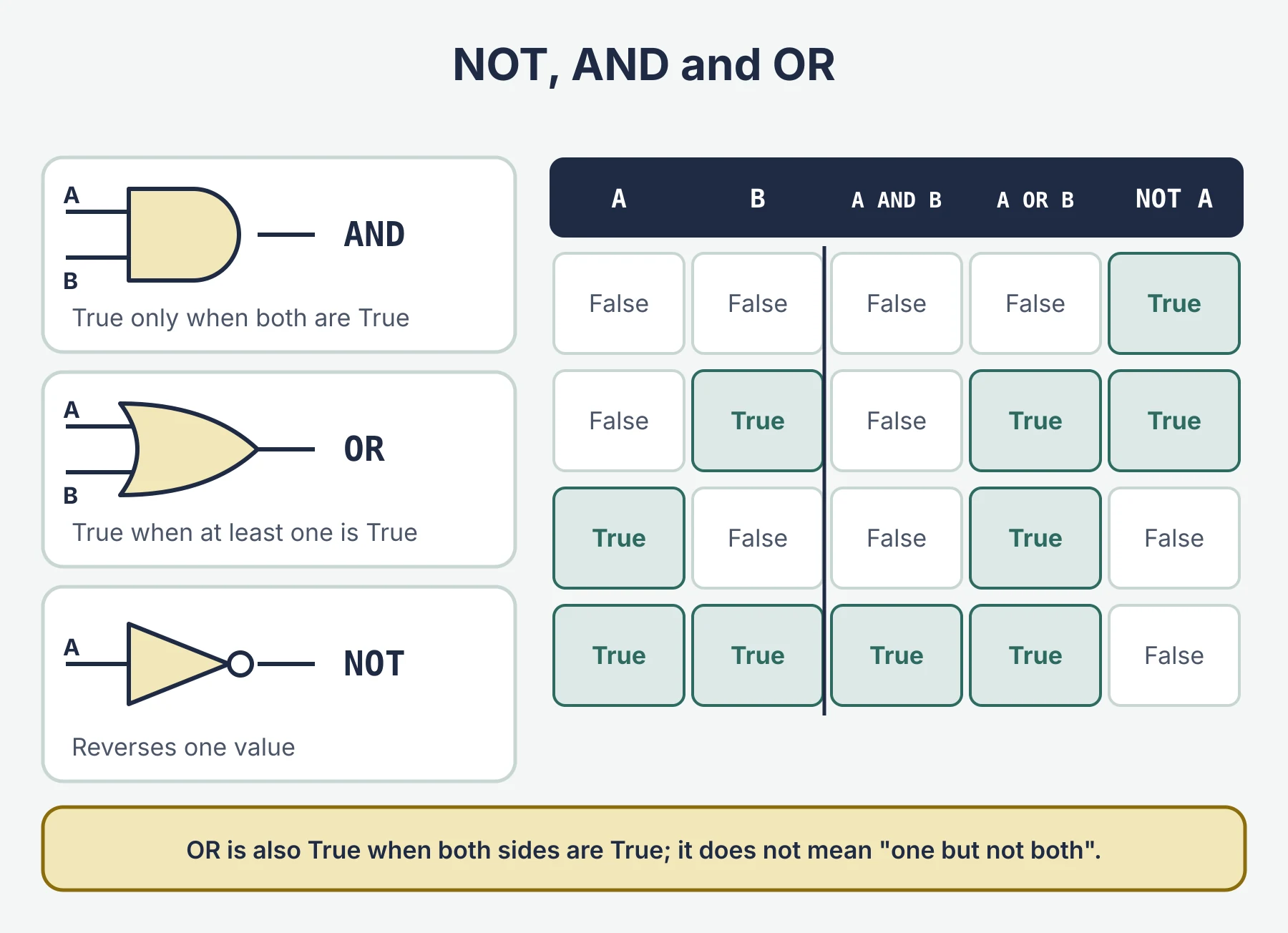
Boolean operators combine or reverse Boolean values, usually the results of relational comparisons (see the relational operations study guide).
| A | B | A AND B |
A OR B |
NOT A |
|---|---|---|---|---|
| False | False | False | False | True |
| False | True | False | True | True |
| True | False | False | True | False |
| True | True | True | True | False |
- AND is True only when both sides are True. Use it when every requirement must be met.
- OR is True when at least one side is True (including both). Use it when any one requirement is enough.
- NOT reverses a single value. Use it to test that something is not the case, such as
NOT found.
Truth tables for logic gates also appear in Topic 4 (Boolean logic), but in this section the same operators are written inside program conditions.
Compound conditions in selection
A compound condition joins two or more comparisons. Each side of AND or OR must be a complete comparison:
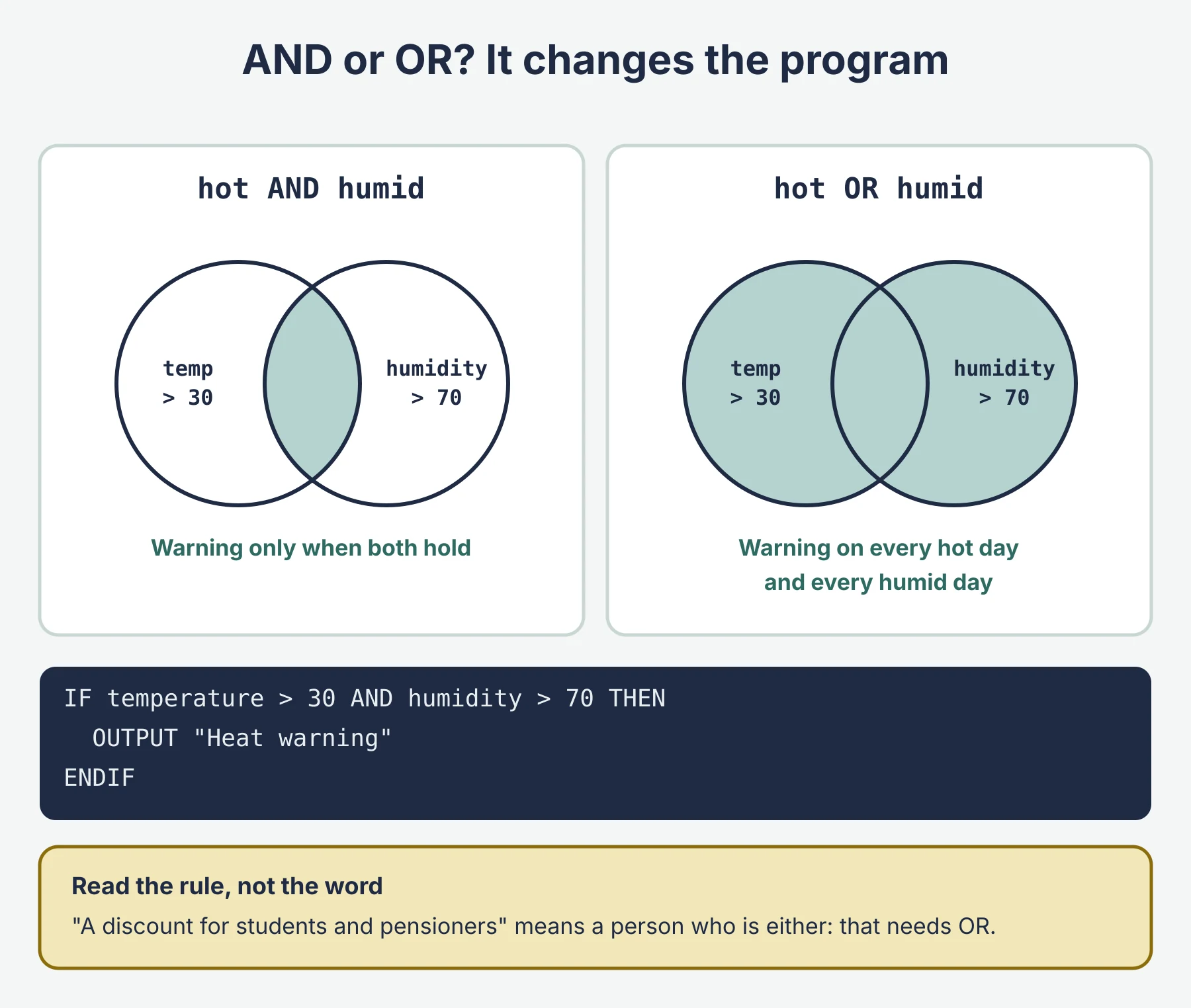
IF temperature > 30 AND humidity > 70 THEN
  OUTPUT "Heat warning"
ENDIF
Both conditions must hold for the warning. Changing AND to OR would warn on every hot day and every humid
day, which is a different program. Deciding between AND and OR is about the meaning of the rule in the question,
so read the rule carefully: “a discount for students and pensioners” usually means a person who is either,
which needs OR, even though the English uses “and”.
Compound conditions in iteration
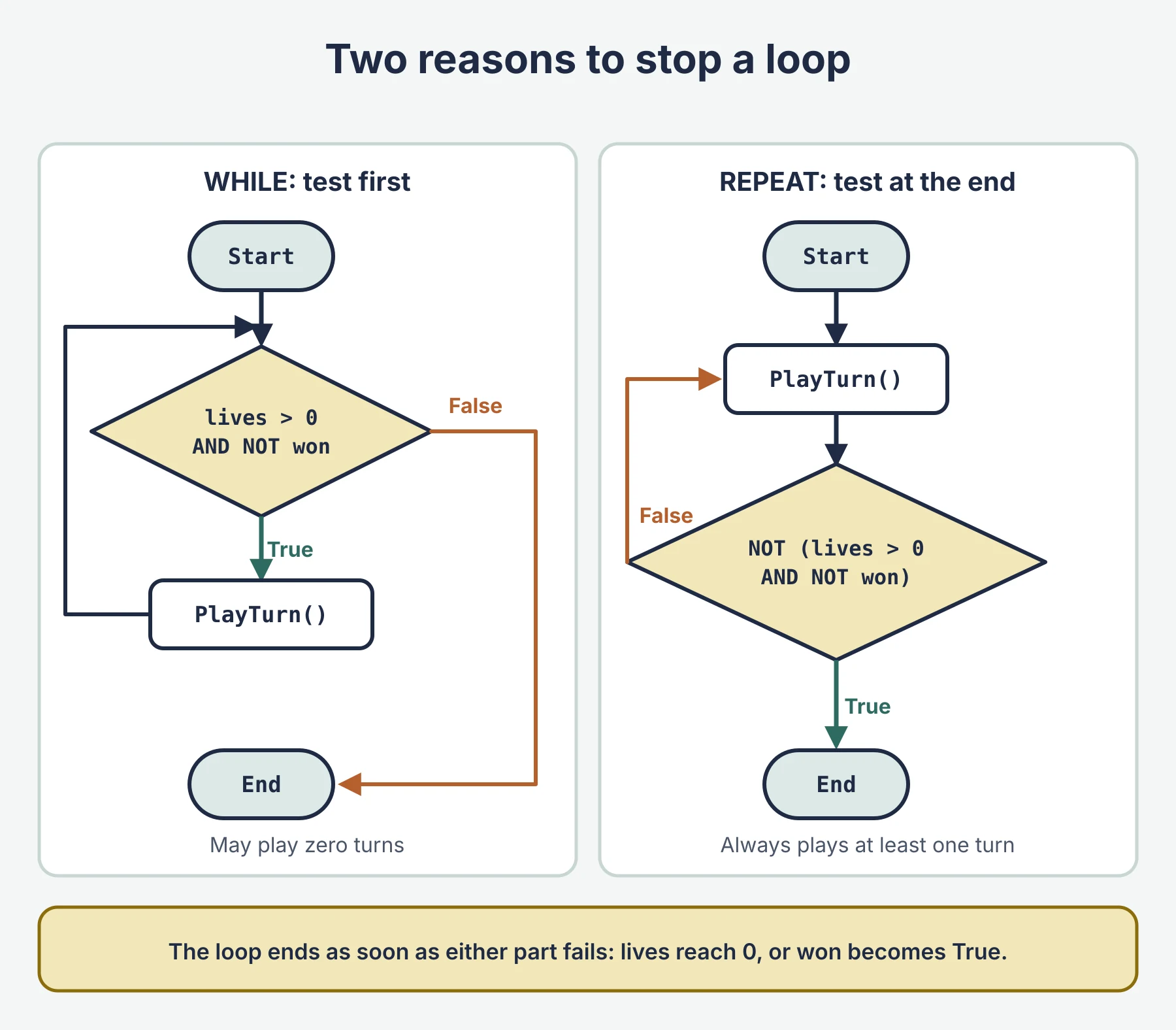
Loops often need to stop for more than one reason. A game continues while the player has lives and has not yet won:
WHILE lives > 0 AND NOT won
  PlayTurn()
ENDWHILE
The loop ends as soon as either part becomes False: lives reach 0, or won becomes True. To write the same
logic as a condition-at-the-end loop, the simplest safe method is to put NOT around the whole WHILE
condition:
REPEAT
  PlayTurn()
UNTIL NOT (lives > 0 AND NOT won)
(Remember the difference: this version always plays at least one turn.) Combined Boolean conditions are also how a search loop stops either when the item is found or when every item has been checked.
Range checks: AND inside, OR outside
Two patterns appear constantly:
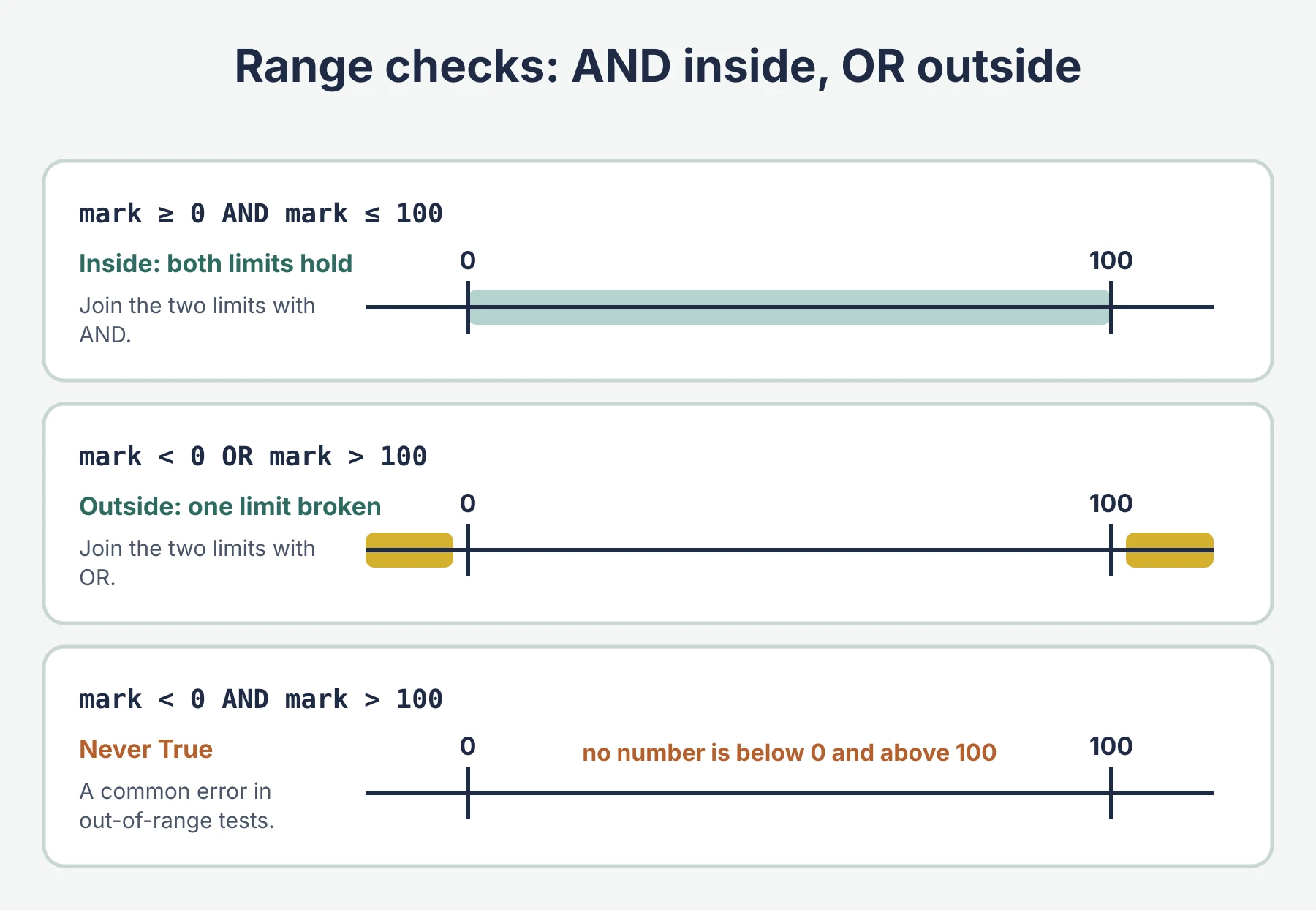
IF mark ≥ 0 AND mark ≤ 100 THEN      -- inside the range 0 to 100
IF mark < 0 OR mark > 100 THEN       -- outside the range
A value inside a range must satisfy both limits, so the limits are joined with AND. A value outside a
range breaks one limit or the other, so the limits are joined with OR. Writing mark < 0 AND mark > 100 gives a
condition that can never be True, because no number is both below 0 and above 100. This is the logic behind the
range checks in robust and secure programming.
Boolean variables as flags
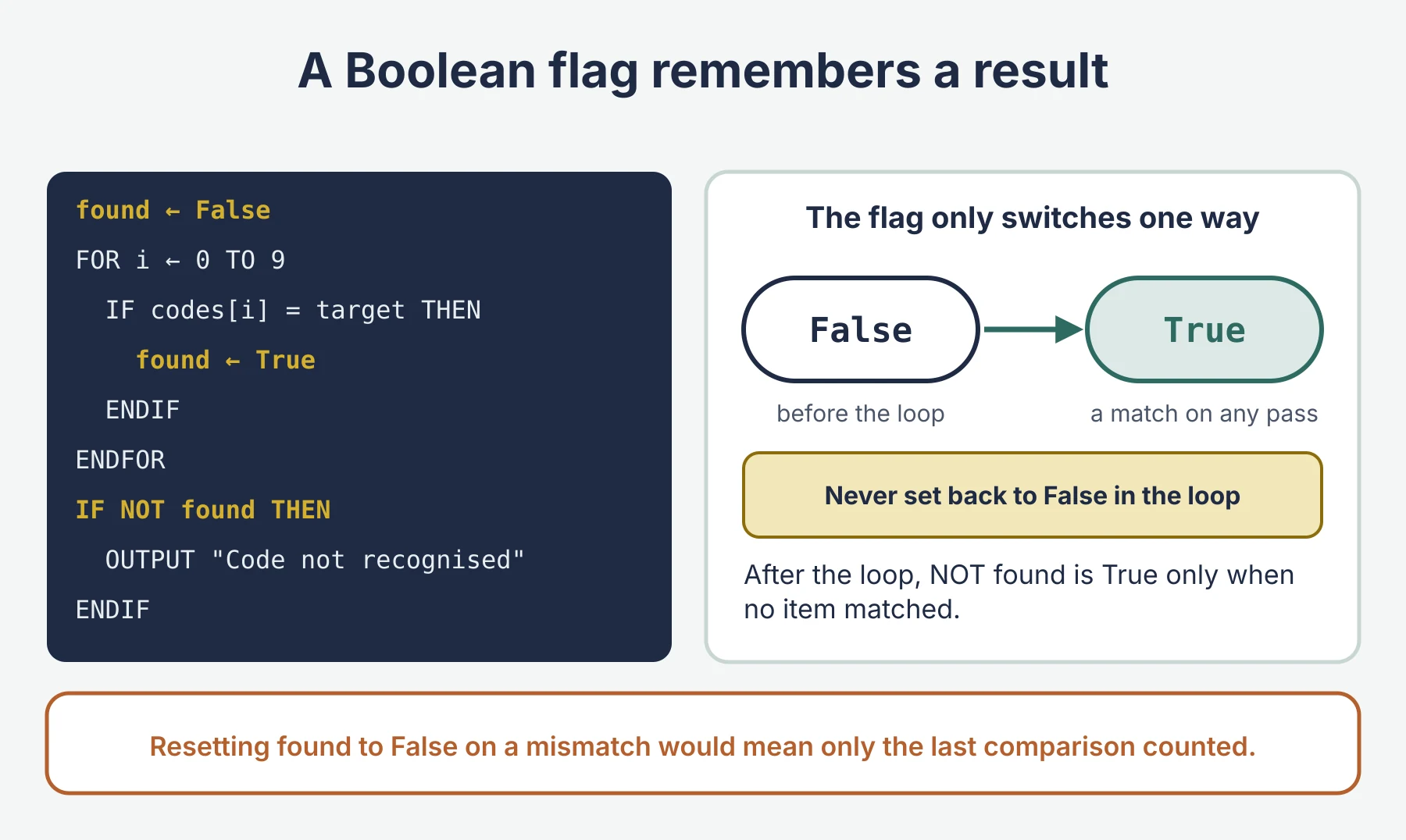
A Boolean variable used to record whether something has happened is often called a flag. A flag lets a program remember the result of a test and use it later in a condition:
found ← False
FOR i ← 0 TO 9
  IF codes[i] = target THEN
    found ← True
  ENDIF
ENDFOR
IF NOT found THEN
  OUTPUT "Code not recognised"
ENDIF
Here found starts False and is only set to True if a match occurs on any pass. After the loop, NOT found is
True only when no item matched. Notice that the flag is never set back to False inside the loop: doing so would
mean only the last comparison counted.
Order of evaluation
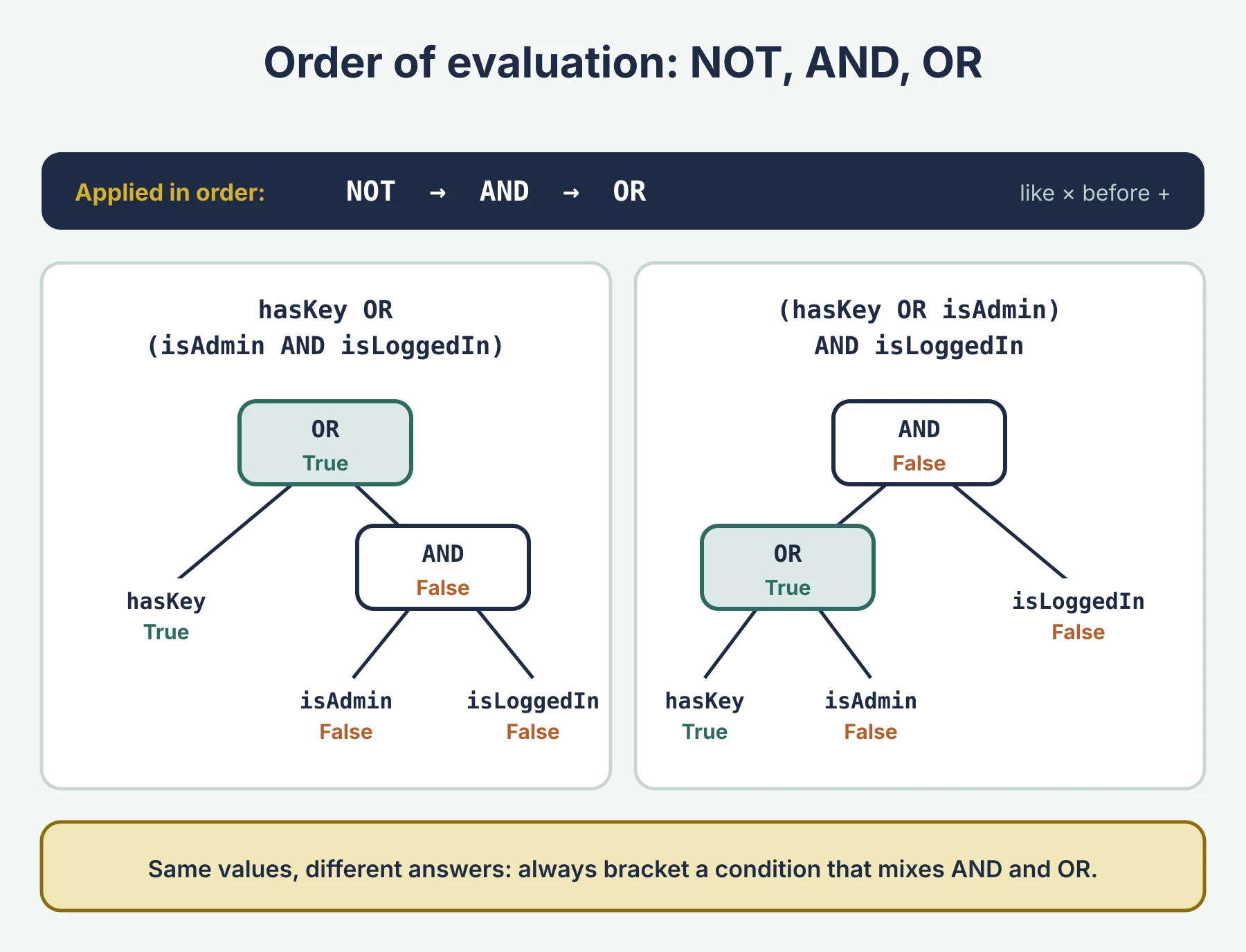
In most languages NOT is applied first, then AND, then OR, in the same way that multiplication comes before
addition. So:
hasKey OR isAdmin AND isLoggedIn means hasKey OR (isAdmin AND isLoggedIn).
With hasKey ← True, isAdmin ← False, isLoggedIn ← False, the result is True (because hasKey is True).
With brackets placed differently, (hasKey OR isAdmin) AND isLoggedIn is False. Because the two readings give
different answers, always use brackets when a condition mixes AND and OR. Examiners and other programmers can
then see exactly what you intended.
Worked example: evaluating a condition for several inputs
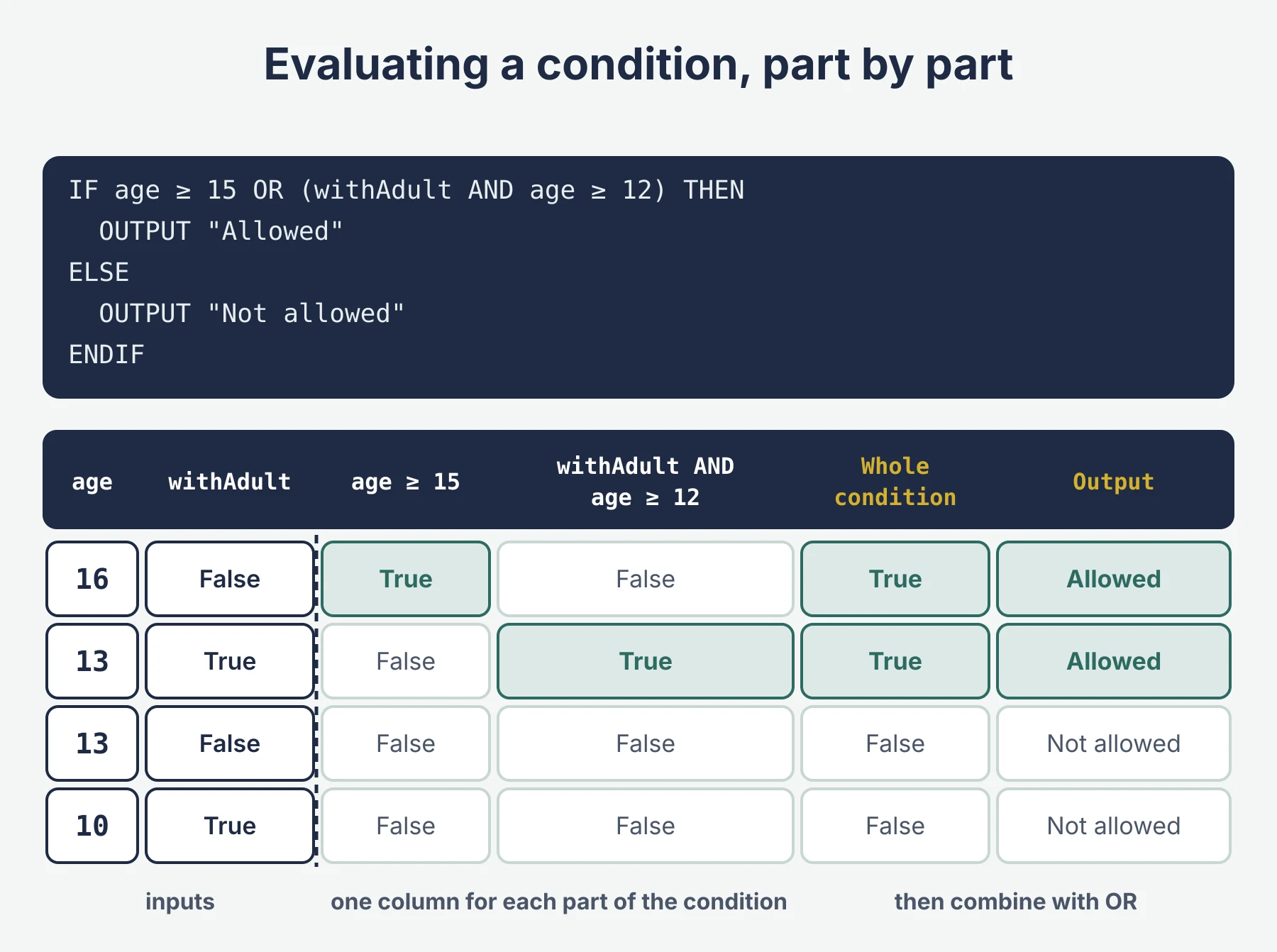
A cinema lets a customer into a film rated 15 if they are at least 15 years old, or they are with an adult and at least 12. The condition is:
IF age ≥ 15 OR (withAdult AND age ≥ 12) THEN
  OUTPUT "Allowed"
ELSE
  OUTPUT "Not allowed"
ENDIF
(The rule is invented for the example.)
| age | withAdult | age ≥ 15 |
withAdult AND age ≥ 12 |
Whole condition | Output |
|---|---|---|---|---|---|
| 16 | False | True | False | True | Allowed |
| 13 | True | False | True | True | Allowed |
| 13 | False | False | False | False | Not allowed |
| 10 | True | False | False | False | Not allowed |
Evaluating each part in its own column, then combining, is the most reliable way to answer “state the output for these inputs” questions. It also shows the examiner your reasoning if one value goes wrong.
Worked example: correcting a broken condition
A student writes:
IF answer = "Y" OR "y" THENintending to accept either capital or lower-case Y. This is wrong: the right-hand side of OR is just "y",
not a comparison. Depending on the language it is either an error or always treated as True. The correct version
repeats the comparison:
IF answer = "Y" OR answer = "y" THENCommon mistakes
- Incomplete comparisons after
ANDorOR, as in the example above, orage > 12 AND < 18. - AND where OR is needed for an “out of range” test, producing a condition that is never True.
- Following the English word “and” when the rule actually means “either”.
- Mixing AND and OR without brackets, leaving the order of evaluation unclear.
- Writing
won = NOT TruewhenNOT wonis all that is needed. - Thinking OR means “one but not both”. In programming,
ORis True when both sides are True.
Exam technique
- Write a condition questions: identify each separate requirement, write each as a full comparison, then decide
whether they all must hold (
AND) or any one is enough (OR). - State the output questions: build a mini table with a column for each part of the condition.
- Explain a logic error: say which input exposes the error, what the program does, and what it should do.
- For loops, check what happens on the pass when each part of the condition changes, since the loop stops when the whole condition changes.
For condensed recall and a self-test, use the Boolean operations revision notes, and practise with the Boolean operations practice questions.
Related resources
-
Practice questions
OxfordAQA IGCSE Computer Science (9210): Boolean operations in a programming language – Practice Questions
Original OxfordAQA IGCSE Computer Science 9210 practice questions with answers on NOT, AND and OR in compound conditions for loops and selection.
Computer Science · OxfordAQA · IGCSE
Try questions -
Revision notes
OxfordAQA IGCSE Computer Science (9210): Boolean operations in a programming language – Revision Notes
Revision notes for OxfordAQA IGCSE Computer Science 9210 section 3.2.5: NOT, AND and OR, compound conditions, range checks, evaluation order and a self-test.
Computer Science · OxfordAQA · IGCSE
Revise topic -
Study guides
OxfordAQA IGCSE Computer Science (9210): Classification of programming languages and translators
Study guide to OxfordAQA IGCSE Computer Science 9210 section 3.2.13: machine code, assembly, high-level languages, compilers, interpreters and assemblers.
Computer Science · OxfordAQA · IGCSE
Read guide
Get free revision emails (optional)
Occasional emails with practice questions, worked explanations and links to free resources for the qualification and subjects you choose. No spam, and you can unsubscribe from any email. The free tools on this site never need an email.