
Study Guides
OxfordAQA IGCSE Computer Science (9210): Robust and secure programming
Study guide to OxfordAQA IGCSE Computer Science 9210 section 3.2.12: validation routines, username and password checks, and justified test data.
- Subject
- Computer Science
- Level
- IGCSE
- Topic
- Topic 2 – Programming
- Author
- Marlbridge Academic Team
- Updated
- Reviewed by
- Harris Khan (what this means)
Aligned to OxfordAQA IGCSE Computer Science (9210), For teaching from September 2017, exams from May/June 2019. Official specification .
Syllabus page (what it covers and how it is assessed): OxfordAQA IGCSE Computer Science.
Syllabus points this page covers
9210
- 3.2.12 Robust and secure programming
Found an error? Report a correction.
Need help with this topic? Request a free trial class for IGCSE Computer Science (9210).
This guide covers section 3.2.12 Robust and secure programming of OxfordAQA International GCSE Computer Science (9210). The specification asks you to “be able to write simple data validation routines”, “be able to write simple authentication routines”, “be able to select suitable test data that covers normal (typical), boundary and erroneous data” and “be able to justify the choice of test data”. Its examples of validation are checking that a string has a minimum length, checking whether a string is empty, and checking that numeric data lies within a range (for example between 1 and 10). Authentication uses a username and password in plain text: you do not need to encrypt passwords. A summary sits in the data structures, subroutines and translators study guide; this guide develops each skill with fresh examples.
Robust and secure: what the words mean
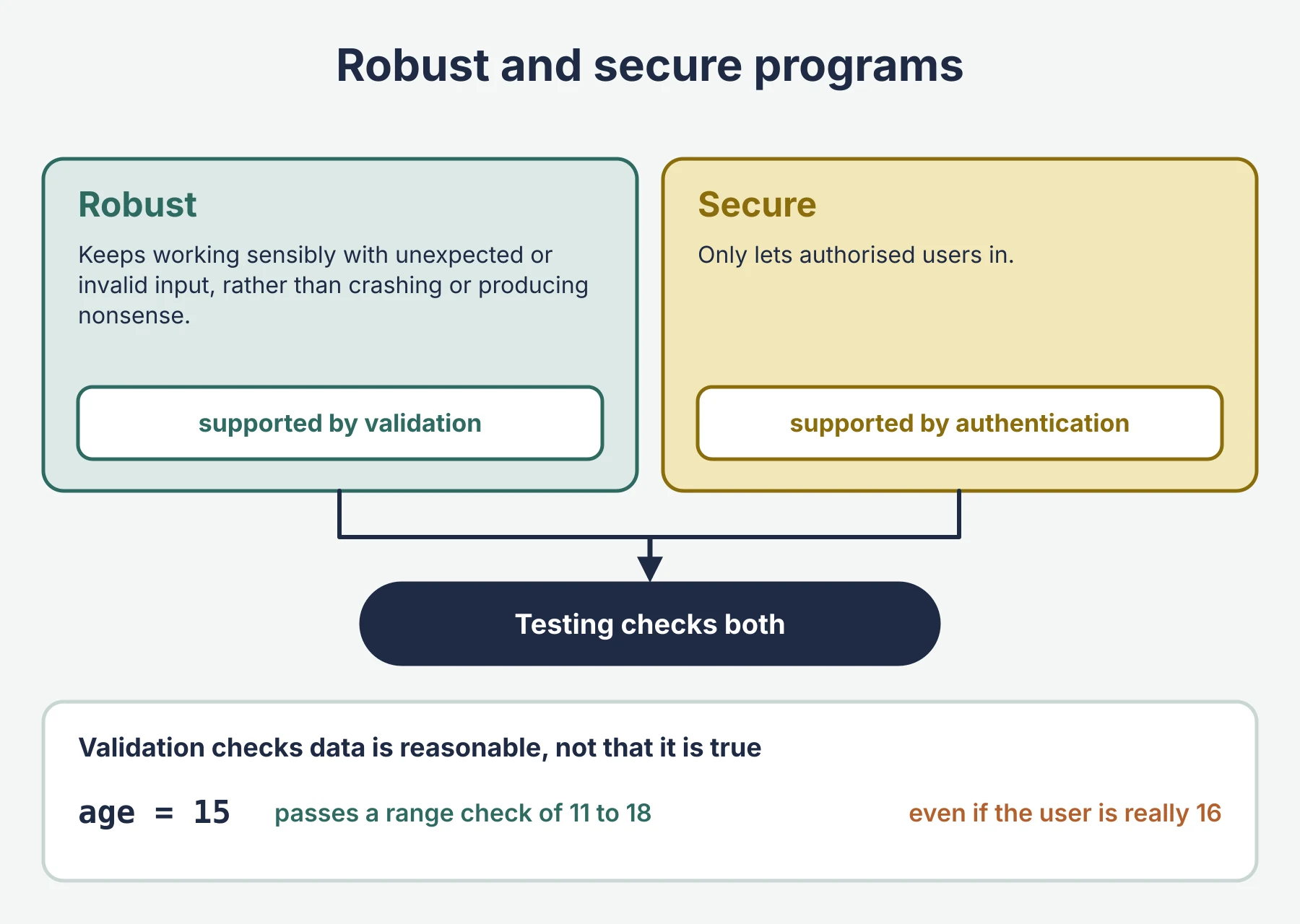
A robust program keeps working sensibly when given unexpected or invalid input, rather than crashing or producing nonsense. A secure program only lets authorised users in. Validation supports robustness; authentication supports security; testing checks both.
Validation routines
Validation checks that input is reasonable (it obeys the rules) before the program uses it. It cannot check that data is true: an age of 15 passes a range check even if the user is really 16.
The basic structure is a loop that repeats the input until the data is valid:
REPEAT
  OUTPUT "Enter your age (11 to 18)"
  age ← STRING_TO_INT(USERINPUT)
UNTIL age ≥ 11 AND age ≤ 18
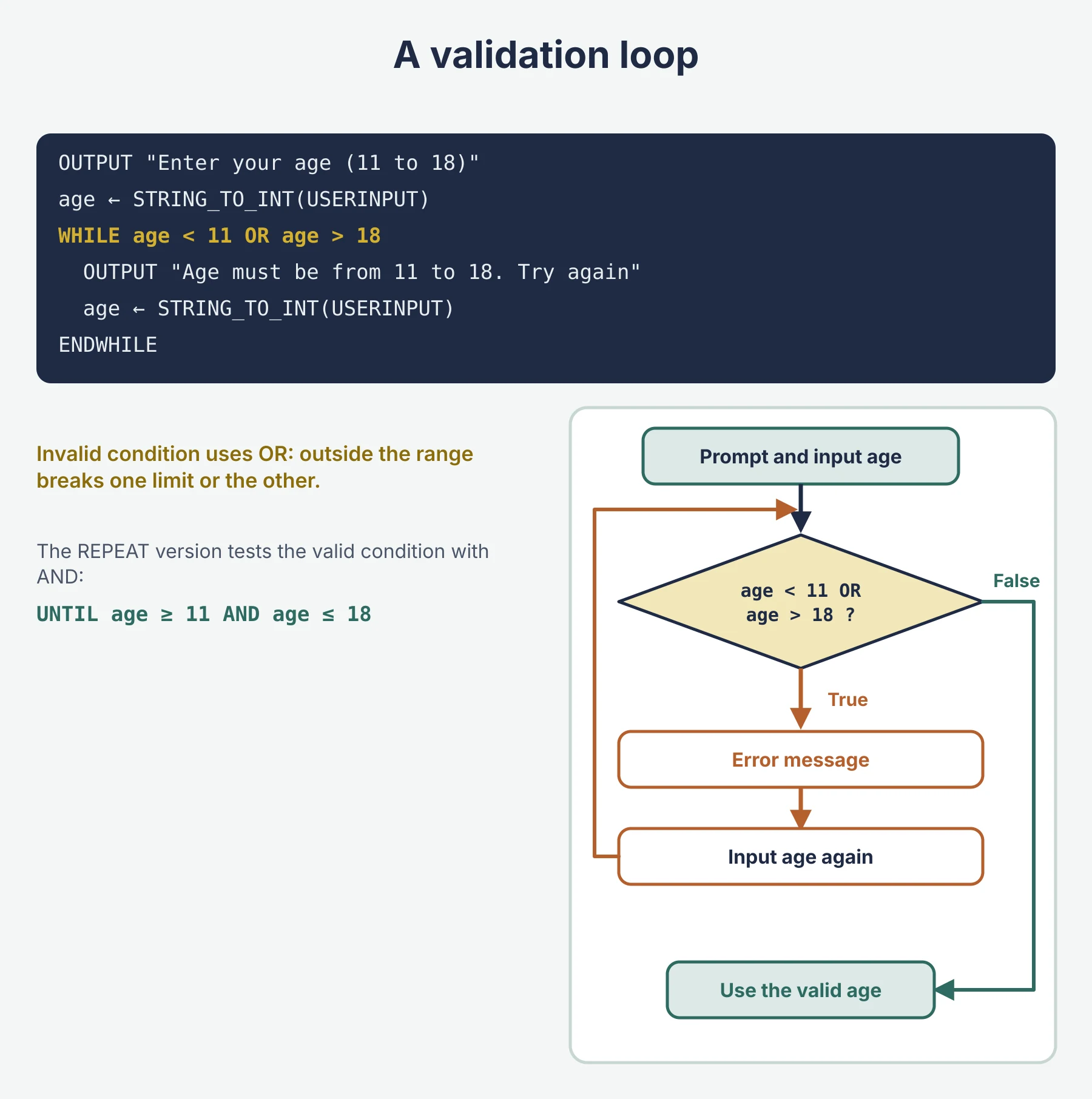
A version that tells the user what went wrong uses a condition-at-the-start loop, so the error message only appears after an invalid entry:
OUTPUT "Enter your age (11 to 18)"
age ← STRING_TO_INT(USERINPUT)
WHILE age < 11 OR age > 18
  OUTPUT "Age must be from 11 to 18. Try again"
  age ← STRING_TO_INT(USERINPUT)
ENDWHILE
Note the Boolean operators: the valid condition uses AND (inside the range) while the invalid condition uses
OR (outside the range), as explained in the Boolean operations study
guide.
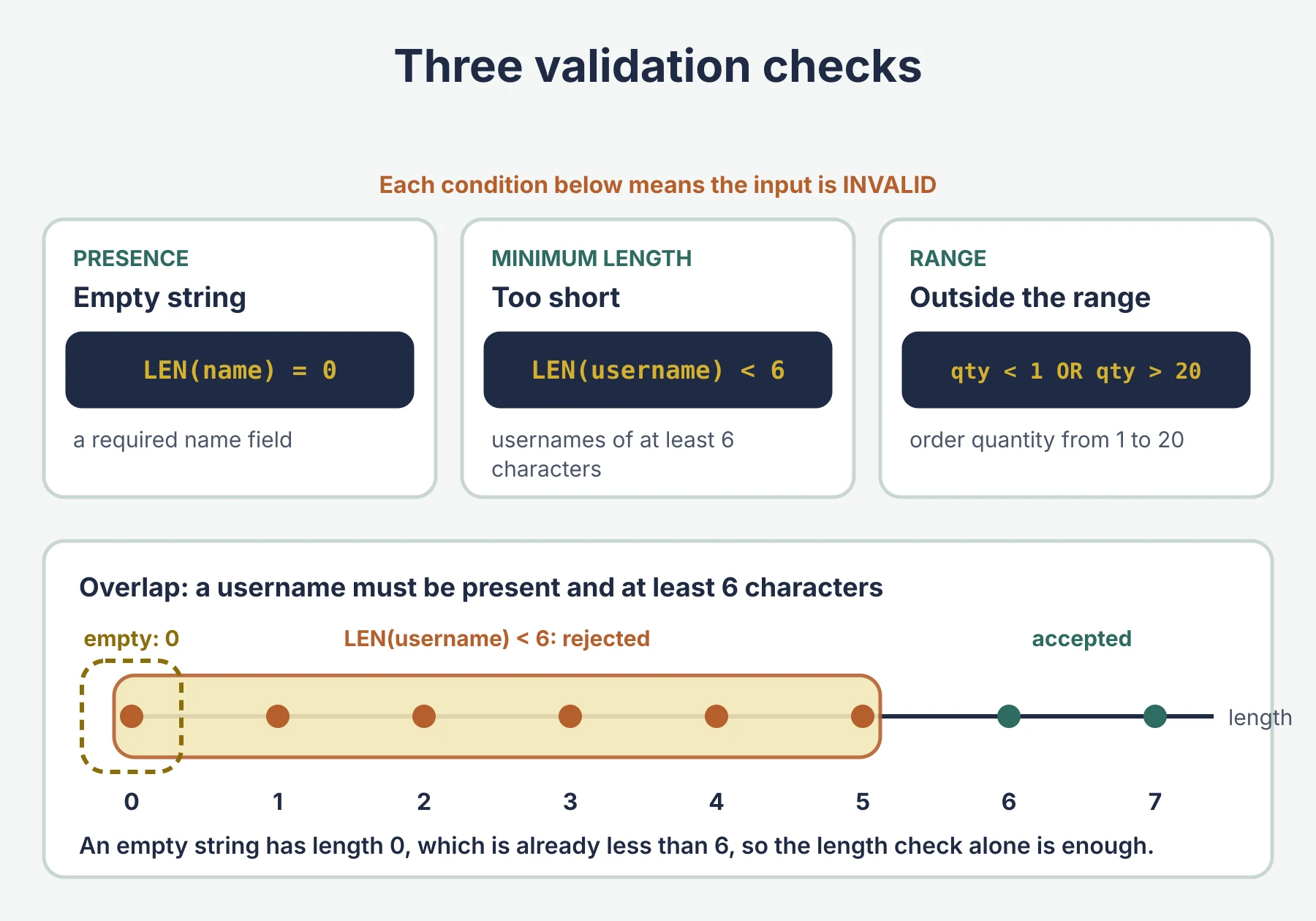
The three specification examples:
| Check | Condition that means invalid | Example use |
|---|---|---|
| Empty string (presence) | LEN(name) = 0 |
A required name field |
| Minimum length | LEN(username) < 6 |
Usernames of at least 6 characters |
| Range | qty < 1 OR qty > 20 |
Order quantity from 1 to 20 |
Checks can be combined in one routine. A username that must be present and at least 6 characters long needs only the length check, because an empty string has length 0, which is already less than 6. Thinking about which checks overlap is the kind of reasoning that earns credit in “explain” questions.
Writing validation as a function
Validation is a good use of a subroutine, because the same rule is often needed in several places:
SUBROUTINE ValidQuantity(qty)
  IF qty ≥ 1 AND qty ≤ 20 THEN
    RETURN True
  ENDIF
  RETURN False
ENDSUBROUTINE

REPEAT
  OUTPUT "How many tickets (1 to 20)?"
  tickets ← STRING_TO_INT(USERINPUT)
UNTIL ValidQuantity(tickets)
Authentication routines
Authentication confirms who the user is by checking their username and password against stored values.
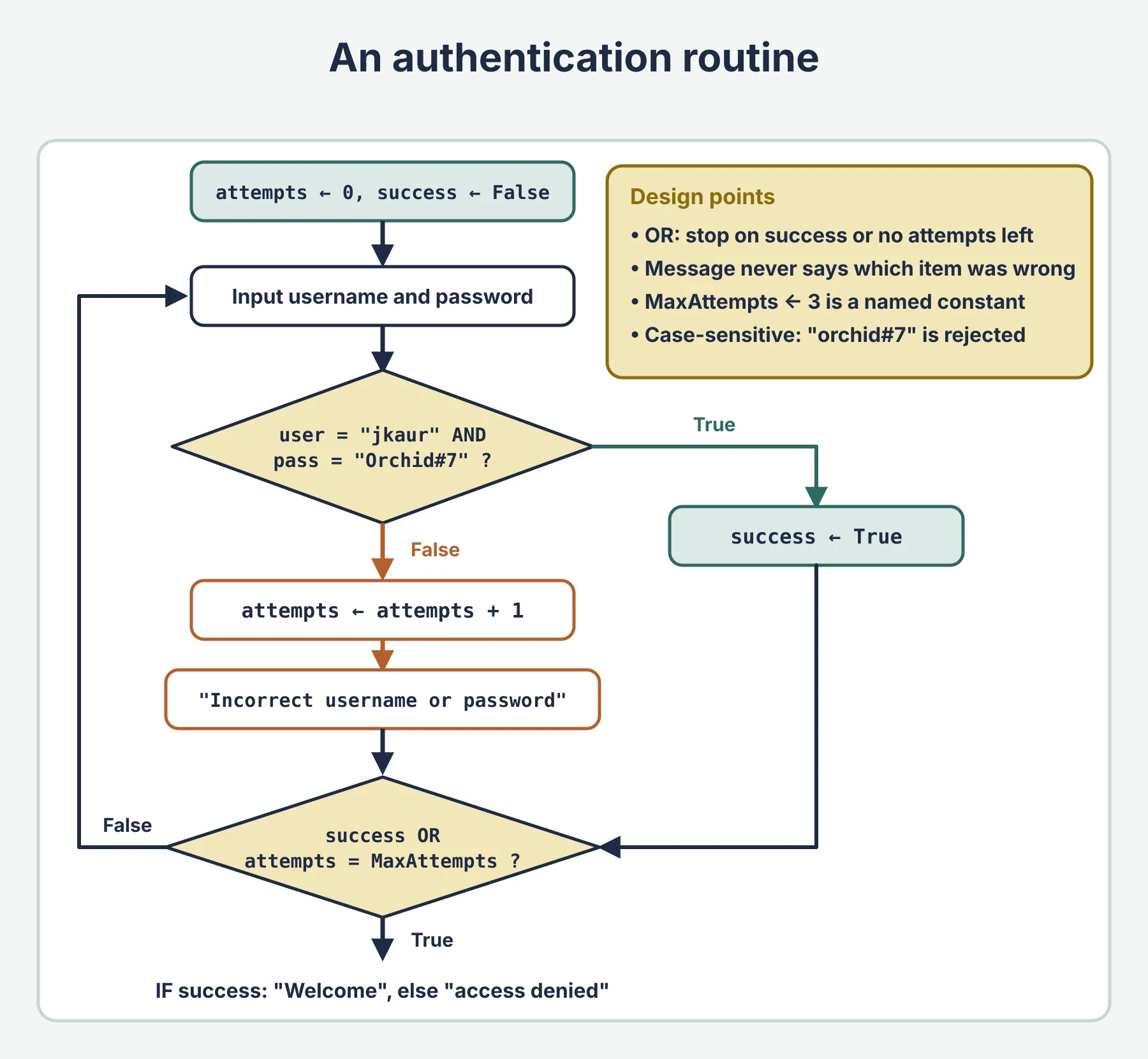
Both must match, so the condition uses AND. A realistic routine also limits the number of attempts:
CONSTANT MaxAttempts ← 3
attempts ← 0
success ← False
REPEAT
  OUTPUT "Username:"
  user ← USERINPUT
  OUTPUT "Password:"
  pass ← USERINPUT
  IF user = "jkaur" AND pass = "Orchid#7" THEN
    success ← True
  ELSE
    attempts ← attempts + 1
    OUTPUT "Incorrect username or password"
  ENDIF
UNTIL success OR attempts = MaxAttempts

IF success THEN
  OUTPUT "Welcome"
ELSE
  OUTPUT "Too many attempts: access denied"
ENDIF
Design points worth explaining in an answer:
- The loop ends for either reason, success or running out of attempts, so its condition uses
OR. - The error message does not say which item was wrong; telling an intruder that the username was correct would help them.
- The limit is a named constant, so it can be changed in one place.
- Password comparison is case-sensitive, so
"orchid#7"would be rejected.
With several users, the stored usernames and passwords can be held in two arrays where the same index matches a user to their password; the routine searches the usernames and compares the password at the matching index.
Test data
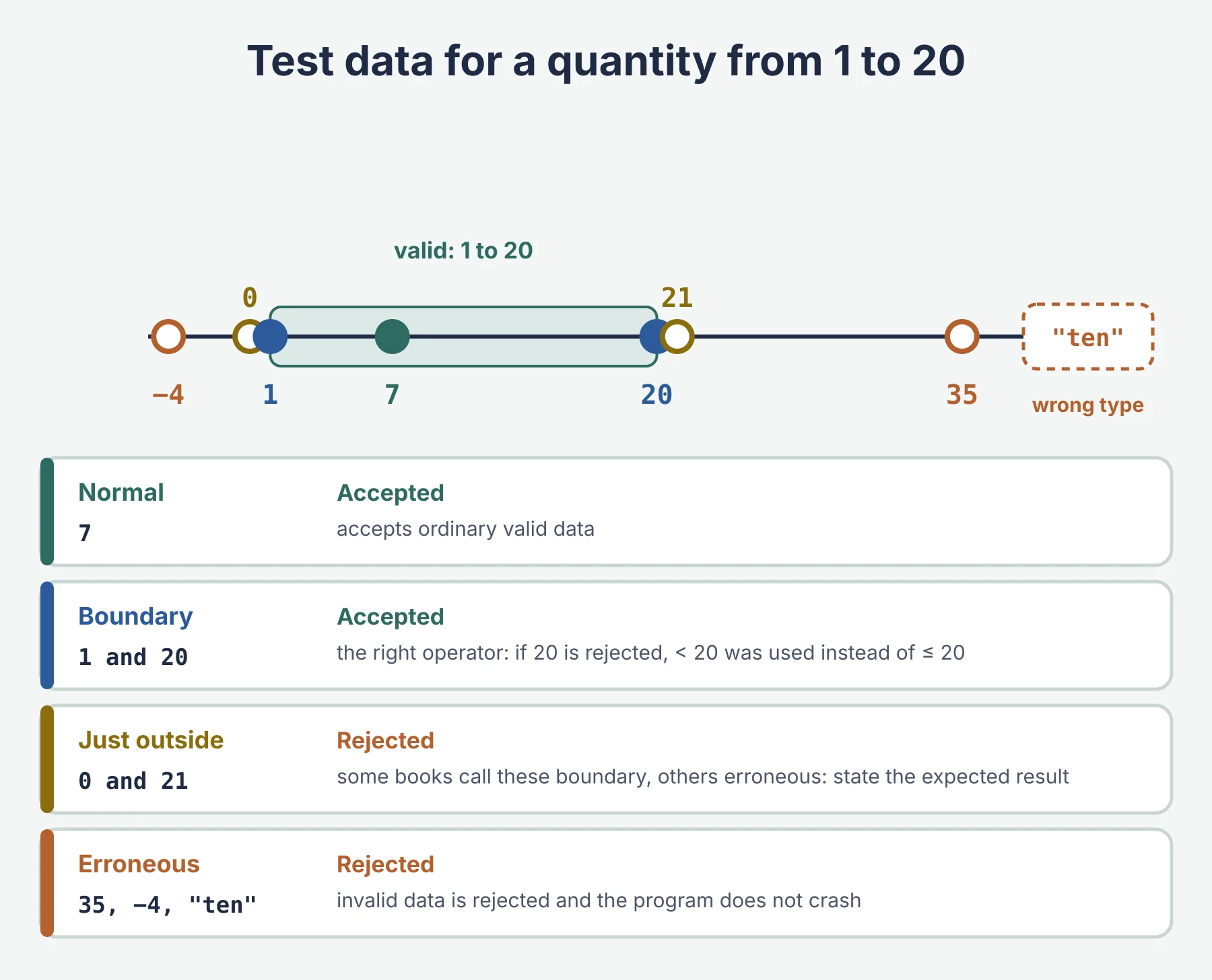
Testing a validation routine means choosing inputs deliberately, not at random. The specification names three types:
| Type | Meaning | For a quantity from 1 to 20 | Expected result |
|---|---|---|---|
| Normal (typical) | Valid data well inside the range | 7 | Accepted |
| Boundary | Values at the edges of the range | 1 and 20 (valid); 0 and 21 (just outside) | 1 and 20 accepted; 0 and 21 rejected |
| Erroneous | Data that should be rejected | 35, −4, "ten" |
Rejected |
Classifications of the value just outside a boundary vary between textbooks: some call 0 and 21 boundary data, others erroneous. The safest exam answer gives the value and states whether it should be accepted or rejected, which is what the test actually checks.
Justifying test data means saying what each choice proves:
- Normal: shows the program accepts ordinary valid data, as it will most of the time.
- Boundary: shows the correct relational operator was used. If 20 is rejected, the code probably has
< 20where it needed≤ 20. - Erroneous: shows invalid data is rejected rather than processed, and that the program does not crash. The
input
"ten"tests what happens when the type is wrong, which a robust program should handle.
Worked example: a test plan for a password rule
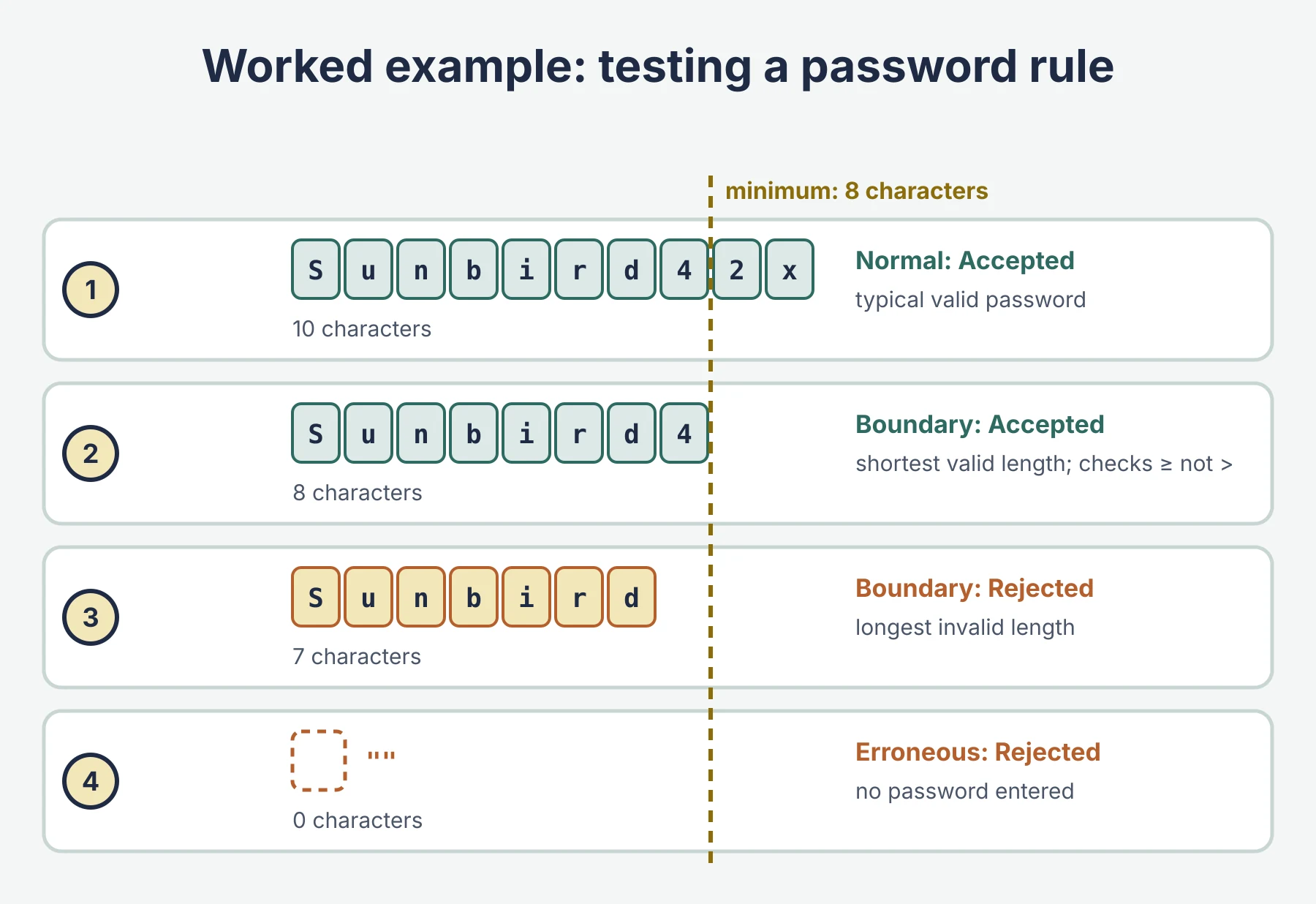
Rule: a new password must be at least 8 characters long.
| Test | Data | Type | Expected | Justification |
|---|---|---|---|---|
| 1 | "Sunbird42x" (10 characters) |
Normal | Accepted | Typical valid password |
| 2 | "Sunbird4" (8 characters) |
Boundary | Accepted | Shortest valid length; checks ≥ not > |
| 3 | "Sunbird" (7 characters) |
Boundary | Rejected | Longest invalid length |
| 4 | "" (empty) |
Erroneous | Rejected | No password entered |
Common mistakes
- Saying validation makes data correct. It only checks that data is reasonable.
- Using
ANDfor an invalid-range condition, which can never be true. - Giving boundary data from one side only. Include values on and just beyond each limit.
- Test data with no expected result or no justification when asked.
- Checking only the password in an authentication routine.
- An authentication loop with no exit for repeated failures when the question asks for limited attempts.
Exam technique
- Write a validation routine: input inside a loop, a clear valid or invalid condition, and repetition until valid. Converting input to a number before a range check is expected.
- Write an authentication routine: input both values, compare both with
AND, and handle success and failure. - Select test data: give one example of each type requested, with the expected outcome.
- Justify: say what the test would reveal if the code were wrong.
For a condensed summary use the robust and secure programming revision notes, and practise in the robust and secure programming practice questions.
Related resources
-
Practice questions
OxfordAQA IGCSE Computer Science (9210): Robust and secure programming – Practice Questions
Original OxfordAQA IGCSE Computer Science 9210 practice questions with answers on validation routines, authentication and normal, boundary and erroneous data.
Computer Science · OxfordAQA · IGCSE
Try questions -
Revision notes
OxfordAQA IGCSE Computer Science (9210): Robust and secure programming – Revision Notes
Revision notes for OxfordAQA IGCSE Computer Science 9210 section 3.2.12: validation checks, authentication routines, test data types, traps and a self-test.
Computer Science · OxfordAQA · IGCSE
Revise topic -
Study guides
OxfordAQA IGCSE Computer Science (9210): String handling operations in a programming language
Study guide to OxfordAQA IGCSE Computer Science 9210 section 3.2.8: length, position, substring, concatenation, character codes and string conversion.
Computer Science · OxfordAQA · IGCSE
Read guide
Get free revision emails (optional)
Occasional emails with practice questions, worked explanations and links to free resources for the qualification and subjects you choose. No spam, and you can unsubscribe from any email. The free tools on this site never need an email.