
Study Guides
OxfordAQA IGCSE Computer Science (9210): String handling operations in a programming language
Study guide to OxfordAQA IGCSE Computer Science 9210 section 3.2.8: length, position, substring, concatenation, character codes and string conversion.
- Subject
- Computer Science
- Level
- IGCSE
- Topic
- Topic 2 – Programming
- Author
- Marlbridge Academic Team
- Updated
- Reviewed by
- Harris Khan (what this means)
Aligned to OxfordAQA IGCSE Computer Science (9210), For teaching from September 2017, exams from May/June 2019. Official specification .
Syllabus page (what it covers and how it is assessed): OxfordAQA IGCSE Computer Science.
Syllabus points this page covers
9210
- 3.2.8 String handling operations in a programming language
Found an error? Report a correction.
Need help with this topic? Request a free trial class for IGCSE Computer Science (9210).
This guide covers section 3.2.8 String handling operations in a programming language of OxfordAQA International GCSE Computer Science (9210). You must “understand and be able to use” length, position, substring, concatenation, convert character to character code, convert character code to character, and string conversion operations. The expected conversions are string to integer, string to real, integer to string and real to string. The operations are listed briefly in the data structures, subroutines and translators study guide; this guide shows how to combine them in programs.
Conventions used here
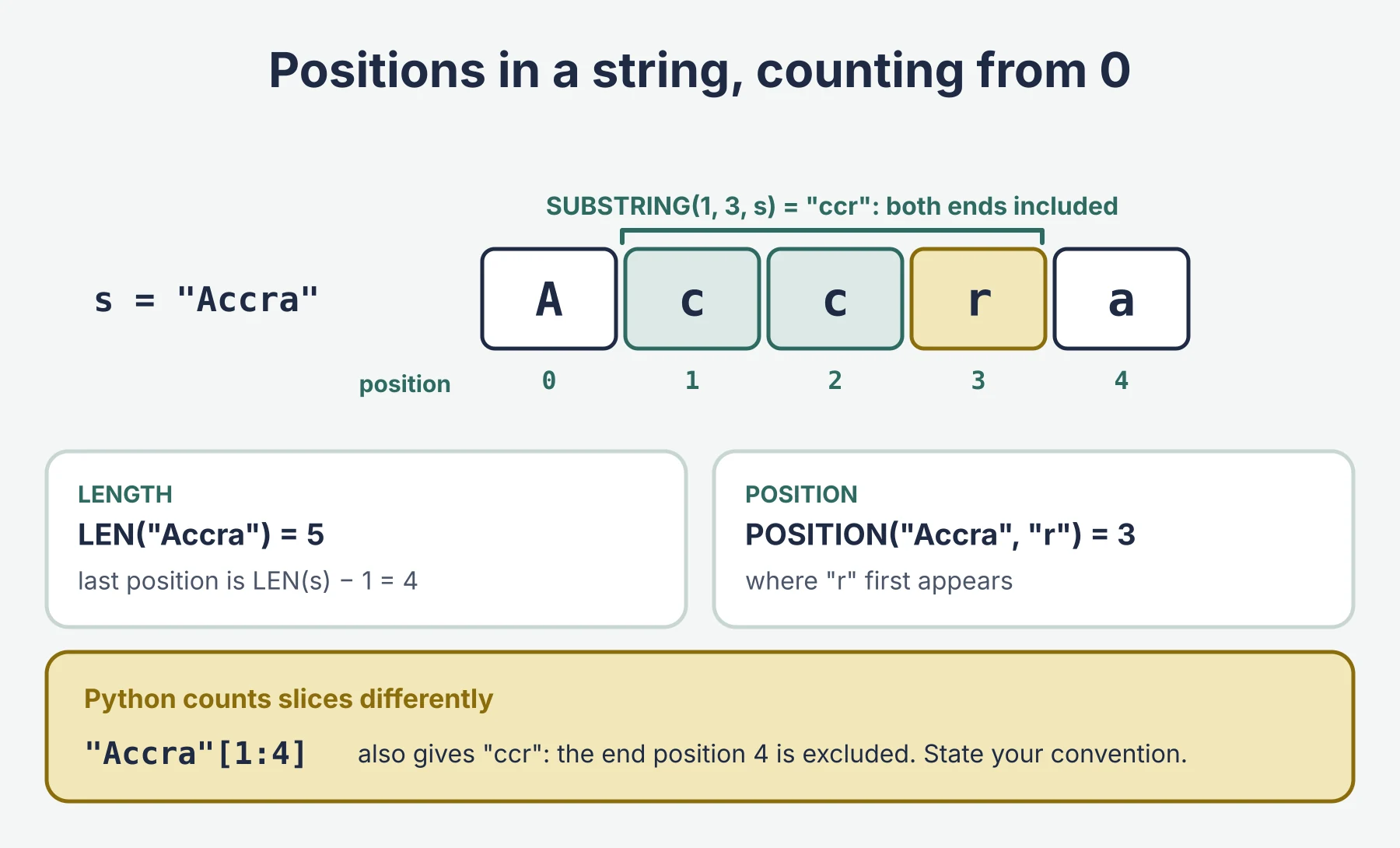
Languages differ in how they name these operations and whether they count positions from 0 or 1. This guide uses pseudocode that counts from 0:
| Operation | Pseudocode | Example | Result |
|---|---|---|---|
| Length | LEN(s) |
LEN("Accra") |
5 |
| Position | POSITION(s, c) |
POSITION("Accra", "r") |
3 |
| Substring | SUBSTRING(start, end, s) |
SUBSTRING(1, 3, "Accra") |
"ccr" |
| Concatenation | + |
"Ac" + "cra" |
"Accra" |
| Character to code | CHAR_TO_CODE(c) |
CHAR_TO_CODE("A") |
65 |
| Code to character | CODE_TO_CHAR(n) |
CODE_TO_CHAR(99) |
"c" |
| String to integer | STRING_TO_INT(s) |
STRING_TO_INT("42") |
42 |
| String to real | STRING_TO_REAL(s) |
STRING_TO_REAL("3.5") |
3.5 |
| Integer to string | INT_TO_STRING(n) |
INT_TO_STRING(7) |
"7" |
| Real to string | REAL_TO_STRING(x) |
REAL_TO_STRING(2.5) |
"2.5" |
Here SUBSTRING includes both the start and end positions, so SUBSTRING(1, 3, ...) returns three characters.
Python’s slices work differently ("Accra"[1:4] gives "ccr", excluding the end), which is why it is worth
stating your convention in an exam answer whenever positions matter.
Length and position
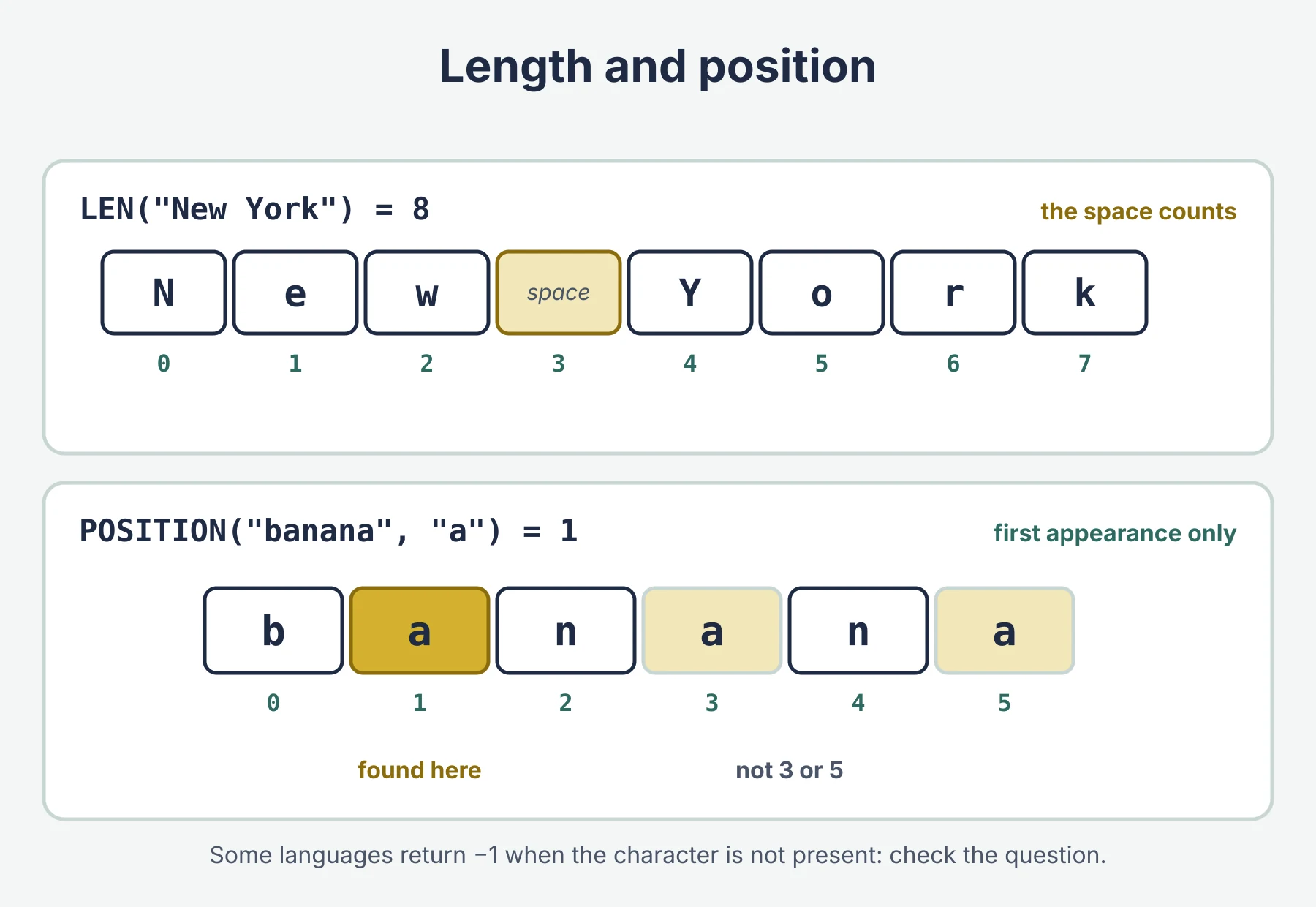
LEN counts every character, including spaces and punctuation: LEN("New York") is 8. The last character of
any string s is at position LEN(s) - 1. POSITION returns where a character first appears, so
POSITION("banana", "a") is 1, not 3 or 5. Some languages return −1 when the character is not present; check
what the question says.
Processing a string one character at a time
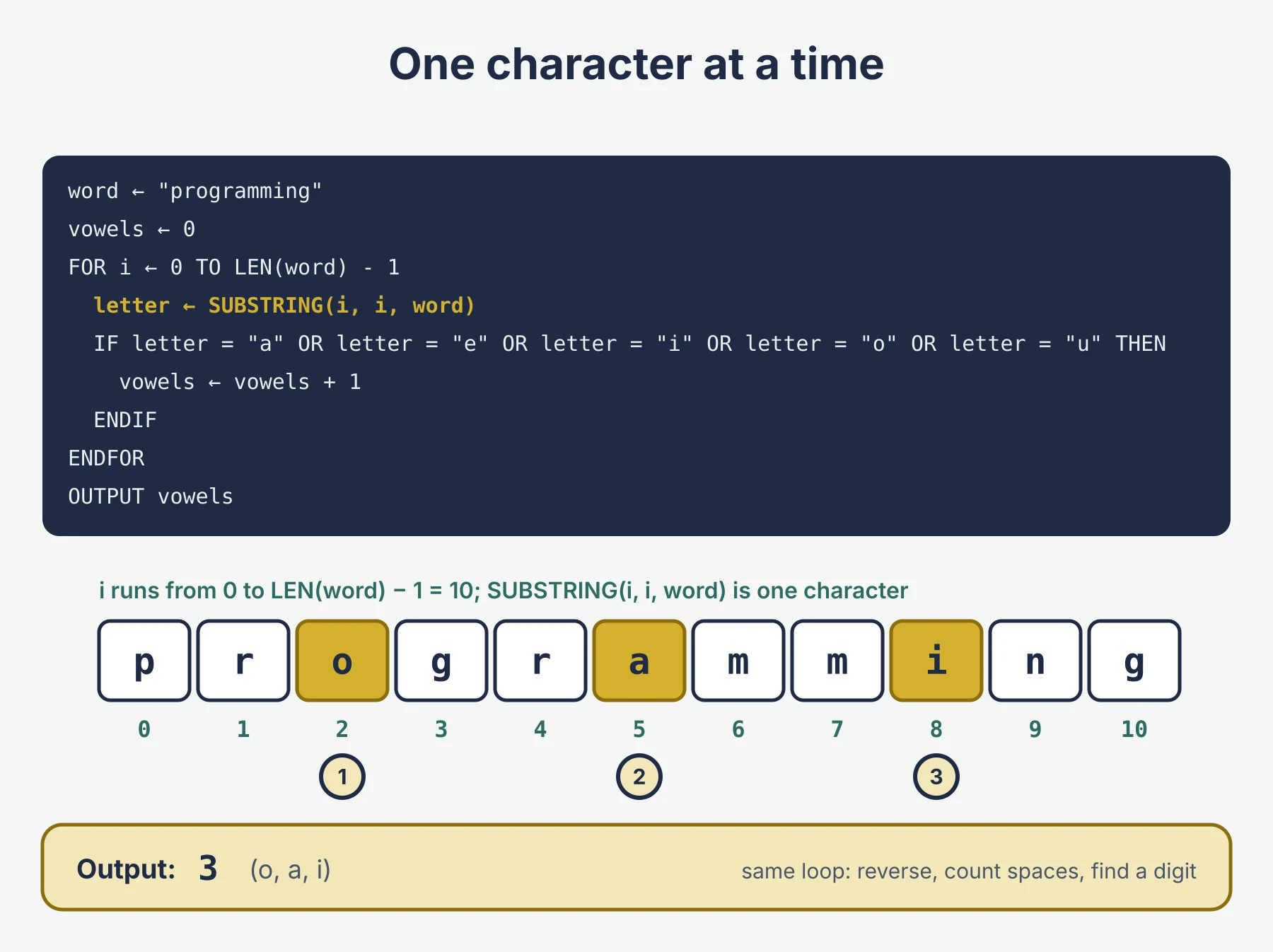
Many string tasks loop through every position:
word ← "programming"
vowels ← 0
FOR i ← 0 TO LEN(word) - 1
  letter ← SUBSTRING(i, i, word)
  IF letter = "a" OR letter = "e" OR letter = "i" OR letter = "o" OR letter = "u" THEN
    vowels ← vowels + 1
  ENDIF
ENDFOR
OUTPUT vowels
SUBSTRING(i, i, word) extracts one character. The output is 3 (o, a, i). The same loop structure underlies
reversing a string, counting spaces to count words, and checking whether a password contains a digit.
Position and substring together
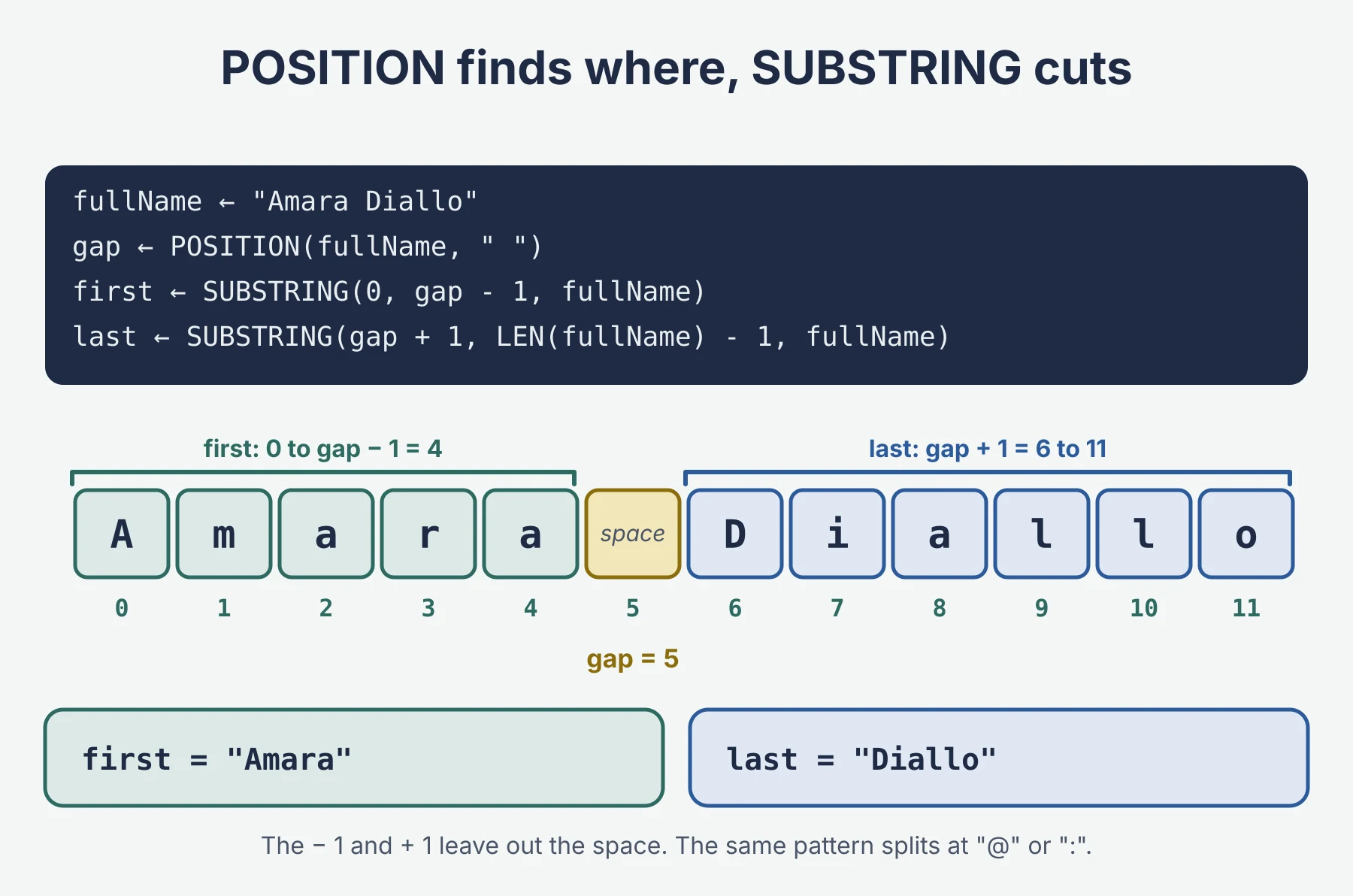
POSITION is often used to find where to cut a string, and SUBSTRING then does the cutting. To split a
full name at the space:
fullName ← "Amara Diallo"
gap ← POSITION(fullName, " ")
first ← SUBSTRING(0, gap - 1, fullName)
last ← SUBSTRING(gap + 1, LEN(fullName) - 1, fullName)
The space is at position 5, so first is characters 0 to 4, "Amara", and last is characters 6 to 11,
"Diallo". The - 1 and + 1 exclude the space itself. The same pattern splits an email address at "@" or a
time such as "14:05" at the colon (followed by STRING_TO_INT on each part if the numbers are needed).
Character codes
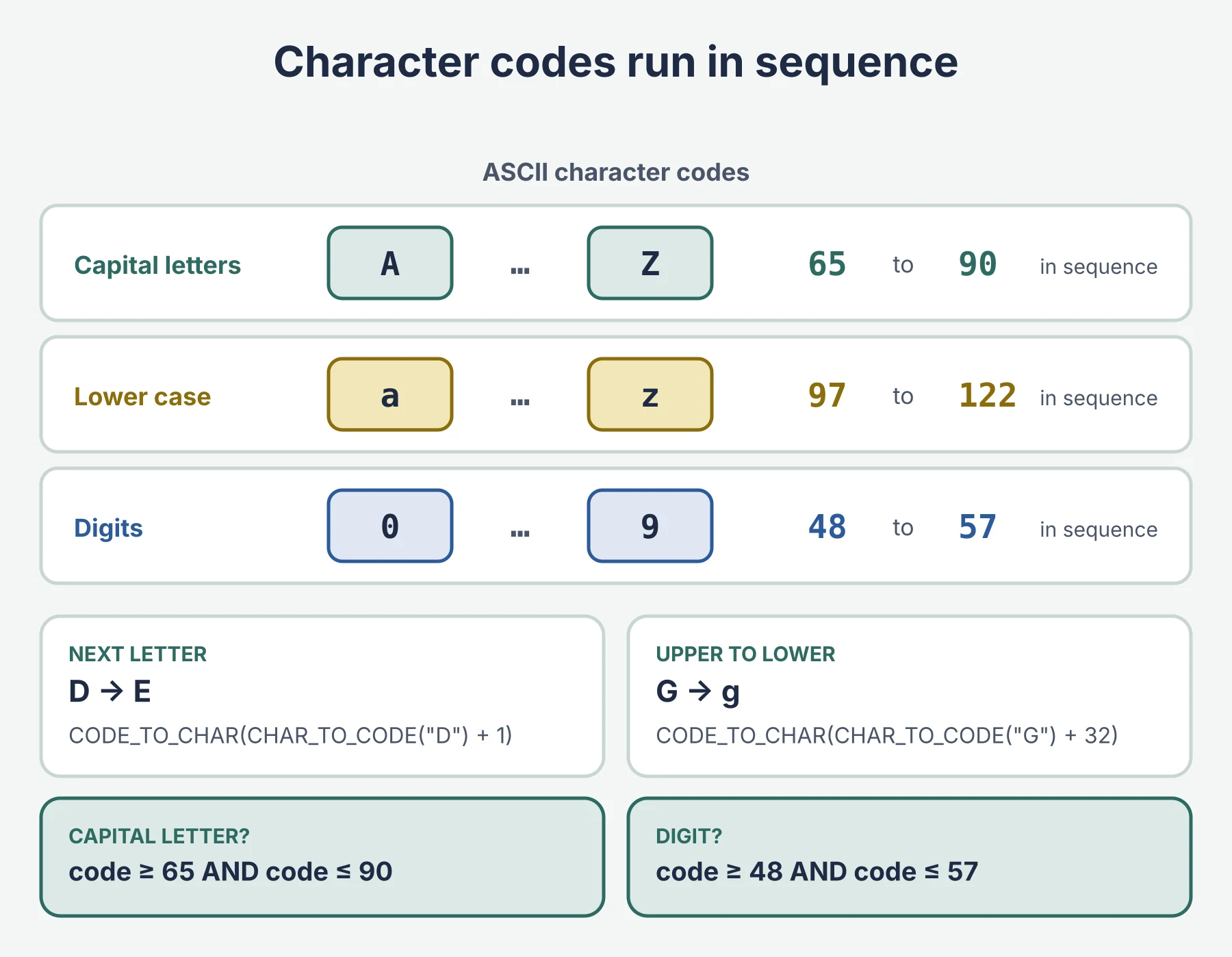
Every character is stored as a number, its character code. In ASCII (covered in Topic 3, Data
representation) the codes for letters run in sequence: "A" is 65, "B" is 66, up to "Z" at 90; "a" is 97
up to "z" at 122; the digits "0" to "9" are 48 to 57. Because the codes run in sequence, arithmetic on
codes is meaningful:
- Next letter:
CODE_TO_CHAR(CHAR_TO_CODE("D") + 1)gives"E". - Upper to lower case: add 32, so
CODE_TO_CHAR(CHAR_TO_CODE("G") + 32)gives"g". - Is it a capital letter?
code ≥ 65 AND code ≤ 90. - Is it a digit?
code ≥ 48 AND code ≤ 57.
Worked example: a shift cipher
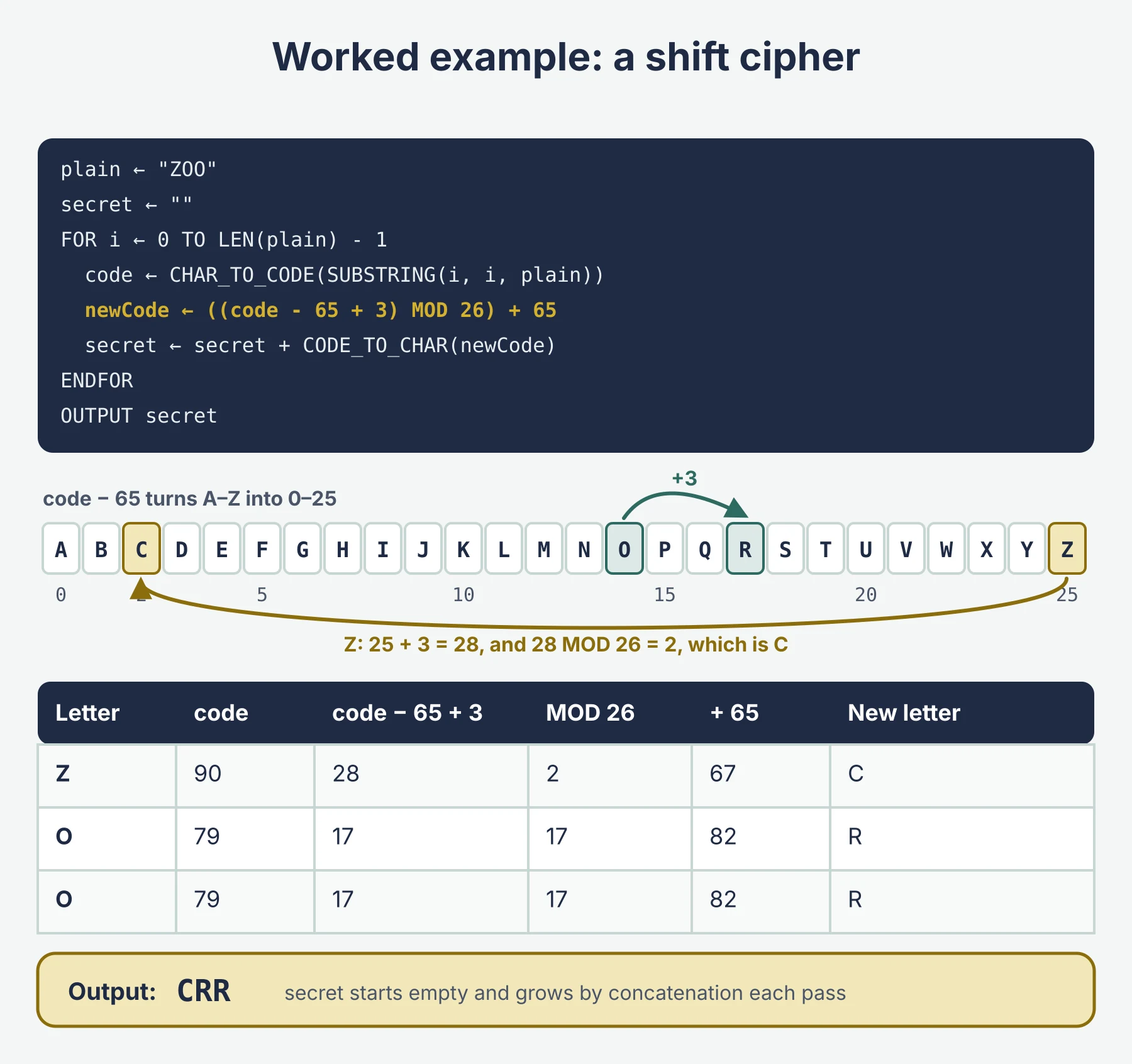
A simple cipher replaces each capital letter with the letter three places later, wrapping from Z back to A.
plain ← "ZOO"
secret ← ""
FOR i ← 0 TO LEN(plain) - 1
  code ← CHAR_TO_CODE(SUBSTRING(i, i, plain))
  newCode ← ((code - 65 + 3) MOD 26) + 65
  secret ← secret + CODE_TO_CHAR(newCode)
ENDFOR
OUTPUT secret| Letter | code | code − 65 + 3 | MOD 26 | + 65 | New letter |
|---|---|---|---|---|---|
| Z | 90 | 28 | 2 | 67 | C |
| O | 79 | 17 | 17 | 82 | R |
| O | 79 | 17 | 17 | 82 | R |
The output is CRR. Subtracting 65 turns A–Z into 0–25, so MOD 26 can wrap the alphabet; adding 65 turns the
result back into a code. The string secret starts empty and grows by concatenation on each pass.
String conversion
Conversion is needed whenever data arrives as text but must be used as a number, or the other way round:
- String to integer or real: keyboard input and lines read from a file are strings.
"12" + "8"is"128", butSTRING_TO_INT("12") + STRING_TO_INT("8")is20. - Integer or real to string: needed before joining a number onto text with
+, as in"Level " + INT_TO_STRING(level), and before using string operations on a number’s digits.
Converting a string that does not represent a number, such as STRING_TO_INT("ten"), causes an error in most
languages, which is one reason input is validated (see the robust and secure programming study
guide).
Worked example: building a username
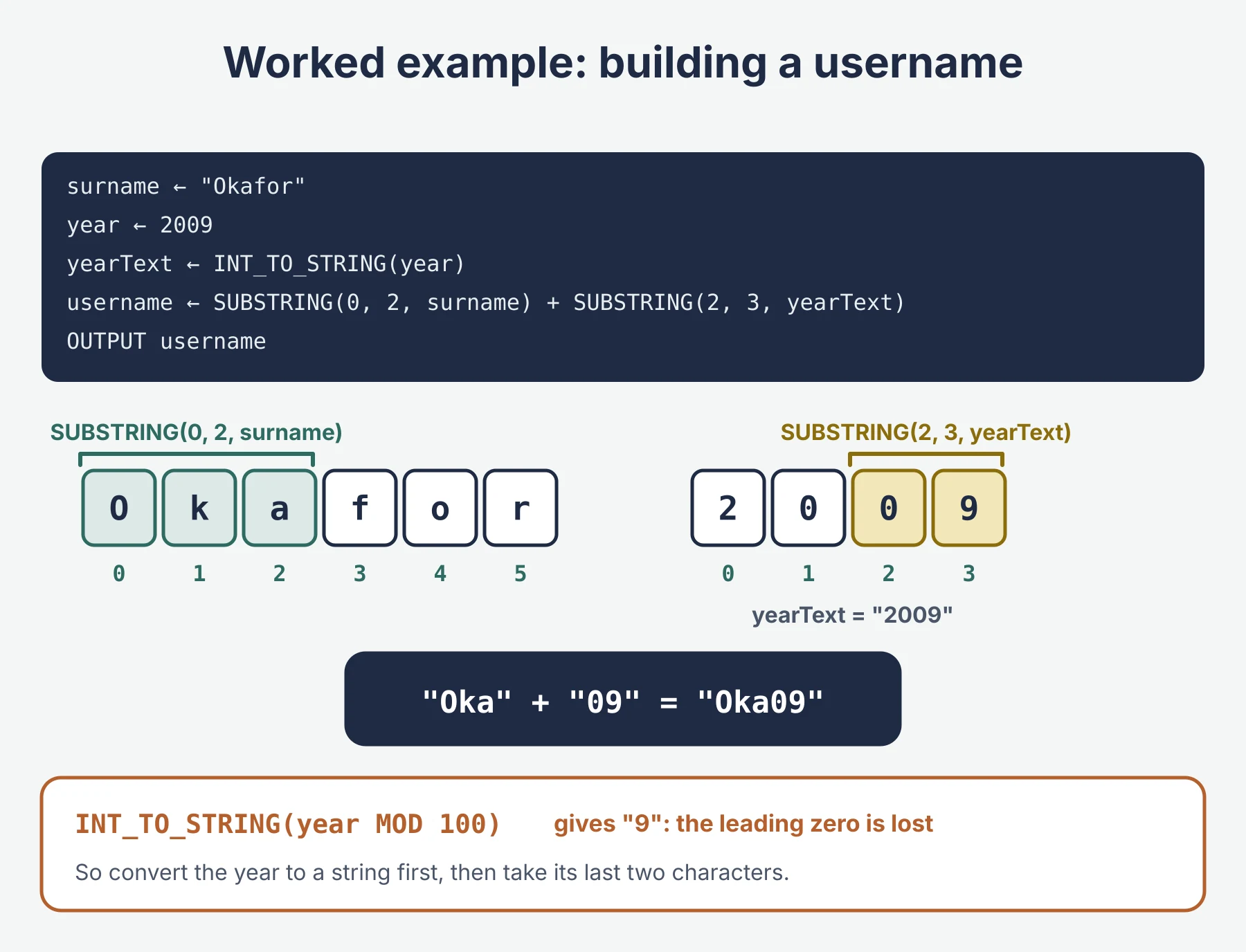
A school creates usernames from the first three letters of the surname, in capitals as entered, followed by the last two digits of the year of entry.
surname ← "Okafor"
year ← 2009
yearText ← INT_TO_STRING(year)
username ← SUBSTRING(0, 2, surname) + SUBSTRING(2, 3, yearText)
OUTPUT username
The output is Oka09. Notice the choice of method for the year. INT_TO_STRING(year MOD 100) would give "9",
losing the leading zero, so the year is converted to a string first and the last two characters are taken as a
substring. This is a typical “explain your choice” point in an exam answer.
Common mistakes
- Off-by-one positions: the first character is at position 0 in this guide’s convention, and the last at
LEN(s) - 1. - Confusing
POSITIONandSUBSTRING: one returns a number (where), the other returns a string (what). - Joining a number to a string without converting it.
- Assuming lower-case and capital letters have the same code: they differ by 32 in ASCII.
- Expecting
POSITIONto find every occurrence: it finds the first. - Forgetting that a space counts towards the length.
Exam technique
- State the result questions: write the string with its positions numbered underneath before working it out.
- Write code: state whether positions start at 0 or 1 if it is not obvious from the question’s own pseudocode; any suitable format is accepted.
- Trace code with character codes: add columns for the code and each calculation, as in the cipher table.
- Explain a conversion: name the types before and after and why the change is needed.
Revise the operations quickly with the string handling revision notes and practise them in the string handling practice questions.
Related resources
-
Practice questions
OxfordAQA IGCSE Computer Science (9210): String handling operations in a programming language – Practice Questions
Original OxfordAQA IGCSE Computer Science 9210 practice questions with answers on length, substring, position, character codes and string conversion.
Computer Science · OxfordAQA · IGCSE
Try questions -
Revision notes
OxfordAQA IGCSE Computer Science (9210): String handling operations in a programming language – Revision Notes
Revision notes for OxfordAQA IGCSE Computer Science 9210 section 3.2.8: string operations, character codes, conversions, exam traps and a self-test.
Computer Science · OxfordAQA · IGCSE
Revise topic -
Study guides
OxfordAQA IGCSE Computer Science (9210): Structured programming
Study guide to OxfordAQA IGCSE Computer Science 9210 section 3.2.11: modular programs, documented interfaces, local variables, parameters and their advantages.
Computer Science · OxfordAQA · IGCSE
Read guide
Get free revision emails (optional)
Occasional emails with practice questions, worked explanations and links to free resources for the qualification and subjects you choose. No spam, and you can unsubscribe from any email. The free tools on this site never need an email.