
Study Guides
OxfordAQA IGCSE Computer Science (9210): Structured programming
Study guide to OxfordAQA IGCSE Computer Science 9210 section 3.2.11: modular programs, documented interfaces, local variables, parameters and their advantages.
- Subject
- Computer Science
- Level
- IGCSE
- Topic
- Topic 2 – Programming
- Author
- Marlbridge Academic Team
- Updated
- Reviewed by
- Harris Khan (what this means)
Aligned to OxfordAQA IGCSE Computer Science (9210), For teaching from September 2017, exams from May/June 2019. Official specification .
Syllabus page (what it covers and how it is assessed): OxfordAQA IGCSE Computer Science.
Syllabus points this page covers
9210
- 3.2.11 Structured programming
Found an error? Report a correction.
Need help with this topic? Request a free trial class for IGCSE Computer Science (9210).
This guide covers section 3.2.11 Structured programming of OxfordAQA International GCSE Computer Science (9210). The specification has two statements: “describe the structured approach to programming” and “explain the advantages of the structured approach”. Its additional information says the description should include “modularised programming, clear, well documented interfaces (local variables, parameters) and return values”. The section is mostly assessed through written explanation, so precise vocabulary matters. A shorter summary is in the data structures, subroutines and translators study guide.
The structured approach in one paragraph
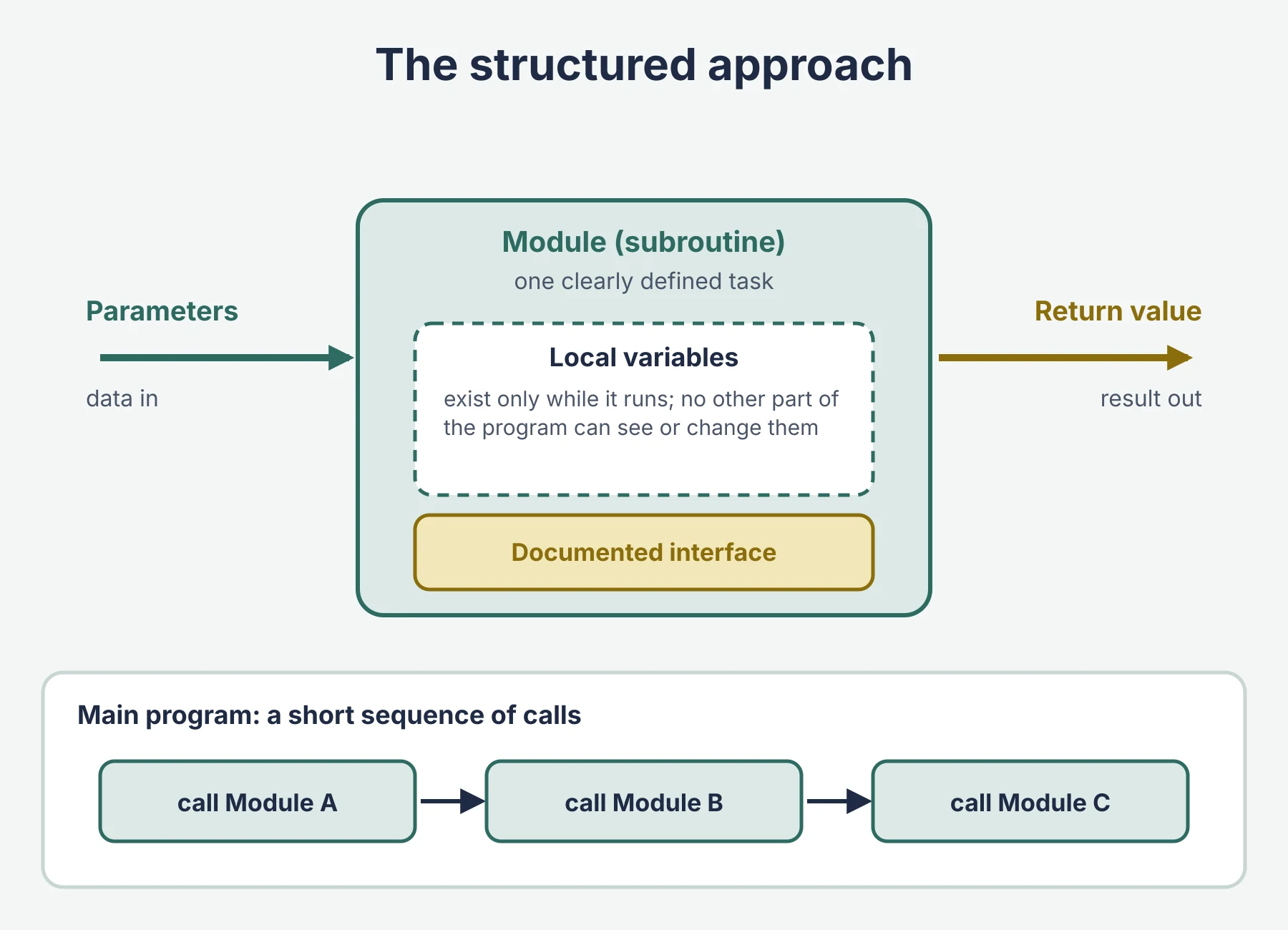
A structured program is built from modules: subroutines that each carry out one clearly defined task. Each module has a clear, documented interface that states what data it needs (its parameters) and what it gives back (its return value). Inside a module, working data is held in local variables, which no other part of the program can see or change. The main program then becomes a short sequence of calls to these modules.
Modularised programming
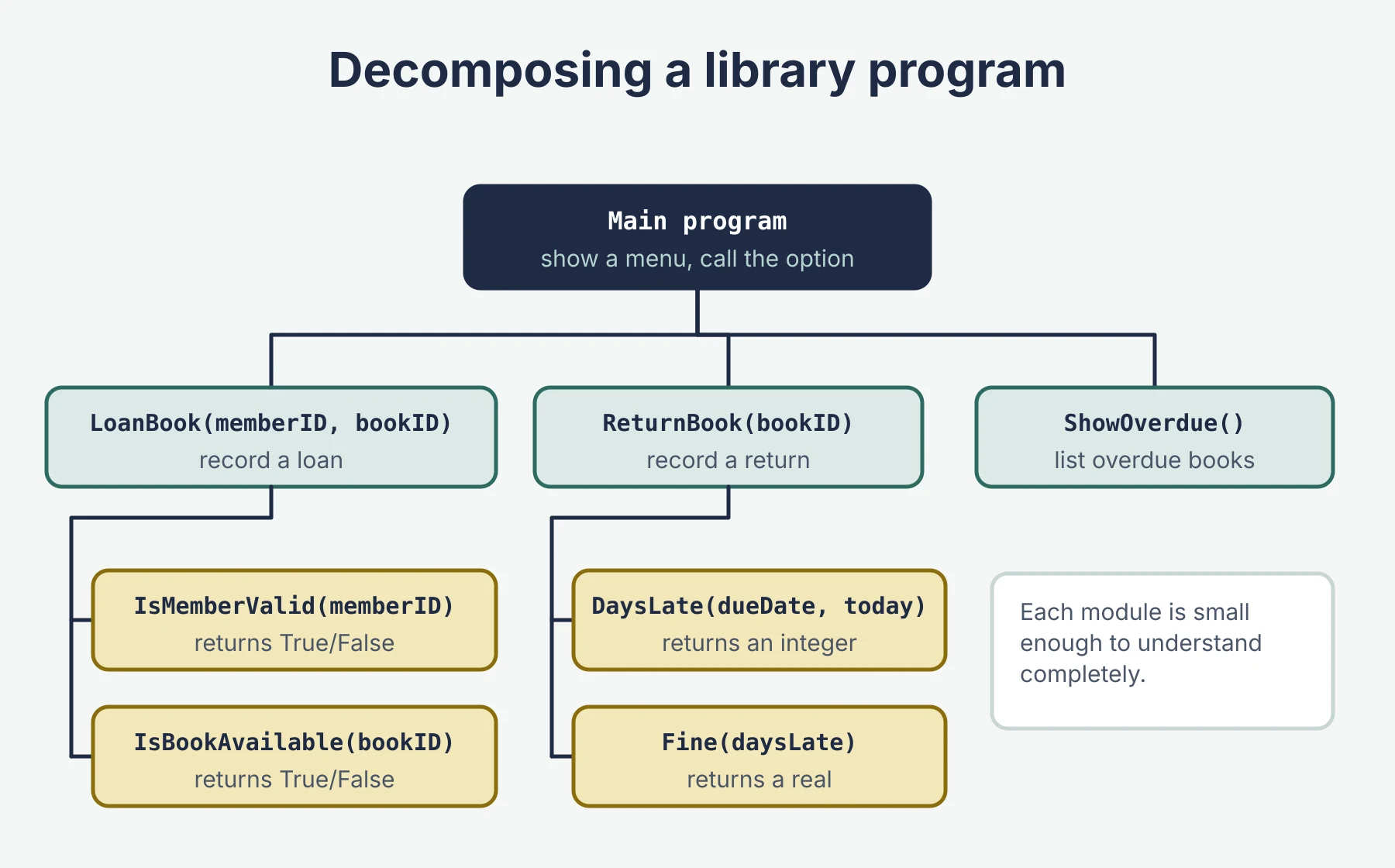
Modularising means decomposing a problem into smaller sub-problems and writing a subroutine for each. A program for a school library might be planned like this:
- Main program: show a menu and call the chosen option.
LoanBook(memberID, bookID): record a loan.IsMemberValid(memberID)returns True/False.IsBookAvailable(bookID)returns True/False.
ReturnBook(bookID): record a return.DaysLate(dueDate, today)returns an integer.Fine(daysLate)returns a real.
ShowOverdue(): list overdue books.
Each module is small enough to understand completely, and some are used by more than one other module. The specification’s subroutine material, including procedures and functions, is covered in the subroutines study guide.
Interfaces
A module’s interface is everything another programmer needs to know to use it without reading its code:
- its name;
- its parameters, in order, with their data types and meaning;
- its return value, with its data type (or a statement that it returns nothing);
- a short description of what it does.
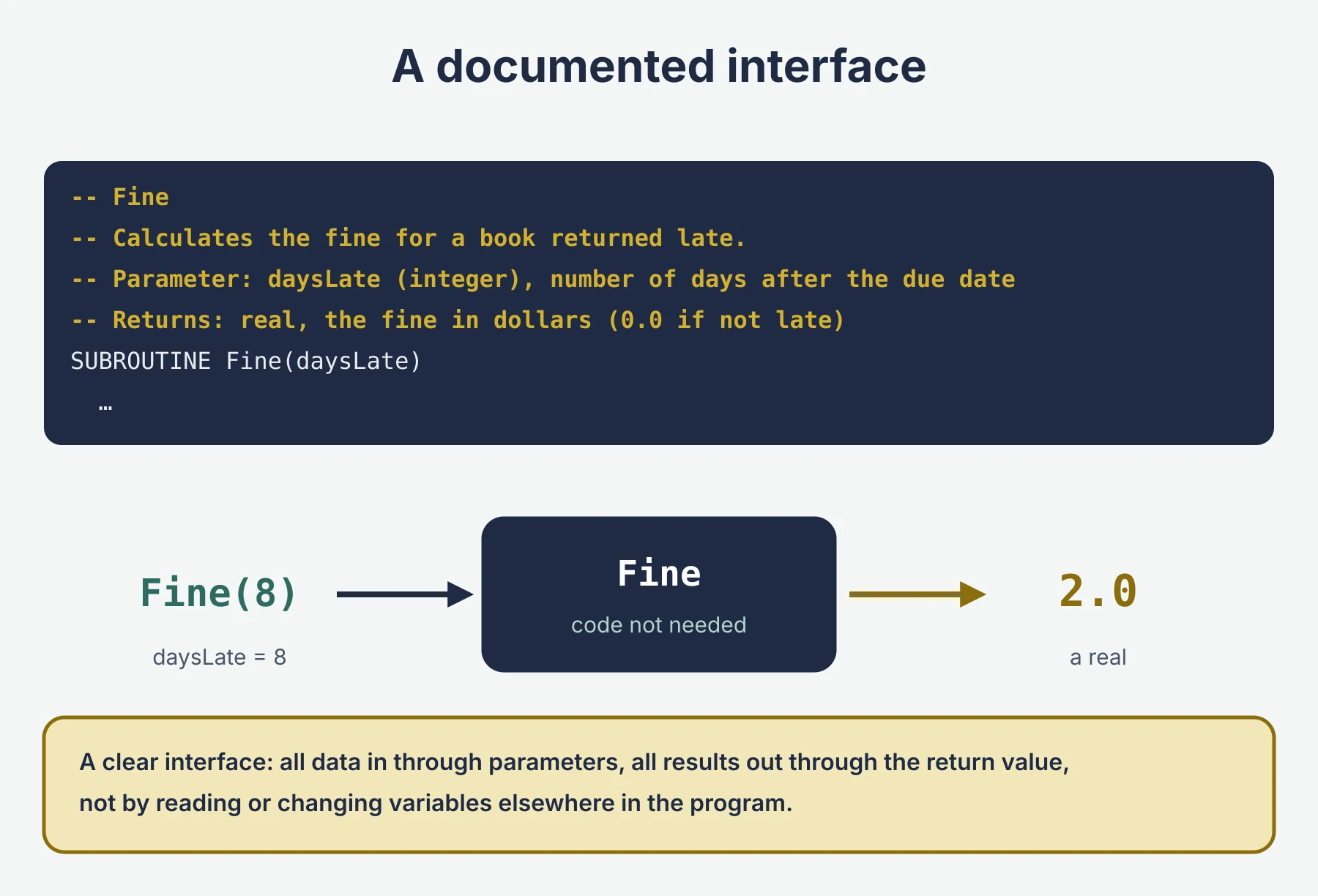
Documenting the interface usually means a comment block at the top of the subroutine:
-- Fine
-- Calculates the fine for a book returned late.
-- Parameter: daysLate (integer), number of days after the due date
-- Returns: real, the fine in dollars (0.0 if not late)
SUBROUTINE Fine(daysLate)
  CONSTANT RatePerDay ← 0.25
  IF daysLate ≤ 0 THEN
    RETURN 0.0
  ENDIF
  RETURN daysLate * RatePerDay
ENDSUBROUTINE
Anyone calling Fine(8) knows to expect 2.0 without needing to look inside. A clear interface also means
the module receives all its data through parameters and sends all its results back through the return value,
rather than reading and changing variables elsewhere in the program.
Local variables
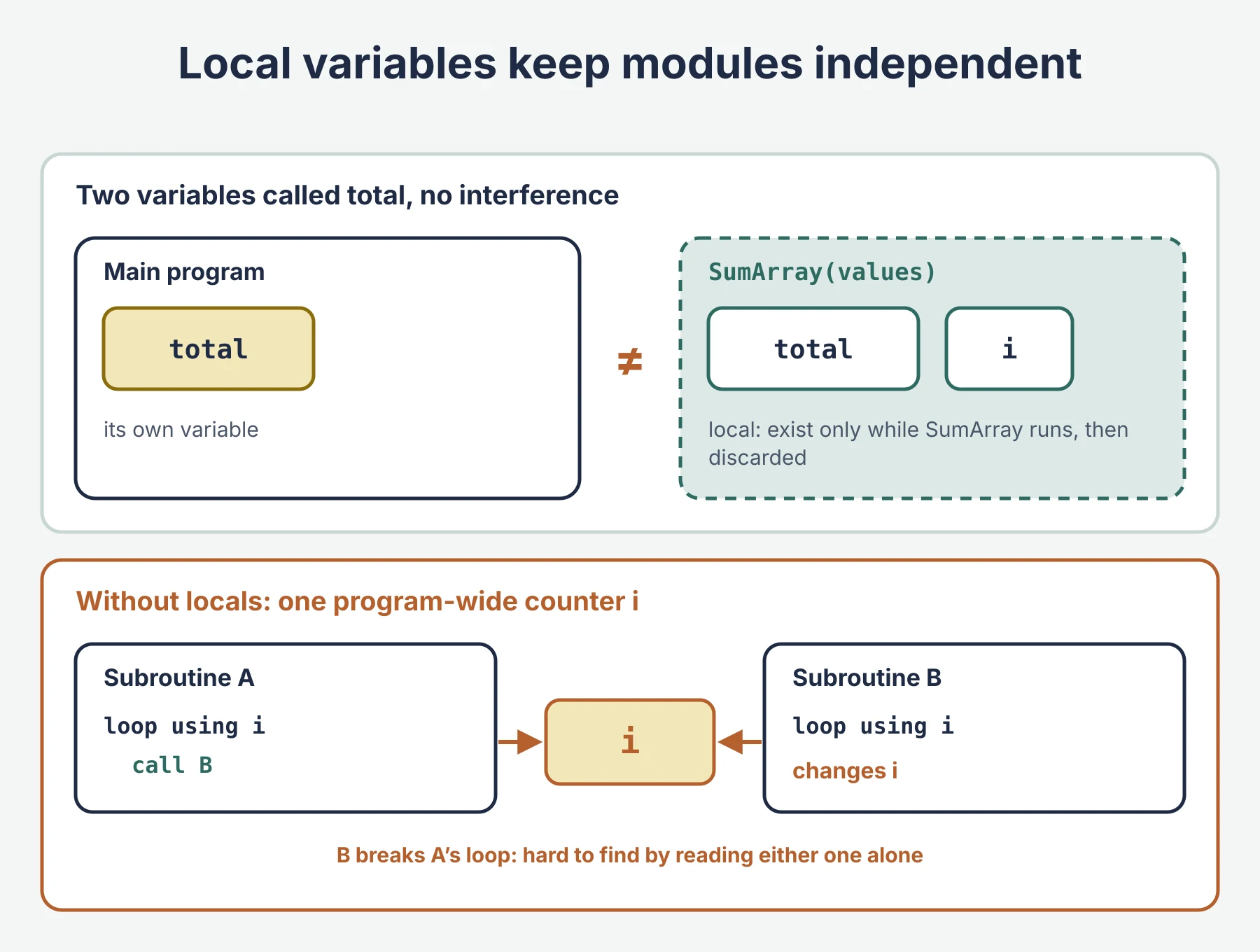
A local variable is declared inside a subroutine. It exists only while the subroutine is running and can be used only inside it. When the subroutine finishes, the variable is discarded.
SUBROUTINE SumArray(values)
  total ← 0                       -- local to SumArray
  FOR i ← 0 TO LEN(values) - 1    -- i is also local
    total ← total + values[i]
  ENDFOR
  RETURN total
ENDSUBROUTINE
If the main program also has a variable called total, the two do not interfere: SumArray has its own total.
That independence is the point. The contrast is a variable declared for the whole program (often called a global
variable), which any subroutine can change. Suppose two subroutines both used one program-wide counter i for
their loops, and one called the other from inside its loop: the inner subroutine would change i and break the
outer loop, a bug that is very hard to find by reading either subroutine alone. Local variables prevent this kind
of unintended interaction.
Worked example: restructuring a program
Unstructured version:
total ← 0
FOR i ← 1 TO 5
  OUTPUT "Enter mark"
  m ← STRING_TO_INT(USERINPUT)
  WHILE m < 0 OR m > 100
    OUTPUT "Enter mark"
    m ← STRING_TO_INT(USERINPUT)
  ENDWHILE
  total ← total + m
ENDFOR
OUTPUT total / 5
Structured version:
-- GetMark: asks until a mark from 0 to 100 is entered; returns it (integer)
SUBROUTINE GetMark()
  REPEAT
    OUTPUT "Enter a mark from 0 to 100"
    mark ← STRING_TO_INT(USERINPUT)
  UNTIL mark ≥ 0 AND mark ≤ 100
  RETURN mark
ENDSUBROUTINE

-- Mean: returns total / count (real); count must be greater than 0
SUBROUTINE Mean(total, count)
  RETURN total / count
ENDSUBROUTINE

CONSTANT NumMarks ← 5
sum ← 0
FOR i ← 1 TO NumMarks
  sum ← sum + GetMark()
ENDFOR
OUTPUT Mean(sum, NumMarks)
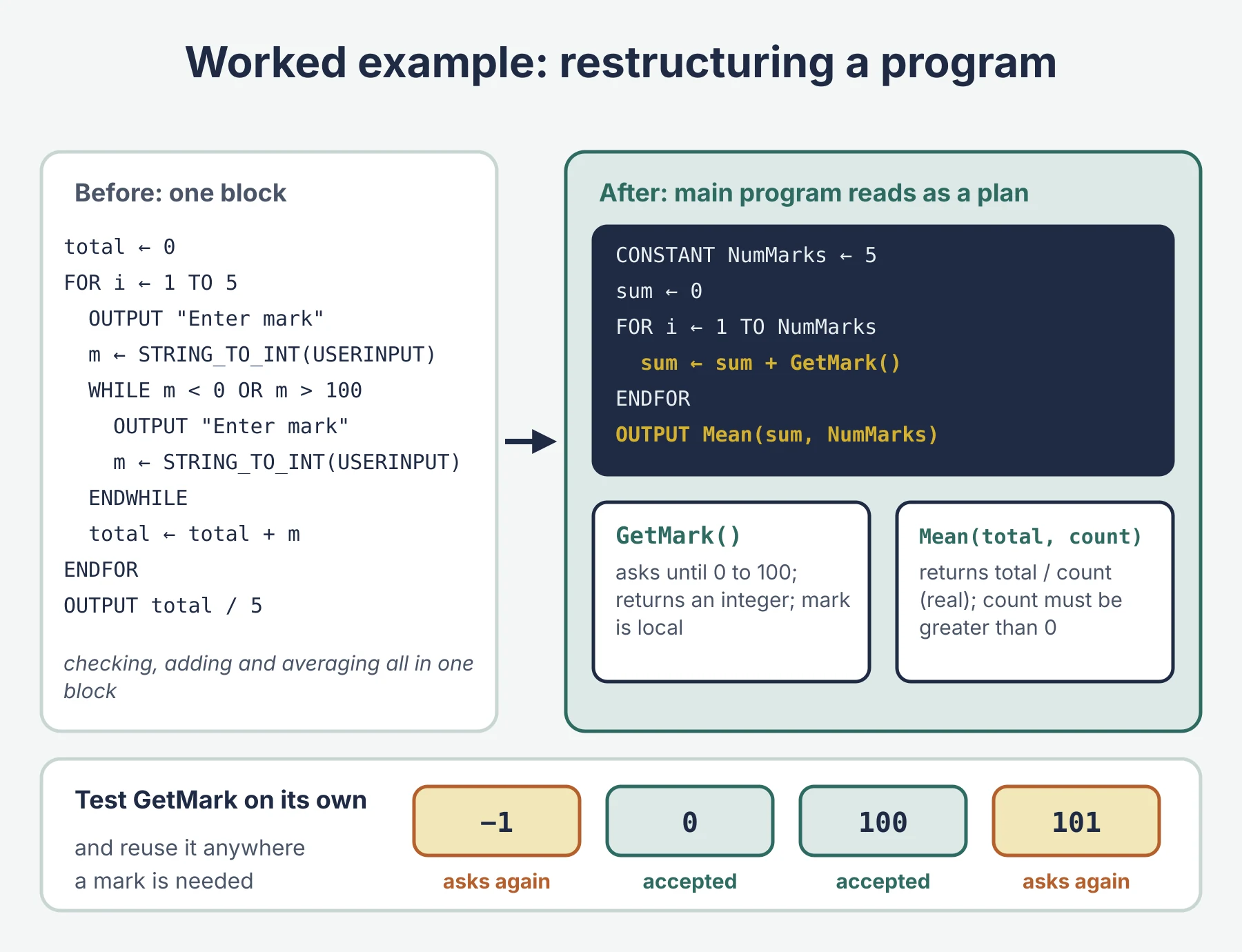
What changed and why it matters: input checking now lives in one module, GetMark, which can be tested alone
with values such as −1, 0, 100 and 101, and reused anywhere a mark is needed. mark is local to GetMark. Each
module has a documented interface. The main program is four lines that read as a plan: get five marks, add them,
output the mean.
Advantages of the structured approach
| Advantage | Explanation |
|---|---|
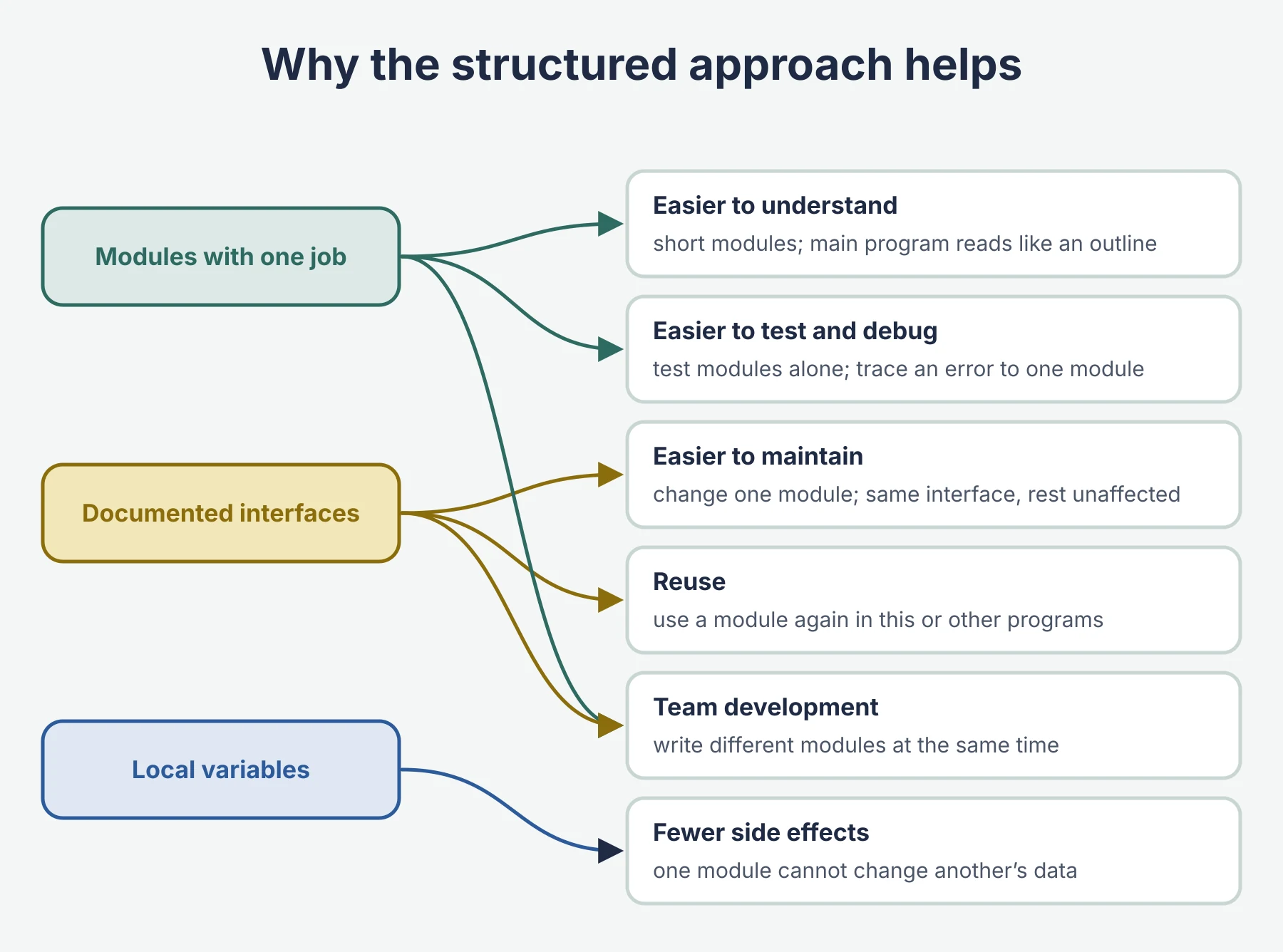
| Easier to understand | Each module is short and does one job; the main program reads like an outline of the solution |
| Easier to test and debug | Modules are tested individually, so an error can be traced to one module |
| Easier to maintain | A change is made inside one module; as long as its interface stays the same, the rest of the program is unaffected |
| Reuse | A module with a clear interface can be used again in this or other programs |
| Team development | Programmers can write different modules at the same time, relying only on the agreed interfaces |
| Fewer side effects | Local variables mean one module cannot accidentally change another module’s data |
Annotated model answer
Question: A council is developing software to manage parking permits. Explain two advantages of using a structured approach to develop it. [4]
Model answer: First, the software can be split into modules such as IssuePermit, RenewPermit and
CalculateFee, and each can be tested on its own with known data, so if a fee is wrong the error can be traced to
CalculateFee instead of searching the whole program. Second, if the council changes its pricing, only the code
inside CalculateFee needs to change; because its parameters and return value stay the same, the modules that
call it do not need editing.
Why it scores: each advantage is stated, linked to the scenario with named modules, and followed by its effect (“so the error can be traced…”, “the modules that call it do not need editing”). Two different advantages are given; restating the same one in other words would earn the marks only once.
Common mistakes
- Describing only “using subroutines”. The description should also cover interfaces, parameters, return values and local variables.
- Saying local variables “can be used anywhere”. They are only accessible inside their own subroutine.
- Listing advantages with no explanation, such as “easier to debug” with no reason.
- Confusing the interface with the code. The interface is what a module needs and returns, not how it works.
- Using “argument” and “parameter” as if they mean different things in the exam. The exam uses “parameter” for both.
Exam technique
- Describe the structured approach: aim for four distinct points: modules with one task each; parameters to pass data in; return values to pass data out; local variables; documented interfaces.
- Explain an advantage: state it, then say what it allows or prevents (“…so an error can be traced to one module”).
- In scenario questions, name example modules from the scenario, as with the library plan above.
Revise the key points with the structured programming revision notes and practise written answers in the structured programming practice questions.
Related resources
-
Practice questions
OxfordAQA IGCSE Computer Science (9210): Structured programming – Practice Questions
Original OxfordAQA IGCSE Computer Science 9210 practice questions with answers on modular design, interfaces, local variables and structured programming.
Computer Science · OxfordAQA · IGCSE
Try questions -
Revision notes
OxfordAQA IGCSE Computer Science (9210): Structured programming – Revision Notes
Revision notes for OxfordAQA IGCSE Computer Science 9210 section 3.2.11: modules, interfaces, local variables, parameters, return values and a self-test.
Computer Science · OxfordAQA · IGCSE
Revise topic -
Study guides
OxfordAQA IGCSE Computer Science (9210): Subroutines (procedures and functions)
Study guide to OxfordAQA IGCSE Computer Science 9210 section 3.2.10: calling subroutines, their advantages, passing parameters and using return values.
Computer Science · OxfordAQA · IGCSE
Read guide
Get free revision emails (optional)
Occasional emails with practice questions, worked explanations and links to free resources for the qualification and subjects you choose. No spam, and you can unsubscribe from any email. The free tools on this site never need an email.