
Revision Notes
OxfordAQA IGCSE Computer Science (9210): Subroutines (procedures and functions) – Revision Notes
Revision notes for OxfordAQA IGCSE Computer Science 9210 section 3.2.10: procedures, functions, parameters, return values, advantages, traps and a self-test.
- Subject
- Computer Science
- Level
- IGCSE
- Topic
- Topic 2 – Programming
- Author
- Marlbridge Academic Team
- Updated
- Reviewed by
- Harris Khan (what this means)
Aligned to OxfordAQA IGCSE Computer Science (9210), For teaching from September 2017, exams from May/June 2019. Official specification .
Syllabus page (what it covers and how it is assessed): OxfordAQA IGCSE Computer Science.
Syllabus points this page covers
9210
- 3.2.10 Subroutines (procedures and functions)
Found an error? Report a correction.
Need help with this topic? Request a free trial class for IGCSE Computer Science (9210).
Condensed notes for section 3.2.10 Subroutines (procedures and functions) of OxfordAQA International GCSE Computer Science (9210). Worked traces are in the subroutines study guide.
What the specification asks
- Understand the concept: a subroutine is a named “out of line” block of code that is executed (called) by writing its name in a program statement.
- Explain the advantages of subroutines.
- Use and describe parameters to pass data in, including subroutines with more than one parameter.
- Use subroutines that return values and describe how data is passed out.
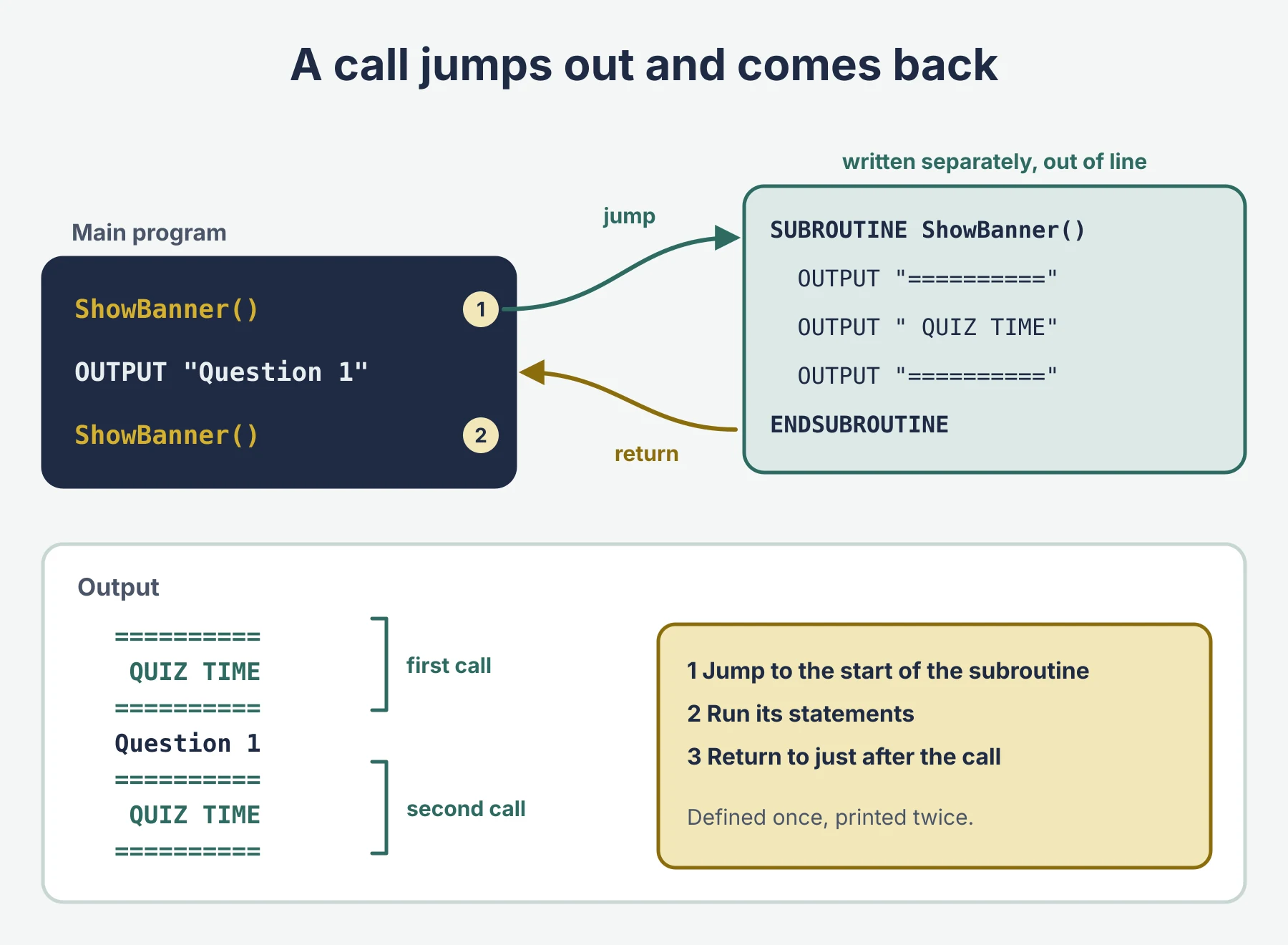
How a call works
- The call statement is reached.
- Values are passed into the parameters, in order.
- Execution jumps to the subroutine and runs its code.
- A function’s
RETURNsends a value back; a procedure just finishes. - Execution continues after the call.
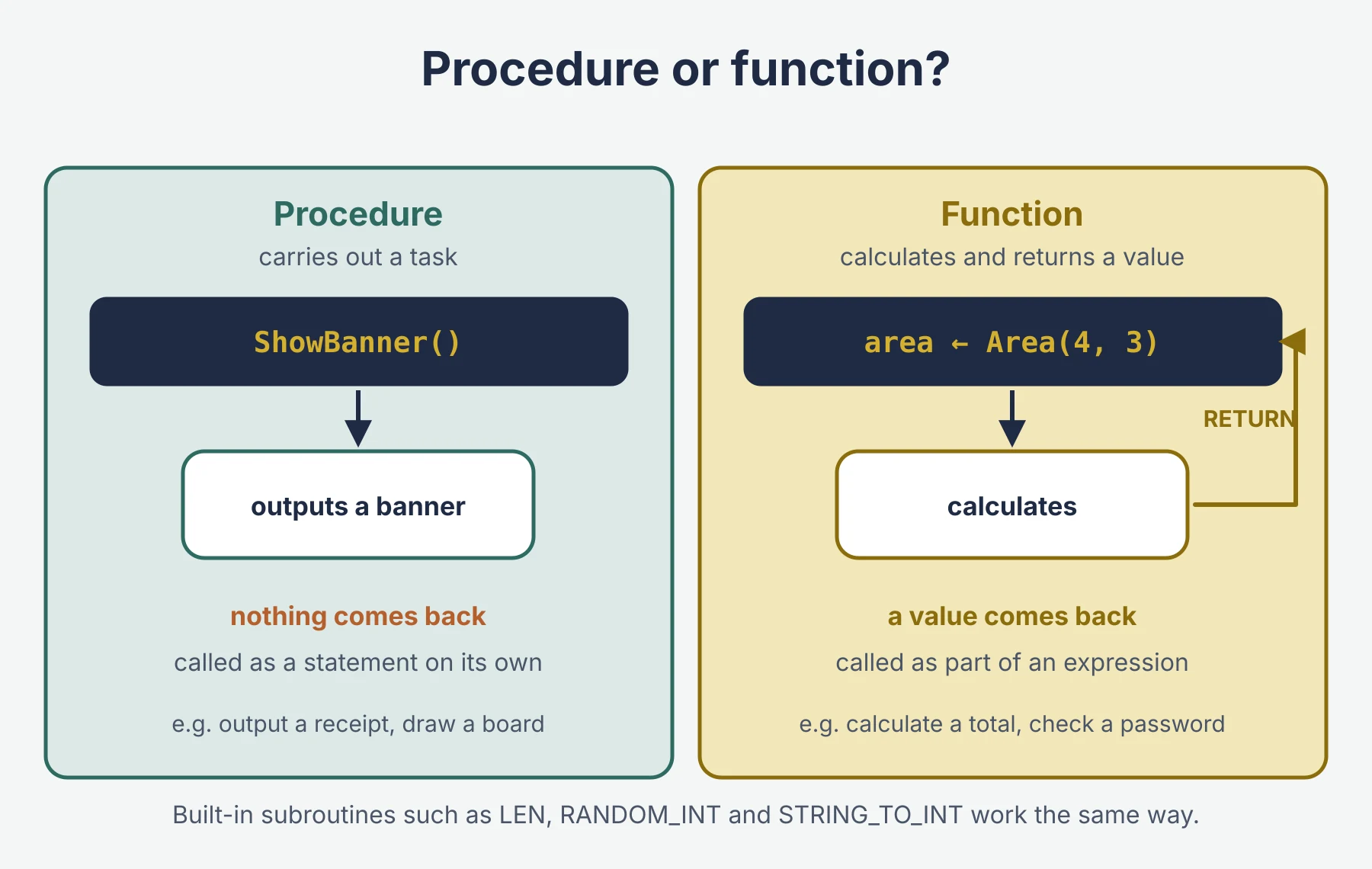
Procedure or function?
| Procedure | Function | |
|---|---|---|
| Returns a value | No | Yes (RETURN) |
| Called as | A statement: DrawGrid(8) |
Part of an expression: t ← Total(a, b) |
| Typical job | Output, display, update | Calculate, check, convert |
Exam material uses “parameter” for both the names in the definition and the values in the call (you may meet “argument” elsewhere).
Template code
SUBROUTINE Average(a, b, c)          -- function with three parameters
  RETURN (a + b + c) / 3
ENDSUBROUTINE

SUBROUTINE Greet(name, times)        -- procedure with two parameters
  FOR i ← 1 TO times
    OUTPUT "Hello " + name
  ENDFOR
ENDSUBROUTINE

mean ← Average(6, 9, 12)             -- mean = 9
Greet("Zara", 2)                     -- outputs Hello Zara twice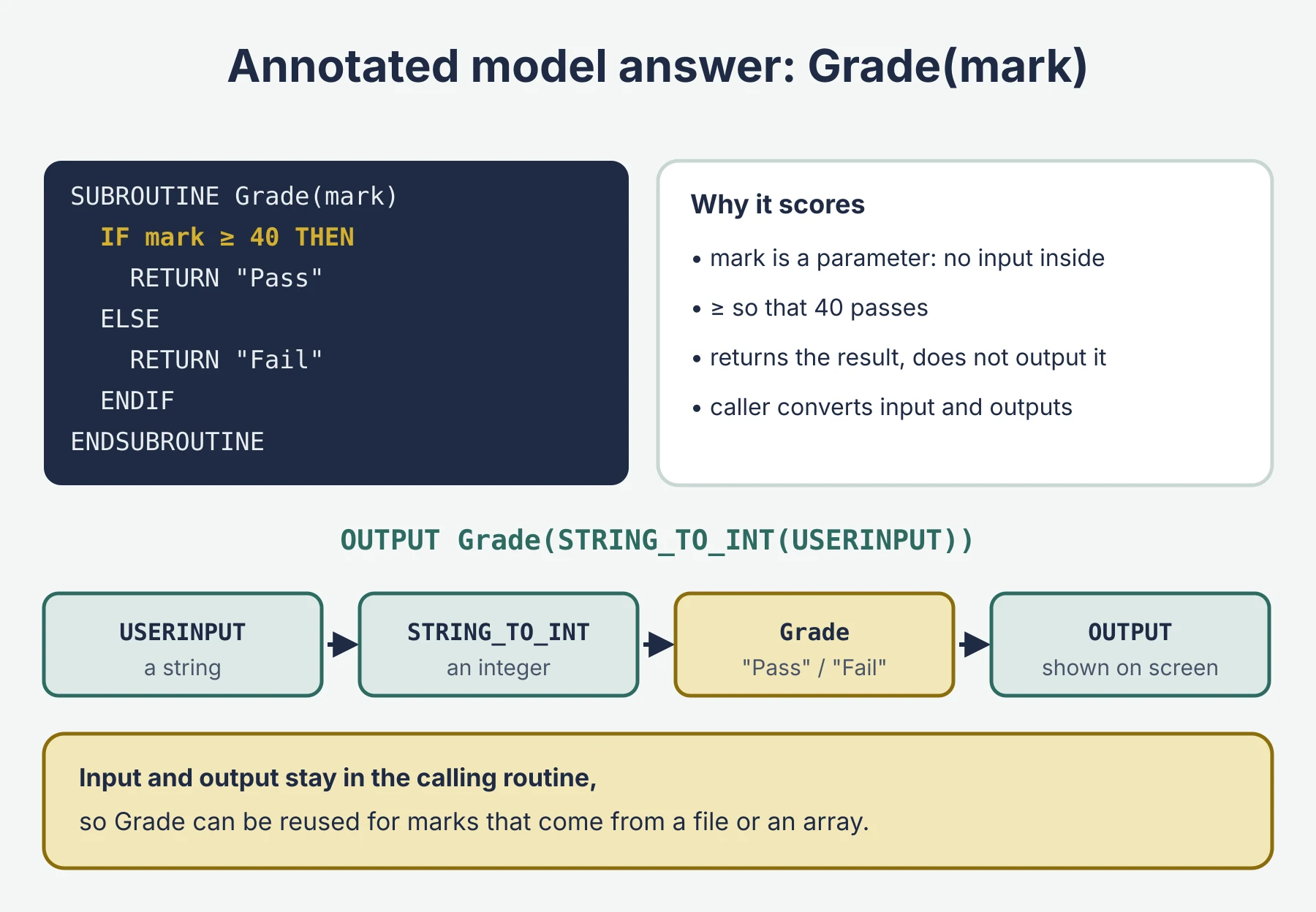
Describing data flow (model wording)
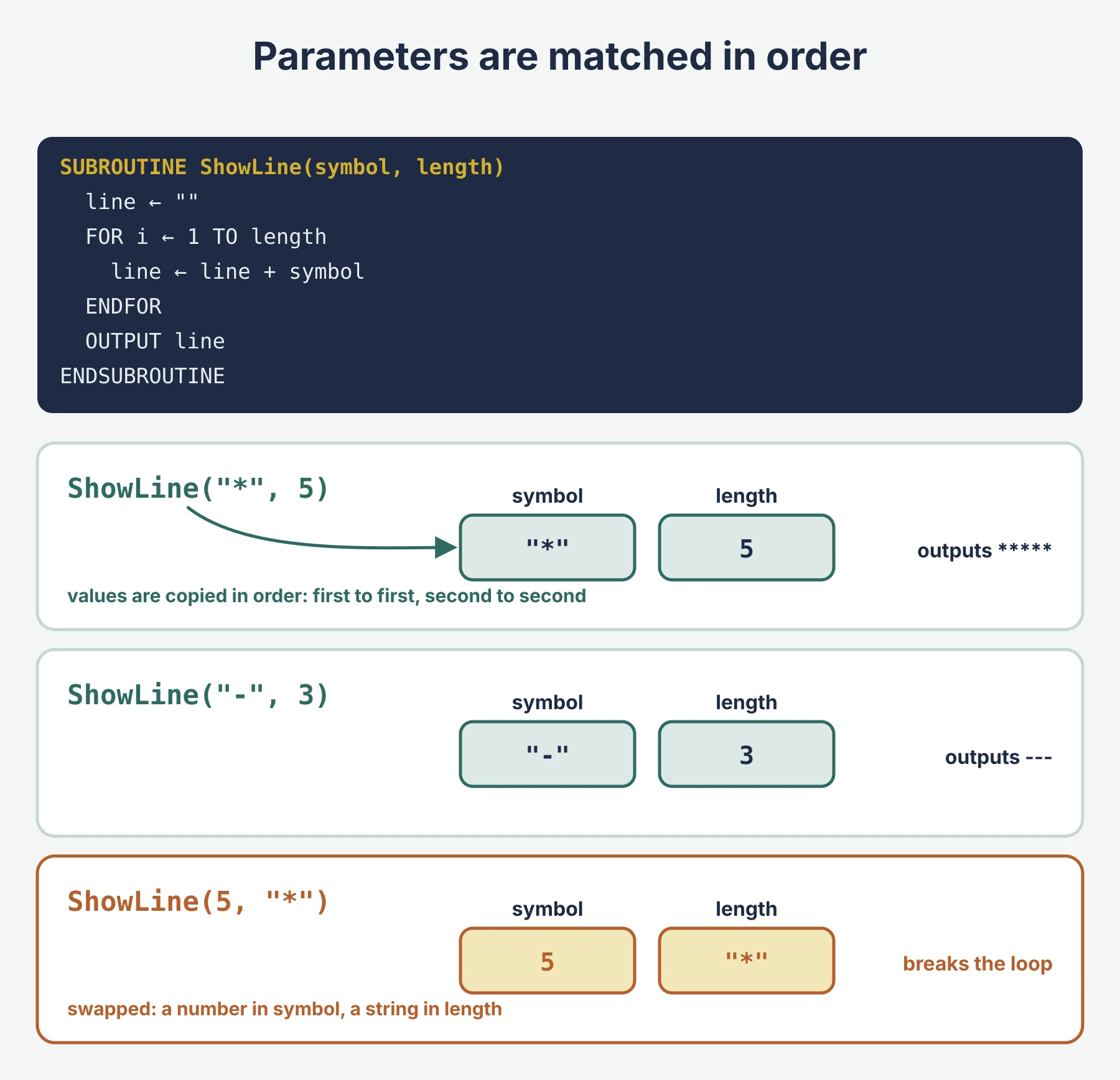
- In: “Values are passed to the subroutine as parameters in the call; each value is copied into the matching parameter in the order they are listed.”
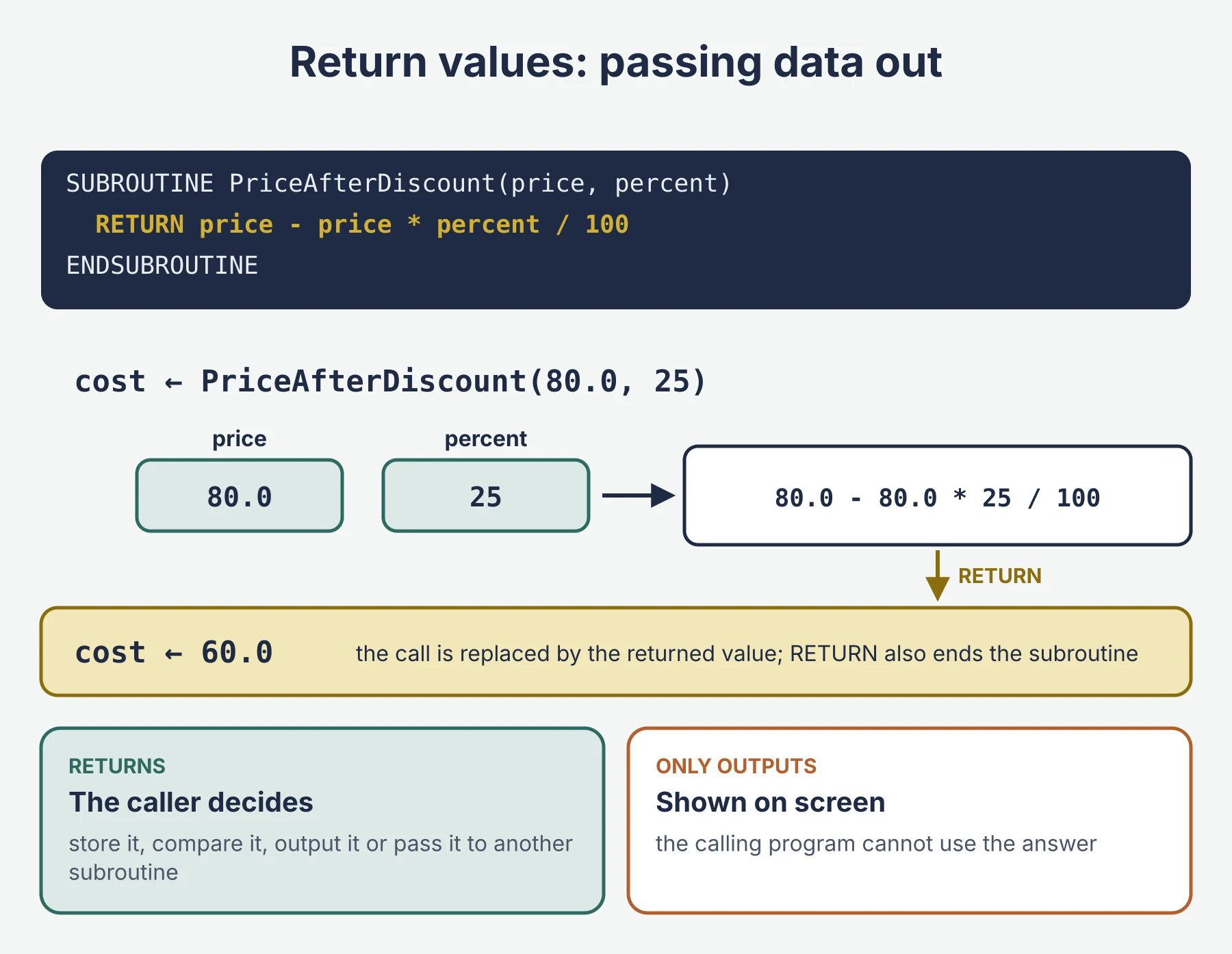
- Out: “The function uses a return statement to pass a value back to the calling routine, where it can be stored in a variable or used in an expression.”
Advantages (each with its reason)
| Advantage | Why it helps |
|---|---|
| Code written once, called many times | Shorter program, fewer chances for errors |
| One place to change | A fix or update applies to every call |
| Tested independently | Errors found and fixed before parts are combined |
| Reusable | Can be used in other programs, saving time |
| Readable main program | Calls with meaningful names describe the steps |
| Work shared in a team | Programmers write different subroutines at once |
Mini trace: a function used inside a loop
SUBROUTINE Square(n)
  RETURN n * n
ENDSUBROUTINE

total ← 0
FOR k ← 1 TO 3
  total ← total + Square(k)
ENDFOR
OUTPUT total| k | Value passed | Value returned | total |
|---|---|---|---|
| 1 | 1 | 1 | 1 |
| 2 | 2 | 4 | 5 |
| 3 | 3 | 9 | 14 |
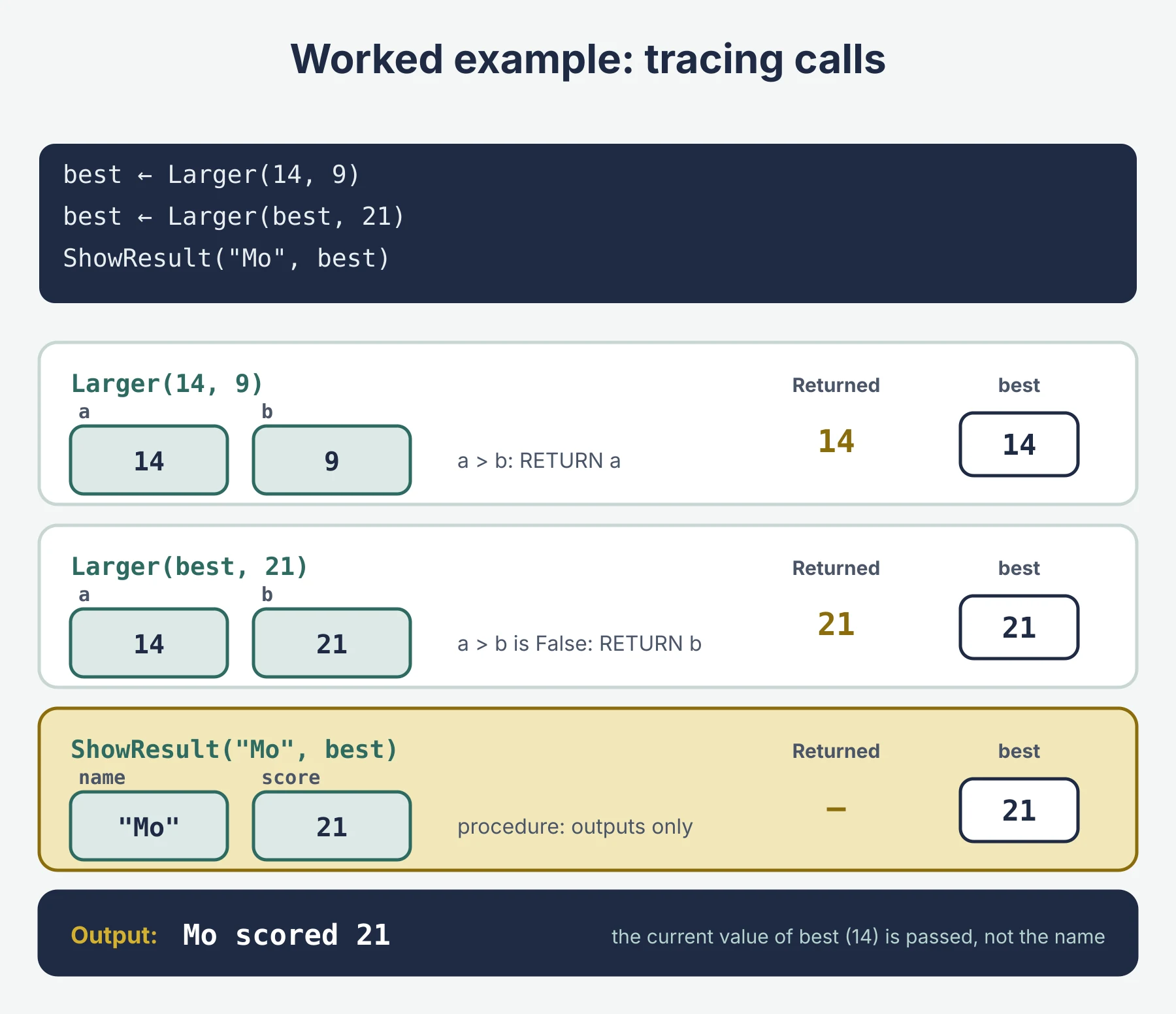
Output: 14. Each pass makes a new call with the current value of k; the returned value replaces
Square(k) in the expression.
Key terms
| Term | Meaning |
|---|---|
| Subroutine | A named, out-of-line block of code that runs when called |
| Call | A statement that runs a subroutine by using its name |
| Procedure | A subroutine that carries out a task and does not return a value |
| Function | A subroutine that returns a value to the calling routine |
| Parameter | A value passed into a subroutine, or the variable that receives it |
| Return value | The value a function sends back to the calling routine |
| Calling routine | The part of the program that called the subroutine |
Exam traps
- OUTPUT is not RETURN: an output cannot be used by the calling routine.
- Order matters:
Power(2, 5)andPower(5, 2)differ. - Count the parameters: a call needs one value for each parameter.
- Procedures cannot be assigned:
x ← Greet("Zara", 2)is wrong. RETURNends the function: code after it in the same branch is not run.- Vague advantages: “it’s efficient” or “it’s easier” earns nothing without a reason.
Self-test
- Define the term subroutine.
- State the difference between a procedure and a function.
- Explain what is meant by a parameter.
- A function is defined as
SUBROUTINE Area(w, h)and returnsw * h. State the value ofArea(3, 7). - Write a call that passes the values 10 and 4 into
Areaand stores the result inroom. - State what happens to execution when a subroutine finishes.
- Explain why a function that outputs its answer instead of returning it is less useful.
- Give two advantages of subroutines, each with a reason.
SUBROUTINE Sub(a, b)returnsa - b. State the value ofSub(2, 9).- Name one built-in subroutine from string handling or random number generation.
- What term does the exam use for the values in a call?
- Identify the error:
total ← PrintTotal(prices)wherePrintTotalis a procedure.
Answers:
- A named, out-of-line block of code that runs when its name is written in a program statement.
- A function returns a value to the calling routine; a procedure does not.
- A value passed into a subroutine when it is called (and the variable in the definition that receives it).
-
room ← Area(10, 4).- It returns to the statement just after the call and continues.
- The calling routine cannot store or use the result in further calculations; it only appears on screen.
- Any two from the advantages table, each with its reason.
- −7.
- Any one, for example
LEN,SUBSTRING,RANDOM_INT,STRING_TO_INT. - Parameter.
- A procedure does not return a value, so nothing can be assigned to
total.
More resources on this topic
Related resources
-
Study guides
OxfordAQA IGCSE Computer Science (9210): Arithmetic operations in a programming language
Study guide to OxfordAQA IGCSE Computer Science 9210 section 3.2.3: the arithmetic operators, real division, and DIV and MOD with traced program examples.
Computer Science · OxfordAQA · IGCSE
Read guide -
Practice questions
OxfordAQA IGCSE Computer Science (9210): Arithmetic operations in a programming language – Practice Questions
Original OxfordAQA IGCSE Computer Science 9210 practice questions with full answers on arithmetic operators, real division, DIV, MOD and tracing calculations.
Computer Science · OxfordAQA · IGCSE
Try questions -
Revision notes
OxfordAQA IGCSE Computer Science (9210): Arithmetic operations in a programming language – Revision Notes
Revision notes for OxfordAQA IGCSE Computer Science 9210 section 3.2.3: arithmetic operators, real division, DIV and MOD patterns, exam traps and a self-test.
Computer Science · OxfordAQA · IGCSE
Revise topic
Get free revision emails (optional)
Occasional emails with practice questions, worked explanations and links to free resources for the qualification and subjects you choose. No spam, and you can unsubscribe from any email. The free tools on this site never need an email.