
Revision Notes
OxfordAQA IGCSE Computer Science (9210): Structured programming – Revision Notes
Revision notes for OxfordAQA IGCSE Computer Science 9210 section 3.2.11: modules, interfaces, local variables, parameters, return values and a self-test.
- Subject
- Computer Science
- Level
- IGCSE
- Topic
- Topic 2 – Programming
- Author
- Marlbridge Academic Team
- Updated
- Reviewed by
- Harris Khan (what this means)
Aligned to OxfordAQA IGCSE Computer Science (9210), For teaching from September 2017, exams from May/June 2019. Official specification .
Syllabus page (what it covers and how it is assessed): OxfordAQA IGCSE Computer Science.
Syllabus points this page covers
9210
- 3.2.11 Structured programming
Found an error? Report a correction.
Need help with this topic? Request a free trial class for IGCSE Computer Science (9210).
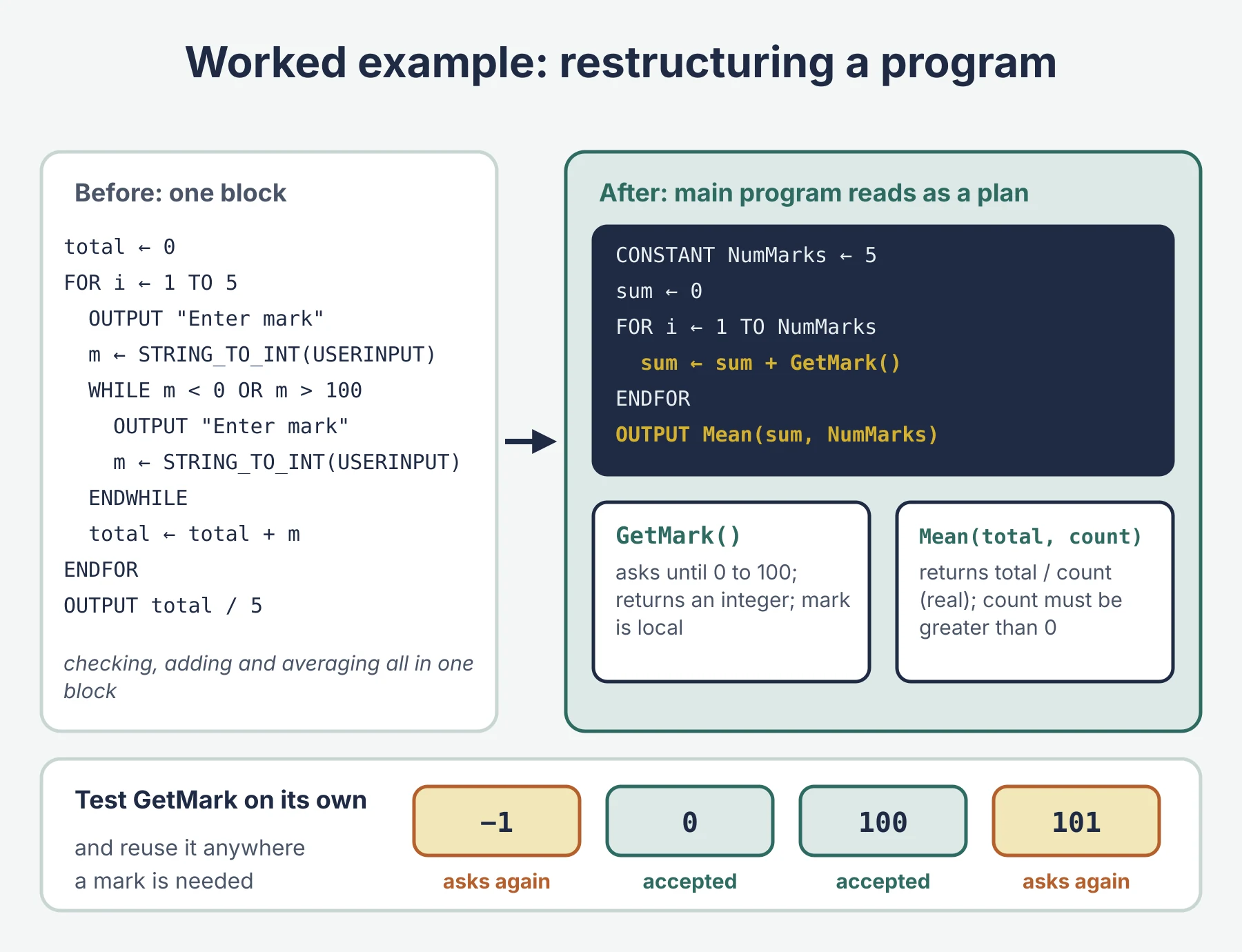
Condensed notes for section 3.2.11 Structured programming of OxfordAQA International GCSE Computer Science (9210). The restructuring example and library plan are in the structured programming study guide.
What the specification asks
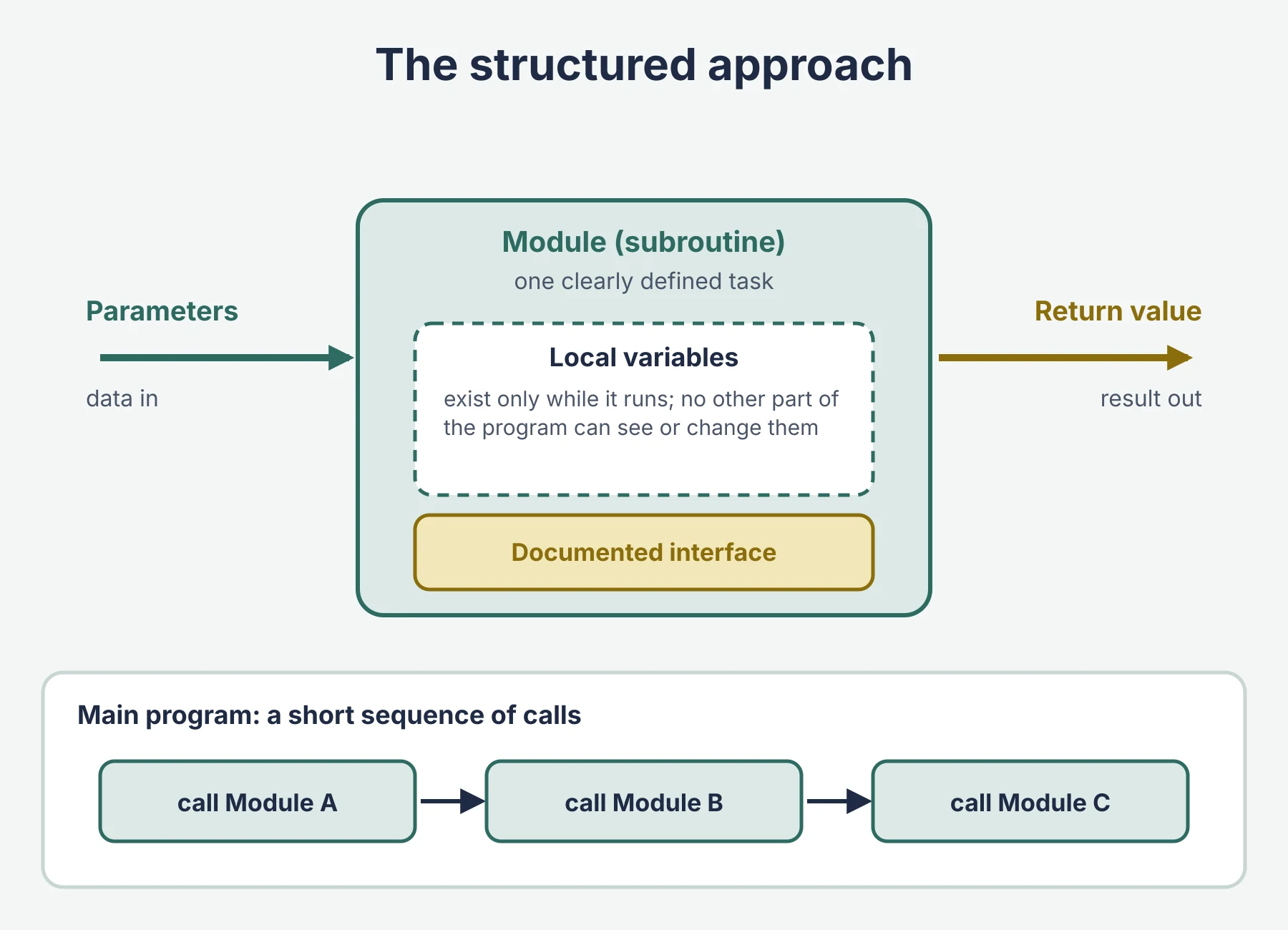
- Describe the structured approach, including modularised programming, clear, well documented interfaces (local variables, parameters) and return values.
- Explain the advantages of the structured approach.
- Exam material uses “parameter” for both parameters and arguments.
The approach in five points
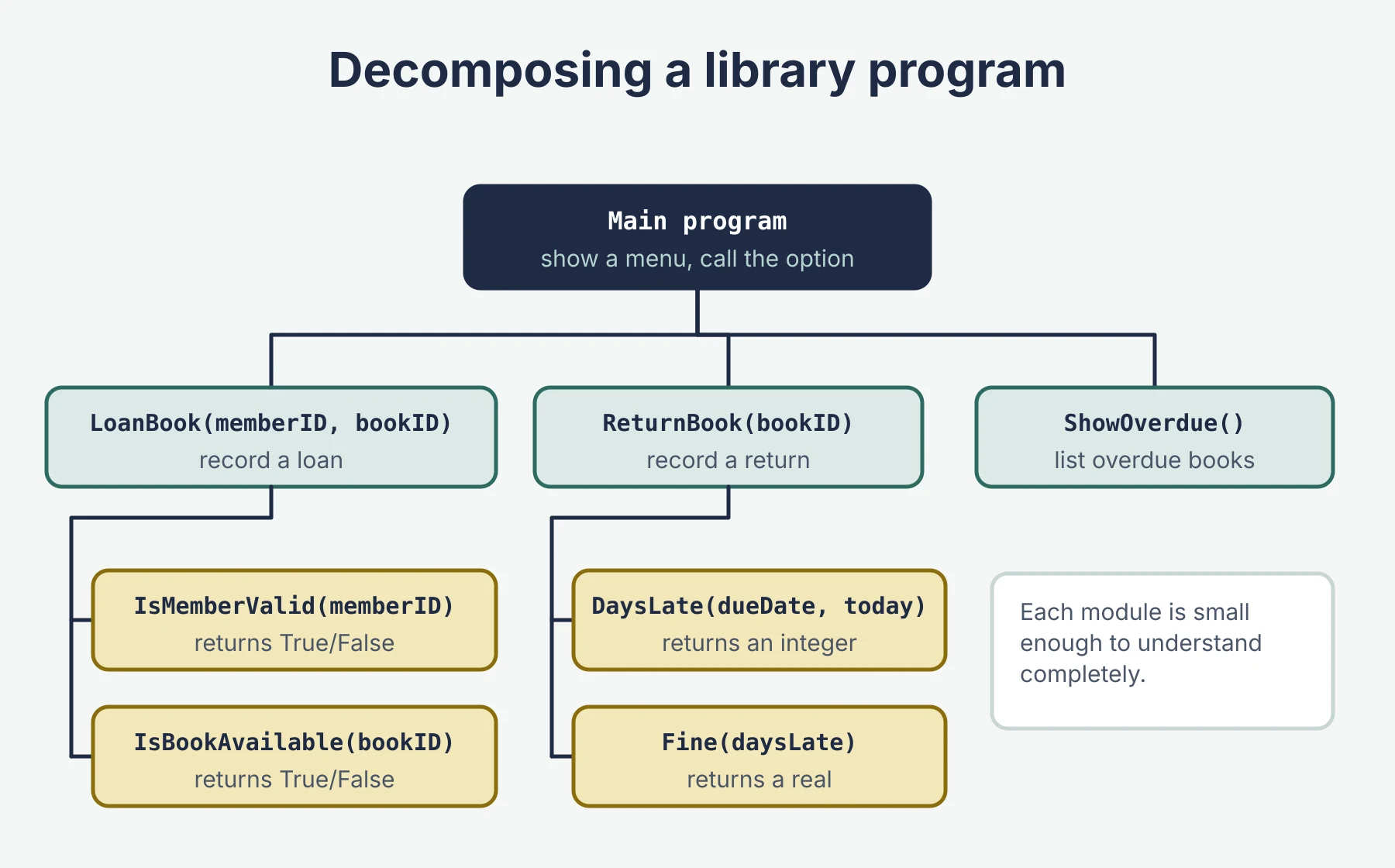
- Decompose the problem into sub-problems.
- Write each sub-problem as a module (subroutine) with one task.
- Pass data in through parameters.
- Pass results out through return values.
- Keep working data in local variables and document each interface.
What an interface documents
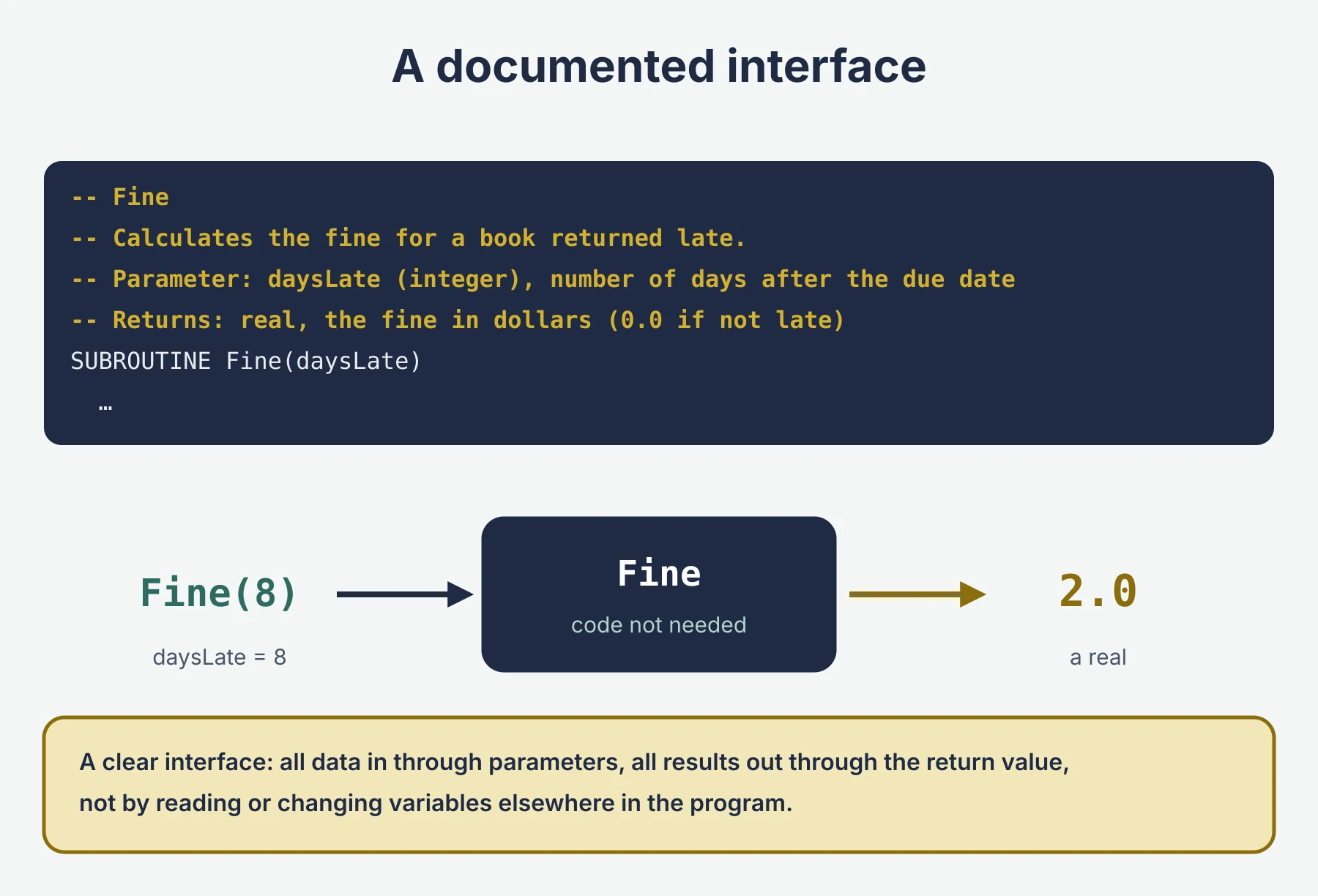
| Part | Example for Fine(daysLate) |
|---|---|
| Name | Fine |
| Purpose | Calculates the fine for a late book |
| Parameters (order, type, meaning) | daysLate: integer, days past the due date |
| Return value (type, meaning) | Real: fine in dollars, 0.0 if not late |
A programmer should be able to use a module from its interface alone, without reading the code.
Local variables
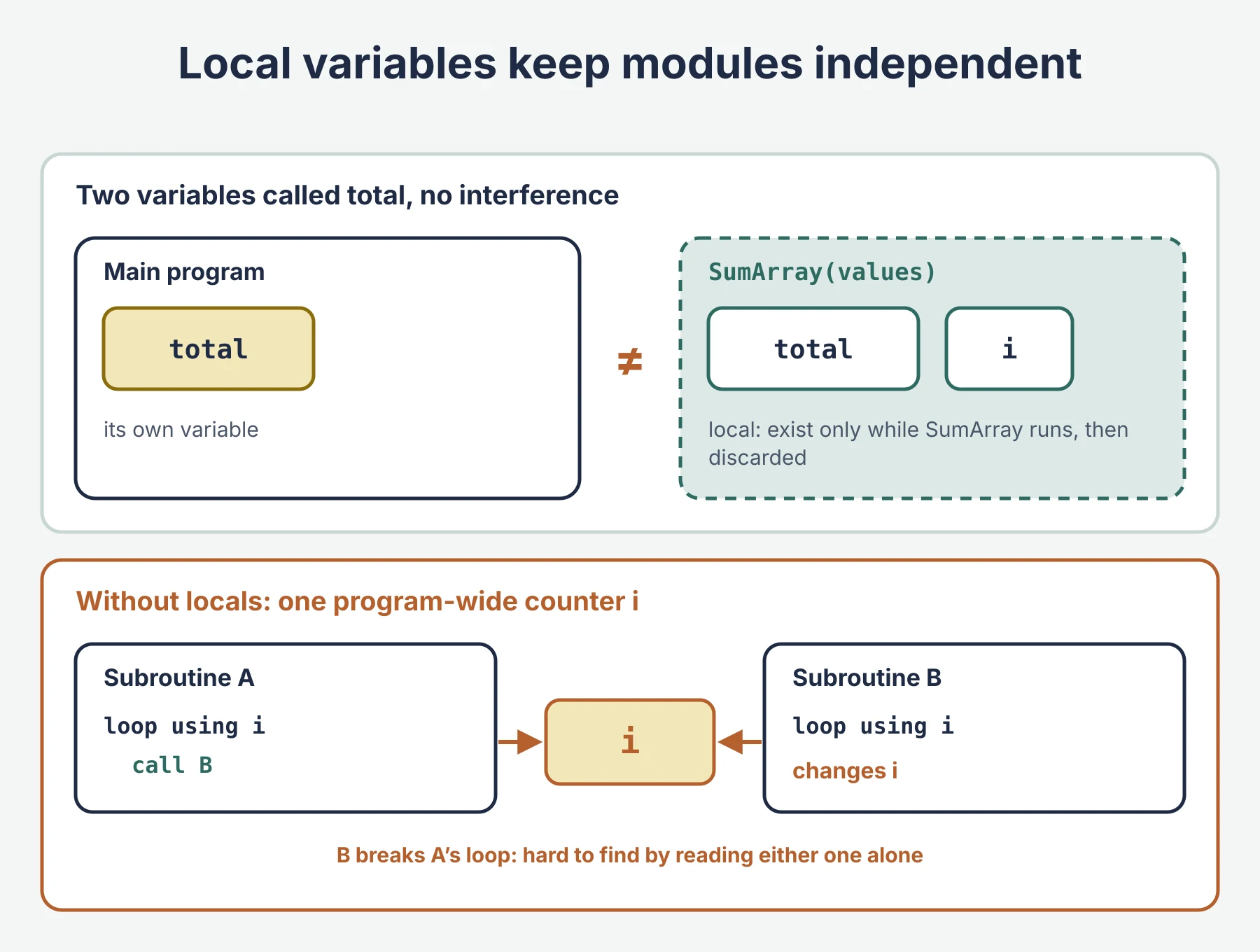
| Local variable | Program-wide (global) variable |
|---|---|
| Declared inside a subroutine | Declared for the whole program |
| Exists only while the subroutine runs | Exists for the whole run |
| Only that subroutine can use or change it | Any part of the program can change it |
| Same name can be reused in other subroutines safely | A change in one place can break another |
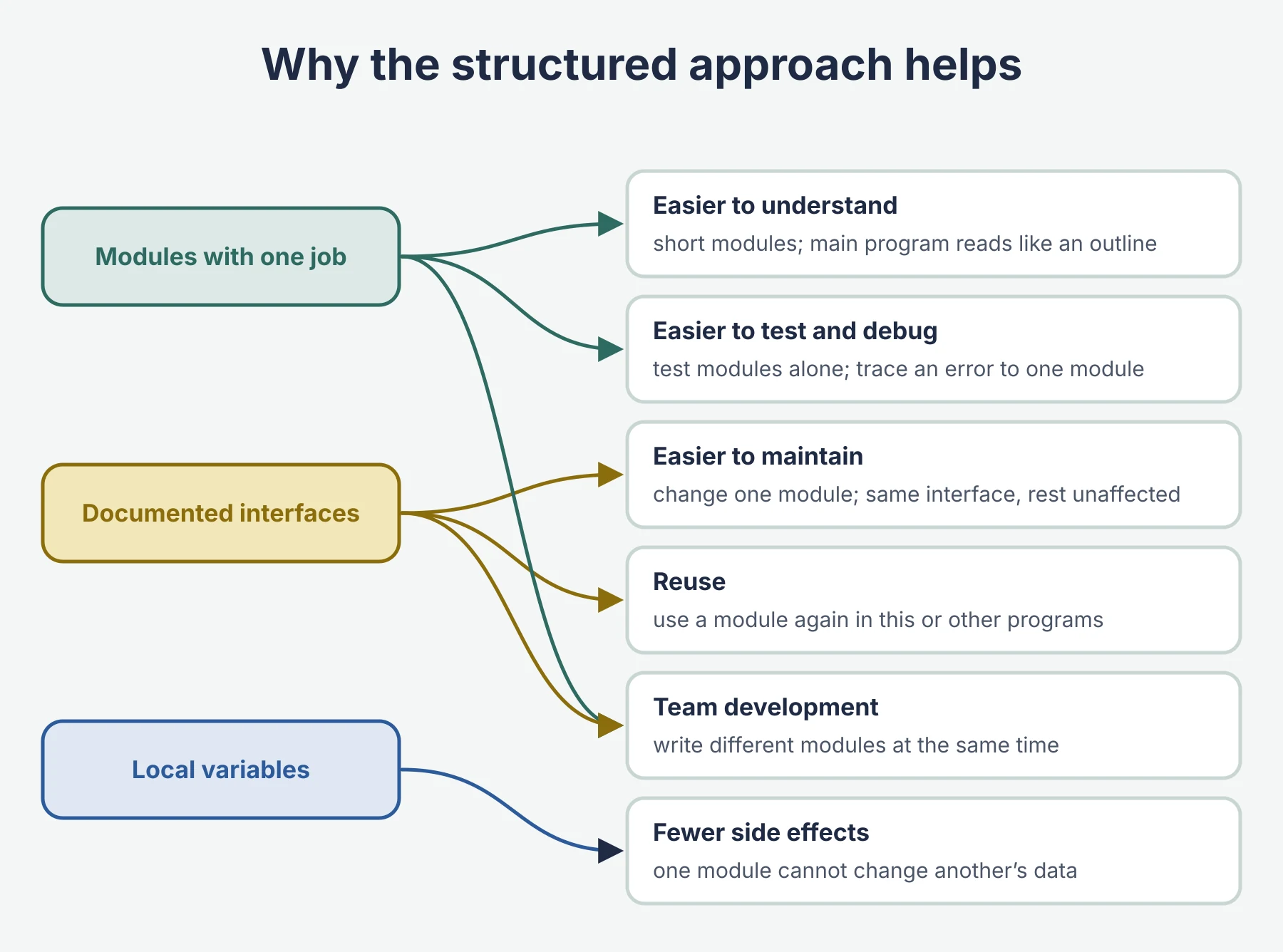
Advantages, with reasons
| Advantage | Because… |
|---|---|
| Easier to understand | Each module is small with one job; the main program reads like a plan |
| Easier testing and debugging | Modules are tested separately, so an error can be traced to one module |
| Easier maintenance | Change one module; if its interface is unchanged, nothing else needs editing |
| Reuse | A documented module can be used in other programs |
| Teamwork | Programmers work on separate modules using agreed interfaces |
| Fewer unintended effects | Local variables cannot be changed by other modules |
Model description (4 points)
“The program is split into modules, each a subroutine with a single task. Data is passed into each module through parameters and results are passed back with return values. Each module uses local variables, so it cannot affect data in other modules. Every module has a documented interface stating its parameters and return value.”
Mini example
-- Area: returns the area of a rectangle (real)
-- Parameters: length, width (real, metres)
SUBROUTINE Area(length, width)
  result ← length * width        -- local variable
  RETURN result
ENDSUBROUTINE

OUTPUT Area(3.5, 2.0)            -- 7.0
The comment documents the interface; result is local; data enters through parameters and leaves through the
return value.
Key terms
| Term | Meaning |
|---|---|
| Structured programming | Building a program from modules with clear interfaces, using sequence, selection and iteration |
| Module | A self-contained subroutine that carries out one task |
| Decomposition | Breaking a problem into smaller sub-problems |
| Interface | The name, parameters and return value of a module, which other code relies on |
| Local variable | A variable that exists and can be used only inside the subroutine where it is declared |
| Parameter | A value passed into a subroutine (the exam’s term for arguments too) |
| Return value | The value passed back from a function to its caller |
Exam traps
- A description that only says “use subroutines” misses interfaces, parameters, return values and local variables.
- “Local variables can be accessed by any subroutine”: false; that describes a program-wide variable.
- “Easier to debug” without a reason earns little: add “because each module can be tested on its own”.
- Interface ≠ code: it is what the module needs and returns.
- Repeating the same advantage in different words scores once.
Self-test
- Define the term module.
- Name the four features the specification lists for the structured approach.
- State what is meant by a local variable.
- Give two items that should be documented in a module’s interface.
- Explain how a structured approach makes testing easier.
- Explain how local variables reduce errors.
- Explain why a clear interface helps a team of programmers.
- Explain why changing the code inside a module need not affect the rest of the program.
- Two subroutines each declare a local variable called
count. Do they interfere? Explain. - Which term does the exam use for the values given in a subroutine call?
- Give one advantage of a main program made mostly of subroutine calls.
- A function returns a value. Explain why this is better than storing the result in a program-wide variable.
Answers:
- A self-contained subroutine that performs one specific task.
- Modularised programming; clear, well documented interfaces; local variables and parameters; return values.
- A variable declared inside a subroutine that exists only while it runs and can only be used inside it.
- Any two: name, purpose, parameters (with types), return value (with type).
- Each module can be tested on its own with chosen parameters, so errors are found in a small piece of code.
- They cannot be changed by other parts of the program, so modules cannot accidentally overwrite each other’s data.
- Each programmer only needs the agreed parameters and return values to use another’s module, so modules can be written at the same time.
- Other code depends only on the interface; if the parameters and return value stay the same, callers are unaffected.
- No; each
countis local to its own subroutine and exists separately. - Parameter.
- It is easy to read, because the calls describe the steps of the solution.
- The caller decides what to do with the value, and no other module can change it unexpectedly; the function stays independent and reusable.
More resources on this topic
Related resources
-
Study guides
OxfordAQA IGCSE Computer Science (9210): Subroutines (procedures and functions)
Study guide to OxfordAQA IGCSE Computer Science 9210 section 3.2.10: calling subroutines, their advantages, passing parameters and using return values.
Computer Science · OxfordAQA · IGCSE
Read guide -
Practice questions
OxfordAQA IGCSE Computer Science (9210): Subroutines (procedures and functions) – Practice Questions
Original OxfordAQA IGCSE Computer Science 9210 practice questions with answers on procedures, functions, parameters, return values and their advantages.
Computer Science · OxfordAQA · IGCSE
Try questions -
Revision notes
OxfordAQA IGCSE Computer Science (9210): Subroutines (procedures and functions) – Revision Notes
Revision notes for OxfordAQA IGCSE Computer Science 9210 section 3.2.10: procedures, functions, parameters, return values, advantages, traps and a self-test.
Computer Science · OxfordAQA · IGCSE
Revise topic
Get free revision emails (optional)
Occasional emails with practice questions, worked explanations and links to free resources for the qualification and subjects you choose. No spam, and you can unsubscribe from any email. The free tools on this site never need an email.