
Study Guides
OxfordAQA IGCSE Computer Science (9210): Subroutines (procedures and functions)
Study guide to OxfordAQA IGCSE Computer Science 9210 section 3.2.10: calling subroutines, their advantages, passing parameters and using return values.
- Subject
- Computer Science
- Level
- IGCSE
- Topic
- Topic 2 – Programming
- Author
- Marlbridge Academic Team
- Updated
- Reviewed by
- Harris Khan (what this means)
Aligned to OxfordAQA IGCSE Computer Science (9210), For teaching from September 2017, exams from May/June 2019. Official specification .
Syllabus page (what it covers and how it is assessed): OxfordAQA IGCSE Computer Science.
Syllabus points this page covers
9210
- 3.2.10 Subroutines (procedures and functions)
Found an error? Report a correction.
Need help with this topic? Request a free trial class for IGCSE Computer Science (9210).
This guide covers section 3.2.10 Subroutines (procedures and functions) of OxfordAQA International GCSE Computer Science (9210). You must “understand the concept of subroutines”, “explain the advantages of using subroutines in programs”, “use and describe the use of parameters to pass data within programs” (including subroutines with more than one parameter) and “use subroutines that return values to the calling routine”. The specification describes a subroutine as “a named ‘out of line’ block of code that may be executed (called) by simply writing its name in a program statement”. The data structures, subroutines and translators study guide introduces the idea; this guide covers writing, calling and tracing subroutines in detail.
What “out of line” means
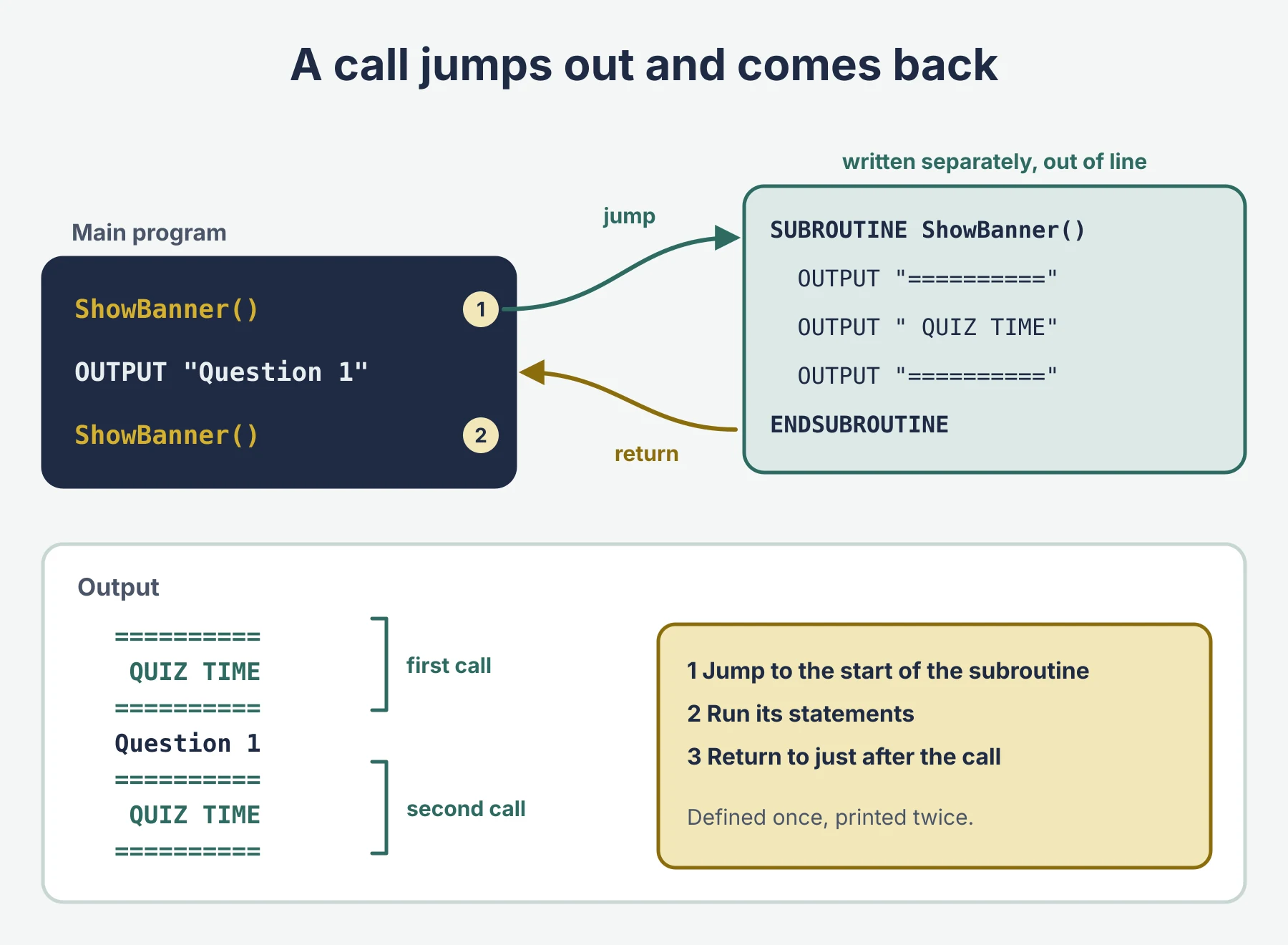
Code in a program normally runs in sequence, top to bottom. A subroutine’s code is written separately, away from the main sequence, and does nothing until it is called. When the program reaches a call:
- execution jumps to the start of the subroutine;
- the subroutine’s statements run;
- execution returns to the point just after the call and carries on.
SUBROUTINE ShowBanner()
  OUTPUT "=========="
  OUTPUT " QUIZ TIME"
  OUTPUT "=========="
ENDSUBROUTINE

ShowBanner()
OUTPUT "Question 1"
ShowBanner()
The banner is defined once but printed twice, before and after Question 1. You have already used many
subroutines without writing them: LEN, RANDOM_INT and STRING_TO_INT are built-in subroutines provided by the
language.
Procedures and functions
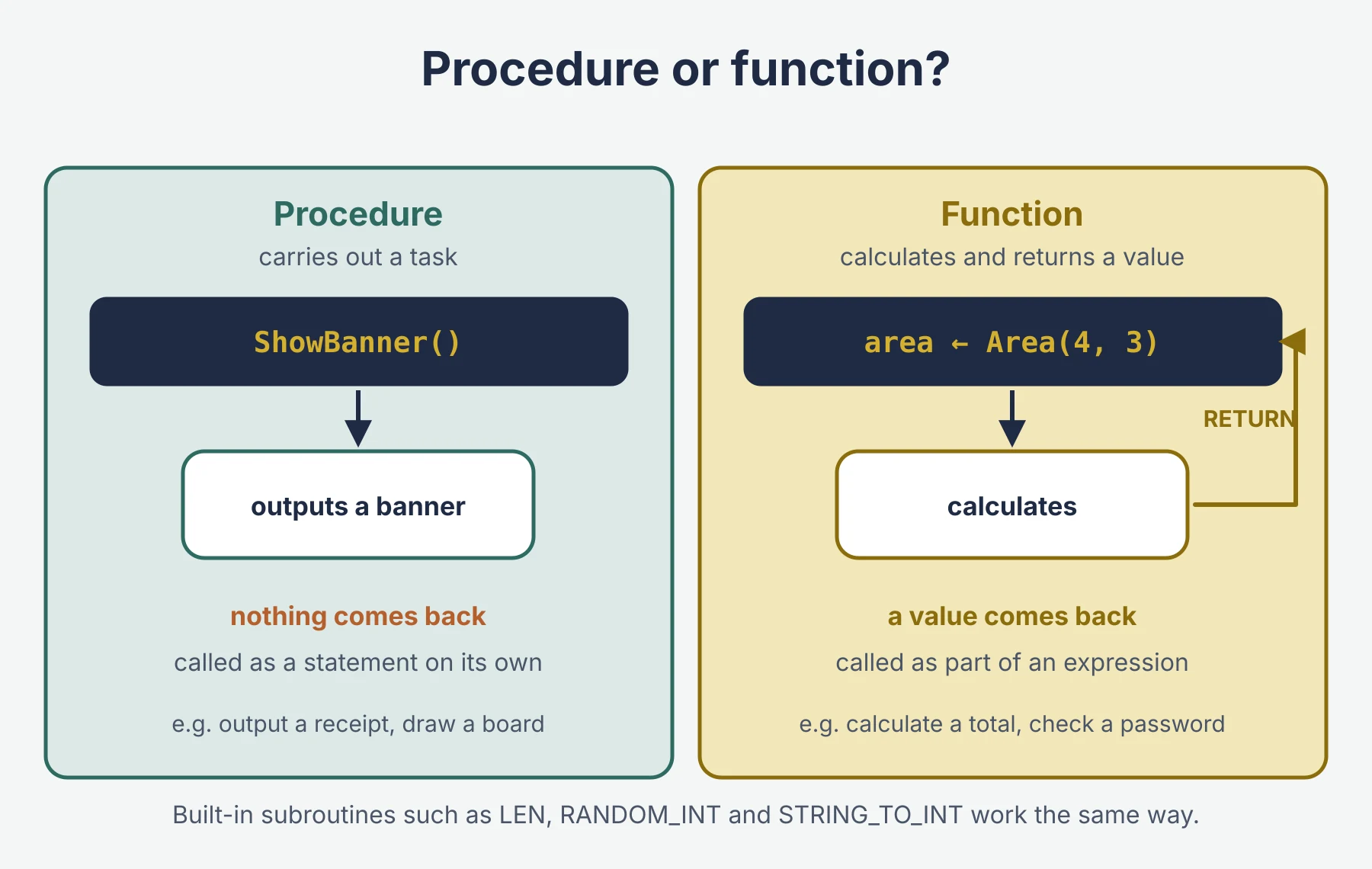
Both are subroutines. The difference is what comes back:
| Procedure | Function | |
|---|---|---|
| Purpose | Carries out a task | Calculates and returns a value |
| Returns a value? | No | Yes, with RETURN |
| How it is called | As a statement on its own: ShowBanner() |
As part of an expression: area ← Area(4, 3) |
| Example | Output a receipt, draw a board | Calculate a total, check a password |
This guide writes both with SUBROUTINE ... ENDSUBROUTINE; some pseudocode and many languages use separate
keywords (for example Visual Basic’s Sub and Function). Any clear format is accepted in your answers.
Parameters: passing data in
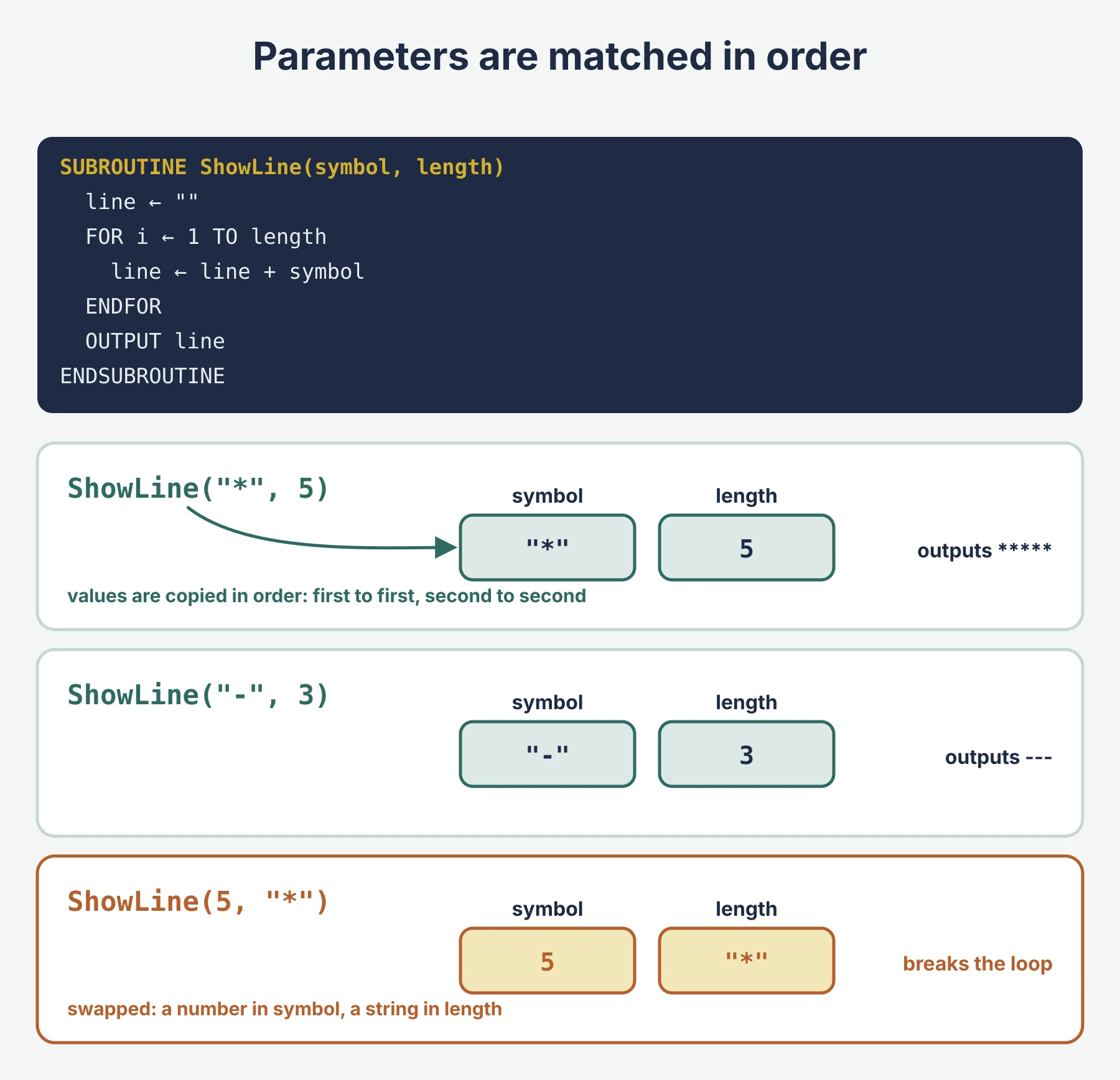
A parameter is a variable listed in the subroutine’s definition that receives a value when the subroutine is called. The values in the call are matched to the parameters in order:
SUBROUTINE ShowLine(symbol, length)
  line ← ""
  FOR i ← 1 TO length
    line ← line + symbol
  ENDFOR
  OUTPUT line
ENDSUBROUTINE

ShowLine("*", 5)        -- outputs *****
ShowLine("-", 3)        -- outputs ---
In the first call, symbol receives "*" and length receives 5. Swapping them, ShowLine(5, "*"), would
put a number into symbol and a string into length, which breaks the loop. The specification notes that the
words “argument” and “parameter” are both used in practice, but exam material uses parameter for both the
names in the definition and the values in the call.
Describing how data is passed in (a common exam request): the calling statement supplies values in brackets after the subroutine’s name; each value is copied into the matching parameter, which the subroutine then uses as a variable.
Return values: passing data out
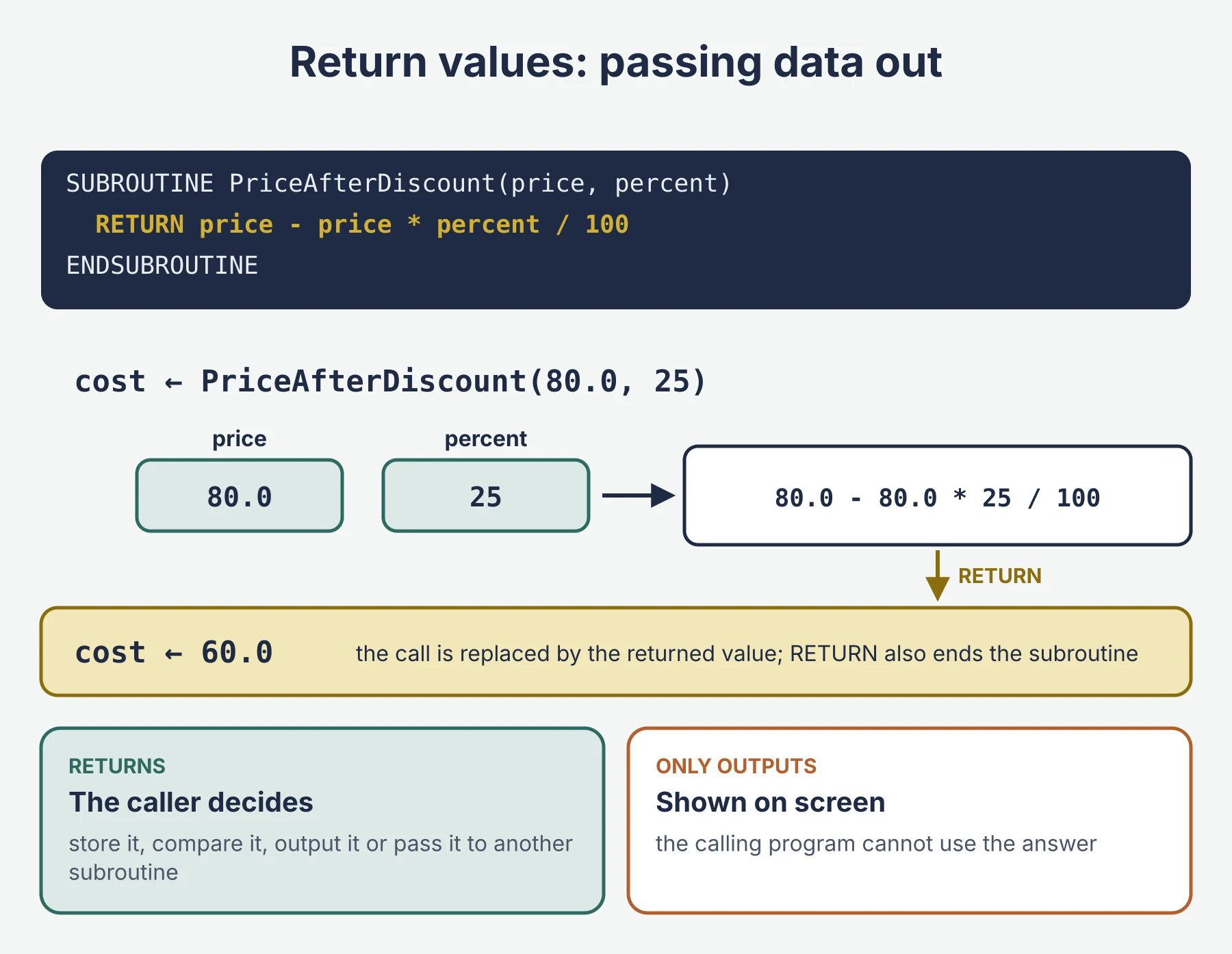
A function uses RETURN to send a value back to the statement that called it. The call is then replaced by the
returned value:
SUBROUTINE PriceAfterDiscount(price, percent)
  RETURN price - price * percent / 100
ENDSUBROUTINE

cost ← PriceAfterDiscount(80.0, 25)
OUTPUT cost             -- 60.0
RETURN also ends the subroutine immediately. Describing how data is passed out: the function calculates
a value and the RETURN statement sends it back to the calling routine, where it can be stored in a variable,
output or used in a further calculation.
Notice the difference between returning and outputting. A function that outputs its answer shows it on the screen, but the calling program cannot use it. A function that returns its answer lets the caller decide: store it, compare it, or pass it to another subroutine.
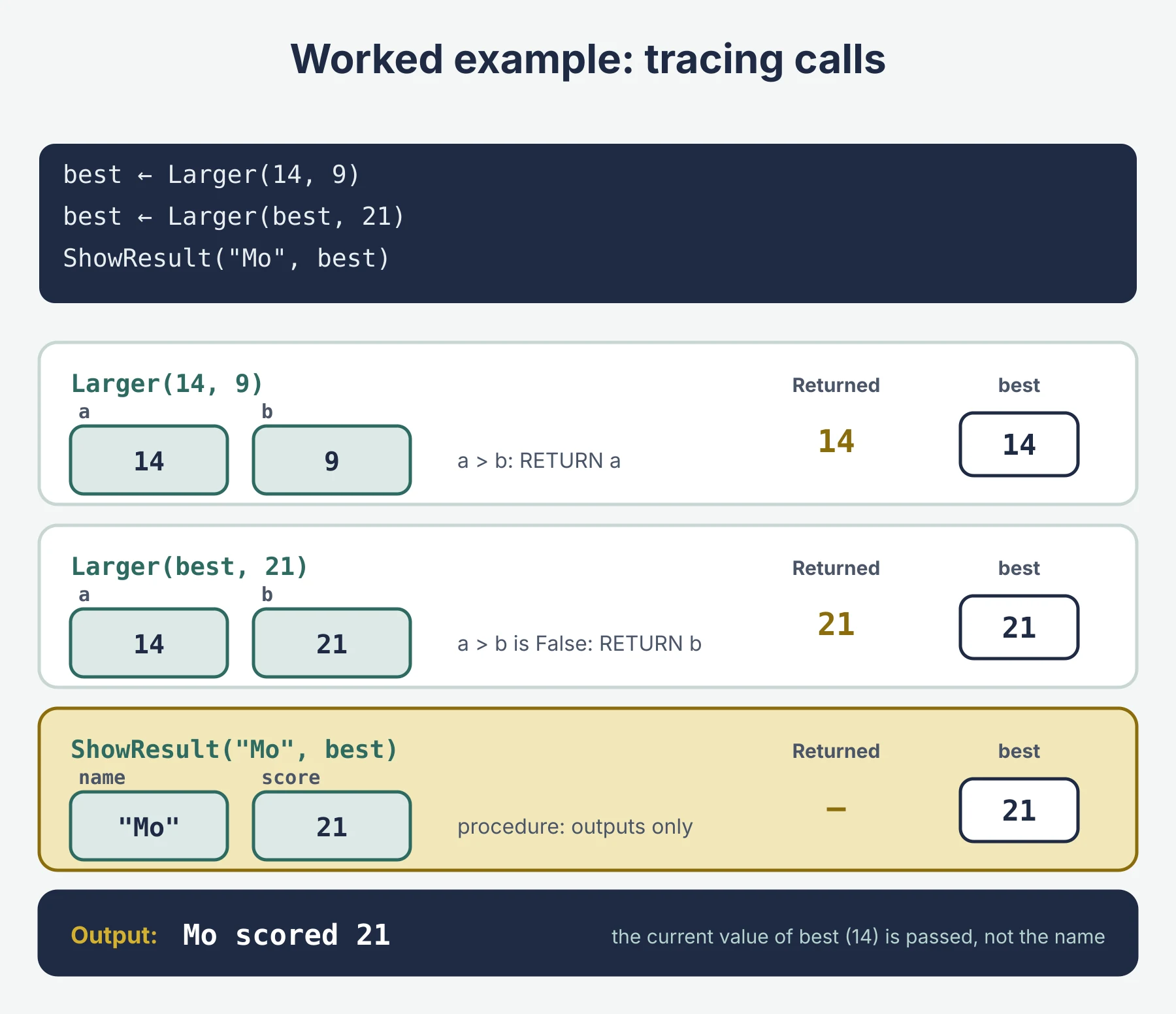
Worked example: tracing calls
SUBROUTINE Larger(a, b)
  IF a > b THEN
    RETURN a
  ELSE
    RETURN b
  ENDIF
ENDSUBROUTINE

SUBROUTINE ShowResult(name, score)
  OUTPUT name + " scored " + INT_TO_STRING(score)
ENDSUBROUTINE

best ← Larger(14, 9)
best ← Larger(best, 21)
ShowResult("Mo", best)| Statement | Parameters received | Returned | best |
|---|---|---|---|
Larger(14, 9) |
a = 14, b = 9 | 14 | 14 |
Larger(best, 21) |
a = 14, b = 21 | 21 | 21 |
ShowResult("Mo", best) |
name = “Mo”, score = 21 | (procedure) | 21 |
The output is Mo scored 21. In the second call, the current value of best (14) is passed in, not the name
best. Larger is a function because it returns a value; ShowResult is a procedure because it only outputs.
Annotated model answer
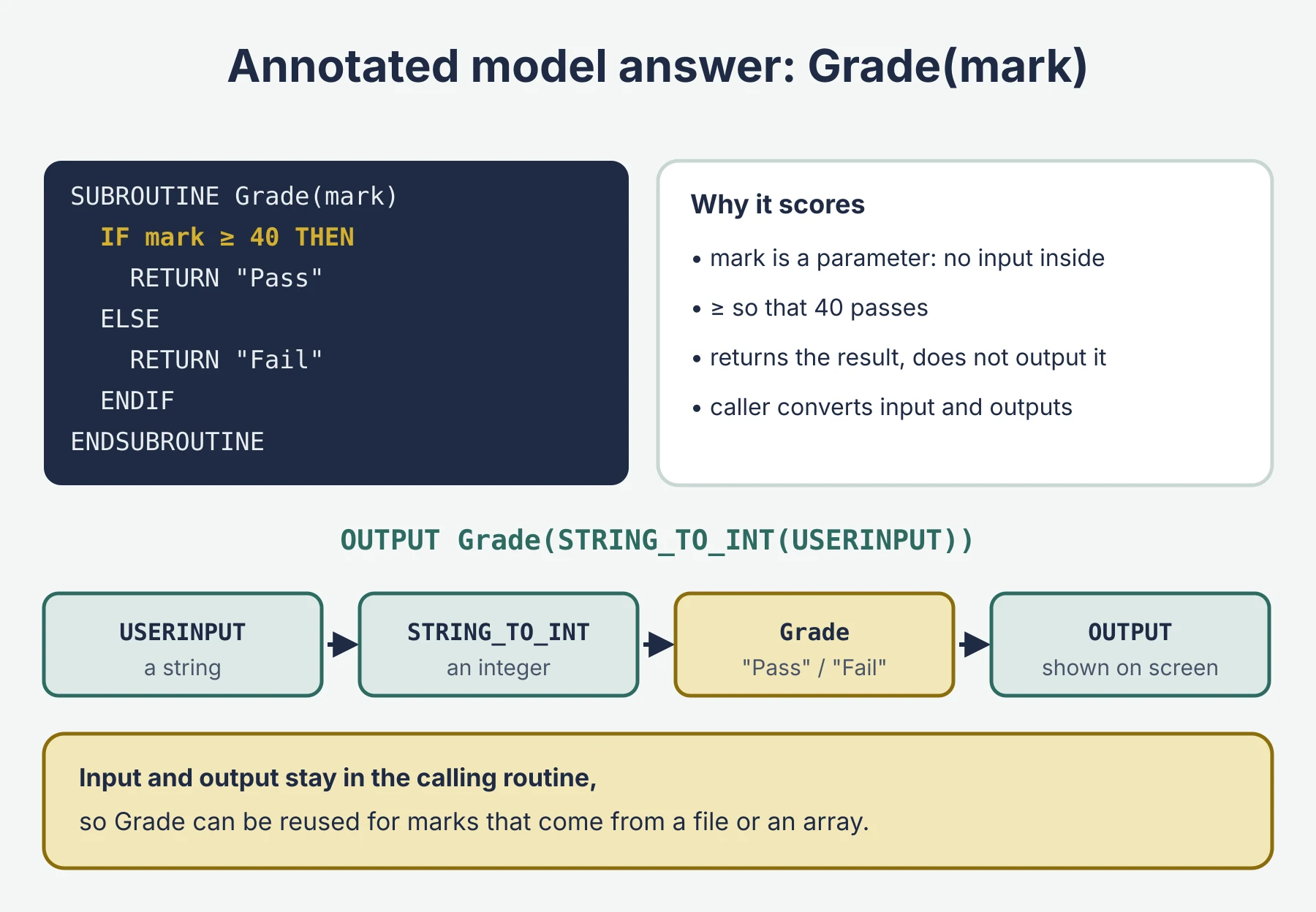
Question: Write a function Grade(mark) that returns "Pass" if the mark is 40 or more and "Fail"
otherwise, then write a statement that uses it to output the grade for a mark entered by the user. [4]
SUBROUTINE Grade(mark)
  IF mark ≥ 40 THEN
    RETURN "Pass"
  ELSE
    RETURN "Fail"
  ENDIF
ENDSUBROUTINE

OUTPUT Grade(STRING_TO_INT(USERINPUT))
Why it scores: the function takes the mark as a parameter rather than asking for input itself; it uses ≥ so
that 40 passes; it returns the result rather than outputting it; and the calling statement converts the user’s
input and outputs the returned value. Keeping input and output in the calling routine makes Grade reusable for
marks that come from a file or an array.
Advantages of using subroutines
When explaining an advantage, say why it helps:
- Less repeated code. A task needed in several places is written once and called each time, so the program is shorter and there are fewer places for errors to hide.
- Easier maintenance. If the task must change (a new discount rule), the change is made inside one subroutine and every call uses the new version.
- Easier testing and debugging. Each subroutine can be tested on its own with chosen parameters before it is used in the full program.
- Reuse. A well-written subroutine, such as one that validates a date, can be copied into other programs.
- Readability. A main program made of calls like
GetOrder(),CalculateTotal()andPrintReceipt()reads like a plan of the solution. - Team working. Different programmers can write different subroutines at the same time, as long as they agree the parameters and return values.
How subroutines with local variables and clear interfaces fit into the wider structured approach is covered in the structured programming study guide.
Common mistakes
- Outputting instead of returning when a question asks for a function that “returns”.
- Parameters in the wrong order in a call.
- Writing a subroutine but never calling it, or calling it with the wrong number of values.
- Using a procedure’s result as if it returned one:
total ← ShowLine("*", 5)makes no sense. - Vague advantages such as “it is more efficient” with no explanation.
- Ignoring code after
RETURN: statements after it in the same path never run.
Exam technique
- Write a subroutine questions: give it a meaningful name, list every parameter the task needs, and end a
function with
RETURNof the right value. - Explain the advantages: two marks per advantage usually means the advantage plus its effect on the program.
- Describe parameters or return values: use the words “passed”, “call”, “parameter” and “returned to the calling routine”.
- Trace: record the parameter values for each call in a table, as above.
Test yourself with the subroutines revision notes and the subroutines practice questions.
Related resources
-
Practice questions
OxfordAQA IGCSE Computer Science (9210): Subroutines (procedures and functions) – Practice Questions
Original OxfordAQA IGCSE Computer Science 9210 practice questions with answers on procedures, functions, parameters, return values and their advantages.
Computer Science · OxfordAQA · IGCSE
Try questions -
Revision notes
OxfordAQA IGCSE Computer Science (9210): Subroutines (procedures and functions) – Revision Notes
Revision notes for OxfordAQA IGCSE Computer Science 9210 section 3.2.10: procedures, functions, parameters, return values, advantages, traps and a self-test.
Computer Science · OxfordAQA · IGCSE
Revise topic -
Study guides
OxfordAQA IGCSE Computer Science (9210): Arithmetic operations in a programming language
Study guide to OxfordAQA IGCSE Computer Science 9210 section 3.2.3: the arithmetic operators, real division, and DIV and MOD with traced program examples.
Computer Science · OxfordAQA · IGCSE
Read guide
Get free revision emails (optional)
Occasional emails with practice questions, worked explanations and links to free resources for the qualification and subjects you choose. No spam, and you can unsubscribe from any email. The free tools on this site never need an email.