
Revision Notes
OxfordAQA IGCSE Computer Science (9210): Robust and secure programming – Revision Notes
Revision notes for OxfordAQA IGCSE Computer Science 9210 section 3.2.12: validation checks, authentication routines, test data types, traps and a self-test.
- Subject
- Computer Science
- Level
- IGCSE
- Topic
- Topic 2 – Programming
- Author
- Marlbridge Academic Team
- Updated
- Reviewed by
- Harris Khan (what this means)
Aligned to OxfordAQA IGCSE Computer Science (9210), For teaching from September 2017, exams from May/June 2019. Official specification .
Syllabus page (what it covers and how it is assessed): OxfordAQA IGCSE Computer Science.
Syllabus points this page covers
9210
- 3.2.12 Robust and secure programming
Found an error? Report a correction.
Need help with this topic? Request a free trial class for IGCSE Computer Science (9210).
Condensed notes for section 3.2.12 Robust and secure programming of OxfordAQA International GCSE Computer Science (9210). The full routines and a password test plan are in the robust and secure programming study guide.
What the specification asks
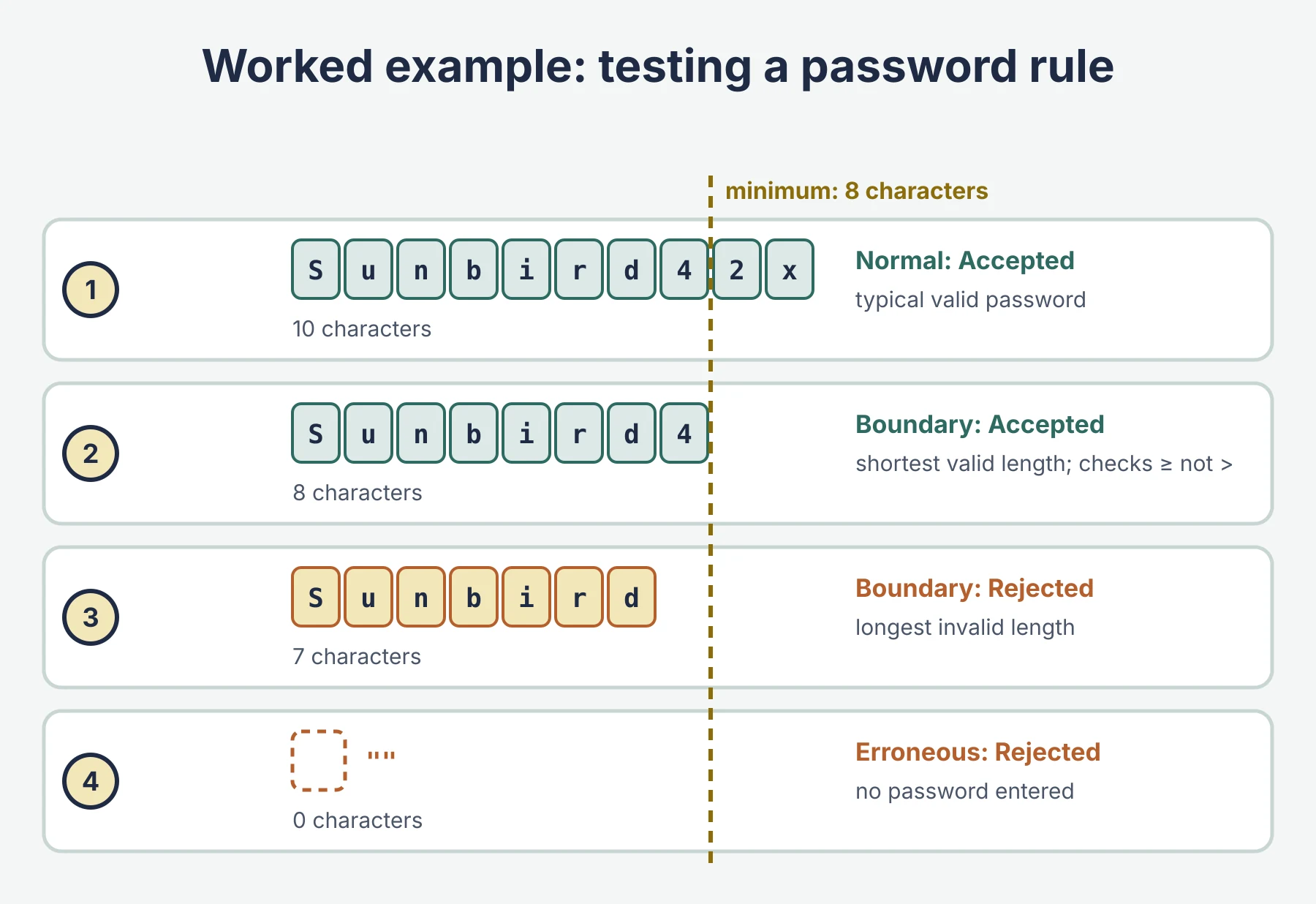
- Write simple data validation routines: e.g. minimum string length, empty string, numeric range (such as 1 to 10).
- Write simple authentication routines using a username and password in plain text (no encryption needed).
- Select normal (typical), boundary and erroneous test data, and justify the choice.
Validation essentials
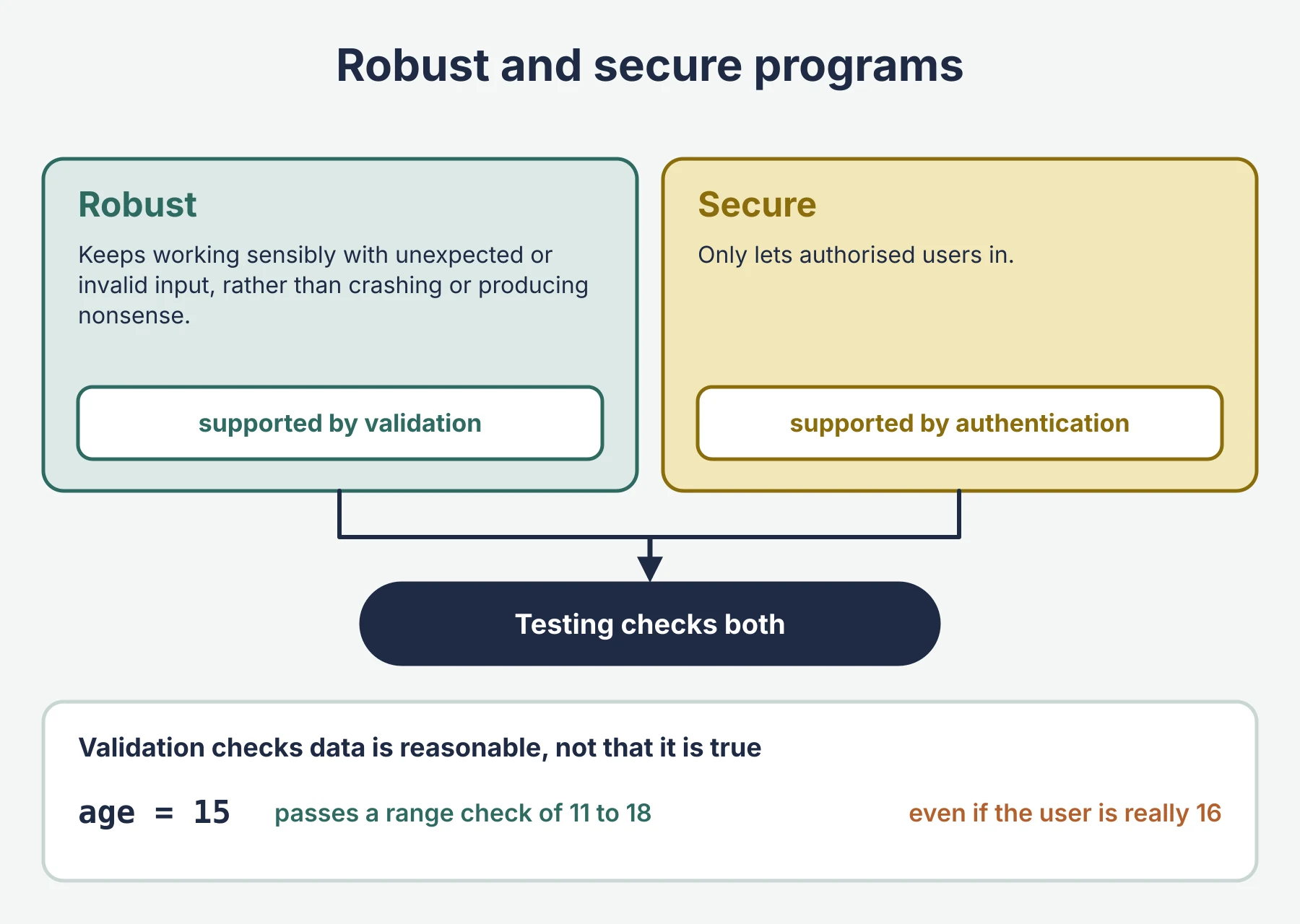
- Validation checks data is reasonable (follows rules), not that it is true.
- Structure: input → check → repeat until valid.
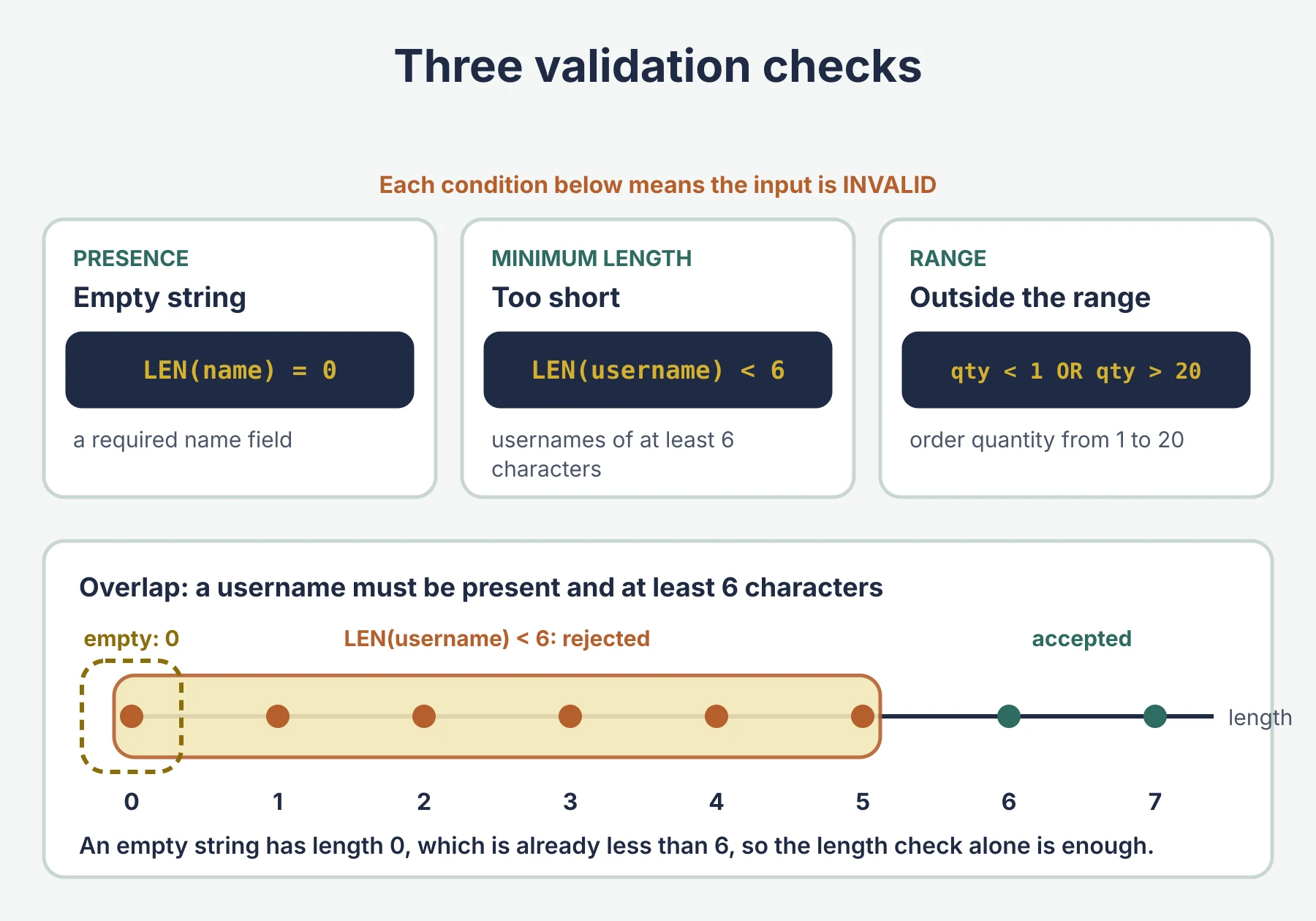
| Check | Valid when | Invalid when |
|---|---|---|
| Presence (not empty) | LEN(s) > 0 |
LEN(s) = 0 |
| Minimum length n | LEN(s) ≥ n |
LEN(s) < n |
| Range low to high | x ≥ low AND x ≤ high |
x < low OR x > high |
Two loop templates
REPEAT                                  -- simplest
  OUTPUT "Enter a score (0 to 50)"
  score ← STRING_TO_INT(USERINPUT)
UNTIL score ≥ 0 AND score ≤ 50

OUTPUT "Enter a code"                   -- with an error message
code ← USERINPUT
WHILE LEN(code) < 4
  OUTPUT "Code must be at least 4 characters"
  code ← USERINPUT
ENDWHILE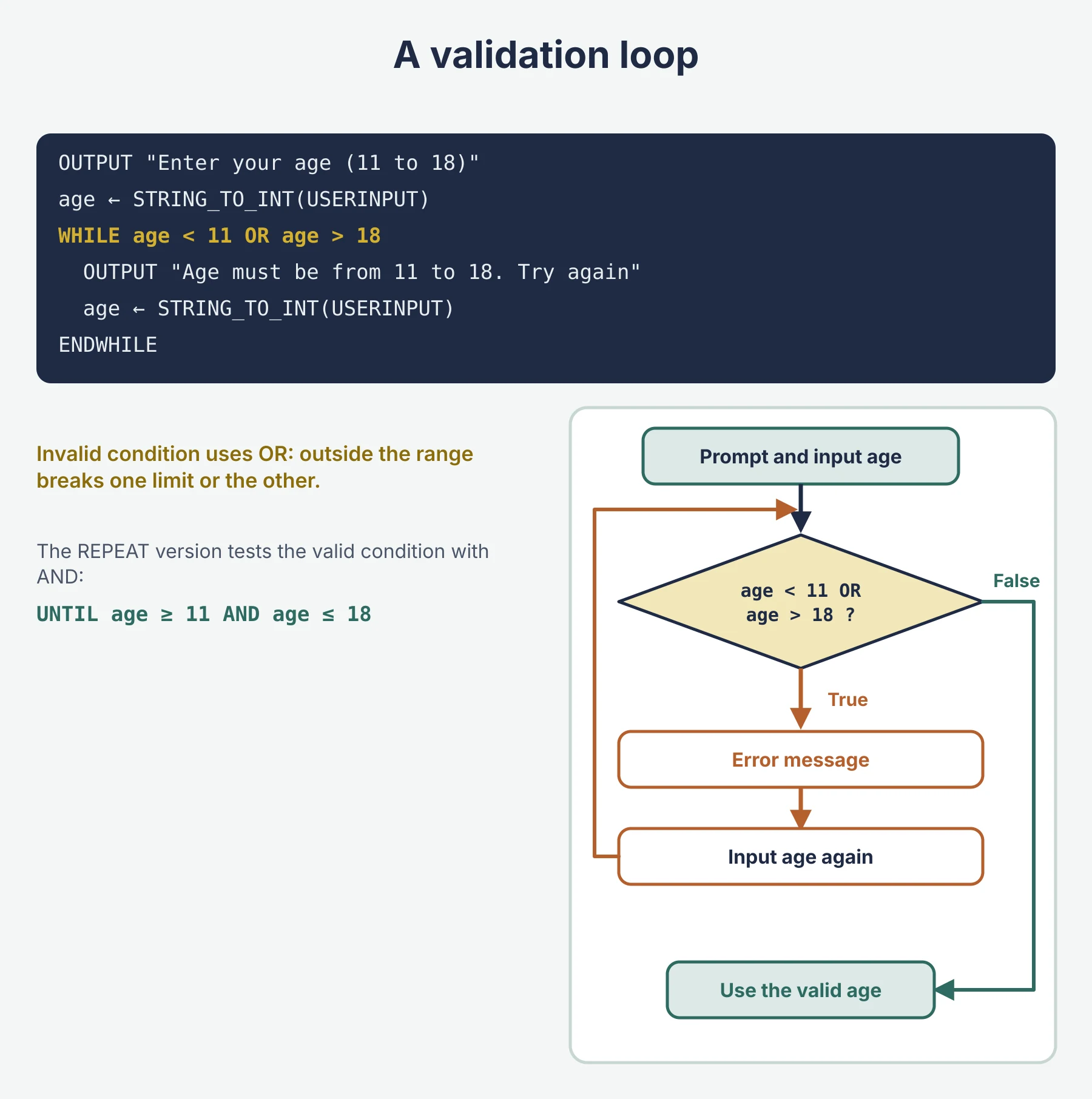
Authentication essentials
- Compare both username and password:
user = storedUser AND pass = storedPass. - Loop to allow retries; often limit attempts with a counter and a constant.
- Loop ends on success OR attempts used up.
- Give a general error message (“username or password incorrect”).
- Comparisons are case-sensitive.
- Plain text only at this level.
attempts ← 0
REPEAT
  user ← USERINPUT
  pass ← USERINPUT
  ok ← (user = "admin7" AND pass = "Lark55")
  attempts ← attempts + 1
UNTIL ok OR attempts = 3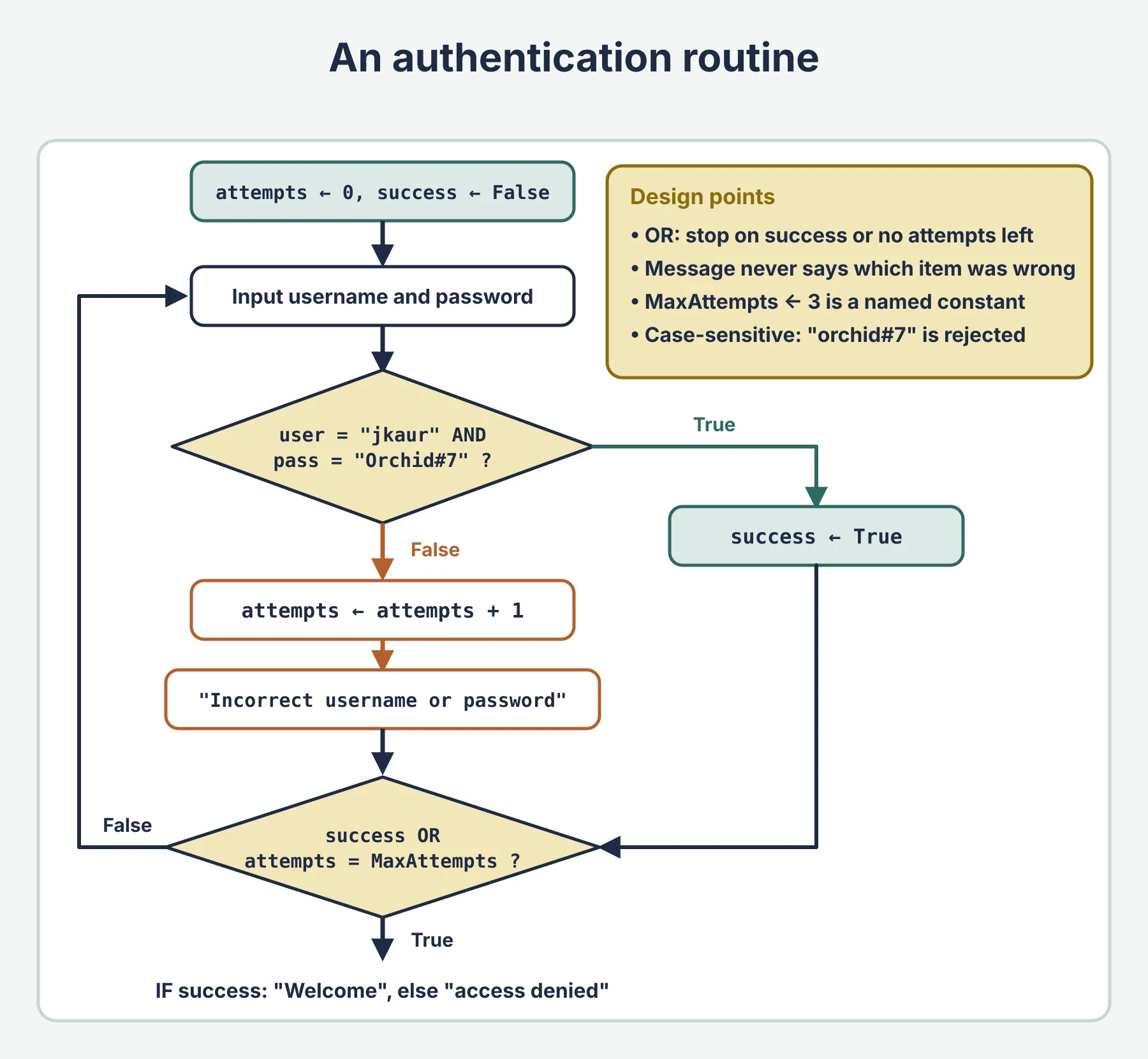
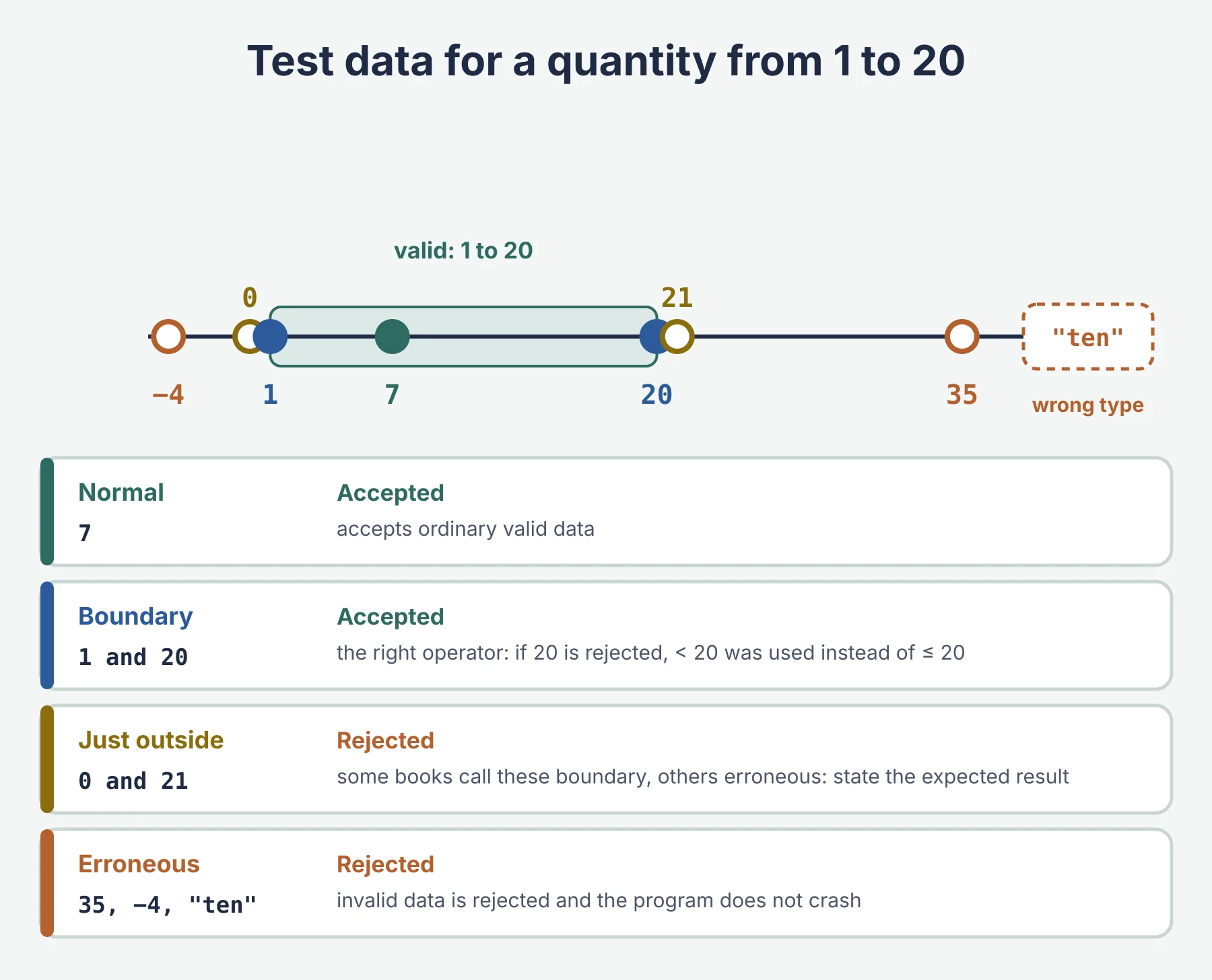
Test data
| Type | What it is | Range 1 to 10 example | Should be |
|---|---|---|---|
| Normal | Typical valid data | 5 | Accepted |
| Boundary | On the edge of the range | 1, 10 | Accepted |
| Boundary (just outside) | First invalid values | 0, 11 | Rejected |
| Erroneous | Invalid data | 47, −3, "five" |
Rejected |
Some sources call 0 and 11 erroneous. Always state the expected result.
Justifications to reuse
- Normal: proves ordinary valid input is processed correctly.
- Boundary: proves the limits use the right operator (
≤, not<). - Erroneous: proves invalid input is rejected and the program does not crash.
Key terms
| Term | Meaning |
|---|---|
| Robust | Copes with invalid or unexpected input without failing |
| Validation | Checking input follows set rules before it is used |
| Presence check | Checking that something has been entered (string not empty) |
| Length check | Checking a string has an allowed number of characters |
| Range check | Checking a number lies between a lower and an upper limit |
| Authentication | Confirming a user’s identity, here with username and password |
| Normal data | Typical valid test data |
| Boundary data | Test data at the limits of the valid range |
| Erroneous data | Invalid test data that should be rejected |
Exam traps
- “Validation ensures data is correct”: wrong; it checks it is reasonable.
- Invalid range written with
AND:x < 1 AND x > 10is never true. - Boundary data from one side only.
- Test data without an expected result.
- Authentication that checks only the username or only the password.
- Range check without converting input from string first.
- An empty-string check and a minimum-length check together: the length check alone already rejects
"".
Self-test
- State the difference between validation and authentication.
- Write a condition that is true when
nameis empty. - Write a condition that is true when
pin(a string) has fewer than 4 characters. - Write a condition that is true when
tempis outside the range −10 to 40. - Give one normal, two boundary and one erroneous value for a mark out of 100.
- Explain why boundary data is important.
- Explain why an authentication routine should not say which detail was wrong.
- Why might an authentication loop use
ORin itsUNTILcondition? - Can validation prove a user has entered their real date of birth? Explain.
- A program accepts 1 to 10 but rejects 10. Which type of test data revealed the error, and what is the likely cause?
- Why is
"abc"a useful erroneous test value for a range check on a number? - Does the specification require passwords to be encrypted in your routines?
Answers:
- Validation checks data follows rules; authentication checks that the user is who they claim to be.
LEN(name) = 0(orname = "").LEN(pin) < 4.temp < -10 OR temp > 40.- For example: normal 64; boundary 0 and 100 (accepted), or −1 and 101 (rejected); erroneous 250 or
"sixty". - It checks the limits of the valid range, where errors with
<and≤are most likely. - Revealing that the username was correct would help an unauthorised person guess the password.
- The loop must stop when the login succeeds or when the attempts run out, whichever comes first.
- No; validation checks the date is reasonable (a real date in a sensible range), not that it is true.
- Boundary data; the condition probably uses
< 10instead of≤ 10. - It tests what happens when the input is not a number, which could crash a program that converts it without checking.
- No; plain text usernames and passwords are used.
More resources on this topic
Related resources
-
Study guides
OxfordAQA IGCSE Computer Science (9210): String handling operations in a programming language
Study guide to OxfordAQA IGCSE Computer Science 9210 section 3.2.8: length, position, substring, concatenation, character codes and string conversion.
Computer Science · OxfordAQA · IGCSE
Read guide -
Practice questions
OxfordAQA IGCSE Computer Science (9210): String handling operations in a programming language – Practice Questions
Original OxfordAQA IGCSE Computer Science 9210 practice questions with answers on length, substring, position, character codes and string conversion.
Computer Science · OxfordAQA · IGCSE
Try questions -
Revision notes
OxfordAQA IGCSE Computer Science (9210): String handling operations in a programming language – Revision Notes
Revision notes for OxfordAQA IGCSE Computer Science 9210 section 3.2.8: string operations, character codes, conversions, exam traps and a self-test.
Computer Science · OxfordAQA · IGCSE
Revise topic
Get free revision emails (optional)
Occasional emails with practice questions, worked explanations and links to free resources for the qualification and subjects you choose. No spam, and you can unsubscribe from any email. The free tools on this site never need an email.