
Study Guides
OxfordAQA IGCSE Computer Science (9210): Programming concepts
Study guide to OxfordAQA IGCSE Computer Science 9210 section 3.2.2: declarations, constants, assignment, definite and indefinite loops, nesting and identifiers.
- Subject
- Computer Science
- Level
- IGCSE
- Topic
- Topic 2 – Programming
- Author
- Marlbridge Academic Team
- Updated
- Reviewed by
- Harris Khan (what this means)
Aligned to OxfordAQA IGCSE Computer Science (9210), For teaching from September 2017, exams from May/June 2019. Official specification .
Syllabus page (what it covers and how it is assessed): OxfordAQA IGCSE Computer Science.
Syllabus points this page covers
9210
- 3.2.2 Programming concepts
Found an error? Report a correction.
Need help with this topic? Request a free trial class for IGCSE Computer Science (9210).
This guide covers section 3.2.2 Programming concepts of OxfordAQA International GCSE Computer Science (9210). The specification asks you to “use, understand and know how the following statement types can be combined in programs”: variable declaration, constant declaration, assignment, iteration, selection and subroutine (procedure/function). It adds definite and indefinite iteration (with the condition at the start or the end), nested selection and nested iteration, and meaningful identifier names. You should also “know why named constants and variables are used”. For a summary of all of 3.2.1 to 3.2.5, see the Programming Fundamentals study guide.
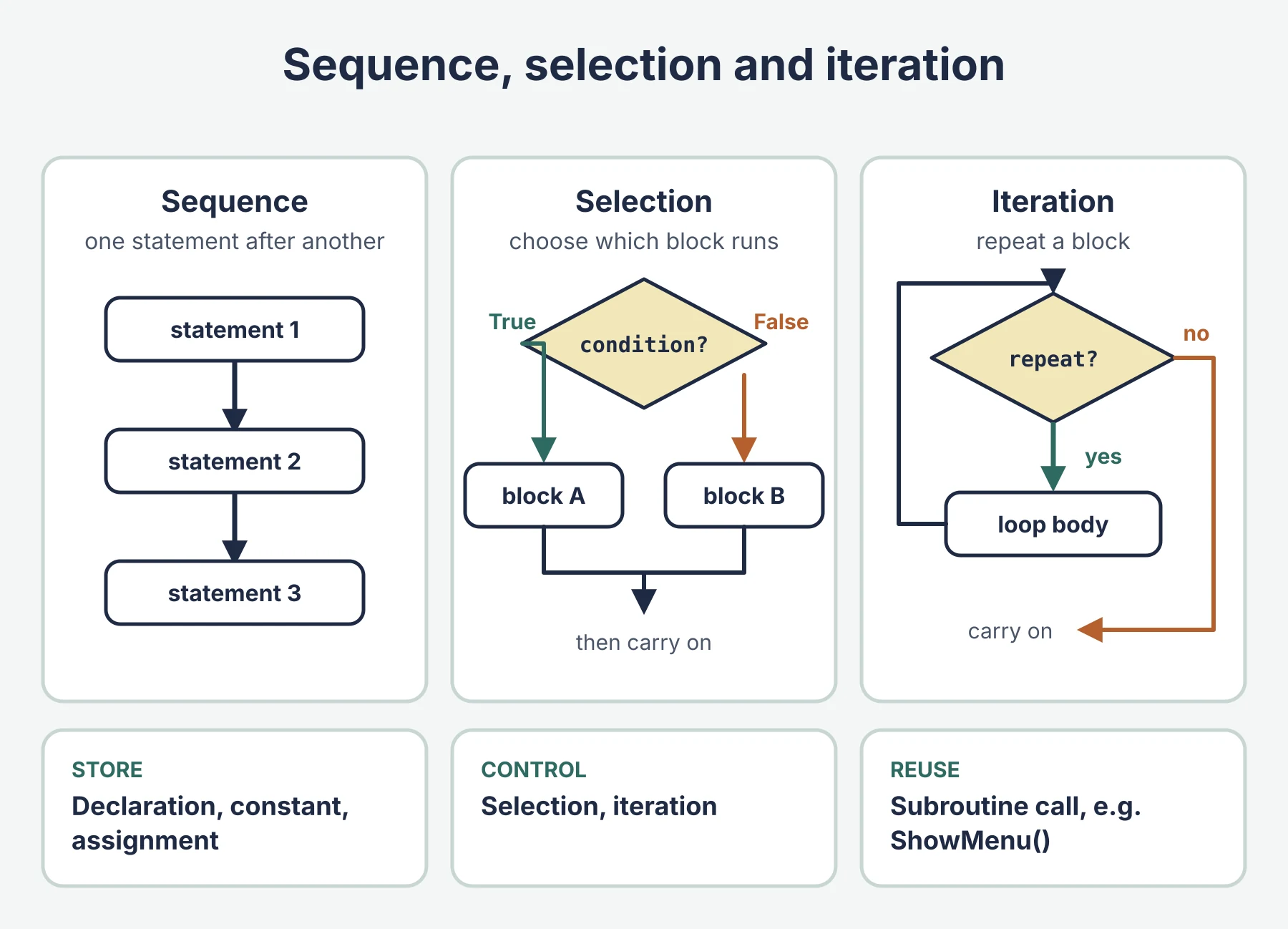
The six statement types
| Statement type | What it does | Pseudocode example |
|---|---|---|
| Variable declaration | Creates a named storage location whose value can change | score (declared, in many languages with a type) |
| Constant declaration | Creates a named value that cannot change while the program runs | CONSTANT VatRate ← 0.2 |
| Assignment | Stores a value in a variable | score ← score + 10 |
| Iteration | Repeats a block of statements | FOR i ← 1 TO 10 ... ENDFOR |
| Selection | Chooses which block to run using a condition | IF score > 50 THEN ... ENDIF |
| Subroutine | Calls a named block of code defined elsewhere | ShowMenu() |
The specification’s additional information names three combining principles that every imperative language is built on: sequence (statements run one after another), iteration/repetition and selection/choice. Every program you write or read in the exam is these statement types combined using those three principles.
Declaration and assignment are different
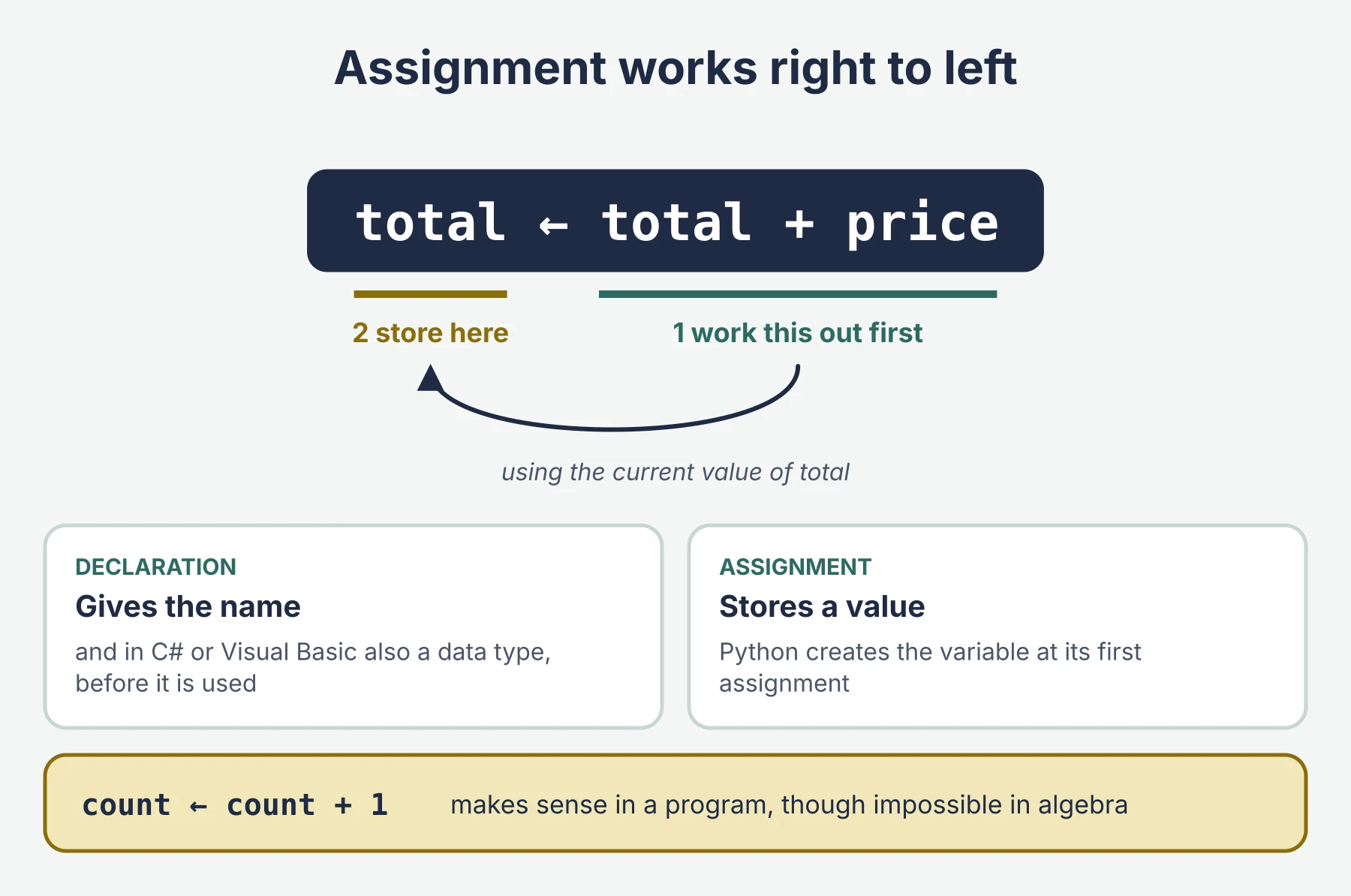
Declaring a variable gives it a name, and in languages such as C# and Visual Basic also a data type, before it is used. Assignment puts a value into it. In Python, a variable is created the first time it is assigned, but the two ideas are still separate: the name exists, and then a value is stored under it.
Assignment always works right to left. In total ← total + price, the computer first works out
total + price using the current value of total, then stores the answer back in total. That is why
count ← count + 1 makes sense in a program even though it is impossible in algebra.
Why named constants and variables are used
Variables are used because a program needs to store values that change as it runs (a running total, the user’s latest input, a loop counter) and refer to them by a name rather than a memory address.
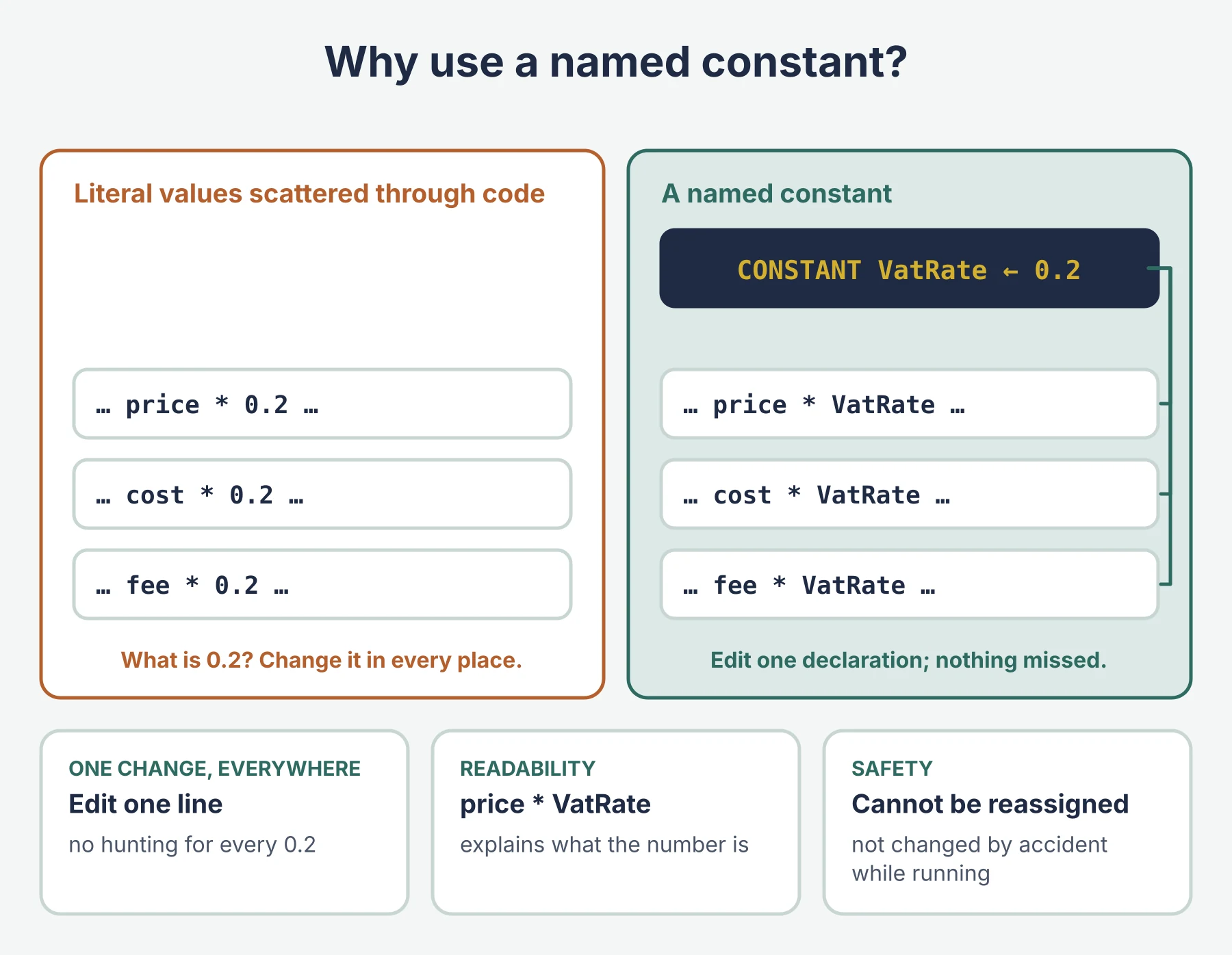
Named constants are used for values that are fixed while the program runs, such as a tax rate, the number of rounds in a game or the maximum length of a username. Their benefits are specific:
- One change, everywhere. If the tax rate changes, the programmer edits one declaration instead of hunting for
every
0.2in the code, and cannot miss one. - Readability.
price * VatRateexplains itself;price * 0.2does not say what 0.2 is. - Safety. The value cannot be changed accidentally by a later assignment while the program runs.
Definite and indefinite iteration
Definite iteration repeats a number of times known when the loop starts. In the specification’s pseudocode:
FOR i ← 1 TO 5
  … Instructions here …
ENDFOR
Indefinite iteration repeats until a condition changes, so the number of repetitions is not known in advance. The condition can be at the start or the end:
WHILE NotSolved                REPEAT
  … Instructions here …          … Instructions here …
ENDWHILE                       UNTIL Solved
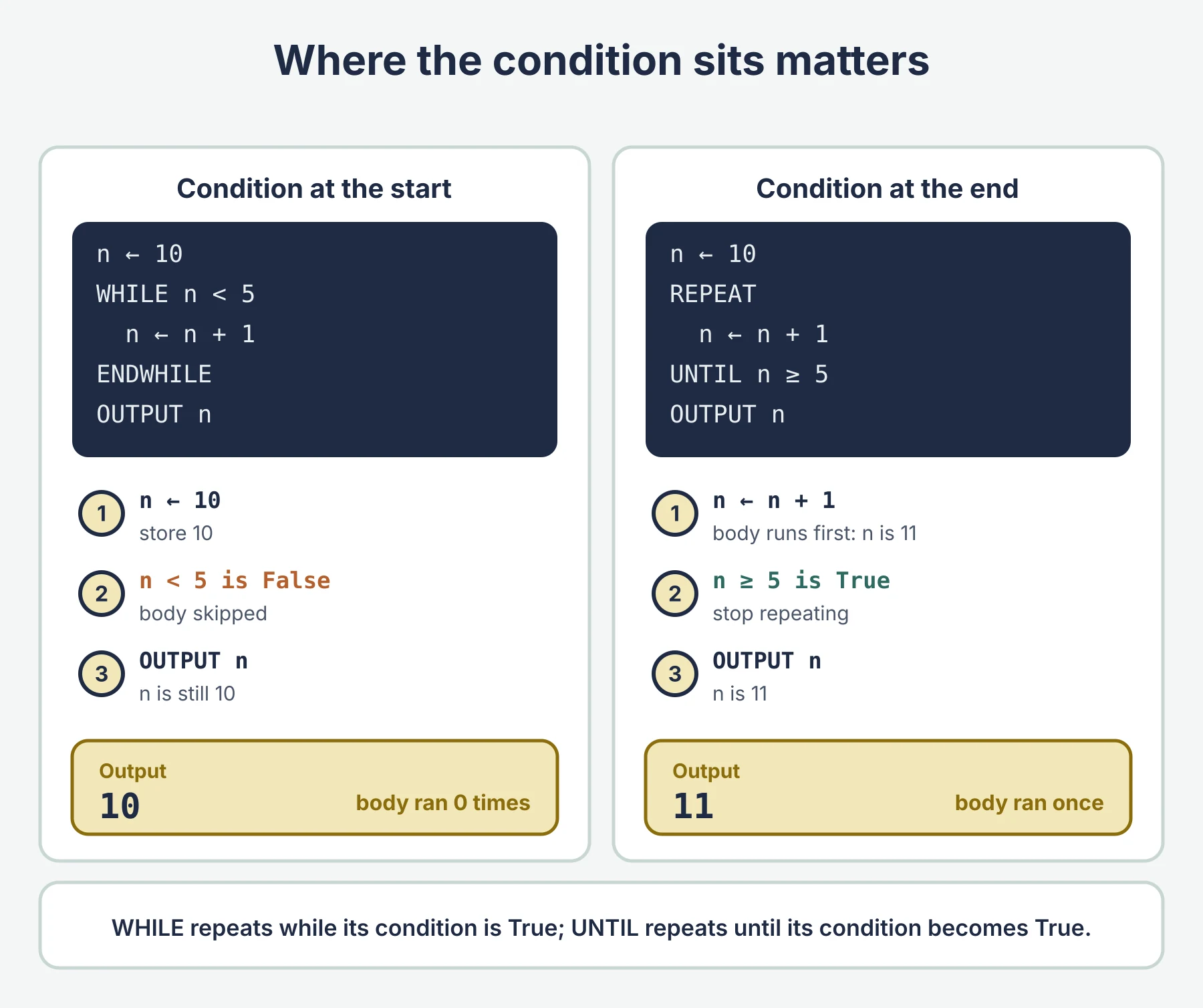
The position of the condition has a real effect. With the condition at the start, the body may run zero times. With the condition at the end, the body always runs at least once. Compare:
n ← 10                         n ← 10
WHILE n < 5                    REPEAT
  n ← n + 1                      n ← n + 1
ENDWHILE                       UNTIL n ≥ 5
OUTPUT n                       OUTPUT n
The left-hand version outputs 10: the condition n < 5 is false at the start, so the body never runs. The
right-hand version outputs 11: the body runs once before n ≥ 5 is tested. Note also that WHILE repeats
while its condition is true, but UNTIL repeats until its condition becomes true, so the two conditions
are opposites. The specification requires this theoretical understanding even if your language lacks one of the
forms (Python, for example, has no built-in condition-at-the-end loop).
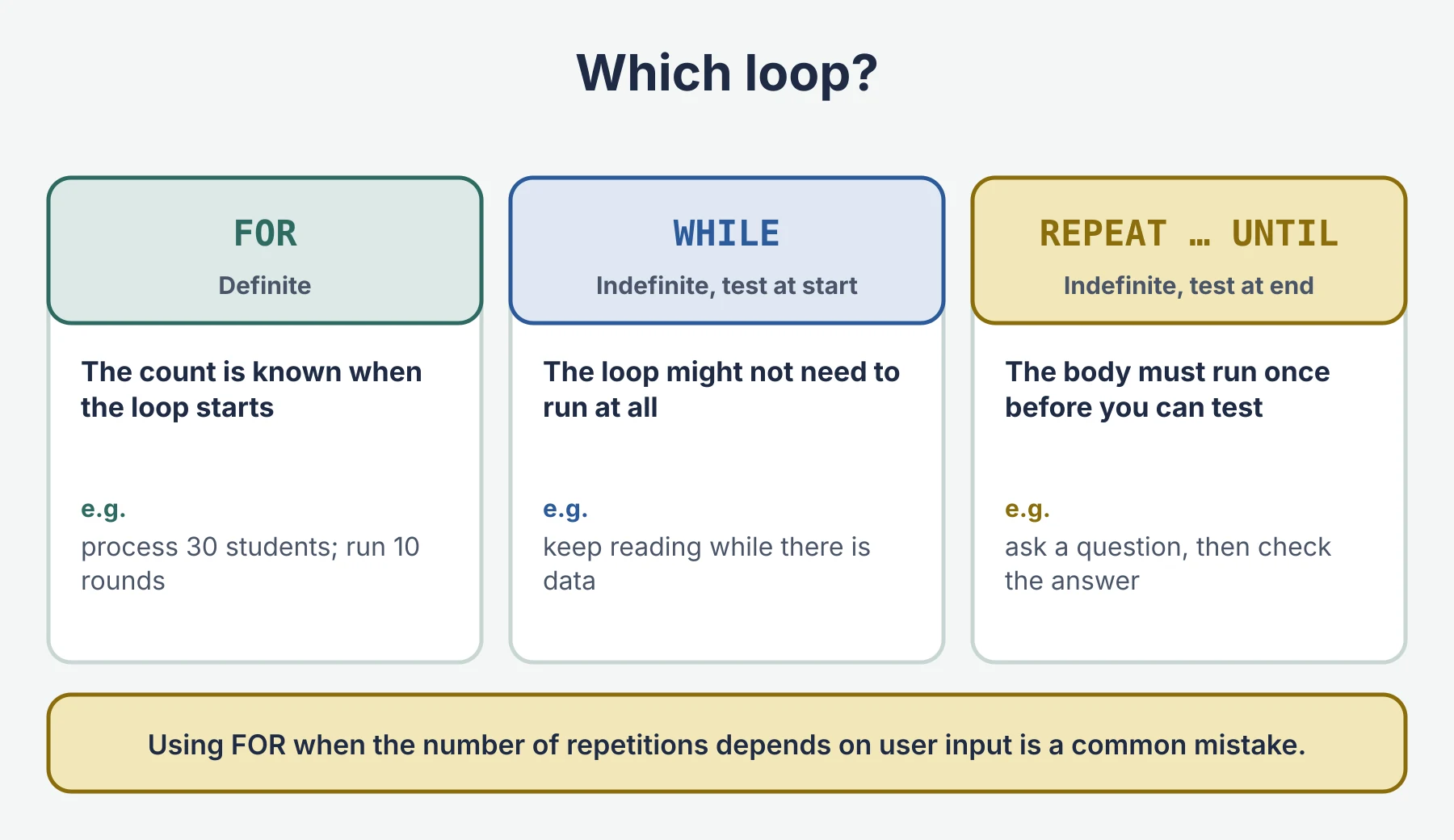
Choosing: use FOR when the count is known (process 30 students, run 10 rounds); use WHILE when the loop
might not need to run at all (keep reading while there is data); use REPEAT...UNTIL when the body must run
once before you can test (ask a question, then check the answer).
Nested selection and nested iteration
Nesting means placing one structure inside another. The specification’s examples are a FOR loop inside a
WHILE loop, and an IF inside another IF. With nested selection, the inner condition is only tested when the
outer condition is true. With nested iteration, the inner loop runs completely for each repetition of the
outer loop.
Worked example: tracing nested iteration
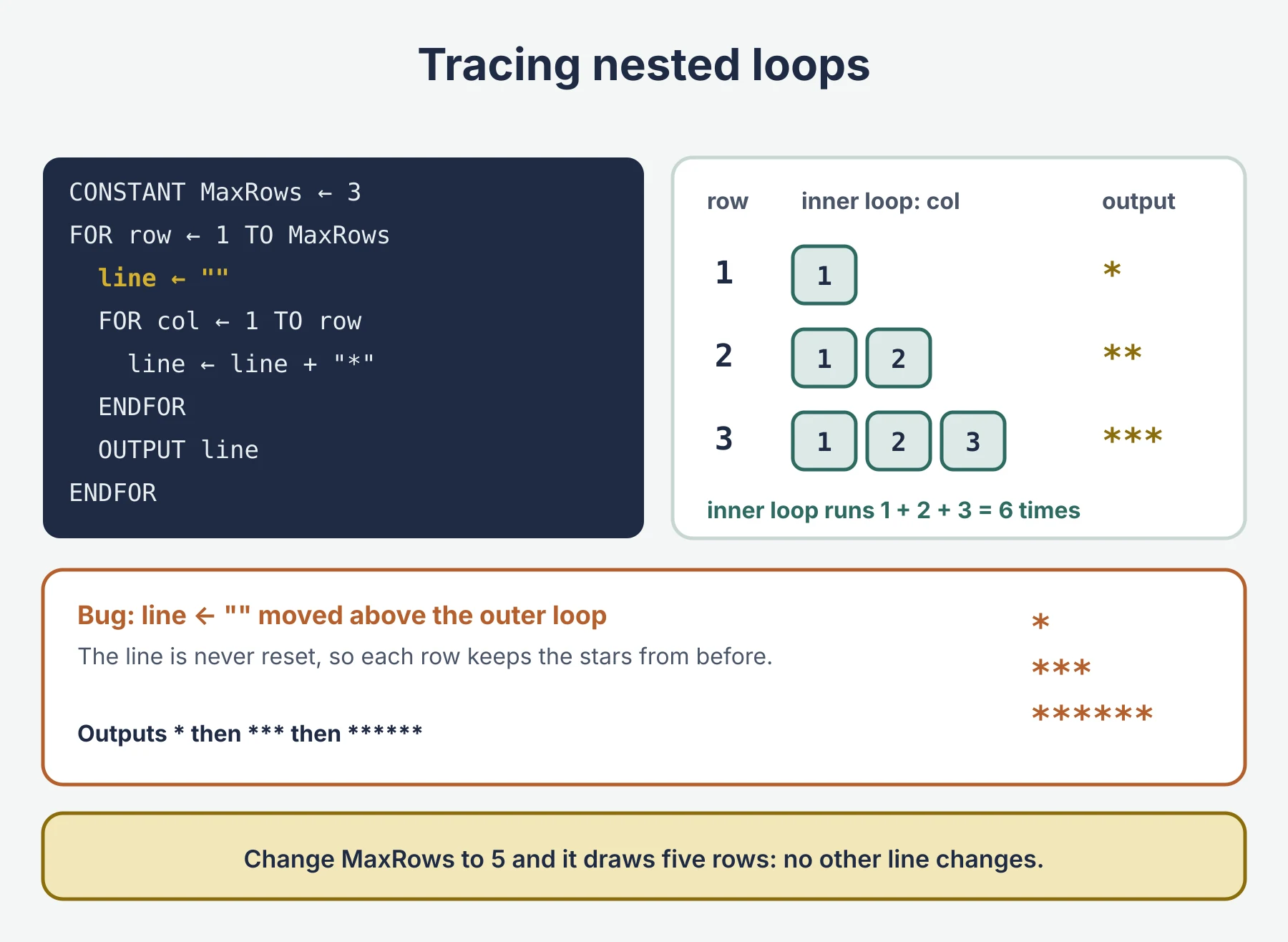
CONSTANT MaxRows ← 3
FOR row ← 1 TO MaxRows
  line ← ""
  FOR col ← 1 TO row
    line ← line + "*"
  ENDFOR
  OUTPUT line
ENDFOR| row | col values in inner loop | line output |
|---|---|---|
| 1 | 1 | * |
| 2 | 1, 2 | ** |
| 3 | 1, 2, 3 | *** |
The inner loop’s end value depends on the outer counter, so it runs 1, then 2, then 3 times: 6 times in total.
The statement line ← "" sits inside the outer loop, so the line is reset for each row. If it were moved above
the outer loop, the outputs would be *, *** and ******, a common error to spot in “find the bug” questions.
Changing the constant MaxRows to 5 would draw five rows without touching any other line, which is the constant
earning its place.
Worked example: nested selection
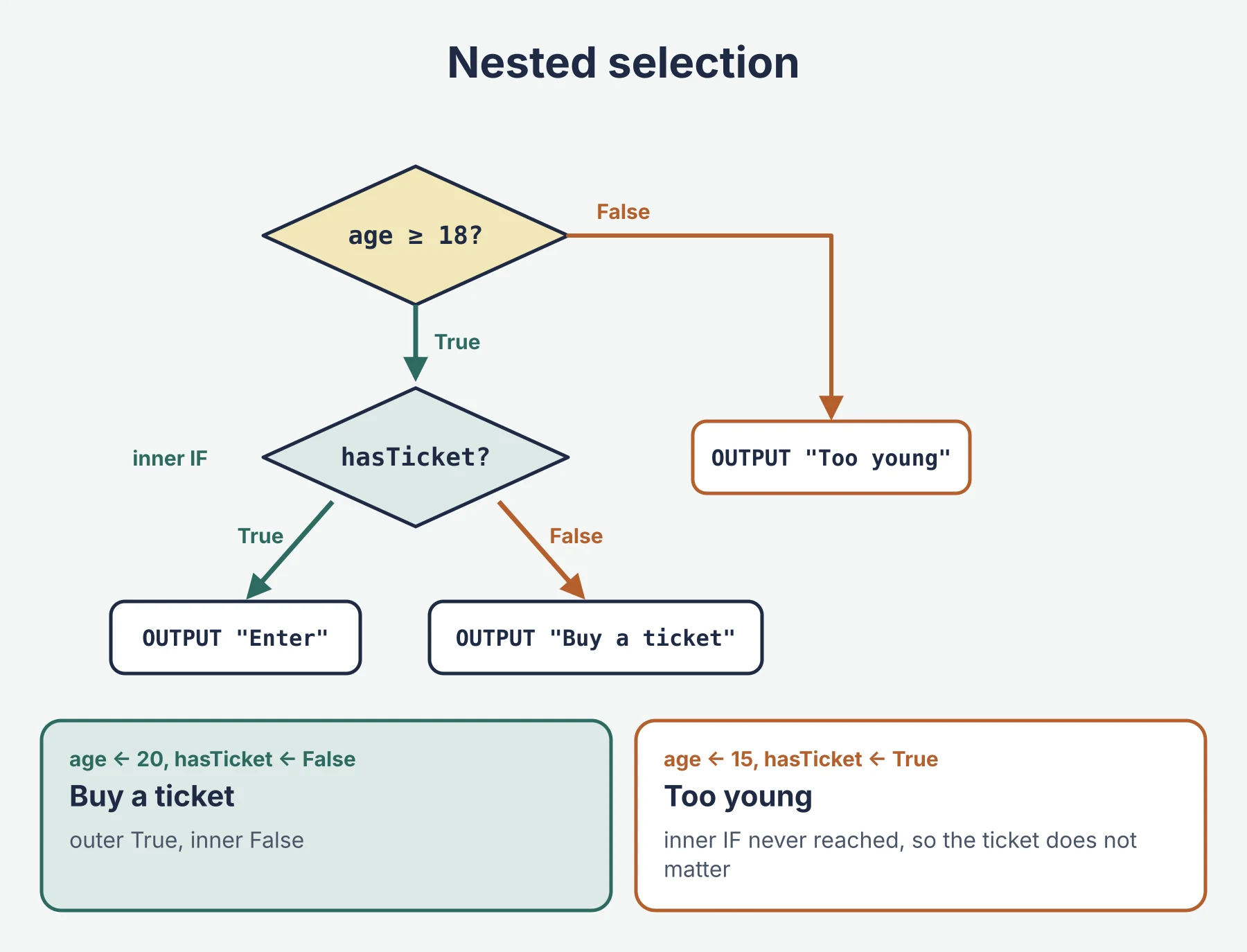
IF age ≥ 18 THEN
  IF hasTicket THEN
    OUTPUT "Enter"
  ELSE
    OUTPUT "Buy a ticket"
  ENDIF
ELSE
  OUTPUT "Too young"
ENDIF
For age ← 20, hasTicket ← False the output is Buy a ticket. For age ← 15, hasTicket ← True it is
Too young: the inner IF is never reached, so the ticket does not matter.
Meaningful identifier names
An identifier is the name of a variable, constant or subroutine. Meaningful names such as totalCost,
MaxAttempts or CalculateArea matter because:
- the code is easier to read and understand, by the author later and by other programmers;
- errors are easier to spot, because a line like
totalCost ← totalCost - discountcan be checked against what it should do; - the program is easier to maintain, since someone changing it can see what each value represents.
Names like x, a2 or temp force the reader to work out their purpose from how they are used.
Common mistakes
- Saying a
WHILEloop “always runs at least once”. That isREPEAT...UNTIL. - Writing a
REPEAT...UNTILwith theWHILEcondition unchanged (for exampleUNTIL n < 5when you meant “stop when n reaches 5”). - Using
FORwhen the number of repetitions depends on user input. - Resetting a variable in the wrong place in nested loops, as in the worked example.
- Describing a constant as “a variable that doesn’t change”. A constant cannot be changed while the program runs; that is the point.
- Answering “why use meaningful identifiers?” with “it is good practice” and no reason.
Exam technique
- Identify or state questions about statement types want the name: “assignment”, “definite iteration”.
- Explain the difference between two loops: give what each does and the consequence (zero or at least one run).
- Write or complete code: initialise variables before the loop, update the loop condition inside it, and
close every structure (
ENDIF,ENDFOR,ENDWHILE,UNTIL). Answers may be in any suitable format, not only the board’s pseudocode. - When tracing nested loops, add a column for each loop counter and complete the inner loop fully before moving the outer counter on.
Test your recall with the programming concepts revision notes and apply it in the programming concepts practice questions. Subroutines appear here as a statement type; how to write them is covered in the subroutines study guide.
Related resources
-
Practice questions
OxfordAQA IGCSE Computer Science (9210): Programming concepts – Practice Questions
Original OxfordAQA IGCSE Computer Science 9210 practice questions with answers on statement types, constants, loops, nesting and identifier names.
Computer Science · OxfordAQA · IGCSE
Try questions -
Revision notes
OxfordAQA IGCSE Computer Science (9210): Programming concepts – Revision Notes
Revision notes for OxfordAQA IGCSE Computer Science 9210 section 3.2.2: statement types, constants, loop choice, nesting, identifiers, traps and a self-test.
Computer Science · OxfordAQA · IGCSE
Revise topic -
Study guides
OxfordAQA IGCSE Computer Science (9210): Random number generation in a programming language
Study guide to OxfordAQA IGCSE Computer Science 9210 section 3.2.9: using random numbers in programs for dice, games, choices and simple simulations.
Computer Science · OxfordAQA · IGCSE
Read guide
Get free revision emails (optional)
Occasional emails with practice questions, worked explanations and links to free resources for the qualification and subjects you choose. No spam, and you can unsubscribe from any email. The free tools on this site never need an email.