
Study Guides
OxfordAQA IGCSE Computer Science (9210): Input/output and file handling
Study guide to OxfordAQA IGCSE Computer Science 9210 section 3.2.7: keyboard input, screen output, and reading from and writing to text files step by step.
- Subject
- Computer Science
- Level
- IGCSE
- Topic
- Topic 2 – Programming
- Author
- Marlbridge Academic Team
- Updated
- Reviewed by
- Harris Khan (what this means)
Aligned to OxfordAQA IGCSE Computer Science (9210), For teaching from September 2017, exams from May/June 2019. Official specification .
Syllabus page (what it covers and how it is assessed): OxfordAQA IGCSE Computer Science.
Syllabus points this page covers
9210
- 3.2.7 Input/output and file handling
Found an error? Report a correction.
Need help with this topic? Request a free trial class for IGCSE Computer Science (9210).
This guide covers section 3.2.7 Input/output and file handling of OxfordAQA International GCSE Computer Science (9210). The specification has three statements: “be able to obtain user input from a keyboard”, “be able to output data and information from a program to the computer display” and “be able to read/write from/to a text file”. A brief overview is in the data structures, subroutines and translators study guide; here each statement is worked through with code you can adapt.
Keyboard input
In the specification’s pseudocode, USERINPUT stands for whatever the user types, and it is normally stored
straight into a variable:
OUTPUT "Enter your name"
name ← USERINPUT
Two habits make input code reliable:
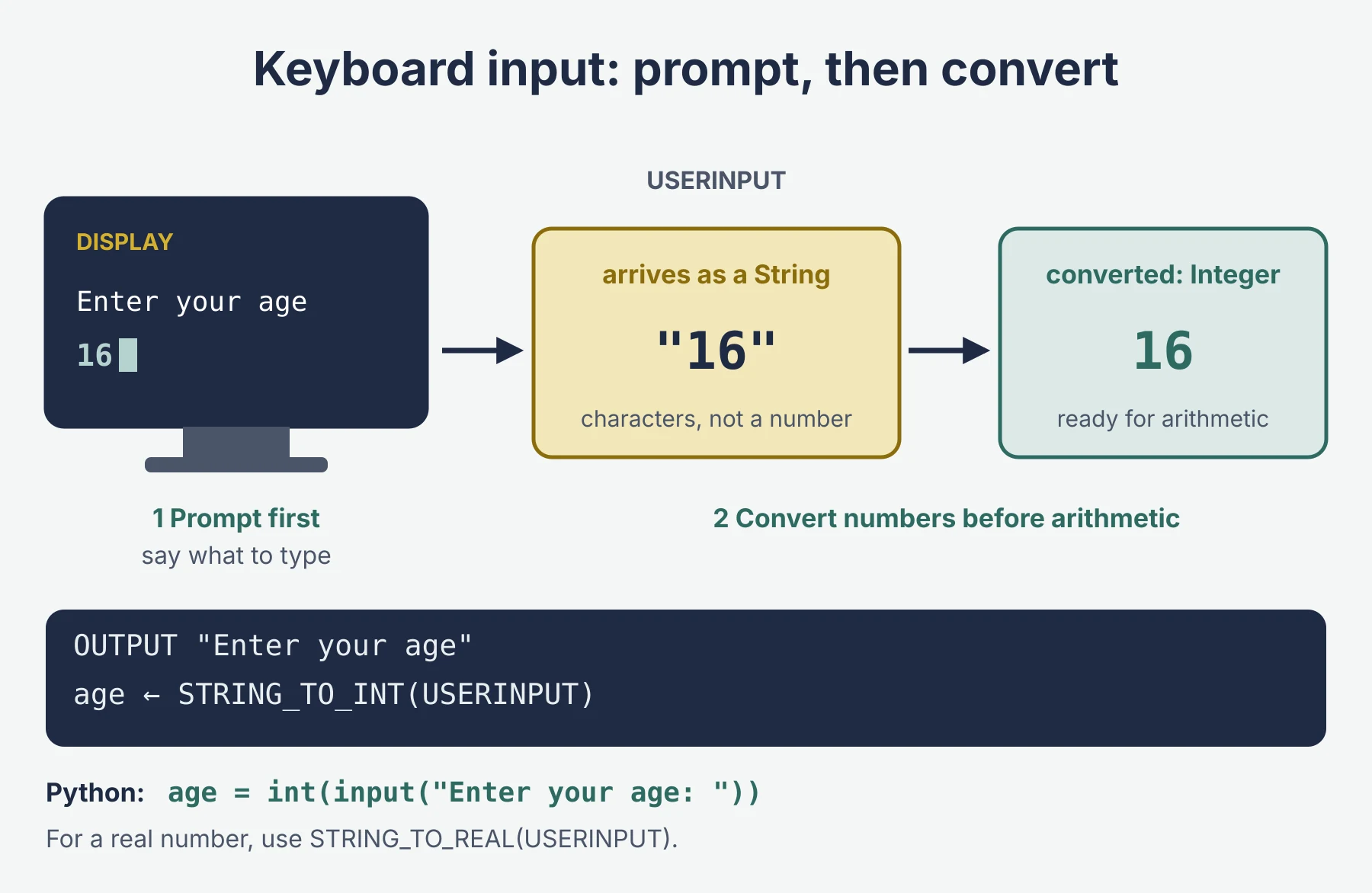
- Prompt first. Output a message saying what to type. Without it the program simply waits, and the user has no idea what is expected.
- Convert numbers. Keyboard input arrives as a string. Before arithmetic or numeric comparison, convert
it:
age ← STRING_TO_INT(USERINPUT)orprice ← STRING_TO_REAL(USERINPUT). Conversion operations are part of the string handling study guide.
In Python, the equivalent is age = int(input("Enter your age: ")), where the prompt is passed to input.
Output to the display
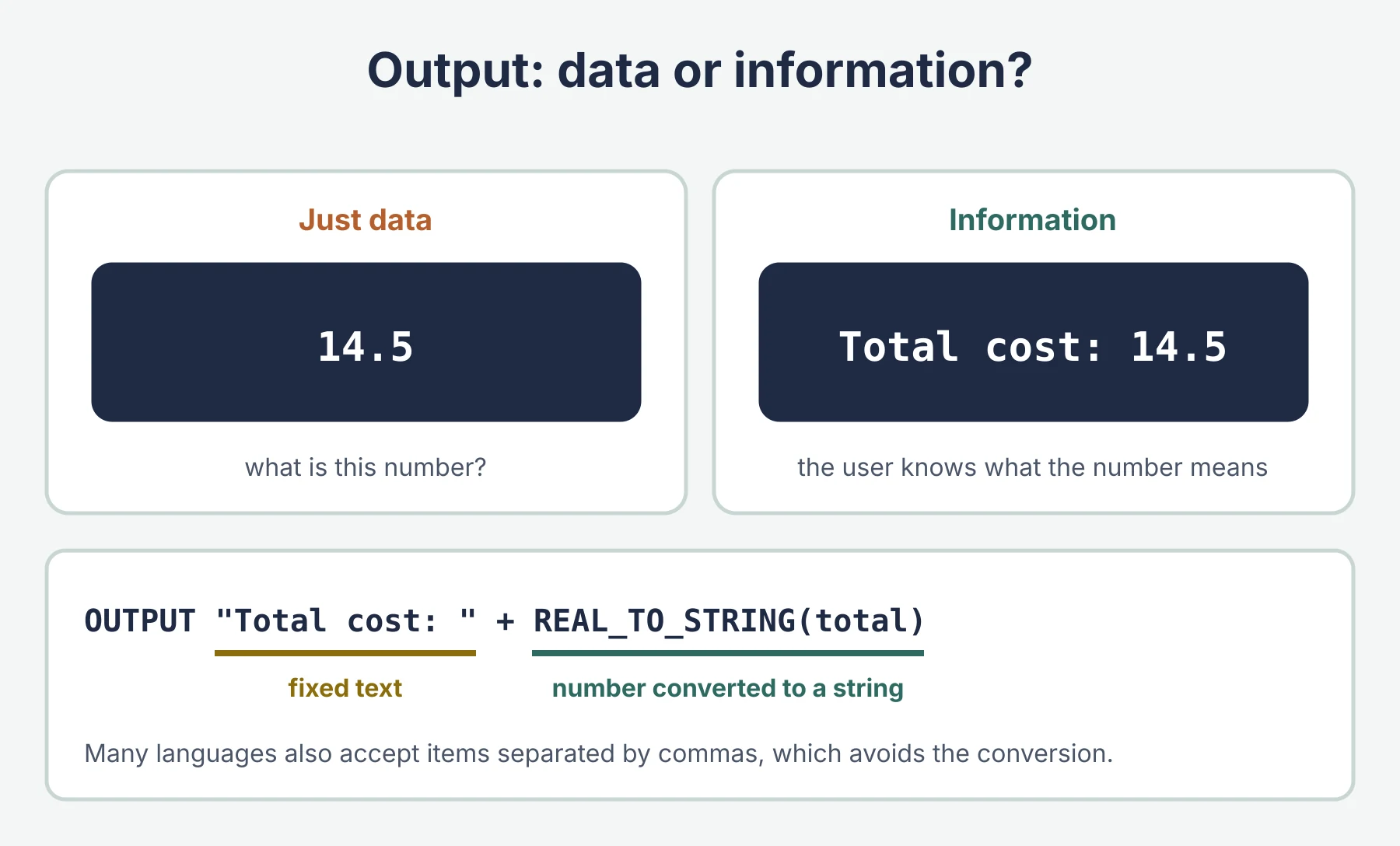
OUTPUT sends data to the screen. A useful output combines fixed text with the values of variables, so the user
knows what the number means:
OUTPUT "Total cost: " + REAL_TO_STRING(total)Here + joins two strings, so the number is converted first. Many languages also let you output several items
separated by commas, which avoids the conversion. “Data and information” in the specification is a reminder that
output should be meaningful: Total cost: 14.5 is information; 14.5 on its own is just data.
Why use text files?
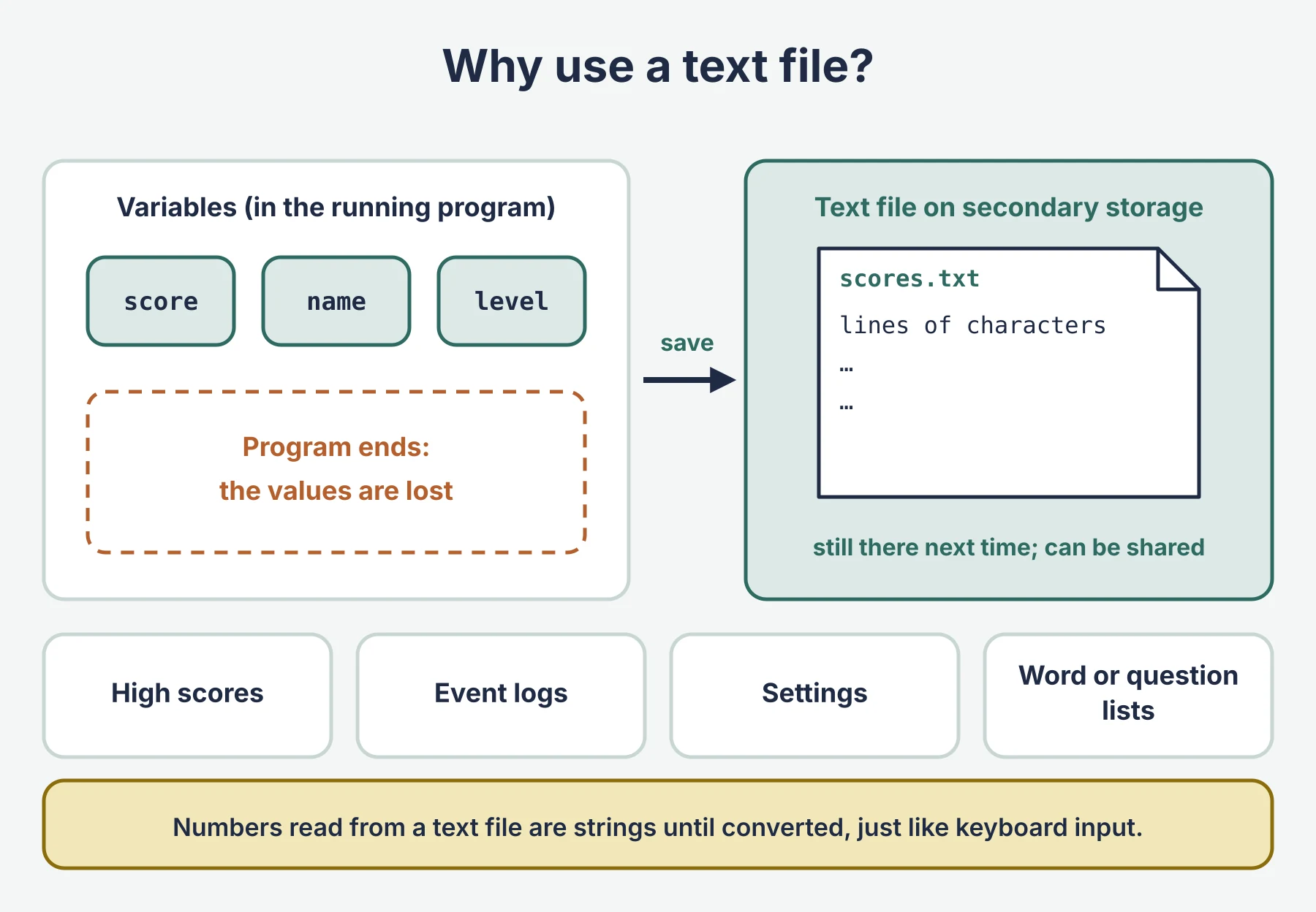
Variables lose their values when a program ends. A text file stores data on secondary storage, so it is still there next time the program runs, and it can be shared with other programs. Typical uses are saving high scores, keeping a log of events, storing settings, and loading a list of words or questions. A text file holds lines of characters, so numbers read from it are strings until converted, exactly as with keyboard input.
The pattern for reading a file
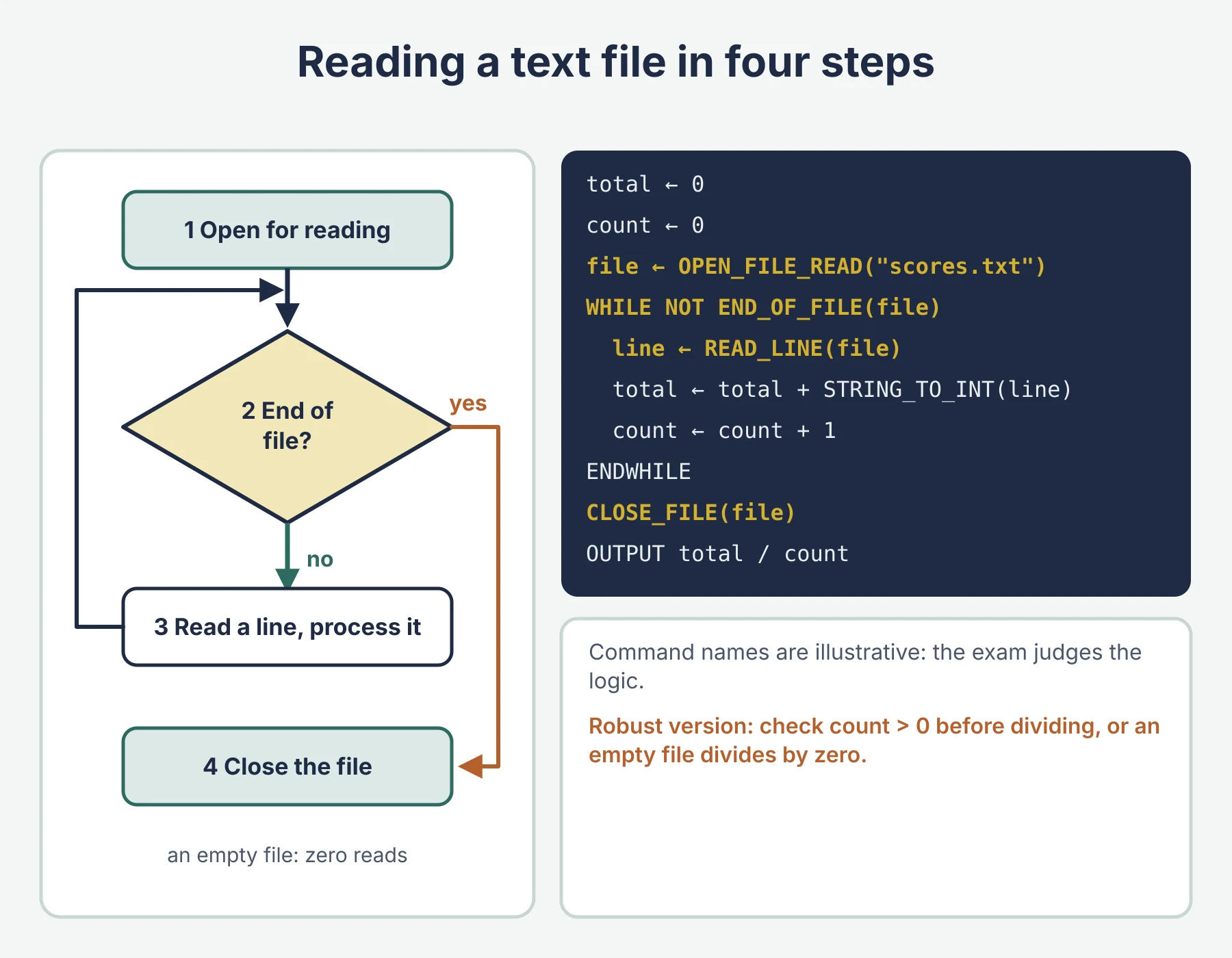
Every language uses the same four steps:
- Open the file for reading.
- Loop until the end of the file is reached.
- Read one line each time round the loop and process it.
- Close the file.
total ← 0
count ← 0
file ← OPEN_FILE_READ("scores.txt")
WHILE NOT END_OF_FILE(file)
  line ← READ_LINE(file)
  total ← total + STRING_TO_INT(line)
  count ← count + 1
ENDWHILE
CLOSE_FILE(file)
OUTPUT total / count
The command names above are illustrative: the specification does not prescribe them, and an exam answer is judged on the logic. In Python the same algorithm can be written as:
total = 0
count = 0
with open("scores.txt", "r") as f:
    for line in f:
        total = total + int(line)
        count = count + 1
print(total / count)
The with block closes the file automatically when it ends. A WHILE loop with the condition at the start is
the right structure in pseudocode because an empty file should cause zero reads. Note that this example would
then divide by zero: a robust version checks count > 0 before dividing.
The pattern for writing a file
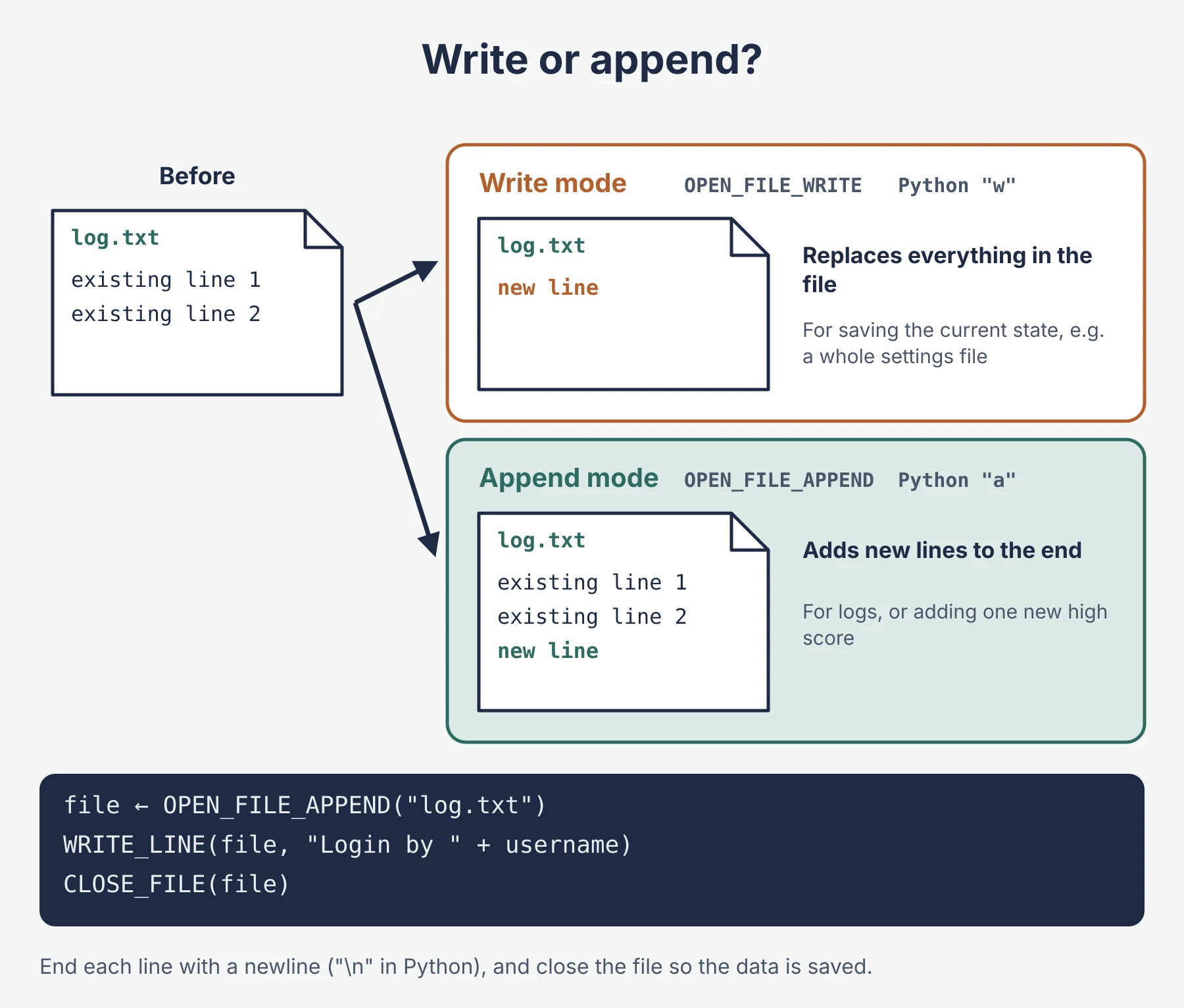
Writing has two modes, and choosing the wrong one is a common source of lost data:
| Mode | Effect on an existing file | Use it for |
|---|---|---|
| Write | Replaces everything in the file | Saving the current state, such as a whole settings file |
| Append | Adds new lines to the end | Logs, adding one new high score |
file ← OPEN_FILE_APPEND("log.txt")
WRITE_LINE(file, "Login by " + username)
CLOSE_FILE(file)
In Python, mode "w" writes and mode "a" appends, for example open("log.txt", "a"). Each line written should
end with a newline (Python’s write does not add one automatically, so programmers add "\n"), otherwise the
next item is joined onto the same line.
Closing the file matters: it makes sure all the data is actually saved to storage, and it releases the file so that other programs can use it.
Worked example: a high-score table
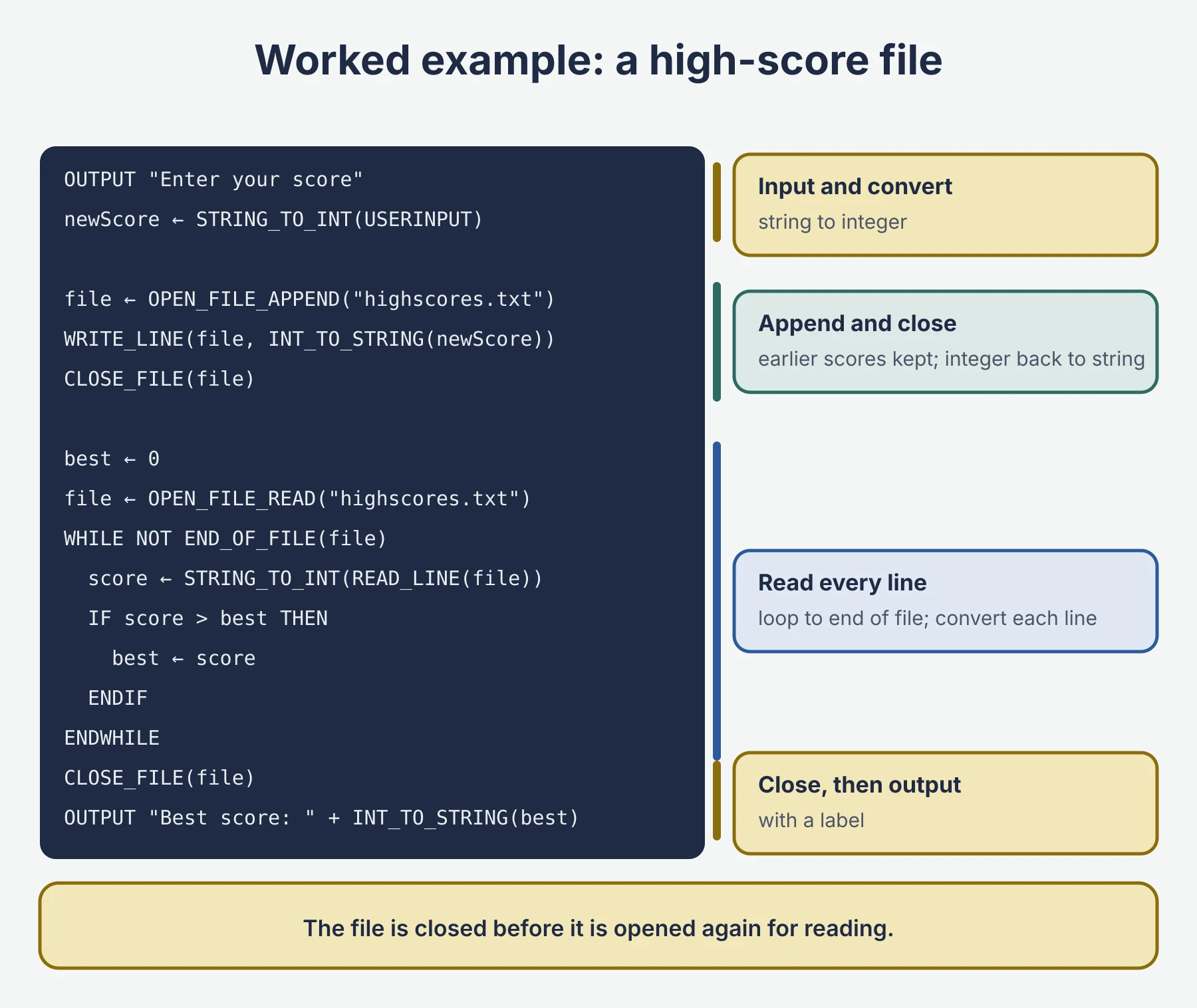
A game keeps one score per line in highscores.txt. After each game it should add the new score and report the
best score so far.
OUTPUT "Enter your score"
newScore ← STRING_TO_INT(USERINPUT)

file ← OPEN_FILE_APPEND("highscores.txt")
WRITE_LINE(file, INT_TO_STRING(newScore))
CLOSE_FILE(file)

best ← 0
file ← OPEN_FILE_READ("highscores.txt")
WHILE NOT END_OF_FILE(file)
  score ← STRING_TO_INT(READ_LINE(file))
  IF score > best THEN
    best ← score
  ENDIF
ENDWHILE
CLOSE_FILE(file)
OUTPUT "Best score: " + INT_TO_STRING(best)
What earns the marks: the input is converted to an integer; the file is opened in append mode so earlier
scores are kept; the integer is converted back to a string to be written; the file is closed before it is opened
again for reading; every line is read in a loop that stops at the end of the file; each line is converted before
comparison; and the result is output with a label. Starting best at 0 is safe here because scores cannot be
negative in this game.
Worked example: writing a table
file ← OPEN_FILE_WRITE("seven.txt")
FOR i ← 1 TO 12
  WRITE_LINE(file, INT_TO_STRING(i) + " x 7 = " + INT_TO_STRING(i * 7))
ENDFOR
CLOSE_FILE(file)
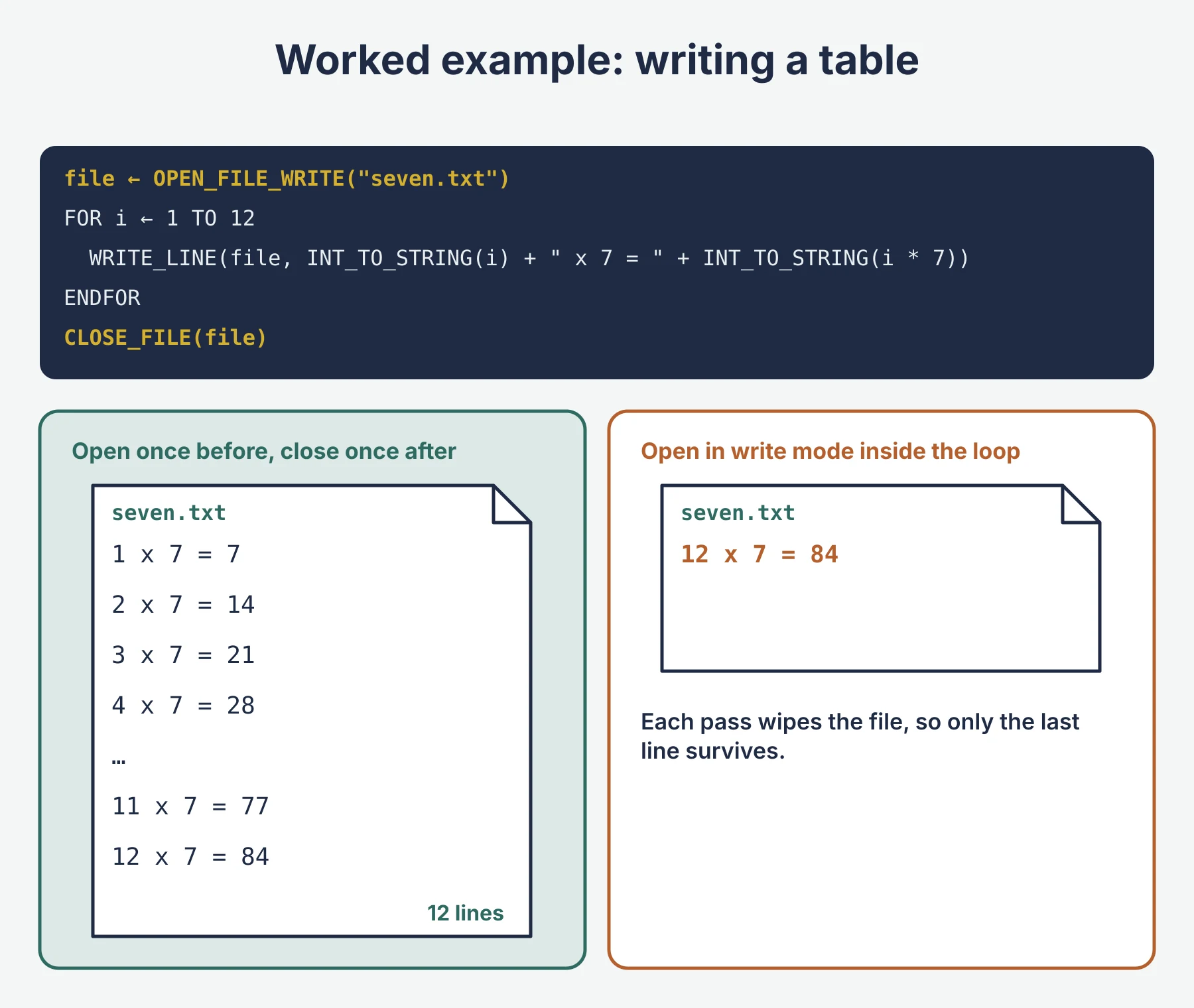
This creates (or replaces) seven.txt with 12 lines, from 1 x 7 = 7 to 12 x 7 = 84. The file is opened
once, before the loop, and closed once, after it. Opening inside the loop in write mode would wipe the
file on each pass, leaving only the last line.
Annotated model answer
Question: A text file holds the names of the pupils in a class, one per line. Describe how a program could count the pupils whose name is longer than eight characters. [4]
Model answer: Set a counter to 0 and open the file for reading. Repeat until the end of the file is reached: read the next line, and if the length of the name is greater than 8, add 1 to the counter. When the loop ends, close the file and output the counter.
Why it scores: each mark-worthy step is present and in the right order: initialise, open, loop to the end of the file with a read and a test inside, then close and output. The answer is a description, so no code is needed, but every step a program would carry out is still named.
Common mistakes
- No prompt before input, or a prompt that does not say what format is expected.
- Doing arithmetic on input or file data without converting from string.
- Forgetting to close the file.
- Using write mode when append was needed, destroying existing data.
- Opening or closing inside the loop, so only one line survives or reading restarts.
- Reading a fixed number of lines when the question does not say how many lines the file has; loop until the end of the file instead.
Exam technique
- Describe how a program reads a file: give the steps in order, open, loop to end of file, read and process each line, close, including any conversion.
- Write code: any suitable command names are accepted, but every step must be visible. Comment a command if its meaning might be unclear.
- Explain why a file is used: data persists after the program ends and can be reused.
- Read the scenario for the mode: “add”, “record each” or “log” points to append; “save the current”, “replace” or “create” points to write.
For a condensed summary and self-test, use the input/output and file handling revision notes, then try the input/output and file handling practice questions. Checking keyboard input before it is used is covered in the robust and secure programming study guide.
Related resources
-
Practice questions
OxfordAQA IGCSE Computer Science (9210): Input/output and file handling – Practice Questions
Original OxfordAQA IGCSE Computer Science 9210 practice questions with answers on keyboard input, screen output and reading and writing text files.
Computer Science · OxfordAQA · IGCSE
Try questions -
Revision notes
OxfordAQA IGCSE Computer Science (9210): Input/output and file handling – Revision Notes
Revision notes for OxfordAQA IGCSE Computer Science 9210 section 3.2.7: keyboard input, display output, reading and writing text files, traps and a self-test.
Computer Science · OxfordAQA · IGCSE
Revise topic -
Study guides
OxfordAQA IGCSE Computer Science (9210): Programming concepts
Study guide to OxfordAQA IGCSE Computer Science 9210 section 3.2.2: declarations, constants, assignment, definite and indefinite loops, nesting and identifiers.
Computer Science · OxfordAQA · IGCSE
Read guide
Get free revision emails (optional)
Occasional emails with practice questions, worked explanations and links to free resources for the qualification and subjects you choose. No spam, and you can unsubscribe from any email. The free tools on this site never need an email.